You are on the beta version of My Abandonware. The live site is still myabandonware.com. Your favorites and ratings here are copied to the live site. Comments and other changes are not — we delete them every morning at 08:00 Paris time, when this site goes down for about an hour. Leave feedback through this link to Pastel (email required).
The beta goes down at 08:00 Paris time, in a few minutes. We rebuild the database from the live site. It comes back in about an hour.
This game doesn't work with Anex98 nor Nekoproject. Use Virtual98.
Comments and reviews
Yo mama20 Jun. 2026
How do you enterrrrrr!!!!!!
-1
Mr.Game27 May. 2026
Bro this game is good but he was sexual contant😳
-3
Noname08 Feb. 2026
My respects.
-2
anon13 Dec. 2025
The legend...
3
aaaaaai15 Jul. 2025
this game is very good bro
2
Bill Cosby23 May. 2025
One of my all time favorites
1
RAPIST18 May. 2025
hello guys .
1
Green_Screen19 Jun. 2024
To move your character on PC-88 (jump, accelerate, slow-down) you have to use NumPad with NumLock on. If you don't have NumPad on your keyboard, then do the following: 1) Download AutoHotKey: https://www.autohotkey.com/ 2) Install the program and launch it. 3) Click "New script" (enter a name and select "Empty"), then hit "Create". 4) Open the created script with Notepad and paste the following:
UP::Numpad8 LEFT::Numpad4 RIGHT::Numpad6
5) Save the file and run the script.
P.S.: Don't forget to terminate the script in tray after playing.
4
Byby10 May. 2024
I couldnt move the character on m88 either... and couldnt boot it on virtual 98, how u did you do it?
-3
Help me pls26 Jan. 2024
Top comment
I tried running the PC-88 ver on M88 and it does work but i the only key that works in game is space so i can't move the character. When i used the PC-98 ver on Virtual98 it worked and i was able to move the character [Jumping, moving backward and forward]. Does anyone know what can i do to possibly move in 88 ver?
7
none07 Jan. 2024
Top comment
this comment section bruh💀💀
11
TopG07 Jan. 2024
It's a game you whiny bitches lmao Mfers watch a youtube video, search up the games, and then complain like some hoes
-2
23452342345234511 Dec. 2021
how to mount in dosbox-x?
-5
nomad02 Jan. 2018
you dont install this game. if using M88, select this imagefile from choose disk option. then press [F12] to REBOOT the M88 and game should start (same goes with all floppy-disk based pc-8801 games). btw, catching the girl is really difficult.
0
MECHA_GODZILLA16 Jul. 2017
This is a disk image so you just need to load it into a compatible PC-88 emulator such as M88 (Windows) or QUASI88 (Windows/Mac/Unix). Click on the "abandonware guide" link on this page and on that page look for the page on PC-88/PC-98 emulation if you need any help.
4
Ellex07 Jul. 2017
How do you install and run the game? I've tried several options but none seem to work.
-9
No comment nor review for this game at the moment.







 English



Comments and reviews
How do you enterrrrrr!!!!!!
Bro this game is good but he was sexual contant😳
My respects.
The legend...
this game is very good bro
One of my all time favorites
hello guys .
To move your character on PC-88 (jump, accelerate, slow-down) you have to use NumPad with NumLock on. If you don't have NumPad on your keyboard, then do the following:
1) Download AutoHotKey: https://www.autohotkey.com/
2) Install the program and launch it.
3) Click "New script" (enter a name and select "Empty"), then hit "Create".
4) Open the created script with Notepad and paste the following:
UP::Numpad8
LEFT::Numpad4
RIGHT::Numpad6
5) Save the file and run the script.
P.S.: Don't forget to terminate the script in tray after playing.
I couldnt move the character on m88 either... and couldnt boot it on virtual 98, how u did you do it?
I tried running the PC-88 ver on M88 and it does work but i the only key that works in game is space so i can't move the character. When i used the PC-98 ver on Virtual98 it worked and i was able to move the character [Jumping, moving backward and forward]. Does anyone know what can i do to possibly move in 88 ver?
this comment section bruh💀💀
It's a game you whiny bitches lmao
Mfers watch a youtube video, search up the games, and then complain like some hoes
how to mount in dosbox-x?
you dont install this game.
if using M88, select this imagefile from choose disk option.
then press [F12] to REBOOT the M88 and game should start (same goes with all floppy-disk based pc-8801 games).
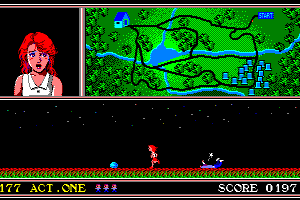
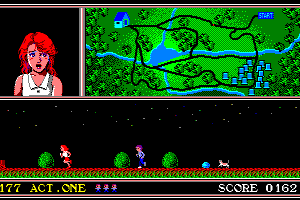
btw, catching the girl is really difficult.
This is a disk image so you just need to load it into a compatible PC-88 emulator such as M88 (Windows) or QUASI88 (Windows/Mac/Unix). Click on the "abandonware guide" link on this page and on that page look for the page on PC-88/PC-98 emulation if you need any help.
How do you install and run the game? I've tried several options but none seem to work.
No comment nor review for this game at the moment.