You are on the beta version of My Abandonware. The live site is still myabandonware.com. Your favorites and ratings here are copied to the live site. Comments and other changes are not — we delete them every morning at 08:00 Paris time, when this site goes down for about an hour. Leave feedback through this link to Pastel (email required).

Search more than 30000 retro games
  • Export saves: export the savegame files from your browser, so you can switch to another browser or computer. You can also use them in an emulator installed on your computer.
  • Import saves: import savegames that you exported before with the Export saves button.
  • Download disk: export the whole game from your browser, with all your savegames. Useful to switch to an emulator installed on your computer.
  • Reset game files: if you somehow messed up the game files, you can reset them to an exact copy of the original.
  • Reset saves: delete all savegames from your browser. We recommend that you export them first: there is no turning back!
Import saves?

The saves in the zip file replace your saves that have the same name. If the game runs, it starts again.

Reset game files?

This puts back all the files that the game came with, also the files that you deleted or changed. Files that the game made, such as saves, stay. If the game keeps a save in one of its own files, that save is lost. If the game runs, it starts again.

Delete your saves?

This deletes all your saves and all your changes to this game. You cannot undo this. To keep a copy, export your saves first. If the game runs, it starts again.

/ Genres / Sports / Allan Border's Cricket / Play in browser

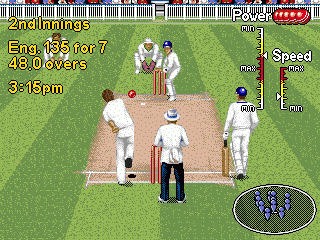
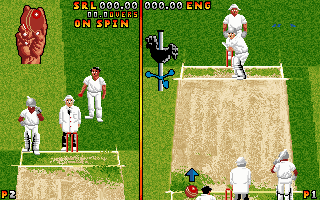
Allan Border's Cricket - Play Online

DOS - 1993
Also available on: Amiga - Atari ST - Commodore 64 - Genesis

For small DOS games like Allan Border's Cricket, you can play online immediately with your browser (Chrome, Firefox, Safari, Edge, Opera...). This feature is experimental, the game may not work properly.

Warning: game save should work, but you should try it early! Also, be careful to select the right game executable in the list above.

Extras

Manual Manual 1
Extra file
DOS 12 KB English English

Comments and reviews

AB 16 Dec. 2024

Please someone tell the controls of both bowling and batting

0
Doof 24 Apr. 2023

I could increase bowling speed by alternating tapping numpad-7 and numpad-9

0
JIBRAN 21 Mar. 2023

how to increase bowl speed
........................

0
haneef 19 Nov. 2020

i could figure out batting keys ...regarding bowling keys does any one knw how to increase the bowling speed ...thanks

0
Yort 07 May. 2020

Keyboard controls are based on your Num Pad, but TURN NUM-LOCK OFF. For a right-hand batsman:
7: cut
8: block
9: sweep/hook
4: late cut
6: leg glance
1: cover drive
2: straight drive
3: on drive
4+6: run between wickets
0: turn back when running

Apparently if you hold Shift before pressing the shot button, it adds power to your shot.

0
Madmax 23 Oct. 2019

Does anyone knows what are the keyboard controls??

0
Dev 27 Mar. 2018

Can you please also share controls confi...

0

No comment nor review for this game at the moment.

Comments posted on the beta are not kept. We delete them at 08:00 Paris time and they never reach the live site. Post on myabandonware.com if you want your comment to stay.

Similar games

Brian Lara Cricket '96
4.5/5 - 34 votes
Brian Lara Cricket '96
Genesis, Amiga
1996
Cricket 97
4.3/5 - 271 votes
Cricket 97
DOS, Windows
1997
Cricket 07
4.3/5 - 1171 votes
Cricket 07
Windows
2006
Brian Lara Cricket
4.0/5 - 79 votes
Brian Lara Cricket
Windows
1999
Brian Lara International Cricket 2007
3.5/5 - 240 votes
Brian Lara International Cricket 2007
Windows
2007
Ian Botham's Cricket
4.1/5 - 24 votes
Ian Botham's Cricket
DOS, Amiga
1992