




- Export saves: export the savegame files from your browser, so you can switch to another browser or computer. You can also use them in an emulator installed on your computer.
- Import saves: import savegames that you exported before with the Export saves button.
- Download disk: export the whole game from your browser, with all your savegames. Useful to switch to an emulator installed on your computer.
- Reset game files: if you somehow messed up the game files, you can reset them to an exact copy of the original.
- Reset saves: delete all savegames from your browser. We recommend that you export them first: there is no turning back!
Arcade Fruit Machine - Play Online
DOS - 1992
For small DOS games like Arcade Fruit Machine, you can play online immediately with your browser (Chrome, Firefox, Safari, Edge, Opera...). This feature is experimental, the game may not work properly.
Warning: game save should work, but you should try it early! Also, be careful to select the right game executable in the list above.
Similar games
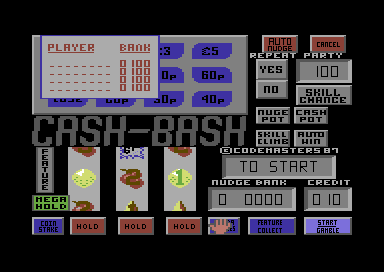
4.0/5 - 2 votes
Fruit Machine Simulator Commodore 64, ZX Spectrum, Amstrad CPC, Atari 8-bit, BBC Micro, Electron
1987
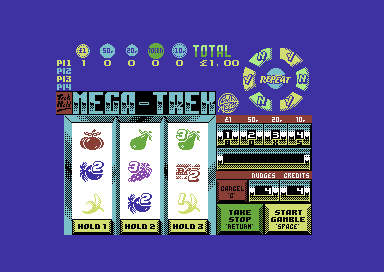
3.7/5 - 3 votes
Dizzy Dice DOS, Commodore 64, Amiga, MSX, ZX Spectrum, Amstrad CPC, Atari 8-bit, Atari ST, Commodore 16, Plus/4
1990
Comments and reviews
Hi Steve,
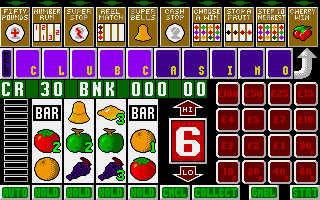
I've got it to work;
I=Insert
K=Exit
Z=Down
V=UP
S=Sound
C=Confirm (?)
X=Cancel
Enter = Start
1,2,3 = hold which row
Goodluck!
The (online version) loads okay. The start screen appears with music playing....but that's It! No response to any Input, whether Keyboard, Mouse or Gamepad. I've tried everything, but have had no response whatsoever. A real shame, as I was looking forward to playing this game with my grandkids, nearly 30 years after I first played! I hope some of my fellow gamers will get It to function properly and enjoy It as I once did - It's great fun and Ideal for playing with the kids; they love It! Good luck, friends!
No comment nor review for this game at the moment.