You are on the beta version of My Abandonware. The live site is still myabandonware.com. Your favorites and ratings here are copied to the live site. Comments and other changes are not — we delete them every morning at 08:00 Paris time, when this site goes down for about an hour. Leave feedback through this link to Pastel (email required).
The beta goes down at 08:00 Paris time, in a few minutes. We rebuild the database from the live site. It comes back in about an hour.
I used to play the this when I was a kid . I want to play it in the internet now.
0
Dearett24 Mar. 2025
I found this game playable on Windows 10. To install and run it you need to: Copy the CGTown directory from the CD to the folder where you usually install games Path Example: C:\Games\CGTown Then open this directory and copy the contents of CGTown and Rescourse folders to the root of this directory (after that these folders can be deleted) Then you should edit .ini files In Atlas32.ini you should change the values and they should like that after editing: ResPath=;SignIn VideoPath=Movies Then in CGTown.ini the values should look like that: ResPath= VideoPath=Movies Then copy 3 VidPlyIn*.smk files to the Movies folder *KALogo, Intro, Outro After that game can be launched (CD isn't required) using CGTown.exe (if you like you can make shortcut on your desktop)
0
No comment nor review for this game at the moment.





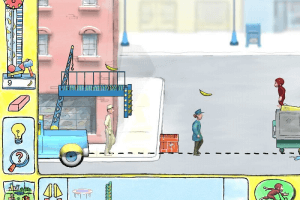

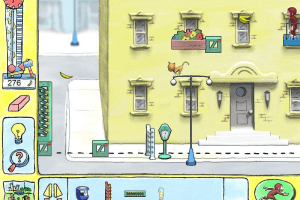
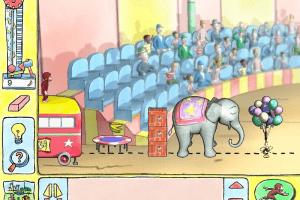

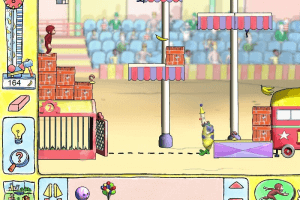






 English



Comments and reviews
I used to play the this when I was a kid .
I want to play it in the internet now.
I found this game playable on Windows 10.
To install and run it you need to:
Copy the CGTown directory from the CD to the folder where you usually install games
Path Example: C:\Games\CGTown
Then open this directory and copy the contents of CGTown and Rescourse folders to the root of this directory (after that these folders can be deleted)
Then you should edit .ini files
In Atlas32.ini you should change the values and they should like that after editing:
ResPath=;SignIn
VideoPath=Movies
Then in CGTown.ini the values should look like that:
ResPath=
VideoPath=Movies
Then copy 3 VidPlyIn*.smk files to the Movies folder
*KALogo, Intro, Outro
After that game can be launched (CD isn't required) using CGTown.exe (if you like you can make shortcut on your desktop)
No comment nor review for this game at the moment.