You are on the beta version of My Abandonware. The live site is still myabandonware.com. Your favorites and ratings here are copied to the live site. Comments and other changes are not — we delete them every morning at 08:00 Paris time, when this site goes down for about an hour. Leave feedback through this link to Pastel (email required).
The beta goes down at 08:00 Paris time, in a few minutes. We rebuild the database from the live site. It comes back in about an hour.
Hi, I might be a few years late, but I hope I can help those who still love this game & want to give it a second chance. This is also for any future visitors who come across this comment. Disclaimer: I'm just a casual Windows user - not an IT expert or a developer - so I definitely don't have all the answers. However, this is how I managed to install the game.
I'm currently using Windows 11 Pro 64-bit (version 23H2).
Optional (for 64-bit Windows Users): You might want to check out WineVDM (also called otvdm) in case the setup doesn't install the game correctly. This program is essentially a 16-bit Windows emulator for 64-bit systems, and to me, is easier to use compared to other emulators that require more technical knowledge.
1st: Download the ISO game file and mount it to your hard drive. (on Windows 11, simply right-click the file and select 'Mount' but if you're using an older version of windows, you may need a third-party tool like "DAEMON Tools Lite" or something similar)
2nd: Right-click autorun.exe & choose 'Properties', then: ▪Go to 'Compatibility' tab and set the Compatibility mode to "Windows 95". ▪Under the Settings section, check the following: ✓ Reduced color mode (set to 16-bit [65536] color). ✓ Run in 640 x 480 resolution (I suggest keeping this checked; it won’t affect the game but prevents it from running in a tiny window). ✓ Disable fullscreen optimizations. ✓ Run this program as an administrator. ▪Select 'Apply', then 'OK', and start autorun.exe select "install".
Warning (for 64-bit Windows Users): If you get errors stating the program only runs on Windows 95 or the game doesn’t install correctly, try running autorun.exe with WineVDM (by drag & drop "autorun.exe" onto "otvdm.exe" or alternatively, open "otvdmw.exe" and manually locate "autorun.exe").
If the setup runs but you ONLY get an error about "Unable to setup Direct-X", don't worry, the game has still been installed.
3rd: After installation, the setup may ask you to restart your PC (I think you can skip this if you want), then: ▪Go to the game’s installation folder (On default it should be something like "C:\Program Files\Disney Interactive\Disney's Magic Artist\"). ▪Right-click on "Disney's Magic Artist.exe" Properties, and do the same with "autorun.exe" on the 2nd step earlier. ▪From now on, you should be able to run the game via Disney's Magic Artist.exe, just make sure you first mount the game's ISO file every time you want to play the game (that's how games work back then anyway).
Warning: If you can’t open Disney's Magic Artist.exe, try running it through WineVDM.
I hope this helps, and that you enjoy the game as much as I did back in the early 2000s. Hopefully, one day, someone will release a patch for this game so we won't have to go through all this steps just to relive our nostalgia, haha.
1
ismini04 Jun. 2024
Anyone knows how to install on windows 10?
1
John18 Mar. 2023
Will there be a US hybrid version of this game?
0
Dubaifreak05 Mar. 2023
Installer is 16-bit, i cannot install this game, on my Windows 7 32-bit it worked as expected, but i can't do it anymore since i own Windows 10 64-bit! Does anyone have an alternative installer for this?
1
No comment nor review for this game at the moment.



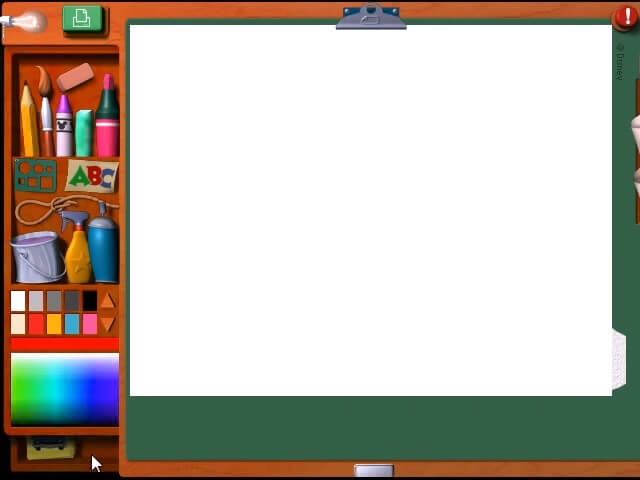
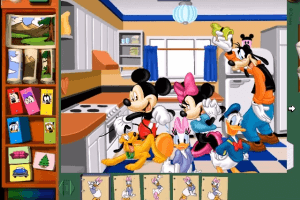
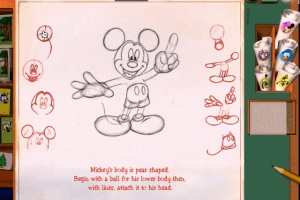
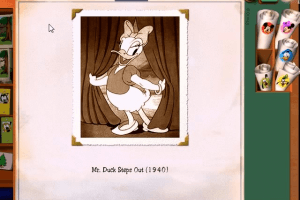





 English
  German
  French
  Italian
  Dutch
Dutch  Norwegian
  Portuguese
  Swedish




Comments and reviews
Swedish :
https://archive.org/details/disneys-magic-artist-swe
Hi, I might be a few years late, but I hope I can help those who still love this game & want to give it a second chance. This is also for any future visitors who come across this comment.
Disclaimer: I'm just a casual Windows user - not an IT expert or a developer - so I definitely don't have all the answers. However, this is how I managed to install the game.
I'm currently using Windows 11 Pro 64-bit (version 23H2).
Optional (for 64-bit Windows Users): You might want to check out WineVDM (also called otvdm) in case the setup doesn't install the game correctly. This program is essentially a 16-bit Windows emulator for 64-bit systems, and to me, is easier to use compared to other emulators that require more technical knowledge.
1st: Download the ISO game file and mount it to your hard drive. (on Windows 11, simply right-click the file and select 'Mount' but if you're using an older version of windows, you may need a third-party tool like "DAEMON Tools Lite" or something similar)
2nd: Right-click autorun.exe & choose 'Properties', then:
▪Go to 'Compatibility' tab and set the Compatibility mode to "Windows 95".
▪Under the Settings section, check the following:
✓ Reduced color mode (set to 16-bit [65536] color).
✓ Run in 640 x 480 resolution (I suggest keeping this checked; it won’t affect the game but prevents it from running in a tiny window).
✓ Disable fullscreen optimizations.
✓ Run this program as an administrator.
▪Select 'Apply', then 'OK', and start autorun.exe select "install".
Warning (for 64-bit Windows Users): If you get errors stating the program only runs on Windows 95 or the game doesn’t install correctly, try running autorun.exe with WineVDM (by drag & drop "autorun.exe" onto "otvdm.exe" or alternatively, open "otvdmw.exe" and manually locate "autorun.exe").
If the setup runs but you ONLY get an error about "Unable to setup Direct-X", don't worry, the game has still been installed.
3rd: After installation, the setup may ask you to restart your PC (I think you can skip this if you want), then:
▪Go to the game’s installation folder (On default it should be something like "C:\Program Files\Disney Interactive\Disney's Magic Artist\").
▪Right-click on "Disney's Magic Artist.exe" Properties, and do the same with "autorun.exe" on the 2nd step earlier.
▪From now on, you should be able to run the game via Disney's Magic Artist.exe, just make sure you first mount the game's ISO file every time you want to play the game (that's how games work back then anyway).
Warning: If you can’t open Disney's Magic Artist.exe, try running it through WineVDM.
I hope this helps, and that you enjoy the game as much as I did back in the early 2000s. Hopefully, one day, someone will release a patch for this game so we won't have to go through all this steps just to relive our nostalgia, haha.
Anyone knows how to install on windows 10?
Will there be a US hybrid version of this game?
Installer is 16-bit, i cannot install this game, on my Windows 7 32-bit it worked as expected, but i can't do it anymore since i own Windows 10 64-bit! Does anyone have an alternative installer for this?
No comment nor review for this game at the moment.