You are on the beta version of My Abandonware. The live site is still myabandonware.com. Your favorites and ratings here are copied to the live site. Comments and other changes are not — we delete them every morning at 08:00 Paris time, when this site goes down for about an hour. Leave feedback through this link to Pastel (email required).
The beta goes down at 08:00 Paris time, in a few minutes. We rebuild the database from the live site. It comes back in about an hour.
Hey MAU, thank you for your fix! Worked perfectly!
1
Mau21 Apr. 2022
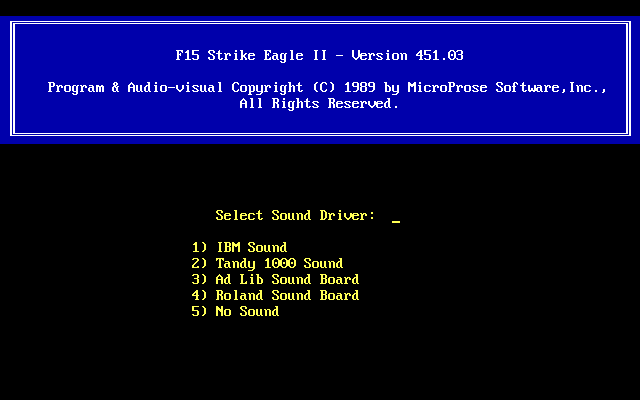
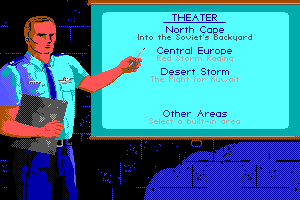
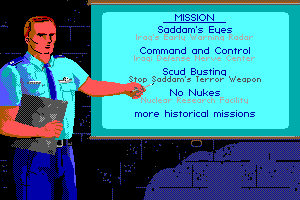
Well ! I found a solution that, at least for me, worked well. The procedure is this: download the "basic" version of f15 II from the My abandonware site, the one marked like this ... "F-15-Strike-Eagle-II_DOS_EN_v45103". Subsequently, again from this same site, also download "F-15-Strike-Eagle-II-Operation-Desert-Storm-Scenario-Disk_DOS_EN", ie the "Desert Storm" scenario. Then unzip both downloaded files. In this way we will get two expanded folders, inside which we will find the unzipped files. At this point it will be sufficient to transfer all the unpacked files from the "Desert Storm" expansion folder into the "base" game folder. ALL FILES ..... EXCEPT FILE "F 15.COM". Accept any replacement requests that the process may require, and ... that's it! Now all that remains is to open the command "f15" of the basic version (remember, it is the only file that must NOT be replaced!), With dos box and ... voilà! When the game starts, it will obviously ask you if you have the joystick, the type of video card, and the type of sound card. In the choice of missions, you will see the presence of the "Desert Storm" scenario ... At least, for what concerns me it worked for me, as well as I hope for you too ... Have fun
3
JackHicks23614 Jun. 2021
When I installed the expansion and try to play but it's not working. Appears a simple message: "echo off" and no more.
0
No comment nor review for this game at the moment.






 English



Comments and reviews
Hey MAU, thank you for your fix! Worked perfectly!
Well ! I found a solution that, at least for me, worked well. The procedure is this: download the "basic" version of f15 II from the My abandonware site, the one marked like this ... "F-15-Strike-Eagle-II_DOS_EN_v45103". Subsequently, again from this same site, also download "F-15-Strike-Eagle-II-Operation-Desert-Storm-Scenario-Disk_DOS_EN", ie the "Desert Storm" scenario. Then unzip both downloaded files. In this way we will get two expanded folders, inside which we will find the unzipped files. At this point it will be sufficient to transfer all the unpacked files from the "Desert Storm" expansion folder into the "base" game folder. ALL FILES ..... EXCEPT FILE "F 15.COM". Accept any replacement requests that the process may require, and ... that's it! Now all that remains is to open the command "f15" of the basic version (remember, it is the only file that must NOT be replaced!), With dos box and ... voilà! When the game starts, it will obviously ask you if you have the joystick, the type of video card, and the type of sound card. In the choice of missions, you will see the presence of the "Desert Storm" scenario ... At least, for what concerns me it worked for me, as well as I hope for you too ... Have fun
When I installed the expansion and try to play but it's not working. Appears a simple message: "echo off" and no more.
No comment nor review for this game at the moment.