



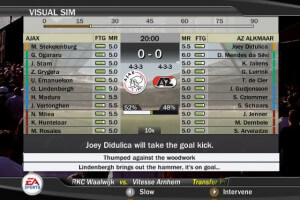
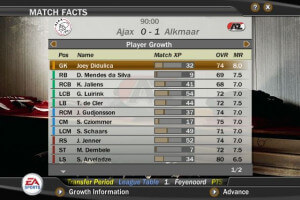
How to Play
The game with patch and NoCD has been tested on Windows 7 64-bit and Windows 10, works with no problem. You may experience some small troubles when you play the game on modern systems, check our Guide and Notes for details.
Install & play guide:
- Mount the disc image. You will need the utility for mounting disc image files, like WinCDEmu, UltraISO, Alcohol 52%/Alcohol 120% or Daemon Tools Lite
- Launch the installation (if autorun doesn't work - launch Autorun.exe in compatibility mode with Windows 2000 or XP)
- Ignore EA Registration window, click "Register later"
- Also it is recommended to install DirectX 9 from the disc (if you're using Windows 10 - enable DirectPlay, read this or this guide how to do it)
- After you installed the game - install the patch 1.1. There's few version of patch 1.1 for English language, all of them are available in the archive. Select the version based on your release
- (If the patch installer cannot find fifa07.exe - show the path to the game folder)
- Optionally install Update 01/07, it is update of database with team rosters actual for the end of the winter transfer season
- Then install NoCD (simply copy FIFA07.exe from archive and put it into directory with installed game, agree to replace original file)
- Open the directory with the game and find FIFA07.exe. Right click on FIFA07.exe - Properties - Compatibility - Set "Run this app in compatibility mode with Windows XP" and "Run as administrator"
- Launch the game and play. If the game doesn't work in compatibility mode with Windows XP - try to launch it in compatibility mode with other version of Windows (98, 2000 or Vista)
Notes:
- If the installation doesn't start - try to launch Setup in compatibility mode with old version of Windows (98, 2000 or XP). For Windows 8 and newer - it is recommended to run Autorun.exe in compatibility mode with Windows XP SP3
- On some systems the game shows DirectX related error during Installation, even if DirectX is installed in the system. To fix that trouble you need to bypass DirectX check: click on Start -> Run (or press Win+R), then type
X:\AutoRun.exe -DXInstalled, where X is the letter of drive with the disc. Here's video guide how to do it - Since English language is available in different releases, there was different version of patch 1.1 for English language, depending on release. We added all versions in the archive, select the correct one based on what release you downloaded
- We added all versions of patch 1.1 for retail version, if you have digital download version - you can find patch 1.1 for it here
- Update 01/07 adds new rosters of the team in Database, actual for the end of the winter of 2006-2007 transfer season. There's all versions of that update in the archive, select the correct one based on what release you downloaded. If you cannot find the update for your version of the game - check PatchesScrolls and GamePressure
- NoCD is required for the launch because the game is using SafeDisc DRM protection, which doesn't work on modern systems. That NoCD "breaks" DRM protection and allows the game to work on modern systems. NoCD on our website should be compatible with all versions, but if it didn't work - try another NoCD from GameCopyWorld
- The game works on DirectX 9, so if you're using Windows 8, 8.1, 10 or 11 - you need to enable DirectPlay: Go to Control Panel, and select 'Programs'. Select 'Turn Windows features on and off', click on 'Legacy Components' and check the box 'DirectPlay'. Select OK, once the installation is done, restart your computer
- By default the game supports resolutions up to 1280x720 only. But you can run the game in higher resolutions by HeX-editing of exe-file, for more details check WSGF page
- As alternative - you can use Resolution tool by Squ1zZy: copy files from the archive (agree to replace FIFA07.exe), then launch ResPatcher and select new resolution, click "Patch" and the tool will change the resolution automatically. After that run the game as usual
- If you have troubles with running the game on Windows 7 and newer OS - try to run it through dgVoodoo utility (copy the dll-files from the MS/x86 folder, dgVoodooCpl.exe and dgVoodoo.conf to the game folder, then launch the game from FIFA07.exe; to change dgVoodoo settings - open dgVoodooCpl.exe). Please note that your graphics card must support DirectX 9
- Also, with dgVoodoo you can play the game in high resolution with anti-aliasing and texture filtering - run dgVoodooCpl.exe, open DirectX tab and select the settings you want. After that click "Apply" to save settings, close dgVoodooCpl and run the game from FIFA07.exe. The game with dgVoodoo has been tested on Windows 7 64-bit, works with no problem
- If the game with NoCD doesn't run and just closes with error: disable DEP for FIFA07.exe. Right click on My Computer → Properties → Select Advanced system settings → Open Advenced tab → Performance settings → "Data Execution Prevention" tab → Click on "Turn on DEP for all programs except those that I select" → add FIFA07.exe from game directory. Here's the guide with pictures how to enable/disable DEP for specific program. After you disabled DEP for FIFA07.exe, the game should run with no errors
- For Windows 8, 8.1 & 10 users: if you see error "FIFA 07 requires hardware graphics acceleration" or the game doesn't launch - try to run the game in compatibility mode witn Windows 7 or 8
- Also disable full screen optimization, or try to change hardware acceleration settings, read this guide how to do it
- If none of the methods help - run the game on Virtual Machine with Windows XP 32-bit, also don't forget to install inside Virtual Machine the disc image utility like UltraISO, to emulate the game CD
- For users of Windows 64-bit systems: if the game doesn't work after you launched it - open Task Manager (Ctrl+Alt+Del by default) and check for processes FIFA07.exe and rundll32.exe. Close FIFA07.exe but don't touch rundll32.exe (it's a Windows app for running old apps from 32-bit operational systems, most old games running through rundll32.exe). Now try to launch the game again, it must work. Don't forget to close rundll32.exe process in Task Manager after finishing playing
- Don't forget to check PCGamingWiki if you have troubles
 English
  Danish
  Swedish
  French
  German
  Italian
  Dutch
Dutch  Hungarian
  Czech
Czech  Polish
  Russian
  Spanish
  Portuguese
  Portuguese (Brazil)





Comments and reviews
Hello friends. You can improve your fifa gaming experience. I have a few patches for fifa 07. In the first patch, you can increase the number of substitutions from 3 to 5. and you can increase the number of substitute players to 12.
https://archive.org/details/fifa-07-5-sub-12-bench
IT WORKSS WELL IN WINDOWS 10, bYPASS METHOD FIX THE DIRECTX ISSUE WITH RUN METHOD.
THANKS A LOT
I've tried to get it running on Windows 11, but it just won't start. It launches normally, but right before entering a match it closes and sends me back to the desktop. There's no crash report or error message—it just exits. Has anyone experienced this? What can I do?
best fifa for me for us and for everybody.
i try every compatibility mode , xp , 8 , 7
i double clicl the fifa07, and then i get this black screen after 2 seconds i see like a grey screen and then black and then i get throw to the desktop, no error or something
what to do ?
what do i do if its asking for the cd/dvd code at the back of the case?
if it work best day of my life
good very good
working very well :) has not a any problem ;) dont wait bro, download, setup and play.
indirirken sürekli %70 de takılıyor?
oyun sağlam mı ? windows 10 da çalışıyor mu ? bilen varsa yazsın beyler
doesn't work for me , i try every compatibility mode , xp , 8 , 7
i double clicl the fifa07, and then i get this black screen after 2 seconds i see like a grey screen and then black and then i get throw to the desktop, no error or something
what to do ?
I like it fifa 07 Is good
herşey seninle başlar
AGORA ELE TA PEDINDO DVD ROM 💀
is incredible you can able to put the crack archive , is not working whitout tha archive
Q bien gracias 🙂
I have a problem. The farthest I get is that I can select the language. After language selection the screen/game freezes and the selection sound keeps playing and that's it. Nothing more happens.
arkadaşlar oyunu yükledim ve çalışıyor ama tam ekran değil. nasıl tam ekran yapabilirim ?
The quality is poor
Now I get the error "FIFA 07 Needs an hardware graphics acceleration". What can I do?
I get the error “insert the correct DVD-ROM, select accept and restart the application”. What can i do?
No me funciona me salta el error del DirectX
LAS INSTRUCIONES SON ESTAS:
Juego probado en Windows 7 y puede funcionar en sistemas operativos más recientes. Para comenzar, monta la ISO y ejecuta el instalador. (AutoRun.exe) Tan pronto como se solicite, introduce el siguiente serial:
6E4U-KBYL-QBP9-96S3-QR6Q
Selecciona la "Instalación Completa" y sigue las demás instrucciones hasta finalizar la instalación, Después de la instalación, copia el ejecutable FIFA07.exe de la carpeta "patch" al directorio del juego de la PC:
C:\Program Files (x86)\EA SPORTS\FIFA 07
¡Buenos juegos!
En algunos sistemas, el juego muestra un error relacionado con DirectX durante la instalación, incluso si DirectX está instalado. Para solucionar este problema, debes omitir la comprobación de DirectX: haz clic en Inicio - Ejecutar (o presiona Win+R) y escribe X:\AutoRun.exe -DXInstalled, donde X es la letra de la unidad donde se encuentra el disco le das aceptar o enter y se iniciará la instalación sin los problemas del DirectX. es todo.
tengo el patch o crat pero no se de que manera se los pasaría. mi facebook es: Frank Roca González por si les puedo ayudar, a mi sí me funcionó el juego.
i downloaded it and now is requesting for a code that i dont have it , anyone please help
What code do you use to install the game or where do you download the crack?
I want this game so i want download
Can it run on windows 7 32 bit?? Please help.
Game crash in loading screen before match
EVEN AFTER ENABLING DIRECTPLAY THE INSTLLER SAYS THAT I NEED TO DOWNLOAD DIRECTX LASTEST VERSION
Didnt start playing wish it works
this games well enough for me on windows 11. I downloaded repack by magipack
I tried but couldn't run the game on windows 11... u.u
Well, none of this version works. It could be a good idea to check if the files are working before uploading them to the site.
it dosent work it says i dont have the latest dierexc but i have!
How do I connect my controller?
How do I connect my controller/gamepad to the game?
everything works well on Windows 11 except the gameplay is SO SLOW. anyone figure out how to solve this??
GUYS TO MAKE THE GAME WORK WITH WINDOWS 11, YOU NEED TO RUN: "WIN+R; TYPE: letter:\\autorun.exe -DXInstalled". Remember "letter" is the letter that is on the FIFA 07 DISK LOCATION. And if you enconter a error mentioning that the CDROM IS MISSING OR SOMETHING LIKE THAT. Download the "No CD for Version 1.1". Hope that my comment helps someone here! ^^
The game does not work on Windows 11, at least not for me, Ihad no problem installing it but he game crashes inmediatly after I run it
I cannot even install this game! The setup program says "Installation cannot continue because it requires DirectX 9.0c or higher installed to continue". YOU FIRST INSTALL THE GAME, THEN CHECK YOUR CURRENT DIRECTX VERSION!
its nice for a 2007 game that is
Great game to be played
Does this works on windows 10 ? I cant even open the installer and windows is saying that there is a trojan. So i am just asking if anybody has installed it.
To me, this looks a lot like the PS2 version of Fifa07 and not the modernised version they released on Xbox 360
best fifa so far...pref manager mode
FIFA 07 was my favouite FIFA game pretty sure i could score from anywhere on the field i remember scoring a long one with Rooney
No comment nor review for this game at the moment.