


How to Play
When asked for a serial code, use one of the following (thanks Anon):
4510-4422023-8436773-44331500-0569039-8691100-96132501-2973603-4208783-4109
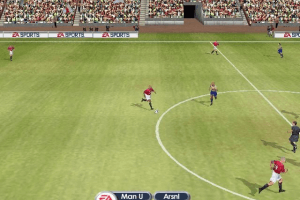
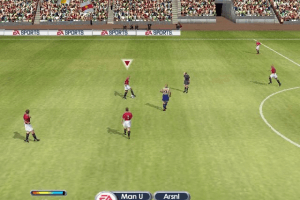
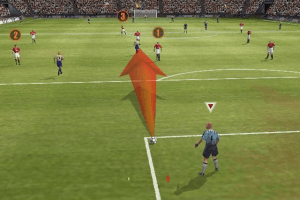
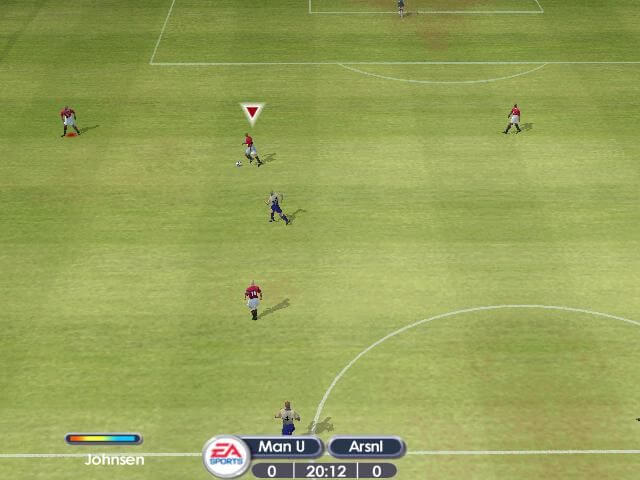
When asked for a serial code, use one of the following (thanks Anon):
4510-4422023-8436773-44331500-0569039-8691100-96132501-2973603-4208783-4109




 Greek
Greek  Hebrew
  Italian
  Japanese





Comments and reviews
disculpen me pide insertar el disco cuando quiero ejecutarlo
Carlos Henrique
Eiejdhejejdurjeu
mine is not working. everything is working till i run the game. i use every compatibility option but no luck. the link with the patch is not working. maybe is that what i need
hola, gracias para mi uno de los juegos de futbol mas completos,gracias por tener juegos retro para lo que le gustan
Instructions to install FIFA 2002 for modern PCs:
1 - Download the ISO file and mount the disc image in your local versions using WinCDEmu.
2 - Install a game.
3 - Install dgVoodoo2 here: https://dege.freeweb.hu/dgVoodoo2/dgVoodoo2/ , open the control panel and set the resolution to 2x, to run on maximum resolution that the menu is always 640x480.
4 - Follow the instructions for widescreen fix here: www.wsgf.org/dr/fifa-football-2002/en .
5 - From "3DSetup" folder, edit "3DSetup.ini", from line 5, add this prompt like this: CARD_ALL /C:16 /TB:1 /R:320x200 /R:640x480 /R:720x480 /R:768x576 /R:800x600 /R:1024x768 /R:1280x720 /R:1280x768 /R:1360x768 /R:1366x768 /R:1920x1080 /R:2560x1440 /R:3840x2160 /R:1152x864 /R:1280x1024 /R:1600x1200 /R:2048x1536 , run "3DSetup.exe" and set the resolution.
6 - Run the game.
Instructions to install FIFA 2002 for modern PCs:
1 - Download the ISO file and mount the disc image in your local versions using WinCDEmu.
2 - Install a game.
3 - Install dgVoodoo2 here: https://dege.freeweb.hu/dgVoodoo2/dgVoodoo2/ , open the control panel and set the resolution to 2x, to run on maximum resolution that the menu is always 640x480.
4 - Follow the instructions for widescreen fix here: www.wsgf.org/dr/fifa-football-2002/en .
5 - From "3DSetup" folder, edit "3DSetup.dll", from line 5, add this prompt like this: CARD_ALL /C:16 /TB:1 /R:320x200 /R:640x480 /R:720x480 /R:768x576 /R:800x600 /R:1024x768 /R:1280x720 /R:1280x768 /R:1360x768 /R:1366x768 /R:1920x1080 /R:2560x1440 /R:3840x2160 /R:1152x864 /R:1280x1024 /R:1600x1200 /R:2048x1536 , run "3DSetup.exe" and set the resolution.
6 - Run the game.
Which of the files should I download
i tried to open both of the hebrew links and both of then said item not available someone knows if he can put the links up or send it to me or where can i get the hebrew files?
Italian version provided :
https://archive.org/download/redump_pc_F/FIFA%20Football%202002%20%28Italy%29.7z
Greek :
https://archive.org/details/fifa-2002-greek
Hebrew :
https://archive.org/download/redump_pc_F/FIFA%20Football%202002%20%28Israel%29.7z
Hebrew Addon :
https://archive.org/download/redump_pc_F/FIFA%20Football%202002%20%28Israel%29%20%28Israeli%20League%20Add-On%29.7z
Japanese (FIFA 2002: Road to FIFA World Cup) :
https://archive.org/download/redump_pc_F/FIFA%202002%20-%20Road%20to%20FIFA%20World%20Cup%20%28Japan%29.7z
OMG man it works!
Creators of this site, uploader, REAPINGLEGION, u guys are GODS!!!
I'm literally in tears that it is finally working... haven't played this game 10 years, trying almost every month to find a solution to get it worked... and finally!
Love you all.
hey thanks REAPINGLEGION, it works
*Additional info*
SOMETIMES it crashes anyway with all this before start-up but just run the .reg file and .exe (in that order) until it works.
Dunno why but it's an old game, problems will occur!
Alright alright! This is how i got it to work.
First of all, install NGLIDE! (Unless you already have it, then ignore this) - https://www.zeus-software.com/downloads
SECOND: Install the game. - If you cannot run the installer do this: https://www.minitool.com/news/run-32-bit-programs-on-64-bit-windows.html (it works with all older games i've tested so far....FIFA 98, 99, 2000 and so forth
Navigate to the: "Can’t Install 32-bit Program on 64-bit Windows?" and follow the easy steps.
THIRD: Download the compatibility patch http://www.zeus-software.com/files/nglide/fifa2002_patch.zip
Extract the .exe and .reg file to your FIFA 2002 install dir then replace the .exe in the install dir with your new one in the .zip file and run the .reg file.
FOURTH: I left the 3DSetup as default (First option, Resolution 640x480) as all others tended to crash for me before kickoff, sure this way works but with 4:3.
If you don't want it streched and so forth follow next step.
FIFTH: Check your Nglide app and let it be the following:
Video backend: Automatic (Default)
Screen Resolution: 2560 x 1600 (This is the ONLY resolution that worked for me and im on a "Samsung LC34G55 34" Curved Odyssey G5", other resolutions might work for you or this one)
Aspect Ratio: Aspect Correction (So it wont get stretched)
Refresh rate: By App (default)
Vertical Synchronization: On (default)
Gamma Correction: 1.0 (Default)
3Dfx logo splash screen: On (Default) - This way you know if the app works or not as somtimes after a restart you need to run the .reg file again in order for the game to work. (i had loads of troubles with this at first)
I hope that this works for you, i tested the game with dgVoodoo2 and DXWND but nothing worked, i got it to work flawlessly on DXWnd but couldn't get the mouse to work no matter which mouse cursor settings i had. (Maybe cuz of Nglide? i dunno)
Btw, i did use a .bin file i found online (i do own the original copy though) and ALWAYS keep the .bin mounted in Daemon Tools or whatever you use or else the game wont start. (Because if you replace your .exe with a "cracked" one it wont work either)
Hope this way works for you guys! Happy playing this old gem!
S/N: 4510-4422023-8436773-4433
S/N: 1500-0569039-8691100-9613
S/N: 2501-2973603-4208783-410
Try one of the above when installing the game good luck trying to run it on anything modern though
Where can I find the cd key please ?
No comment nor review for this game at the moment.