





- Export saves: export the savegame files from your browser, so you can switch to another browser or computer. You can also use them in an emulator installed on your computer.
- Import saves: import savegames that you exported before with the Export saves button.
- Download disk: export the whole game from your browser, with all your savegames. Useful to switch to an emulator installed on your computer.
- Reset game files: if you somehow messed up the game files, you can reset them to an exact copy of the original.
- Reset saves: delete all savegames from your browser. We recommend that you export them first: there is no turning back!
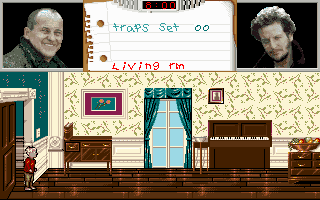
Home Alone 2: Lost in New York - Play Online
DOS - 1992
For small DOS games like Home Alone 2: Lost in New York, you can play online immediately with your browser (Chrome, Firefox, Safari, Edge, Opera...). This feature is experimental, the game may not work properly.
Warning: game save should work, but you should try it early! Also, be careful to select the right game executable in the list above.
Similar games
4.6/5 - 833 votes
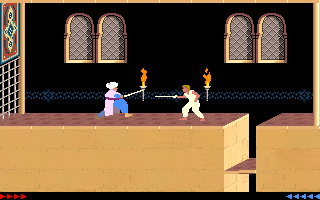
Prince of Persia DOS, Mac, Genesis, SEGA Master System, Game Gear, Amiga, Amstrad CPC, Atari ST, Apple II, FM Towns, PC-98, SAM Coupé, SEGA CD, Sharp X68000, TurboGrafx CD
1990
4.6/5 - 314 votes
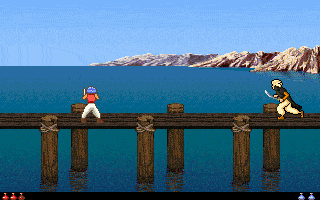
Lemmings DOS, Mac, Genesis, Commodore 64, SEGA Master System, Game Gear, Amiga, ZX Spectrum, Amstrad CPC, 3DO, Atari ST, CD-i, Lynx, Acorn 32-bit, Amiga CD32, J2ME, CDTV, FM Towns, PC-98, SAM Coupé, Sharp X68000, TurboGrafx CD
1991
Comments and reviews
for me it works so ill give instructions
1:select the game executable HA2SETUP.EXE and launch the game
2:select a sound player(i personally recommend adlib)
3:save the configuration and exit to dos
4:type HA2.EXE and press enter to launch the game
the controls are arrow keys to move,0 to jump,space to pick up items and use traps and enter to use items
In the browser, it just gives a logo, after that the screen turns black and stays black.
No comment nor review for this game at the moment.