






- Export saves: export the savegame files from your browser, so you can switch to another browser or computer. You can also use them in an emulator installed on your computer.
- Import saves: import savegames that you exported before with the Export saves button.
- Download disk: export the whole game from your browser, with all your savegames. Useful to switch to an emulator installed on your computer.
- Reset game files: if you somehow messed up the game files, you can reset them to an exact copy of the original.
- Reset saves: delete all savegames from your browser. We recommend that you export them first: there is no turning back!
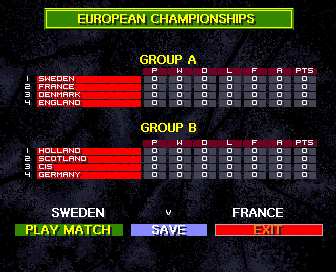
International Sensible Soccer - Play Online
DOS - 1994
For small DOS games like International Sensible Soccer, you can play online immediately with your browser (Chrome, Firefox, Safari, Edge, Opera...). This feature is experimental, the game may not work properly.
Warning: game save should work, but you should try it early! Also, be careful to select the right game executable in the list above.

 English
Similar games
4.3/5 - 20 votes
Sensible Soccer: European Champions - 92/93 Edition DOS, Amiga, Atari ST, Amiga CD32
1993

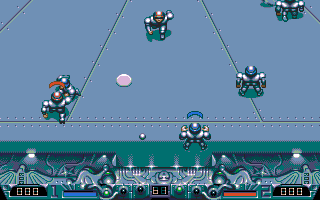
4.4/5 - 75 votes
Speedball 2: Brutal Deluxe DOS, Genesis, Commodore 64, SEGA Master System, Amiga, Atari ST, Acorn 32-bit, Amiga CD32, J2ME, Windows Mobile
1991
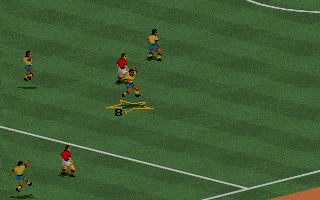
4.3/5 - 290 votes
FIFA International Soccer DOS, Genesis, SEGA Master System, Game Gear, Amiga, SEGA CD
1994
Comments and reviews
I configured it and got it working but can't pass or tackle diagonally.
Great game! Can't understand why some of our 'MyAbandonware' friends are having trouble - all I can say guys Is try all possible options.....you'll get there In the end, I promise! (I'm playing on PC, Windows 8.1).
OBS.: For play execute install.exe and configure keyborard input.
As previous poster mentioned... no keyboard input. Cannot start the game / skip credits / select language
Cannot seem to get any keys to respond and bypass the opening credits or select the language when the opening credits end. Gutted as this is the specific Sensi version that I wish (need!) to play. Any ideas or alternative ways to play - Dosbox etc, ?
Keep up the good work aside, and this is the best football game ever made and personally my fav. of the series!
No comment nor review for this game at the moment.