




- Export saves: export the savegame files from your browser, so you can switch to another browser or computer. You can also use them in an emulator installed on your computer.
- Import saves: import savegames that you exported before with the Export saves button.
- Download disk: export the whole game from your browser, with all your savegames. Useful to switch to an emulator installed on your computer.
- Reset game files: if you somehow messed up the game files, you can reset them to an exact copy of the original.
- Reset saves: delete all savegames from your browser. We recommend that you export them first: there is no turning back!
Mavis Beacon Teaches Typing! - Play Online
DOS - 1987
For small DOS games like Mavis Beacon Teaches Typing!, you can play online immediately with your browser (Chrome, Firefox, Safari, Edge, Opera...). This feature is experimental, the game may not work properly.
Warning: game save should work, but you should try it early! Also, be careful to select the right game executable in the list above.

 English
Similar games
4.5/5 - 60 votes
Lode Runner DOS, Mac, Commodore 64, MSX, ZX Spectrum, WonderSwan, Amstrad CPC, Atari 8-bit, Atari ST, Apple II, VIC-20, Arcade, BBC Micro, J2ME, FM-7, PC-88, PC-98, SG-1000, iPod Classic, Hitachi S1, SMC-777
1987
4.6/5 - 833 votes
Prince of Persia DOS, Mac, Genesis, SEGA Master System, Game Gear, Amiga, Amstrad CPC, Atari ST, Apple II, FM Towns, PC-98, SAM Coupé, SEGA CD, Sharp X68000, TurboGrafx CD
1990
4.3/5 - 26 votes
Q*bert DOS, Atari 2600, Commodore 64, Intellivision, Atari 8-bit, ColecoVision, Odyssey 2, VIC-20, Arcade, J2ME, Mophun, SG-1000
1984
4.6/5 - 314 votes
Lemmings DOS, Mac, Genesis, Commodore 64, SEGA Master System, Game Gear, Amiga, ZX Spectrum, Amstrad CPC, 3DO, Atari ST, CD-i, Lynx, Acorn 32-bit, Amiga CD32, J2ME, CDTV, FM Towns, PC-98, SAM Coupé, Sharp X68000, TurboGrafx CD
1991
4.4/5 - 60 votes
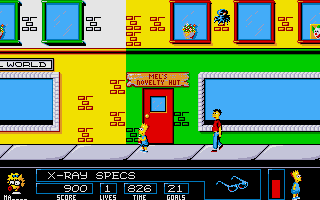
The Simpsons: Bart vs. the Space Mutants DOS, Genesis, Commodore 64, SEGA Master System, Game Gear, Amiga, ZX Spectrum, Amstrad CPC, Atari ST
1991

Comments and reviews
Change the GAME EXECUTABLE option from INSTALL.EXE TO MAVIS.EXE before pressing play.
You will need to download the manual from the internet somewhere to write advanced texts, all ports of the game share the same texts and they're easy to find.
It increases my typing abilities
It increases my typing abilities
You guys are crazy!
this game is awesome f I can play it for free
why is not working in my laptop i can not start the game....helpppp
txINk94g
i like to train myself
I LOVE MAVIS BEACONS BECAUSE MAVIS BEACON IS EDUCATIONAL
it is good to learning the typing mavis beacon beacuse when writes the computer is easly writing
You can get it to work as follows:
1) Stop the installation by pressing the ESC key and then confirming that you want to exit.
2) At the prompt, type "mavis" and hit enter.
it says that i need to insert disks to start but i have none
So Good
i want to increase my typing speed
what is that all ohhhhhhhhhhhhhhhhhhhhh
It very good
this is a good program very helpful and educational
not working
No comment nor review for this game at the moment.