



- Export saves: export the savegame files from your browser, so you can switch to another browser or computer. You can also use them in an emulator installed on your computer.
- Import saves: import savegames that you exported before with the Export saves button.
- Download disk: export the whole game from your browser, with all your savegames. Useful to switch to an emulator installed on your computer.
- Reset game files: if you somehow messed up the game files, you can reset them to an exact copy of the original.
- Reset saves: delete all savegames from your browser. We recommend that you export them first: there is no turning back!
Maze Wars - Play Online
DOS - 1992
For small DOS games like Maze Wars, you can play online immediately with your browser (Chrome, Firefox, Safari, Edge, Opera...). This feature is experimental, the game may not work properly.
Warning: game save should work, but you should try it early! Also, be careful to select the right game executable in the list above.
Similar games
4.3/5 - 53 votes
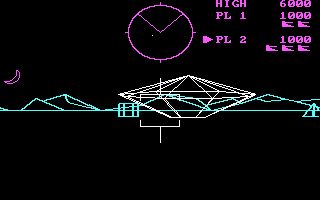
Battlezone PC Booter, Atari 2600, Commodore 64, ZX Spectrum, Atari 8-bit, VIC-20, Arcade
1983
Comments and reviews
JUST TYPE ONLY mazewars then hit enter. Thats it simple
Okay so, here's the easiest explanation I can give of how you navigate and run files in DOS.
When you're at the C:\ prompt, type in DIR and press ENTER. When you are in windows and you click on the Computer icon to see all your folders on a drive, typing in DIR does the same thing, only it will show you all the files in the directory in text. If you want to back out of a folder to the main C:\ drive, then type in CD\ and press ENTER. Any file ending with EXE, COM, or BAT are files that can be ran. In order to use them, just type in the name. So if you want to run MAZEWARS.EXE, just type in mazewars and press ENTER. The .exe is the file extension type, and isn't necessary to type in to run the file. I would know as I played DOS games every single day when I was younger. Like when you save a text file in wordpad, and you call it note.txt, that .txt is the extension type for that file.
just type MAZEWAR exe into prompt
I can't get passed the road animation, it's weird, can anyone help?
I tried starting this game twice, but all is there is a command prompt and I don't know how exactly I should get past it.
Could you help me with this, please?
No comment nor review for this game at the moment.