
- Export saves: export the savegame files from your browser, so you can switch to another browser or computer. You can also use them in an emulator installed on your computer.
- Import saves: import savegames that you exported before with the Export saves button.
- Download disk: export the whole game from your browser, with all your savegames. Useful to switch to an emulator installed on your computer.
- Reset game files: if you somehow messed up the game files, you can reset them to an exact copy of the original.
- Reset saves: delete all savegames from your browser. We recommend that you export them first: there is no turning back!
Mega Man - Play Online
DOS - 1990
For small DOS games like Mega Man, you can play online immediately with your browser (Chrome, Firefox, Safari, Edge, Opera...). This feature is experimental, the game may not work properly.
Warning: game save should work, but you should try it early! Also, be careful to select the right game executable in the list above.
Similar games
4.6/5 - 833 votes
Prince of Persia DOS, Mac, Genesis, SEGA Master System, Game Gear, Amiga, Amstrad CPC, Atari ST, Apple II, FM Towns, PC-98, SAM Coupé, SEGA CD, Sharp X68000, TurboGrafx CD
1990
4.4/5 - 223 votes
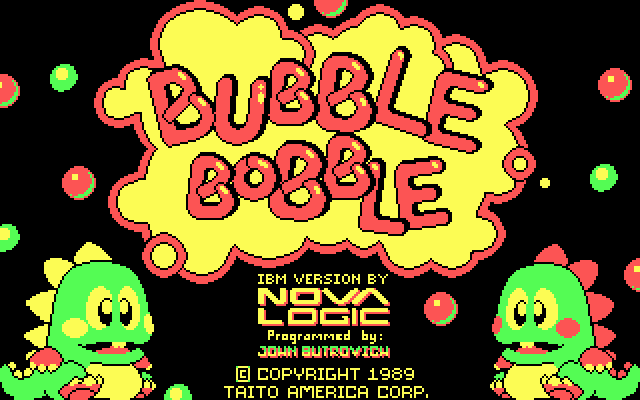
Bubble Bobble DOS, Windows, Commodore 64, Game Gear, Amiga, MSX, Amstrad CPC, Atari ST, Apple II, Arcade, J2ME, FM Towns, Sharp X68000
1988
Comments and reviews
I've always tried 2 play mega man on DOS but it was 2 hard. But I m impressed Stephen Rozner did this game all by himself. I hope 1 day he'll make improvements 2 the game 2 make it easier.
How do you navigate the weapons select? I press esc to get there, and then none of the buttons, including esc, work on the game!
esc is to switch weapons
F9 to pause the game
F10 to stop the game
just use esc so you don't get F9 or F10 mixed up
How do you swap weapons in the game, or are the effects of the weapons just added to the Mega Buster?
Im on a quest to play every classic megaman platformer Im here now after beating 1-11 and ragequitting the gb games since i couldnt beat wily castle 2 of mmgb1
But uh how do I map controls
controls are j for jump and space for shoot but you have to turn joystick off for them to work
turn graphics to vga it's the best looking
press ctrl + f11 to slow the game down or ctrl + f12 to speed the game up and keep going until it's slow or fast enough
if there's an annoying static sound you can turn sound off
and i recommend using joytokey to map the controls to a controller if you really care that much about playing this crap lol
what is the fire button and these games are as bad as mickey mousepade
Turn off joystick
I can not pass from the "press fire key to start" screen, I've tried every key from the keyboard with no luck ...
how to slow down the game
what is the fire button?
J is to Jump
Spacebar is to attack
Arrow Keys are to move
what are the controls?
No comment nor review for this game at the moment.