You are on the beta version of My Abandonware. The live site is still myabandonware.com. Your favorites and ratings here are copied to the live site. Comments and other changes are not — we delete them every morning at 08:00 Paris time, when this site goes down for about an hour. Leave feedback through this link to Pastel (email required).
The beta goes down at 08:00 Paris time, in a few minutes. We rebuild the database from the live site. It comes back in about an hour.
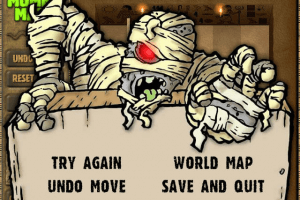
I have Mummy Maze Deluxe v1 (I think) Solution that might work for you There is a pop up that asks if you want to "save & quit" It is this pop up that saves your score and progress for next time
To make it show up, you'll have to quit when you lose
If you win (succeed) and simply quit, it will not show up. And if you select "Abandon hope" your score will be back to zero
0
Guppy09 Jan. 2026
Ignore last. It's in AppData\Local\VirtualStore\Program Files (x86)\PopCap Games\Mummy Maze Deluxe\data\saves
If no saves are present in this folder, it will copy over the files from .\data\saves , so you need to delete those files too to delete the original saves.
This also seems to be the result of installing into Program Files. If you install into My Games instead for example, the save files will be properly saved in .\data\saves (VirtualStore still gets created for some other file)
0
Guppy09 Jan. 2026
Where does this actually save games to? The setup version comes with a bunch of existing saves, but deleting the files in \data\saves doesn't get rid of them. What's more, any new save you create (which saves properly) doesn't seem to write to that folder. I checked the usual suspects (AppData, My Games, Saved Games) to no avail.
0
TimRockIt22 Sep. 2025
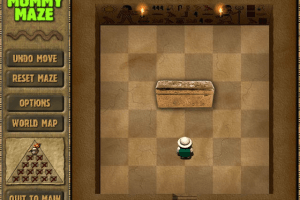
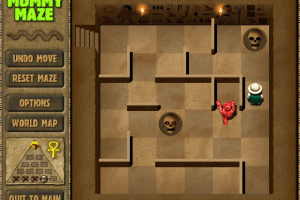
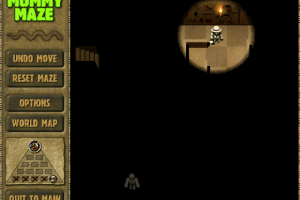
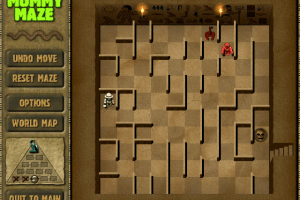
Download #1, the pre-installed zip version, might not run in Adventure Mode until you create a ".\data\saves" folder. Download #2, the full game setup installer, includes the 'saves' folder, and that's how I discovered this little boo-boo. If you get stumped with any of the mazes, then you should be able to find a guide over at GameFAQs-GameSpot-com. Comes in handy for those annoying Dark mazes.






 English




Comments and reviews
I have Mummy Maze Deluxe v1 (I think)
Solution that might work for you
There is a pop up that asks if you want to "save & quit"
It is this pop up that saves your score and progress for next time
To make it show up, you'll have to quit when you lose
If you win (succeed) and simply quit, it will not show up.
And if you select "Abandon hope" your score will be back to zero
Ignore last. It's in AppData\Local\VirtualStore\Program Files (x86)\PopCap Games\Mummy Maze Deluxe\data\saves
If no saves are present in this folder, it will copy over the files from .\data\saves , so you need to delete those files too to delete the original saves.
This also seems to be the result of installing into Program Files. If you install into My Games instead for example, the save files will be properly saved in .\data\saves (VirtualStore still gets created for some other file)
Where does this actually save games to? The setup version comes with a bunch of existing saves, but deleting the files in \data\saves doesn't get rid of them. What's more, any new save you create (which saves properly) doesn't seem to write to that folder. I checked the usual suspects (AppData, My Games, Saved Games) to no avail.
Download #1, the pre-installed zip version, might not run in Adventure Mode until you create a ".\data\saves" folder.
Download #2, the full game setup installer, includes the 'saves' folder, and that's how I discovered this little boo-boo.
If you get stumped with any of the mazes, then you should be able to find a guide over at GameFAQs-GameSpot-com. Comes in handy for those annoying Dark mazes.
Ported the game to Mac M1 and iOS
https://apps.apple.com/us/app/mummy-maze-pocket-edition/id6738112037
Thanks so much
Had Mummy Maze on my Lap Top 25 years ago and due to moving overseas lost it. Hoping I can get it back...
Seven Seas Deluxe with blockage.
No comment nor review for this game at the moment.