You are on the beta version of My Abandonware. The live site is still myabandonware.com. Your favorites and ratings here are copied to the live site. Comments and other changes are not — we delete them every morning at 08:00 Paris time, when this site goes down for about an hour. Leave feedback through this link to Pastel (email required).
The beta goes down at 08:00 Paris time, in a few minutes. We rebuild the database from the live site. It comes back in about an hour.
Grateful for this valuable article. Not gonna lie, The content is very clean & helpful. Boosting my knowledge connecting us with a diverse community. Explore our article IDM Free Download to experience valuable and informative content about software!
0
Brewster26 Jun. 2023
DEAR ALEMMING: YAY for you! Great instructions for the game that defined my life! Back in the day, I won a contest in Mt. View, CA and I gained the title of "STAR RAIDERS CHAMPION" and won a Star Micronics SG-10 printer. I'll never forget it. Thank, Man! Brewster
0
StillGotRSI03 Dec. 2021
I'd like to add that the instructions from by ALEMMING for Windows works equally with Linux.
As for my nickname, I still have RSI's from playing this game so much around 1985. I made it to Star Commander on the Commander level, and I have the RSIs (repetitive stress injuries) to prove it. :-p I was totally burned out by that point. I didn't think I'd ever want to play it again, but the urge hit me yesterday. Now I'm having fun playing once gain, thanks to this site and ALEMMING's excellent instructions.
Install The Emulator And Game: 1. Unzip the 'atari800-4.2.0-win32-sdl.zip' file to some folder of your choice. 2. Unzip the 'Star-Raiders_Atari-8-bit_EN.zip' file. 3. Two new .zip files will appear. Further extract the "Star Raiders (1979)(Atari)(US)[k-file].zip" file, until you have a .atr file. 3. Then copy-paste the "Star Raiders (1979)(Atari)(US)[k-file].atr" file to the same folder as the atari800.exe file. 4. Open your command prompt. How to do that: https://www.howtogeek.com/235101/10-ways-to-open-the-command-prompt-in-windows-10/#:~:text=Open%20Command%20Prompt%20from%20the,open%20an%20administrator%20Command%20Prompt. 5. Navigate to the folder containing the atari800.exe and .atr files. Windows CMD navigation EXAMPLE 'cd C:Users\UserName\SomeFolder\Atari800Folder\' 6. Once you've navigated to that folder run the emulator executable, just type 'atari800.exe' and enter. 7. This will start up the emulator. Now press F1 to enter the emulator menu. 8. Navigate down to "Controller Configuration" and press enter. 9. Make sure that "Enable Keyboard Joystick 1" is set to yes. 10. Select "Define layout of keyboard joystick 1" and press enter. 11. A small prompt will open. This is what you will use to emulate an Atari joystick with your keyboard. Set keys for left, up, right, down and fire. I personally prefer the arrow keys and spacebar. 12. Press escape until you are back at the main emulator menu. 13. Select "Emulator Configuration" and hit enter. 14. Select "Save Configuration File" - this will save the keyboard configuration you just made. 15. Close the emulator. 16. Back in your command prompt enter this command: 'atari800.exe -atari "Star Raiders (1979)(Atari)(US)[k-file].atr' and enter. 17. Now, if all is well, the game should start.
Select your game difficulty level with F3 (Select) and start a level by pressing F4 (Start) right after you have selected your difficulty.
Some Basic Controls: You can fly your ship and shoot using the controls you set earlier. By default on this emulator these are 4,8,6,5 and the ctrl.
This By Far is the Greatest most sought after Atari Game of All time besides Pac Man.Star Raiders and Star Raiders 2 should be restored to the Nintendo Switch as a Collection. The new Star Raiders on Steam is an Insult and I don't Understand how those People could get away with Stealing the Name of Star Raiders a Classic and peddling a Garbage game that does not look or play like Star Raiders the Original. What a Rip Off. The Designers stole the Name and adding Insult to injury and made a terrible lack luster game that should be free ware and a different name. They should be sued if anything for saying Star Raiders. Itis no where near Star Raider Quality. The Atari 2600 Star Raiders Version is way more exciting than the Steam Version.
0
tomspy7707 Sep. 2017
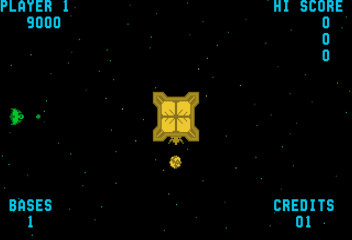
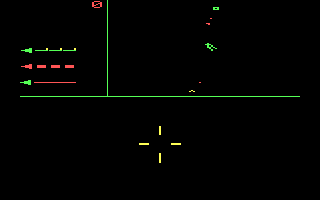
Used to play this as a kid on the Atari XL PC. Enemies look like Tie-Fighters and had hours of fun pretending this was a Star Wars game lol.
0
No comment nor review for this game at the moment.




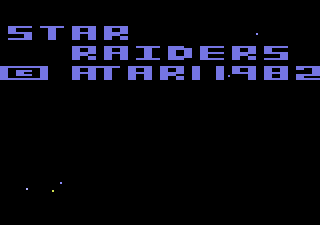
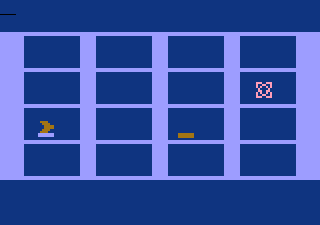
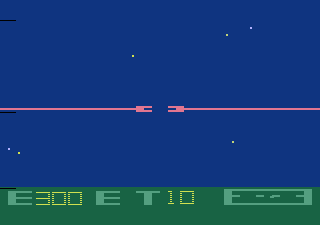
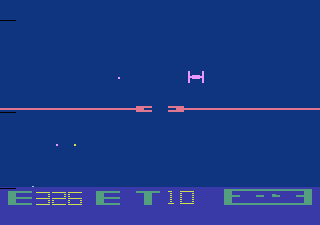
 English



Comments and reviews
Grateful for this valuable article. Not gonna lie, The content is very clean & helpful. Boosting my knowledge connecting us with a diverse community.
Explore our article IDM Free Download
to experience valuable and informative content about software!
DEAR ALEMMING:
YAY for you! Great instructions for the game that defined my life!
Back in the day, I won a contest in Mt. View, CA and I gained the title of "STAR RAIDERS CHAMPION" and won a Star Micronics SG-10 printer. I'll never forget it. Thank, Man!
Brewster
I'd like to add that the instructions from by ALEMMING for Windows works equally with Linux.
As for my nickname, I still have RSI's from playing this game so much around 1985. I made it to Star Commander on the Commander level, and I have the RSIs (repetitive stress injuries) to prove it. :-p I was totally burned out by that point. I didn't think I'd ever want to play it again, but the urge hit me yesterday. Now I'm having fun playing once gain, thanks to this site and ALEMMING's excellent instructions.
Install & Use Guide
On Windows 10, tested 12/10/2020
Download All You Will Need:
0. Download the emulator and the game:
a) Info on the emulator: https://atari800.github.io/index.html
b) The emulator: https://github.com/atari800/atari800/releases
! Scroll down to Assets, it's the 'atari800-4.2.0-win32-sdl.zip' file.
c) Download the game from this site.
Install The Emulator And Game:
1. Unzip the 'atari800-4.2.0-win32-sdl.zip' file to some folder of your choice.
2. Unzip the 'Star-Raiders_Atari-8-bit_EN.zip' file.
3. Two new .zip files will appear. Further extract the "Star Raiders (1979)(Atari)(US)[k-file].zip" file, until you have a .atr file.
3. Then copy-paste the "Star Raiders (1979)(Atari)(US)[k-file].atr" file to the same folder as the atari800.exe file.
4. Open your command prompt.
How to do that: https://www.howtogeek.com/235101/10-ways-to-open-the-command-prompt-in-windows-10/#:~:text=Open%20Command%20Prompt%20from%20the,open%20an%20administrator%20Command%20Prompt.
5. Navigate to the folder containing the atari800.exe and .atr files.
Windows CMD navigation EXAMPLE 'cd C:Users\UserName\SomeFolder\Atari800Folder\'
6. Once you've navigated to that folder run the emulator executable, just type 'atari800.exe' and enter.
7. This will start up the emulator. Now press F1 to enter the emulator menu.
8. Navigate down to "Controller Configuration" and press enter.
9. Make sure that "Enable Keyboard Joystick 1" is set to yes.
10. Select "Define layout of keyboard joystick 1" and press enter.
11. A small prompt will open. This is what you will use to emulate an Atari joystick with your keyboard.
Set keys for left, up, right, down and fire. I personally prefer the arrow keys and spacebar.
12. Press escape until you are back at the main emulator menu.
13. Select "Emulator Configuration" and hit enter.
14. Select "Save Configuration File" - this will save the keyboard configuration you just made.
15. Close the emulator.
16. Back in your command prompt enter this command:
'atari800.exe -atari "Star Raiders (1979)(Atari)(US)[k-file].atr' and enter.
17. Now, if all is well, the game should start.
Select your game difficulty level with F3 (Select) and start a level by pressing F4 (Start) right after you have selected your difficulty.
Some Basic Controls:
You can fly your ship and shoot using the controls you set earlier.
By default on this emulator these are 4,8,6,5 and the ctrl.
C - Show cursor.
F - Ship front view.
A - Ship back view.
* I suggest going through the manual for the game.
You can find it here: https://oldgamesdownload.com/wp-content/uploads/Star_Raiders_Manual_Atari-8-bit_EN.pdf
Good Luck - I hope you enjoy!
This By Far is the Greatest most sought after Atari Game of All time besides Pac Man.Star Raiders and Star Raiders 2 should be restored to the Nintendo Switch as a Collection. The new Star Raiders on Steam is an Insult and I don't Understand how those People could get away with Stealing the Name of Star Raiders a Classic and peddling a Garbage game that does not look or play like Star Raiders the Original. What a Rip Off. The Designers stole the Name and adding Insult to injury and made a terrible lack luster game that should be free ware and a different name. They should be sued if anything for saying Star Raiders. Itis no where near Star Raider Quality.
The Atari 2600 Star Raiders Version is way more exciting than the Steam Version.
Used to play this as a kid on the Atari XL PC. Enemies look like Tie-Fighters and had hours of fun pretending this was a Star Wars game lol.
No comment nor review for this game at the moment.