
- Export saves: export the savegame files from your browser, so you can switch to another browser or computer. You can also use them in an emulator installed on your computer.
- Import saves: import savegames that you exported before with the Export saves button.
- Download disk: export the whole game from your browser, with all your savegames. Useful to switch to an emulator installed on your computer.
- Reset game files: if you somehow messed up the game files, you can reset them to an exact copy of the original.
- Reset saves: delete all savegames from your browser. We recommend that you export them first: there is no turning back!
Teenage Mutant Ninja Turtles: Manhattan Missions - Play Online
DOS - 1991
For small DOS games like Teenage Mutant Ninja Turtles: Manhattan Missions, you can play online immediately with your browser (Chrome, Firefox, Safari, Edge, Opera...). This feature is experimental, the game may not work properly.
Warning: game save should work, but you should try it early! Also, be careful to select the right game executable in the list above.
Similar games
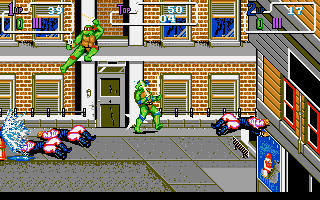
4.4/5 - 134 votes
Teenage Mutant Ninja Turtles DOS, Commodore 64, Amiga, ZX Spectrum, Amstrad CPC, Atari ST
1992
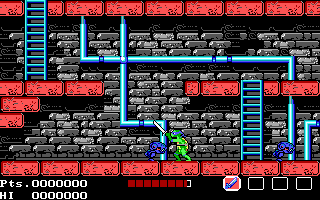
4.6/5 - 89 votes
Teenage Mutant Ninja Turtles DOS, Commodore 64, Amiga, MSX, ZX Spectrum, Amstrad CPC, Atari ST
1990
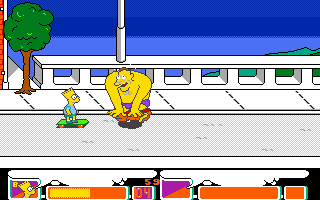
4.4/5 - 60 votes
The Simpsons: Bart vs. the Space Mutants DOS, Genesis, Commodore 64, SEGA Master System, Game Gear, Amiga, ZX Spectrum, Amstrad CPC, Atari ST
1991
4.6/5 - 833 votes
Prince of Persia DOS, Mac, Genesis, SEGA Master System, Game Gear, Amiga, Amstrad CPC, Atari ST, Apple II, FM Towns, PC-98, SAM Coupé, SEGA CD, Sharp X68000, TurboGrafx CD
1990
Comments and reviews
BTW, you switch turtle with F1.
This used Budokan's control scheme: Enter+Space to switch between walk/fight. Fight mode control is hold down Enter + Direction keys. You need the keypad for all 8 directions, but you can do with the basic 4 the usual way. Blocking is useless but its space+direction. Grabbing stuffs is down. Going through doors are enter+up/down.
Best turtles are orangeblue/purpleRed. Raphael is useless due to range, while Michelangelo has that quick double hit Enter+up.
Stage reset as long as you don't beat the boss. Grind Dino 1 for exp, and Environmentalist 2 has pizza on the first screen. If you're fast you can probably grind 3 trurtles for less than an hour and then beat the game in the next.
how do I switch from walk mode to fight mode
Dude, wtf? What buttons do I use??
tmnt
No comment nor review for this game at the moment.