
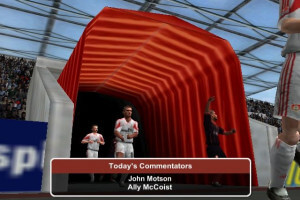
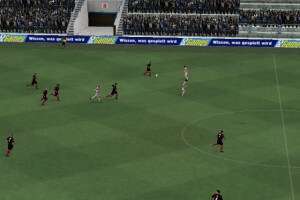
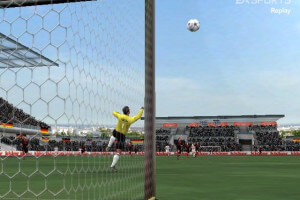
How to Play
The game with patch 1.2 and NoCD has been tested on Windows 7 64-bit and Windows 10, it works with some tinkering. You may experience some small troubles when you play the game on modern systems, check our Guide and Notes for details.
Your antivirus may trigger a warning because of keygen or NoCD inside the disc, but it is safe to use, all installation files on the discs are clear. All NoCDs showed minor warning ratio on VirusTotal, it is safe to use
Install & play guide:
- Mount the disc image. You will need the utility for mounting disc image files, like WinCDEmu, UltraISO, Alcohol 52%/Alcohol 120% or Daemon Tools Lite
- Launch the installation (if autorun doesn't work - launch Autorun.exe in compatibility mode with Windows 2000 or XP)
- Ignore EA Registration window, click "Register later"
- When the installation process will ask for CD2 - mount the disc image of CD2. CD2 must be mounted in same virtual drive as CD1, so first un-mount disc image of CD1 and then mount the disc image of CD2. In example, if CD1 was in virtual drive G:, CD2 must be mounted in virtual drive G: as well
- If at the end of installation you will see message "Please insert correct CD-ROM" - just click "OK", the game is fully installed. Don't launch the game yet
- Also it is recommended to install DirectX 8.1 from the disc (if you're using Windows 10 - enable DirectPlay, read this or this guide how to do it)
- Once you installed the game - install the patch 1.2
- After that install NoCD for version 1.2 (simply copy the files from archive and put it into directory with installed game, agree to replace original files)
- Open the directory with the game and find TCM2004.exe. Right click on TCM2004.exe - Properties - Compatibility - Set "Run this app in compatibility mode with Windows XP SP2" and "Run as administrator"
- Launch the game and play. If the game doesn't work in compatibility mode with Windows XP - try to launch it in compatibility mode with other version of Windows (98, 2000 or Vista)
Notes:
- If the installation doesn't start - try to launch Setup.exe in compatibility mode with old version of Windows (98, 2000 or XP)
- NoCD is required for the launch because the game is using SafeDisc DRM protection, which doesn't work on modern systems. That NoCD "breaks" DRM protection and allows the game to work on modern systems
- The game works on DirectX 8, so if you're using Windows 8, 8.1, 10 or 11 - you need to enable DirectPlay: Go to Control Panel, and select 'Programs'. Select 'Turn Windows features on and off', click on 'Legacy Components' and check the box 'DirectPlay'. Select OK, once the installation is done, restart your computer
- For Windows 7 users: if the game doesn't work - disable Game Explorer, read this guide how to do it. Also, if the game doesn't run, do the next: right-click on desktop shortcut or exe-file -> Troubleshoot compatibility ->Try recommended settings -> Start the program. Here's the guide with pictures. Running the game through Troubleshoot compatibility should help you to run the game on Windows 7
- For Windows 8 users: if you see error "TCM 2004 requires hardware graphics acceleration" - try to run the game in compatibility mode witn Windows 7
- For Windows 10 users: if the game doesn't work, you can use the next trick to make it run on Windows 10: install the game with patch 1.2 and NoCD, set for TCM2004.exe the compatibility mode with Windows 8, then add Total Club Manager 2004 in Steam, and run the game through Steam. That method should make the game work on Windows 10
- Also, you can try to run the game on modern systems through DxWnd utility. Here's the video guide how to run Total Club Manager 2004 with DxWnd (the video is on Italian but it is step-by-step guide, so it's easy to understand)
- If none of the methods help - run the game on Virtual Machine with old Windows. The game should work on VMware Workstation with Windows XP Professional SP3 x86, also don't forget to install inside Virtual Machine the disc image utility like UltraISO, to emulate the game CD
- If you have troubles with Spanish version of the game - check this thread, it might be helpful. If you have troubles with Russian version - check this thread
- Don't forget to check PCGamingWiki if you have troubles
 English
  German
  Spanish
  French
  Russian





Comments and reviews
db21101986004, j'ai le même soucis que toi sur windows 11 le jeu tourne parfaitement sur steam mais quand je lance le match en 3D il plante? quelqu'un a trouver?
5NG8 - 66VV - HQ9B - 4UFU - RDHH
Does anybody know how to get the 3D matches to work on Windows 11? The rest of the game runs perfect through Steam with compatibility settings. I have tried DDrawCompat but that only gives me a black screen whenever I boot the game.
I have the Game with data and design but the most switches are on german. Search FussballManager 2004 on Facebook or renetestet on all Platforms
no encuentro el codigo para iniciar el juego por ningun lado , ¿ alguien puede ayudarme?
Is there a way to force a resolution?
I can run the game in Windows 11 with running it in Window Mode but I can't open the editor. I can see it starting in the task manager but it it immediately shuts down. Any ideas?
hi i downloaded the full rip version, extracted all fine ran the .reg files . but it wont run at all by its self . Put it in steam an it keeps saying it wants disc 2. please help
update, for some reason after the third time I tried to start the game it said insert CD 2 don't know what happened there?
Followed the instructions then added it to steam loads up straight away. Took hours to convert the second disc on the cd converter
Hi,
if you want to play with edited database, open Editor.exe, export your new database and close Editor. Now open Editor as administrator. The Editor then should load the original database. Now import your new database and load it into the game.
bonjour , une soluce car quand je veux lancer un match 3D sa bloque sur le chargement
I got it working on windows 11 download cd 1 & 2 then download the patch 1.2 noCD upload the patch exe file into stream. change the setting on the patch exe on your computer to run on windows xp service 3. run it from Steam.
Hello everyone!
When I run CD1, it asks me for the game key and it doesn't appear anywhere.
Can you please help me?
Thank you!
The Steam woraround is amazing. I've been waiting for this for 10 years. :)
Hello !
Thanks for it ! I have the CD Version but i could'nt launch it on W11 until your work so i'm so grateful for you !!
Just a problem, i cannot write over database on the Editor ? Am i the only one ?
Tried running this game on Windows 11 through Steam & GOG but get the message "requires hardware graphics acceleration" I've checked my settings, Graphics Acceleration is ON.
Also tried emulating Windows 98 and I get the same message. Again all the settings appear to be correct. Any help?
I have windows 11 and it runs perfecly fine.
i add the game into steam.
when i wanna plat the game i first load cd2 image in deamon tools and that select the game in steam and voila it works
I downloaded the full-rip version and extracted as instructed in the readme file. After double clicking the TCM2004.exe nothing happens. I added the game to Steam and started but then I receive the error please insert CD 2. I replaced the files just in case with noCD but the issue is still the same. Do you have any solution for this?
Okay, I found some time and updated Full-Rip, now it has REG-files that you can run to add required Windows Registry paths
@AARGGOO Use Daemon Tools Lite, it is very old CUE/IMG/SUB disc image, probably won't work with other utilities
Hello, I tried downloading again in windows 10. I correctly installed Disc1 but the Disc2 gives me a "The disc image is corrupted" error. This happens when I try to run TCM2004CD2.img file from the CD2 downloaded files. Do you have any information to help?
hello, I can't launch it under window 11 the launcher does not work despite all the guides... Do you have a solution please
@AARGGOO Try to copy all files from CD1 to some folder on your disc, and run Setup from that folder. Looks like it is common trouble with old EA games https://answers.microsoft.com/en-us/windows/forum/all/missing-filecannot-find-required-dll/0de73f7c-c1c9-495f-b939-3f9790a5c4e8
I get a "Cannot find required DDL" error when trying to run setup from Disc 1.
Yeah, disc images showed 0 warnings, but when you mount it in virtual drive - antivirus triggers because of keygen or NoCD inside the disc image.
Here's the VirusTotal report for NoCD, it showed only warnings about malicious file, nothing to worry about https://www.virustotal.com/gui/file/3d57cb77ca459c339d27b9cbdd3227fbabf84b58001844a93adcf2c071e431e4/detection
For keygen - you can just ignore it, Serial keys are available in Downloads
VirusTotal for the english language disc zip files comes up clear as of 3rd June 2023:
https://www.virustotal.com/gui/file/f238d5a8bd91402555b83be1f53b28e1bf023505fef434d4c305fd2a4c1c5c50/detection
https://www.virustotal.com/gui/file/3a5ca11d400c432ac8aff0a1785dfb9d2b0ee3e1c3b2833f4e5864597d404e9e/detection
No comment nor review for this game at the moment.