




One of the most underrated soccer simulation series of all time is back, and this time is arguably a better game than venerable Championship Manager 2.
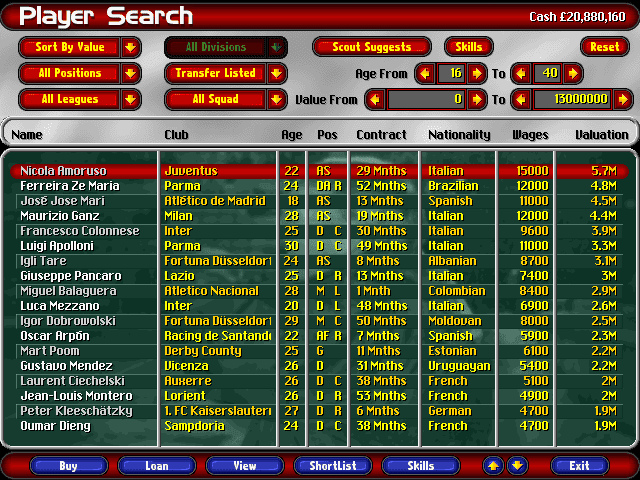
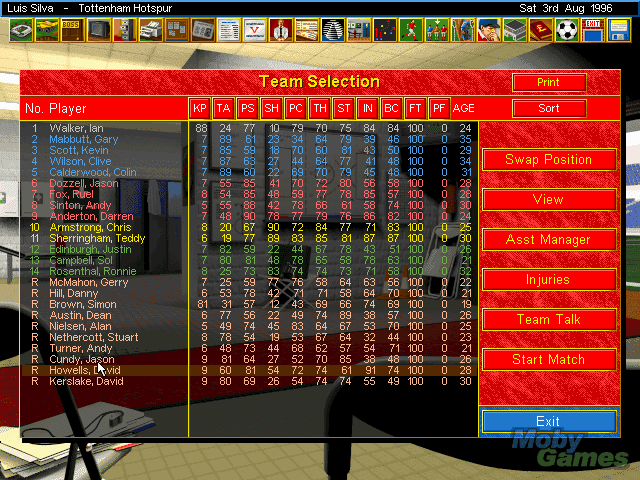
USM 98 contains data for the 7 biggest Euroepean Leagues: England, Scotland, Italy, France, Germany, Spain and the Netherlands. That's over 400 clubs and around 12,000 individual players, all with appropriate skills and stats. Although very similar to Championship Manager in terms of epic scope and a multitude of options, it is better for one thing: a statistics editor. This allows you to edit the teams and players to keep them up to date, something that is a very nice touch and not seen in soccer management sims until much later.
In addition to new features that set the game apart from competitors, USM 98 boasts one of the most detailed and realistic transfer systems ever devised. Similar to business games such as Hollywood Mogul, the game requires you to negotiate with the club and the player’s agent. You can loan, buy, or exchange players-- and even offer extra cash if the player plays more than 15 matches for example. You can have all six European leagues run at the same time, which opens up the possibility of not only player transfers but also management offers from clubs in Serie A.
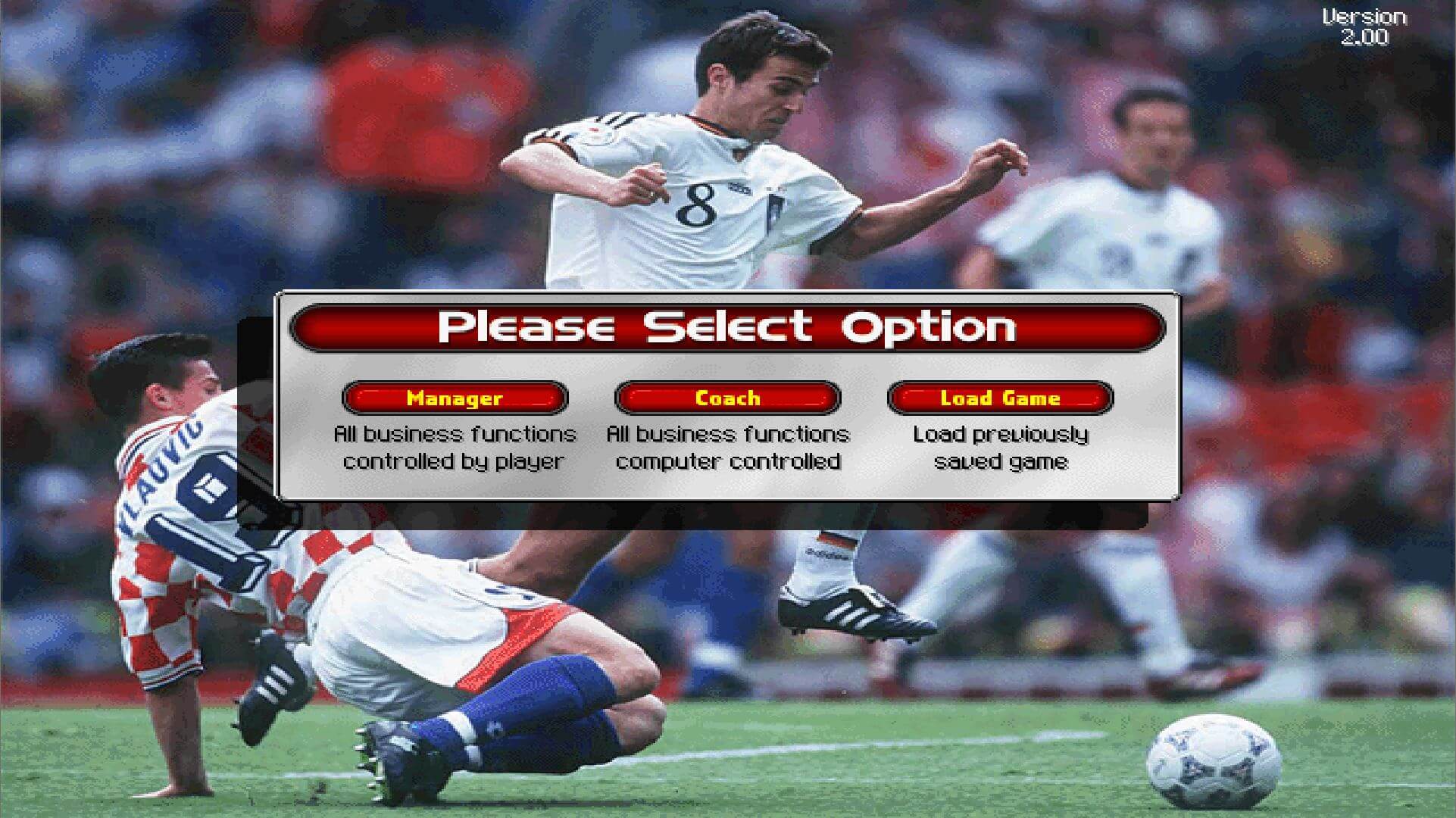
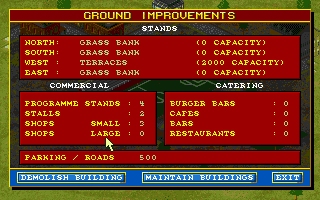
The game offers two play modes: either full-management (running the entire club from advertising to pricing snacks), or coach (football elements only). There are numerous other nice touches, such as the excellent tactics editor, post-match newspaper reports, and a much-improved interface that is more accessible for beginners than the esoteric interface of CM2.
Although there are a few shortfalls, such as the limited number of available players for transfer, and the apparent ease of play-- it seems you won't get sacked no matter how badly you are managing the team, USM 98 in all other respects is the game that equals --or even exceeds-- CM2. If you are a soccer fan, this is a must-have.
Note: If you like the game but feel it is a bit outdated, I highly recommend Mega Update pack: the most comprehensive update of game roster for 2000/2001 season play. The 600KB file contains literally thousands of transfers, newcomers, and more-- thumbs up to Lasse Hansen for his hard work :)
Review By HOTUD
 English
  French








Comments and reviews
《Ultimate Soccer Manager 98-99》Win11 完美运行安装指南
### 适用环境
- 操作系统:Windows 11 (64 位)
- 游戏版本:USM 98-99 (v2.0)
- 特色说明:2.0 版本、免虚拟机、原生硬件转译、无黑边全屏拉伸、声音与动画完整、解决第 8 赛季跳出
https://mp.weixin.qq.com/s/_10fEf4Km-DtZUYnhxftDg?payreadticket=HNtGNz9LDWMYCeyacfOv8LmSs4yVPJmhLmu0HYEgmxUj3HDX0bNuKv2aZlwB1yBpF2-JZTk
I have some Problem with winlator. The ISO file font start,or ogni extract the ISO file the file setup.exe Say sing exist
Is there battles, like caesar 3. Is there different years you can go to like simcity 2000. Can you command your troops and destroy the enemy base like age of empires 1. Can you build garrison your base like lords of the realms 2? Lol i am kidding because when i saw that stadium picture, it reminded me of those games lol.
Can anyone help? I have downloaded and installed this okay, but it doesn't work on my new laptop (just a black screen after the intro page). I have read all the comments. I installed DxWnd as advised, and i think i've set that up properly including using the advised settings, but nothing, the game opens in a smaller window but still just gives me a black screen after the intro page.
To anyone who gets the message to insert the CD and doesn't know how to change the letter in the CD.CFG file: Right click on the CD.CFG file and open it in notepad or equivalent. It will open as a txt file showing only the letter D.
Change it to whatever letter your virtual CD is mounted to and save&close
It doesn't seem to work on Windows 10 but the statistics editor is functioning well on it
What can I do to rectify it please?
What an addictive game!
Works perfectly for me on Windows 11 simply by downloading the ISO, installing the game and running in compatibility mode for Windows XP Service Pack 2.
do you need to install patch for version 2.00?, think patch updates to 1.0.1.1?
It does work on Windows 10 using Win95 settings. Beyond that, you'll need a Windows 98 virtual machine. If I figure it out, I'll add a tutorial, but I am a Linux user, not Windows.
Can you not make this one play-online as well? Would be easier.
Even following the help from flat earth mom, i still get the black screen after the intro.
HELP! What am i doing wrong???
Hello,
I succeed in playing this game USM_98-99 on Linux (Lubuntu).
Below is my methodology (if it can help someone) :
Before all :
- Install packages/libraries : wine, winetricks and gcdemu
- Configure wine with winetricks as follows : In winetricks, select the desired prefixed (if you don't have created one, select the default one). Then go to "Change settings". And select "render=gdi" and "win95" (this will fix the problem with black screen).
Step 1/
Launch gcdemu (from main menu) and mount CDROM with USM_9899 iso file
(gcdemu will appear in the task bar, click on a device, then Load)
Step 2/
Launch winetricks (from main menu).
Select the desired prefix (if you don't have created one, select the default one).
Then select "Run explorer" which launchs the file explorer
Step 3/
In the file explorer opened by winetricks/wine,
Go to "My computer" where you can see the CDROM to launch the installation.
If the installation has been made, go to the game folder (specified during the installation). And launch the game by doucle-clicking on the file : USM98-99.exe
Enjoy this game !
hey there, first of all, does anyone else got to the random game page by trying to type the a capital r letter? :D
anyways, i am avoiding capital letters.
what worked for me so far was downloading and using dxwnd, as recommended, and then running dxwnd as administrator. not sure if setting the game .exe to run in compatibility mode (xp pack 3) was necassary, but i did it. hope it helps, all the best retroheads!
guys install daemon tools and load iso of the game to your virtual cd rom
then at dosbox mount e e:/ -t cdrom -- try e: and dir commands to see if cd is loaded and mscdex is ok at dosbox - then install the game from cd to your mounted c: folder
after on e: run the game ^^
Great game to pkay
Please someone help me run this game with clear step by step instructions including how to use the patch. I keep trying to move the patch into the folder i download the game into and it wont replace anything. It keeps asking for me to put in the cd, even while I have the game mounted using Power ISO. Also I have that DxWnd program but don't know how to use it to run the game. Also someone mention the CD.CFG file and changing the drive letter. How do I do that? Please help, I used to love this game when I was a kid and would love to play a bit.
I've found a way to run this game perfectly.
The best way is to install Windows 98 on DOSBox-pure. You can find tutorials on how to do it on YouTube (that's what I did).
Now I just use RetroArch to start it and play. No crashes or issues so far.
Can't open! as it keeps asking for CD. How do i solve this please?
Steve! thanks for replying. I am unfortunately retarted when it comes to computers so can you explain to me a little better what I need to do. What is the CD CFG file and how do I change it?
RAPHAEL DELAGETO You need to change the drive letter in the CD.CFG file, to whatever drive letter you have it mounted to. Daemon Tools works, but haven't tried PowerIso.
It keeps asking for a cd! Does anyone know how to bypass that? I mounted the image file using Power ISO, should i have used daemon tools? Also where do i put the patch?
Got the installer to work now and the game will start using DxWnd but it goes into black screen after the intro screen.
Any help?
Hi
Having trouble installing the game. Using DxWnd and I get this error when launching setup.exe
Machine=149(unknown)
Not a valid PE32 executable!
Any help?
I just wanted to say thank you to Flat Earth Mom. I have been struggling to get these old pc games working and your bit of advice about DXwnd has allowed me to play them all again!
Thank you!
EVERYBODY DOWNLOAD DXWND! IT HASN'T FAILED ME YET!
CHEERS MYABONDWARE.COM! LOVE THE SITE!!!!!!!!!!
What is the extra PATCH & MISC download? What do these do? The MOD download is a more updated player list etc as the description part states this above, but I'm not sure what the PATCH & MISC does, can some one advise please, will it be useful to download these as I have the game working fine, but unsure if these will improve the game further, comments please
My dad actually broke this game. Played it so far that the game wouldnt go any further
After many tries (with the same problems as mentioned here) I've got it to work (dxwnd, XP SP3 compatibility, GDI renderer) until I select the difficulty setting, after which it just crashes. No amount of trying got me past this point.
Does anyone else have the same problem and/or have a solution I could try?
Thanks!
If you go to the file and scroll down until you see logo in red USM98/99 double click and should work... if you get a black screen, force shut the application and start again until works.
I am trying to install the game but am getting component move data error -113 during set up process. Does anyone know why/potential fixes?
Cheers!
Hi I've downloaded the game and the DXwnd file but I'm not sure what file I'm supposed to load into DXwnd or what I need to change to get it working.
Any help would be great.
help cant get usm98 to work and i have download dxwnd
I just got this working thanks to Flat Earth Mom's instructions. Many thanks for that. I would have never got it working otherwise.
i also had to run it in compatibility mode (Win 98) and it's working a treat.
I used to play this game a lot twenty years ago, so nice to know I can spend many hours on this again.
keeps asking for cd.???
The game doesn't run on windows 10 without some tinkering. Compatability modes load the intro but then give a black screen
I downloaded DXwnd and after about 30 mins i managed to get the game running perfectly
the settings that work in DXwnd are all default apart from checking 'do not notify on task switch' on the main menu and 'primary surface' on the direct x menu
the game is brilliant and well worth a play, its incredibly funny and has a lot of depth for a game so old. Install into a clean directory and delete the files manually to avoid uninstall clearing your games directory.
Do not try this game, when un-installing it erases the parent-directory !!!
Beware! The game requires a setup. When uninstalling later, it deleted my ENTIRE game-directory. EVERYTHING GONE with the wind. This is either dumb programming or a virus.
It's the best football manager ever made.
No comment nor review for this game at the moment.