




The NEC PC-88 and PC-98 were the main home computers in Japan in the 80s and 90s, and many famous Japanese series started on them. They are little known outside Japan, but the emulation scene is quite active.
We have about 290 PC-88 games and about 180 PC-98 games on My Abandonware. Most of them are in Japanese.
Emulators we host
Old emulators can be hard to find and to get running. Thanks to a generous contributor, we host working archives of the main PC-88 and PC-98 emulators.
- Download M88 v2.21a (PC-88, build 2017/06/16)
- Download Neko Project II v0.83 (PC-98, build 2017/06/04)
- Download Anex86 v2.77 (PC-98, build 2004/07/26)
- Download Virtual98 v0.28 (PC-98, build 1999/12/14)
- Download DISPELL v1.13 (the EPSON check remover for Anex86, see below)
Some instructions are provided in text files, next to the emulator files. These builds are for Windows. Many thanks to nekoneko for providing many insights on PC-88/98 emulation, as well as several missing games.
PC-88 and PC-98 game archives
Our game archives often hold other archives inside, one per disk or per version. Unzip them all, then look for the first disk of the version you want.
Below is an example for the game Dinosaur:
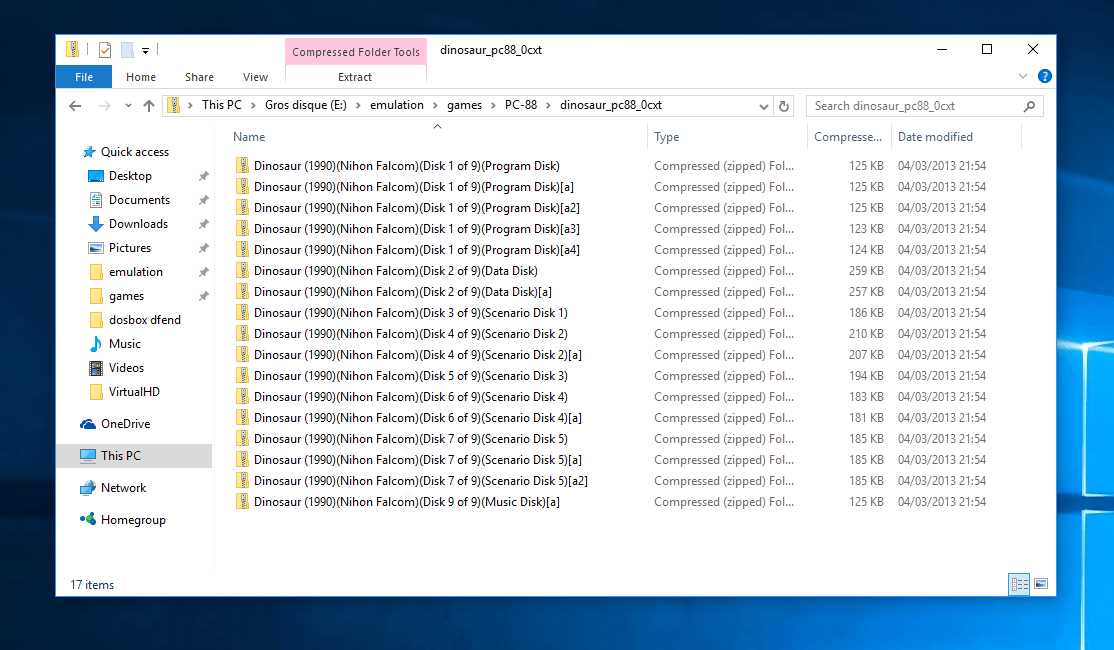
Many PC-88 and PC-98 games came on several floppy disks, so most of the games published in the 90s have several nested archives. Many disks also have the [a] tag, meaning it's an alternate dump of the disk. You may come across other tags in brackets, based on the TOSEC Naming Convention:
- cr: cracked
- f: fixed
- h: hacked
- m: modified
- p: pirated
- t: trained
- tr: translated
- o: over dump
- u: under dump
- v: virus
- b: bad dump
- a: alternate
- [!]: verified dump
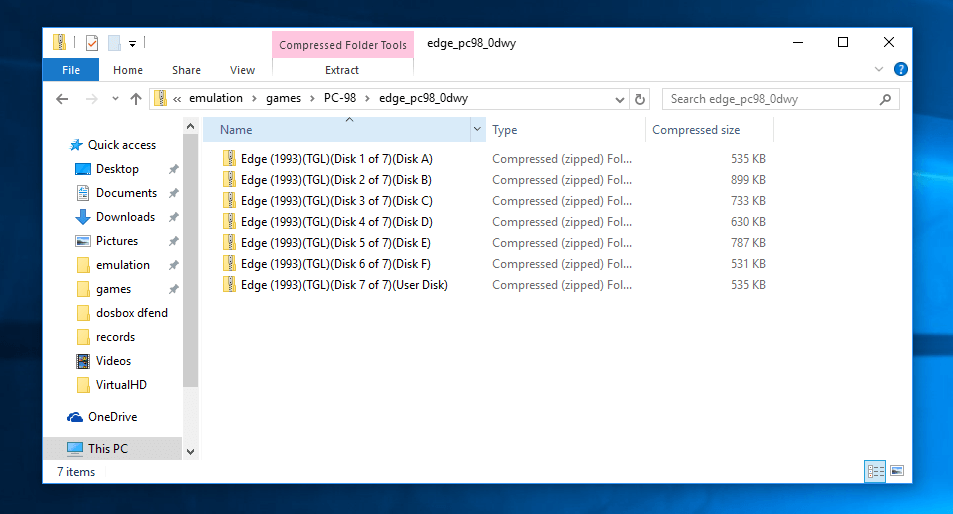
Another example for a PC-98 game, EDGE, which came with 7 disks:
PC-88 games
M88 is the classic PC-88 emulator, and we host a working copy for Windows. QUASI88 is a good modern choice, with an English interface, on Windows, Mac and Linux.
- M88 (Windows): maybe the most used PC-88 emulator. Download it from our copy above.
- QUASI88 (Windows, Mac, Linux): an accurate emulator, recently brought to modern systems, with an English interface. It needs the PC-88 ROM files (
N88.ROM,N88SUB.ROMand others), listed in its manual. It also exists as a RetroArch core. - X88000 emulates the older PC-8001 and PC-88 models well, with better tape emulation than M88: some tape games need it. Other emulators are listed on this page (jp) and this page (en).
Running PC-88 games in M88
Most floppy disks are bootable: set the first disk image in drive 1 and reset the emulator. Check the video below to do it.
Running Winter Games in M88.
Some usual issues, as stated in the English instructions:
- Controls: for games, movement is almost always Numpad 4, 6, 2, 8 or the cursor keys. The buttons are usually some combination of Enter, Spacebar, Shift, Esc, Tab, and Z, X, C, V.
- Error, beep, glitches or a blue-green screen: V2 mode games will not run in V1 mode, and return an error (or just beep at you). V1 games will usually run in V2 mode, but with subtle glitches. A common symptom of a V1 game running in V2 mode is a washed-out bluish-green screen. If you see screens like this, switch to V1 mode (Control menu).
- CPU speed: the choice between 4 MHz and 8 MHz is mostly a matter of convenience, but keep in mind that some older games run too fast at 8 MHz.
- Settings: open "M88 Settings in English.html" to see a translated version of the settings.
BASIC and tape commands
Some games start from BASIC instead of booting. Load them with the usual BASIC commands, or with LOAD"CAS:" for tape games.
If a game requires disk BASIC, boot from an N88 BASIC system disk first, swap disks, and then run the program. The usual BASIC commands apply:
FILES LOAD"Filename" RUN"Filename" For most cassette games, simply type:
LOAD"CAS: RUN More complicated load instructions are indicated at the end of the file names in this set. For example, to run the file "Fire House (Honoo no Yakata) {V1 mode, MON R Ctrl-B LOAD CAS}.t88", boot up in V1 mode, then type:
MON R LOAD"CAS:" RUN PC-98 games
Neko Project II is the reference PC-98 emulator, and we host a working copy for Windows. NP2kai runs on Windows, Mac and Linux, and DOSBox-X can also run PC-98 games.
- Neko Project II (Windows): the classic PC-98 emulator. Download it from our copy above.
- NP2kai (Windows, Mac, Linux): a modern version of Neko Project II, ported to current systems, and also a RetroArch core. Very worth trying. It also has a Japanese home page.
- Neko Project 21/W (Windows): a fork made for the late PC-98 games (1993 to 2000), still updated. Its interface and site are in Japanese.
- DOSBox-X (Windows, Mac, Linux): the DOS emulator also has a PC-98 mode, handy if you already use it for DOS games.
- Anex86 (Windows): the most popular PC-98 emulator in Japan for a long time, with high performance. A few games don't work with it (e.g. Ningyo Tsukai, the original Japanese version of Metal & Lace). Strictly speaking, Anex86 emulates EPSON's PC-286 to PC-586, which were compatible with NEC's PC-98, so some games refuse to run on it: they check whether the machine is a genuine NEC. The DISPELL program, in our downloads above, removes this EPSON check from the game.
- Virtual98 (Windows): an older emulator, worth trying when a game fails in the others.
The PC-98 emulation guide of 46okumen explains in detail how to set up Neko Project II, including the font ROM file that Japanese text needs.
Running PC-98 games in Neko Project II
PC-98 games usually boot from their floppy disk: set the first disk image in FDD1 and reset the hardware. Some games need to be installed on a hard disk first.
As shown in the following video, you may have to display all file types in the file selection window to see the disk images (.fdi, .hdm, .d88).
Running a PC-98 game in Neko Project II.
Some games need to be installed to work: you will have to set up a hard disk in the emulator. You may also come across pre-installed games (.hdi, .nhd files): set them as the hard disk, and they boot directly.
I need help!
We do not provide support for running abandonware games. The PC-98 community in English is small but very helpful.
The 46okumen guide answers most PC-98 setup questions. For the PC-88, the illusioncity.net list links each emulator to its documentation.
First written by hand, and brought up to date in October 2026 against each program's own documentation and, where it exists, its source code. Game counts and file sizes come from our own catalogue. The update was drafted with the help of an AI assistant and checked by hand before publishing. If something here is out of date, tell us.