You are on the beta version of My Abandonware. The live site is still myabandonware.com. Your favorites and ratings here are copied to the live site. Comments and other changes are not — we delete them every morning at 08:00 Paris time, when this site goes down for about an hour. Leave feedback through this link to Pastel (email required).
The beta goes down at 08:00 Paris time, in a few minutes. We rebuild the database from the live site. It comes back in about an hour.
I've found a simple way how to decrypt the videos. You just need to open Powershell and run this script (you need to have admin access). Set the current directory to data folder with the files. I don't think it's worth it though. Most videos are 5-10 second long and just girls holding their cards.
I check in every month or two... Probably start of Feb '26 due ro holidays. See you then? Would be much obliged.
0
rxdd09 Nov. 2025
Yes there is different version. I got polish one, if you still there.
0
Anne Ominous16 Aug. 2025
Does anyone know if there were different editions? I played Polish or Russian version back in the day. Katalin was *way* more explicit.
1
PeLight04 Jul. 2025
Thanks Bulletinhead instruction, finally can behave the unknown strip game scenery that buried without development for years!(Recognize Python but not good at create them, your coding also a interesting lesson for me!)
0
Bulletinhead30 Apr. 2025
Don't know why comment lost the later half of it. Well, just go to my easy-to-follow tutorial on Googledrive then. https://drive.google.com/drive/folders/1WqwgNWtBA5dHyr0Gixf7HVMCRoJzQvLH?usp=sharing
2
Bulletinhead30 Apr. 2025
I'll just put easy-to-follow tutorial on Googledrive. https://drive.google.com/drive/folders/1WqwgNWtBA5dHyr0Gixf7HVMCRoJzQvLH?usp=sharing
Or you can follow these steps:
1.Download and install python https://www.python.org/downloads/release/python-3133/ *If you are not sure, choose Windows installer (64-bit)
2.Find the directory of AVIs (By default it will be : All Star Strip Poker Girls Next Door\data ) Copy the script provided by Boofer. Create a .txt file, lets just name it "script", then paste the script. Notice python script need some tweeks (add space in front of code lines) also there is a script line you need to change: ----------------- # Get the current directory current_directory = "H:/experiment/test/base1"
-1
Zero12 Nov. 2024
Can you guys elaborate a bit more on the step by stem process for the more technologically challenged people like me?
2
danyro8512 Jan. 2024
The video is black, tried different thing, codecs, java update, different windows. No luck. Did anybody get this to work?
1
Boofer23 Oct. 2023
Made a minor change to the code to make it work better, the space between the constructing the input/output files and decrypting should not be there.
import os
# Define the XOR decryption function def xor_decrypt(input_file, output_file, key): with open(input_file, 'rb') as encrypted_file: encrypted_data = encrypted_file.read() decrypted_data = bytes([byte ^ key for byte in encrypted_data]) with open(output_file, 'wb') as decrypted_file: decrypted_file.write(decrypted_data)
# Specify the XOR key xor_key = 0xff # Replace with your XOR key in hexadecimal format
# Get the current directory current_directory = "H:/experiment/test/base1"
# Create a 'decrypted' folder if it doesn't exist output_directory = os.path.join(current_directory, 'decrypted')
# List all files in the current directory for filename in os.listdir(current_directory): # Check if the file is an AVI file (you can modify this check if needed) if filename.endswith('.avi'): # Construct the input and output file paths input_file = os.path.join(current_directory, filename) output_file = os.path.join(output_directory, filename) # Decrypt the file xor_decrypt(input_file, output_file, xor_key) print(f'Decrypted {filename} and saved as {os.path.basename(output_file)} in the "decrypted" folder')
1
bobthefish22 Oct. 2023
@FlannelDude, what version of Python are you using? because mine stop running when it runs into the python file.
1
flanneldude06 Sep. 2023
Sadly the game no longer runs on modern machines, (video playback is a black screen). However, you can decrypt the games .AVI files to at least get access to playback all the videos outside of the game. To do this: 1) Install Python3 on your system 2) Copy the following script into the location of the AVI files you want to decrypt 3) Run it. It will decrypt all AVI files for the game and move them into a 'decrypted' folder. (Note that tabs are significant in Python) This works for all 3 of the 'All Star Strip Poker' games, they all use the same simple XOR encryption for the avis. If you want the jpegs, you can get them out of main.jar with a java decompiler, you can also view the game logic with it. The playback problem likely lies in the .dll files, debugging those is beyond me. ---------------- import os
# Define the XOR decryption function def xor_decrypt(input_file, output_file, key): with open(input_file, 'rb') as encrypted_file: encrypted_data = encrypted_file.read()
decrypted_data = bytes([byte ^ key for byte in encrypted_data])
with open(output_file, 'wb') as decrypted_file: decrypted_file.write(decrypted_data)
# Specify the XOR key xor_key = 0xff # Replace with your XOR key in hexadecimal format
# Get the current directory current_directory = os.getcwd()
# Create a 'decrypted' folder if it doesn't exist output_directory = os.path.join(current_directory, 'decrypted') os.makedirs(output_directory, exist_ok=True)
# List all files in the current directory for filename in os.listdir(current_directory): # Check if the file is an AVI file (you can modify this check if needed) if filename.endswith('.avi'): # Construct the input and output file paths input_file = os.path.join(current_directory, filename) output_file = os.path.join(output_directory, filename)
# Decrypt the file xor_decrypt(input_file, output_file, xor_key) print(f'Decrypted {filename} and saved as {os.path.basename(output_file)} in the "decrypted" folder')
0
No comment nor review for this game at the moment.




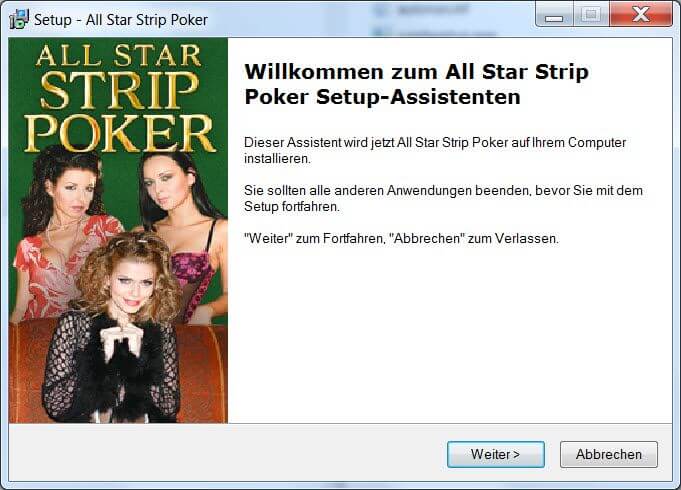







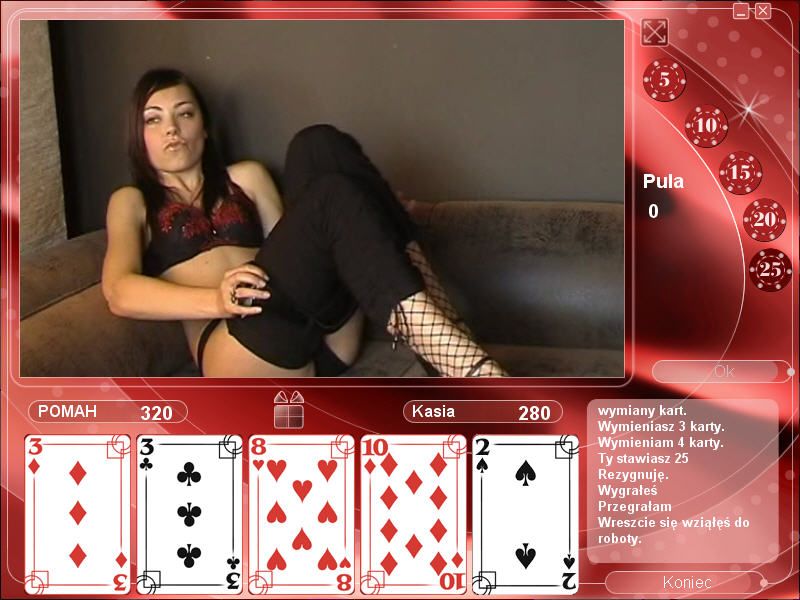
 German
  Polish




Comments and reviews
Ping RXDD. Still here?
Is there any way to get the Polish version?
I've found a simple way how to decrypt the videos. You just need to open Powershell and run this script (you need to have admin access). Set the current directory to data folder with the files. I don't think it's worth it though. Most videos are 5-10 second long and just girls holding their cards.
[System.IO.Directory]::SetCurrentDirectory($PWD);
Get-ChildItem | Where {$_.extension -eq ".avi"} | ForEach-Object {
$bytes = [System.IO.File]::ReadAllBytes($_.Name);
For ($i = 0; $i -lt $bytes.length; $i++) { $bytes[$i] = [Int]$bytes[$i] -bxor 0xff; }
[System.IO.File]::WriteAllBytes("$($_.BaseName)-Fixed$($_.Extension)", $bytes);
}
I check in every month or two... Probably start of Feb '26 due ro holidays. See you then? Would be much obliged.
Yes there is different version. I got polish one, if you still there.
Does anyone know if there were different editions? I played Polish or Russian version back in the day. Katalin was *way* more explicit.
Thanks Bulletinhead instruction, finally can behave the unknown strip game scenery that buried without development for years!(Recognize Python but not good at create them, your coding also a interesting lesson for me!)
Don't know why comment lost the later half of it.
Well, just go to my easy-to-follow tutorial on Googledrive then.
https://drive.google.com/drive/folders/1WqwgNWtBA5dHyr0Gixf7HVMCRoJzQvLH?usp=sharing
I'll just put easy-to-follow tutorial on Googledrive.
https://drive.google.com/drive/folders/1WqwgNWtBA5dHyr0Gixf7HVMCRoJzQvLH?usp=sharing
Or you can follow these steps:
1.Download and install python
https://www.python.org/downloads/release/python-3133/
*If you are not sure, choose Windows installer (64-bit)
2.Find the directory of AVIs (By default it will be : All Star Strip Poker Girls Next Door\data )
Copy the script provided by Boofer. Create a .txt file, lets just name it "script", then paste the script.
Notice python script need some tweeks (add space in front of code lines) also there is a script line you need to change:
-----------------
# Get the current directory
current_directory = "H:/experiment/test/base1"
Can you guys elaborate a bit more on the step by stem process for the more technologically challenged people like me?
The video is black, tried different thing, codecs, java update, different windows. No luck.
Did anybody get this to work?
Made a minor change to the code to make it work better, the space between the constructing the input/output files and decrypting should not be there.
import os
# Define the XOR decryption function
def xor_decrypt(input_file, output_file, key):
with open(input_file, 'rb') as encrypted_file:
encrypted_data = encrypted_file.read()
decrypted_data = bytes([byte ^ key for byte in encrypted_data])
with open(output_file, 'wb') as decrypted_file:
decrypted_file.write(decrypted_data)
# Specify the XOR key
xor_key = 0xff # Replace with your XOR key in hexadecimal format
# Get the current directory
current_directory = "H:/experiment/test/base1"
# Create a 'decrypted' folder if it doesn't exist
output_directory = os.path.join(current_directory, 'decrypted')
# List all files in the current directory
for filename in os.listdir(current_directory):
# Check if the file is an AVI file (you can modify this check if needed)
if filename.endswith('.avi'):
# Construct the input and output file paths
input_file = os.path.join(current_directory, filename)
output_file = os.path.join(output_directory, filename)
# Decrypt the file
xor_decrypt(input_file, output_file, xor_key)
print(f'Decrypted {filename} and saved as {os.path.basename(output_file)} in the "decrypted" folder')
@FlannelDude, what version of Python are you using? because mine stop running when it runs into the python file.
Sadly the game no longer runs on modern machines, (video playback is a black screen). However, you can decrypt the games .AVI files to at least get access to playback all the videos outside of the game. To do this:
1) Install Python3 on your system
2) Copy the following script into the location of the AVI files you want to decrypt
3) Run it. It will decrypt all AVI files for the game and move them into a 'decrypted' folder. (Note that tabs are significant in Python)
This works for all 3 of the 'All Star Strip Poker' games, they all use the same simple XOR encryption for the avis.
If you want the jpegs, you can get them out of main.jar with a java decompiler, you can also view the game logic with it. The playback problem likely lies in the .dll files, debugging those is beyond me.
----------------
import os
# Define the XOR decryption function
def xor_decrypt(input_file, output_file, key):
with open(input_file, 'rb') as encrypted_file:
encrypted_data = encrypted_file.read()
decrypted_data = bytes([byte ^ key for byte in encrypted_data])
with open(output_file, 'wb') as decrypted_file:
decrypted_file.write(decrypted_data)
# Specify the XOR key
xor_key = 0xff # Replace with your XOR key in hexadecimal format
# Get the current directory
current_directory = os.getcwd()
# Create a 'decrypted' folder if it doesn't exist
output_directory = os.path.join(current_directory, 'decrypted')
os.makedirs(output_directory, exist_ok=True)
# List all files in the current directory
for filename in os.listdir(current_directory):
# Check if the file is an AVI file (you can modify this check if needed)
if filename.endswith('.avi'):
# Construct the input and output file paths
input_file = os.path.join(current_directory, filename)
output_file = os.path.join(output_directory, filename)
# Decrypt the file
xor_decrypt(input_file, output_file, xor_key)
print(f'Decrypted {filename} and saved as {os.path.basename(output_file)} in the "decrypted" folder')
No comment nor review for this game at the moment.