You are on the beta version of My Abandonware. The live site is still myabandonware.com. Your favorites and ratings here are copied to the live site. Comments and other changes are not — we delete them every morning at 08:00 Paris time, when this site goes down for about an hour. Leave feedback through this link to Pastel (email required).
The beta goes down at 08:00 Paris time, in a few minutes. We rebuild the database from the live site. It comes back in about an hour.
The game work perfectly in a WinXP virtual machine - try compatibility settings on the setup file.
Comments and reviews
abbot2703 Jul. 2026
Does anybody know how to solve the music looping issue (the game's music loops over and over again after just 2 seconds)? I don't have this issue with Hoyle Card Games 2005, but I do with 2007. Running in compatibility mode for Windows XP does not resolve this, unfortunately.
0
Linda20 Nov. 2025
I accidently deleted the program for Hoyle Card games
-1
cat09 Sep. 2025
love these games thank you
0
mymy25 Nov. 2024
its dowloaded buy where is the app so i can play it? i dont know where to click to play, please help. Thanks
-1
Princess-of-Trolls08 Jul. 2024
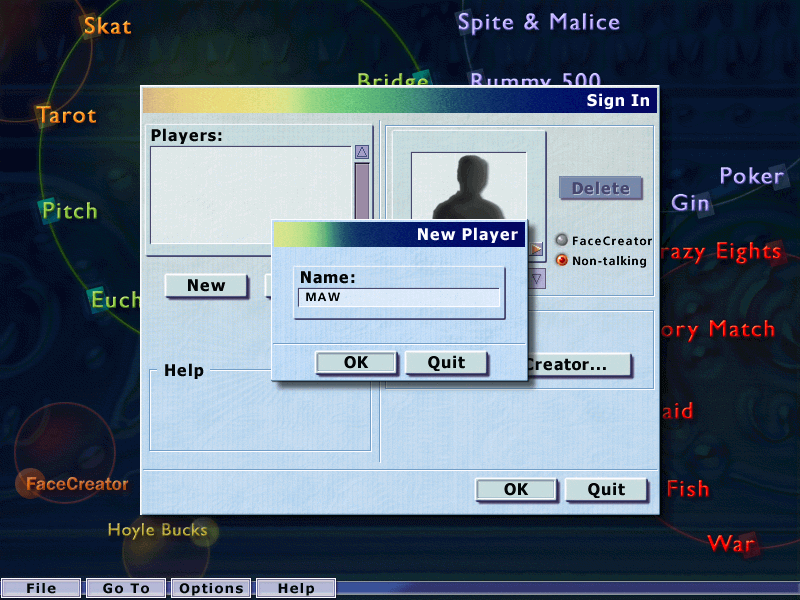
Wow, My copy installed perfectly! X3 even encore & FaceCreator is made! Here's another fix: If you already HAVE the "FaceCreator" folder & files in x86, copy & paste all files from the x86 "Encore" folder, & past the entire Encore Folder into "Program Files" instead! It gets the job done the same way otherwise. ;3
1
Sad Nostalgic Noodle23 Mar. 2024
My friend helped me! Face Creation/Voices can be fixed instead by creating a folder in "Program Files" called "Encore" and pasting the "FaceCreator" folder within the new "Encore" folder. I'm so happy it's worked out
1
Sad Nostalgic Noodle23 Mar. 2024
Face Creator issue couldnt be solved by moving the folder in "Program (86)" as it tells me there isnt enough space on the DVD drive "0 bytes free of 569MB". I hope i may have this be fixed one day.
0
me07 Feb. 2024
issue with the resolution how can I fix it, maybe by opening it in windowed? I can't find any settings for that though
1
Chilla10 Jan. 2024
To anybody having the Face Creator issue (I usually have it in Hoyle 2005), check your computer for the folder "Program Files (86)/Encore/FaceCreator" - it should have all the files.
If it's not there, you should be able to find the folder (With all of its files) in your install directory once you install the game. Just copy it over, and it should work!
-1
Serena15 Aug. 2023
Game works except it says it's missing the files for face creator, so you can't have a custom/talking avatar. Also the tracks for the background music just loop the first 2 seconds. Other than that, pretty good
0
texastblackgold15 Apr. 2023
game works just don't talk. hope this download talks
0
N801 Jan. 2023
Mine says the same thing. Please fix this yes uh huh
0
spode01 Jan. 2023
file is broken. "unexpected end of archive" error.
0
No comment nor review for this game at the moment.







 English



Comments and reviews
Does anybody know how to solve the music looping issue (the game's music loops over and over again after just 2 seconds)? I don't have this issue with Hoyle Card Games 2005, but I do with 2007. Running in compatibility mode for Windows XP does not resolve this, unfortunately.
I accidently deleted the program for Hoyle Card games
love these games thank you
its dowloaded buy where is the app so i can play it? i dont know where to click to play, please help. Thanks
Wow, My copy installed perfectly! X3 even encore & FaceCreator is made! Here's another fix: If you already HAVE the "FaceCreator" folder & files in x86, copy & paste all files from the x86 "Encore" folder, & past the entire Encore Folder into "Program Files" instead! It gets the job done the same way otherwise. ;3
My friend helped me!
Face Creation/Voices can be fixed instead by creating a folder in "Program Files" called "Encore" and pasting the "FaceCreator" folder within the new "Encore" folder. I'm so happy it's worked out
Face Creator issue couldnt be solved by moving the folder in "Program (86)" as it tells me there isnt enough space on the DVD drive "0 bytes free of 569MB". I hope i may have this be fixed one day.
issue with the resolution how can I fix it, maybe by opening it in windowed? I can't find any settings for that though
To anybody having the Face Creator issue (I usually have it in Hoyle 2005), check your computer for the folder "Program Files (86)/Encore/FaceCreator" - it should have all the files.
If it's not there, you should be able to find the folder (With all of its files) in your install directory once you install the game. Just copy it over, and it should work!
Game works except it says it's missing the files for face creator, so you can't have a custom/talking avatar. Also the tracks for the background music just loop the first 2 seconds. Other than that, pretty good
game works just don't talk. hope this download talks
Mine says the same thing. Please fix this yes uh huh
file is broken. "unexpected end of archive" error.
No comment nor review for this game at the moment.