
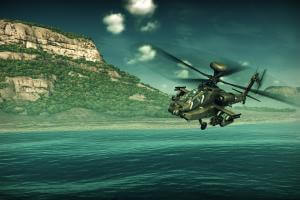
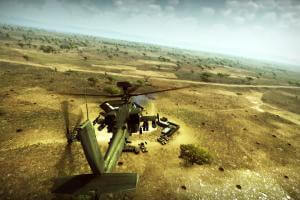
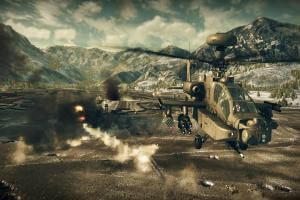
How to Play
The game has been tested on Windows 7 64-bit and Windows 10, it works fine, the game supports widescreen and high resolutions up to 4K. You may experience some small troubles when you play the game on modern systems, check our Guide and Notes for details
Be careful! The game was using StarForce 5.7 DRM protection, which may cause the troubles on Windows 10/11. If you plan to play the game on Windows 10 or 11 - make sure to use NoDVD!
Before installation - if you're using Windows 8, 8.1, 10 or 11 - make sure that you enabled DirectPlay if you didn't make it before, read this or this guide how to do it (if you're using Windows 7 or older - just install DirectX from the disc)
Install & play guide:
- Mount the disc image. You will need the utility for mounting disc image files, like WinCDEmu, UltraISO, Alcohol 52%/Alcohol 120% or Daemon Tools Lite
- Install the game. It is recommended to install the game not in default path, but in some other, non-system folder, like
C:/Games/Apache Air Assault, so you won't have troubles with NoDVD - DO NOT run the game right after the installation, to avoid the accidential installation of StarForce DRM drivers!
- After you installed the game - install the patch v1.0.0.2
- Then install NoDVD, simply copy files from the archive and put it into game directory, agree to replace original files. That NoDVD "skip" running the executable file of StarForce drivers, make sure to use it if you plan to play on Windows 10 or 11
- Open the directory with the game and find apache.exe. Right click on apache.exe - Properties - Compatibility - Set "Run this app in compatibility mode with Windows 7" and "Run as administrator"
- Run launcher.exe to configure the game settings, then close it by pressing X
- Launch the game from apache.exe and play. If the game doesn't work in compatibility mode with Windows 7 - try to launch it in compatibility mode with other version of Windows (Windows 95, 98, Windows XP, etc.)
There's currently no working NoDVD ("cracked" exe-file) for v1.0.2.0 and v1.0.2.1, so be careful if you plan to install that patches, you will need to install StarForce DRM drivers too. Read the Notes for more details
Notes:
- If the installation doesn't start - try to launch Setup.exe in compatibility mode with old version of Windows (98, 2000 or XP)
- It is recommended to install all versions of Microsoft Visual C++ Redistributable and NET Framework for the correct work of the game. Also it is recommended to install K-Lite Codec Pack for the correct work of in-game videos
- The game works on DirectX 9, so if you're using Windows 8, 8.1, 10 or 11 - you need to enable DirectPlay: Go to Control Panel, and select 'Programs'. Select 'Turn Windows features on and off', click on 'Legacy Components' and check the box 'DirectPlay'. Select OK, once the installation is done, restart your computer
- There were two patches for digital download version of the game distributed through YuPlay service - patch v1.0.2.0 and v1.0.2.1. However, we couldn't find changelogs for these patches and don't know what they fix. These patches can be installed on the retail version too, but at the moment there is no working NoDVD ("cracked" exe file) for v1.0.2.0 and v1.0.2.1. Therefore, if you install these patches, you will also need to install the StarForce DRM drivers. The game was using StarForce 5.7 which should work okay on all Windows systems up to Windows 8, but there is no guarantee that it will work on Windows 10 or 11 and will not ruin your system. So if you plan to play the game on Windows 10 or 11 - we recommend to stay on v1.0.0.1 or v1.0.0.2 and use NoDVD!
- If you are having problems with StarForce DRM drivers, please visit this page to learn how to remove StarForce drivers from your system. Also, don't forget to check official FAQ about compatibility of StarForce drivers with different versions of Windows OS
- The game has full controller support, it is recommended to play it with gamepad. If the game doesn't recognize your gamepad - try to connect keyboard and gamepad and the same time, then run the game. Gamepad controls can be configured in game settings
- Savegames and configuration files of the game are located in
Documents/My Games/Apachedirectory. If you want to edit configuration of the game - open the file with config.blk extension (that file should have long name like 74B367E284C46CA5.profile.bin.config.blk) in Notepad and edit the lines you need. Don't forget to make back-up of that file beforehand - The game had cooperative multiplayer mode with missions for 2-4 players. Online multiplayer servers doesn't work anymore, but it is still possible to play coop missions via LAN, with LAN emulators like Tunngle or Hamachi. If you have troubles with connection - you will need to open the following ports: TCP/UDP - UDP 7586, 7587, 7588
- There's a rare bug when the helicopter sounds disappear. Restarting the game usually resolves the issue
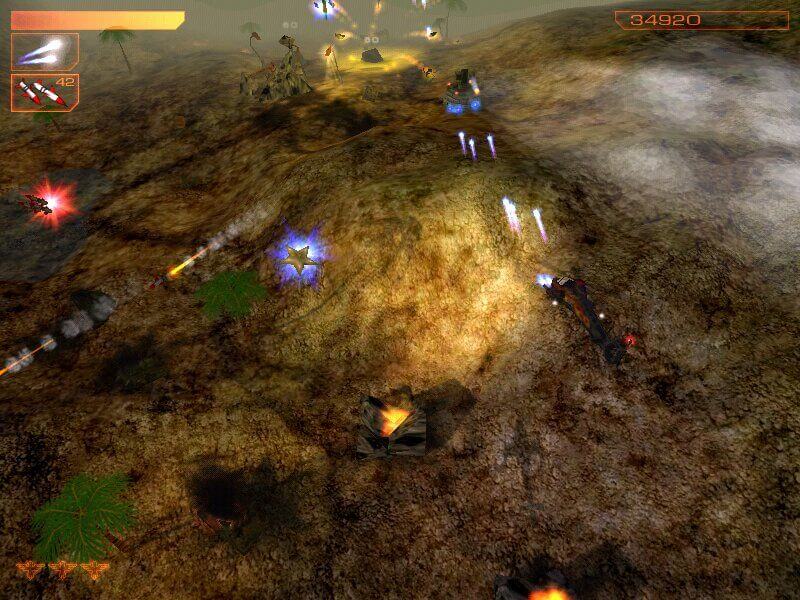
- The game supports ultrawide screen resolutions, you need to select massive resolution in launcher. Here's an example how the game looks on ultrawide screens










Comments and reviews
Won't launch for me either, all sorts of compatibility modes tried. Same thing, black screen for a few seconds then CTD. Also unplugged the controller because sometimes older games break when trying to read modern xinput, but that wasn't the case here.
even with the override I can't get it to work, I'm not sure if it is because i use a ultrawide monitor but shows the black screen like is going to load and then it crashes without an error
Don't forgent to turn off (overide) Windows 11 security options (App&browser control - Exploit proteciton settings-Program settings) for the game exe. Otherwise it might not start.
I hope this game is good but gaijin makes the best games
any update on this, it will not run on my rig. crashes at start with a memory exception.
my rig
i9-14900k
64gb ddr5 5600mhz
rtx 5070 ti
Does this method still work admins ???
Got it working on the latest Windows 11, I had to extract the folder locally (didnt work running off an external SSD), and windows 7 compatibility, run as administrator. I think it also needs a shorter folder name (ie D:/games/apache), so if you bury it deep, it will struggle . I used the 32bit of DSOAL for sound too. Full controller working no problem. Better than emulation. I'm so glad this is on abandonware, I hope the game is revived.
Cannot start the game. Win 11 Pro and ripped edition. None of compatibility mode works. Each time crash.
I tried playing this and it ran fine but when i mapped my joystick and throttle it just continued to turn left forever without any input. Broken game.
Dayum.. alway crash on startup how to fix that
I've been having no luck getting this to work multiplayer co-op using Radmin or Hamachi. I can get as far as start online missionselect missionswitch to training ( because realistic wont even try to create a session) then stops at the "creating game" step. No other choice other than to back out. I have installed the Rip version, no DVD patch,opened proper ports, allowed program through Norton smart firewall on Windows 7 , run as admin. The game plays just fine , Just can't get to LAN like the instructions say. Has anyone else been able to get this game to work via LAN using Hamachi, Radmin or any other LAN emulators ?
Works with no issue on Win 11 home edition on Asus Rog Ally. Firstly download the ripped edition, unzip using say 7zip. Now inside folder right click nothing else but apache.exe and set compatibility mode to Windows 7. Done.
All patches have been applied, create a desktop shortcut, double click, sit back and just play.
It says there is already an instance of the game running but there isn't. I was able to launch the game once the first time and now this happens (I didnt install the patch before playing like an idiot)
Patch v1.0.0.2 is just exe-file, simply run it and click Next.
Patch v1.0.2.1 - there's a Readme.txt inside the archive, with instruction. However, there's no working NoDVD ("crack") for v1.0.2.1, so better play the game v1.0.0.1 or v1.0.0.2, it should work fine on modern systems, don't forget to use NoDVD
How do I apply patches to this game?
No comment nor review for this game at the moment.