





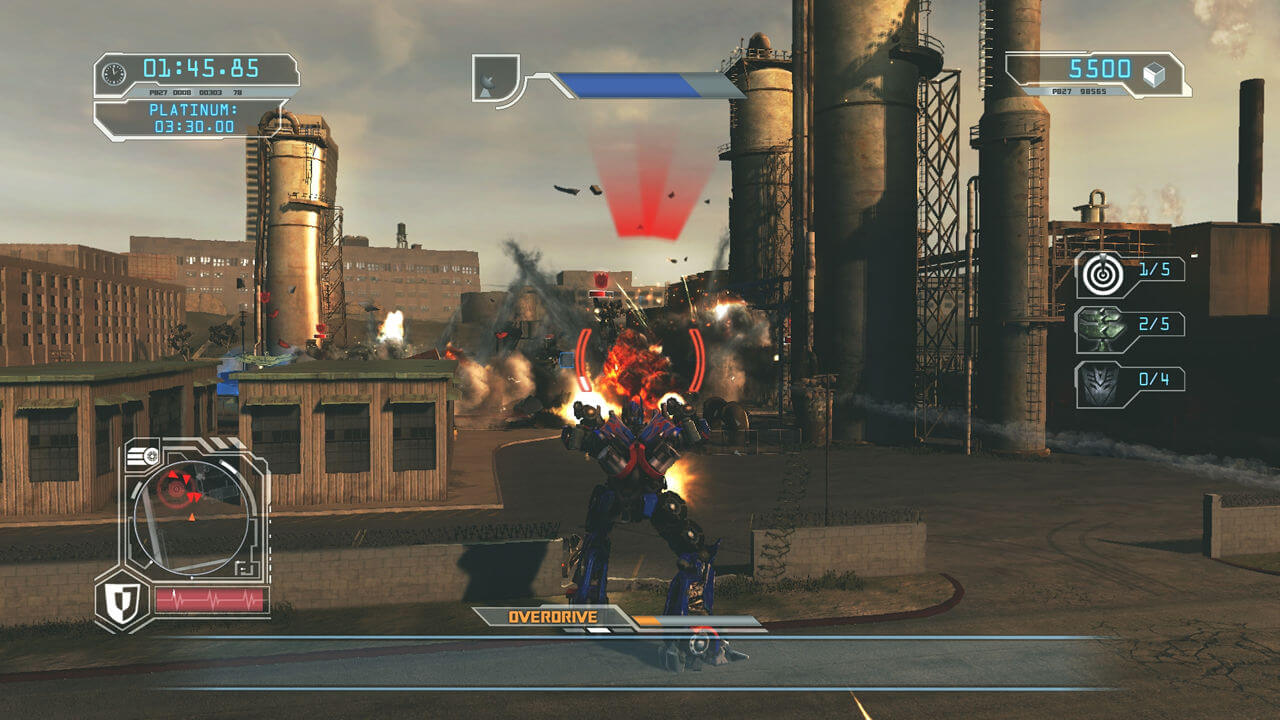
How to Play
The game with NoDVD has been tested on Windows 7 64-bit, works fine. The game supports widescreen
Install & play guide:
- Mount the disc image. You will need the utility for mounting disc image files, like WinCDEmu, UltraISO, Alcohol 52%/Alcohol 120% or Daemon Tools Lite
- Install the game, enter serial key
6CE1-57M5-XZ1X-4HMP-0DA2 - Also it is recommended to install DirectX 9 from the disc (if you're using Windows 10 - enable DirectPlay, read this or this guide how to do it)
- After you installed the game - install NoDVD (simply copy Transformers2.exe from the archive and put it into directory with installed game, agree to replace original file)
- Open the directory with the game and find Transformers2.exe. Right click on Transformers2.exe - Properties - Compatibility - Set "Run this app in compatibility mode with Windows XP" and "Run as administrator"
- Launch the game and play. If the game doesn't work in compatibility mode with Windows XP - try to launch it in compatibility mode with other version of Windows (98,2000 or Vista)
Notes:
- If the installation doesn't start - try to launch Setup.exe in compatibility mode with old version of Windows (98, 2000 or XP)
- NoDVD is required for the launch because the game is using SecuROM DRM protection, which doesn't work on modern systems. That NoDVD "breaks" DRM protection and allows the game to work on modern systems
- The game works on DirectX 9, so if you're using Windows 8, 8.1, 10 or 11 - you need to enable DirectPlay: Go to Control Panel, and select 'Programs'. Select 'Turn Windows features on and off', click on 'Legacy Components' and check the box 'DirectPlay'. Select OK, once the installation is done, restart your computer
- It is recommended to install all versions of Microsoft Visual C++ Redistributable for the correct work of the game, especially Visual Studio 2005
- Also it is recommended to install RAD Video Tools and K-Lite Codec Pack for the correct work of the game
- By default the game supports resolutions up to 1920x1200, if you want to play in ultra-widescreen or 4K resolution - use Ultrawide Fix & FPS Unlock by killer-m. Also, that fix unlocks the game FPS, by default the game is locked on 32 FPS
- Multiplayer of the game is still working, read this guide how to play the game online
- You can find some mods like better quality videos here or here
- Don't forget to check PCGamingWiki page if you have troubles
 English
  French
  German
  Polish
  Russian





Comments and reviews
5 352ed 12h4fcf d
so it works on my windows 11 laptop but not my pc
to run on windows 7 and newer
get the crack and put it into instal directory.
open properties for the exe file (transformers2) in compatability select run compatible with vista.
also select disable full screen optimasation and run as admin.
should lauch ok then
nocd exe doesn't work
it gets past all the fmv logos but then at the paramount logo it just says "transformers revenge of the fallen has encountered a problem and needs to close"
I can't get past the part where I have to type a profile name. The built in keyboard in winlator doesn't work... Can anyone help?
Le jeux ne fonctione pas
YOU ARE FIREhttps://www.myabandonware.com/game/transformers-revenge-of-the-fallen-fjl#
Don't think this game runs on Windows 11 have tried numerous times to get it running, but nothing. I think the admin should contact Elamigos and let them know its not running
nice gema bro
I WANT TO PLAY THIS GAME
I WANT TO PLAY THIS GAME NOW
It doesn't boot on windows 11, even compatibility mode, just a brief run of the EXE, then nothing.
does it work on windows 10
Doesn't work on windows 11. Maybe I'm doing something wrong but it just would not run at all.
It doesn't work on Windows 11 but works on windows 10 (tested on my old laptop running win 10). My guess is something about Windows 11 can't break through the game's DRM cuz it's too old. Would be nice if the person who uploaded this can add a fix that lets it play on Win 11 computers
As the person who made the ISO Version of original DVD and the Serial key tex, I'm honed to have it on myabandonware. ;)
I dont know why but every time i download the game i can't play, the game closes automatically. pleas help me.
The game quits after paramount logo on windows 11, I tried both files the original and the repack, both quits. I cannot make it go further than that. Sometimes it also shows Dreamworks logo too, once even continued till some pre-game text stuff. I think for something is not patched correctly and keep making the game exit.
Yea the nodvd exe does not work when you replace the other one followed all steps and even tried without mounting still doesnt work
Sorry but wheres NoDVD???
This doesn't work anymore. Executable doesn't do anything, and I can't see any errors. followed all your instructions.
Hello, in windows 11 dont work.
Hello~administrator,it Can’t save my progress
i have downloaded trasformers revenge of the fallen and i am having a problem.It doesnt save my progress.I know it has autosave,but when i restart the game the progress doesnt exist anymore and i am always playing the same first missions again and again!Do u know a way to fix it??
Thanks, game works.
its good on this site.
thanks! good.
now for the rest of the defunct games.
war4cybertr0ns, rot darkspark, darkofthemoon, devastation, etc.
get some mp servers goin
There's no way I can get it to work on Win 11. I've replaced the .exe with the NoDVD one, run compability mode, turned on DirectPlay, etc. Nothing works. Admin, plz help
It took me ages to try to fix this. It's far easier to get it to work under proton.
While I did use a different site the process is relatively straight forward.
There's two problems you need to solve in order to get this to work on linux. My windows install didn't work no matter what. (windows 11) It booted up first try on my steam deck. I personally used https://abandonwaregames.net/ though it shouldn't matter much.
here's the guide now.
1. mount the iso.
if you can't mount the iso then this is far too complex for you.
2. run the setup in proton.
the way to do this is either add the exe in the mount folder (autosetup.exe) into steam as a third party application and then use proton compatibility layer. Or extract the contents somewhere and then point to the .exe
3. find the folder
it's somewhere in steam compatdata my example is below.
/home/$user/.steam/steam/steamapps/compatdata/4137726139/pfx/drive_c/Program Files (x86)/Transformers Revenge of the Fallen - The Game
This must have the transformers2.exe in it, if not then you're not pointing to the right place.
4. change the game to point to the Transformers2.exe
target the exe you found in step 3 instead of autosetup.exe
5. profile bug fix
in proton there's a bug where you can't create an account but there's a fix. Go to the game file in step 3 click /pfx there should be a user.reg file. open this
6. fixing bugs 2
in this text file find the string
[Software\\Activision\\Transformers2\\Settings]
below this there are a few settings. find Music volume and below it add. "Profile_00"="YourNameHere"
7. launching the game
if you launch the game you should be put onto the home menu instead of create account. Click new game and you can start playing.
Everything works fine except the game just looks kinda weird https://imgur.com/a/5NKnWxI and if directly take a screenshot instead of a photo then it looks fine https://imgur.com/a/olGylJA this could just be a issue with my display but is there any way to fix it? I downloaded transformers the game from the site aswell and that works perfectly fine and a few more examples https://imgur.com/a/Vl8FZ0S
do you have PL audio files?
best game from my birth year
Downloaded the repack version and everything works.
Everytime I start it up it shows the first few introductions but then it gets to a white paramount screen and it just goes back to desktop
i cant extract the file. it says file is corrupted. please help me. i downloaded Repack by ElAmigos English version French version German version Polish version Russian version 3.4 GB.
Where is the directory file location specifically... struggling
I can't find the NoDVD file :(
i playing it for the first time
the game doesn't start on windows 11, I followed all the steps and tried various compatibility fixes but only the loading wheel appears for a few seconds and then nothing happens... any solution?
keyboards not working for steamdeck too enter profile name
HAY un grabe error de texturas las sombras salen rojas y el juego se ve mal
Why my game can not save :(((
meu sonho e joga transformers games mas nunca vai ser realizado
Cool game. Played it back in the days and I loved it. Wish it had like a full open world to explore and do stuff.
i luv transformers
savegame location?
so, i replaced the exe but its still doenst launch
To everyone who cannot launch the game - make sure to use NoDVD, replace original exe-file with exe-file from NoDVD archive. The game is using SecuROM protection, and it doesn't work on Windows 7 and after
The game would not start in Windows 11, any fix for new systems?
You probably installed it in default path C:/Program Files/Transformers: Revenge of the Fallen. Usually that folder requires administrator rights for access. Re-install the game in non-system folder, like C:/Games/Transformers, and try again, it should work
I cant move the NoDVD file into the other folder to replace it because it has 0 bytes free. It says I need an additional 12.3MB
We updated the game downloads, now it has ISO image of original DVD, not scene release, and repack by ElAmigos instead of old repack
Thank You My abandonware. There is a repack version here too which you can download if the links are active. Scanned with 360 Total security. No issues found. But i recommend that anyone who downloads from here should also scan for themselves before install.
https://www.elamigos-games.com/games/transformers-2-revenge-of-the-fallen-the-game
When i try and open the game it says " Wrong disk inserted "
Is the download fixed now? Is it the download posted by helper?
Thisis straight up malware do not download. there is no game. only a virus on a iso file.
Savegame not working.
Waste of my time.
Guys Warning this is a malvare it fucked my brothers pc
hmmmm wszystko super ale jak moge to odinstalowac??? zacina mi caly komputer... zaczynam myslec ze to jakis wirus...
Bonjour le jeu ne se lance pas aidez moi svp je vous en supplie
IT WILL BE FUN
This is the pc verison of the game, so no I will not have the dlc included,if you get a ps3 iso and manage to find a dlc copy then good luck. (I own the dlc for my ps3 iso)
does not come with and dlc from what I've seen
Anyone know if this includes the DLC?
I love this game its my favorite game
I love all activisions games
THIS IS GOOD SETUP.IT IS VERY EASY I LOVE THIS GAME
No comment nor review for this game at the moment.