


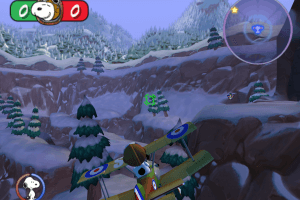
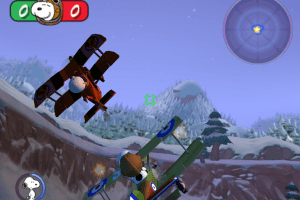
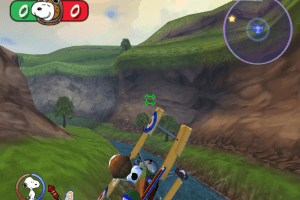
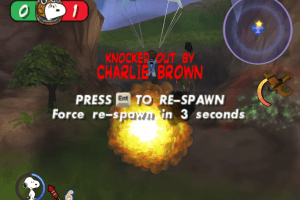
How to Play
The game with NoCD has been tested on Windows 7 64-bit, works fine. If you have troubles with running the game on modern systems - check our Notes
Install & play guide:
- Mount the disc image. You will need the utility for mounting disc image files, like WinCDEmu, UltraISO, Alcohol 52%/Alcohol 120% or Daemon Tools Lite
- Install the game - click on "Install on Hard Drive" in autorun menu. It is recommended to install the game not in default path, but in some other, non-system folder, like
C:/Games/Snoopy vs Red Baron - After you installed the game - install NoCD, simply copy SRB.exe from the archive and put it into game folder, agree to replace original file
- Open the directory with the game and find SRB.exe. Right click on SRB.exe -> Properties -> Compatibility -> Set "Run this app in compatibility mode with Windows XP" and "Run as administrator"
- Launch the game and play. If the game doesn't work in compatibility mode with Windows XP - try to launch it in compatibility mode with other version of Windows (Windows 98, Windows 2000, Windows 7, etc.)
If that instruction looks too compicated for you - you can use the repack version, it has a simple installer, just install & play
Notes:
- If the installation doesn't start - try to launch Setup.exe in compatibility mode with old version of Windows (98, 2000 or XP)
- It is recommended to install all versions of Microsoft Visual C++ Redistributable and NET Framework for the correct work of the game. Also it is recommended to install K-Lite Codec Pack for the correct work of in-game videos
- The game works on DirectX 8, so if you're using Windows 8, 8.1, 10 or 11 - you need to enable DirectPlay: Go to Control Panel, and select 'Programs'. Select 'Turn Windows features on and off', click on 'Legacy Components' and check the box 'DirectPlay'. Select OK, once the installation is done, restart your computer
- The game is using DirectX 8 and should work on any graphics card that support DirectX 9. But if you get error at launch - you can use d3d8to9 wrapper, it is simple dll-file that adapts DirectX 8 games to DirectX 9 renderer. Simply put d3d8.dll next to SRB
- NoCD is required for the launch because the game is using SafeDisc DRM protection, which doesn't work correctly on modern systems. NoCD "cracks" DRM protection and allows to run the game without the disc. If you see error that there's not enough space on the hard drive when you copy NoDVD files - re-install the game in non-system folder, like
D:/Games/Snoopy vs Red Baron, Windows Protection may block copying of files to system folders (likeC:/Program FilesorC:/Windows) - If the installer shows error "The game was installed before but not deleted properly" - open Registry Edit (regedit.exe), go to
HKEY_LOCAL_MACHINE/SOFTWARE/Wow6432Node/NAMCO BANDAI GAMESand deleteSnoopy vs. the Red Baronsubfolder. After that run the installation again, it should work - If you have troubles with running the game on Windows 7 and newer OS - try to run it through dgVoodoo utility (copy the dll-files from the
MS/x86folder, dgVoodooCpl.exe and dgVoodoo.conf to the game folder, then launch the game from SRB.exe; to change dgVoodoo settings - open dgVoodooCpl.exe)
 English




 Czech
Czech 


Comments and reviews
The game runs fine with Win11 but i had to change the following things:
- in the srb.exe - right-click - properties: under compatibility tab:
- run programm in compatibility mode for Win 7
- change Resolution to 640 x 480
- disable fullscreen optimisation
- under high DPI settings, "tick" ...use this for scaling issues
Without those changes the scaling was screwed up (Radar not visible,etc...)
- in .."Username"/Documents/Snoopy vs. Red Baron/Settings.ini, edit Settings.ini
- change resolution to 1920 x 1200
(It does work, so you get a kind of widescreen support)
- change button layout for your keyboard/Controller to your likings
(Trial and error, i got my xbox controller still not 100% but the game is play- and enjoyable).
last change, if you're running a non-english version of Windows, you need to change the language file in the main Snoopy game directory:
- change SRB.eng in Snoopy vs. The Red Baron(TM)/LOC from SRB.eng to SRB.xxx (xxx = Your language) i changed it to SRB.ger (German version of Win11). This solved the issue with the garbeled text/placeholder strings.
In principle, you probably could even translate the text inside (I had a look with Notepad++) to fully localize the Snoopy vs Red Baron game.
That's it from my side.
Another note: all the text in the installer can be garbled when installing to non-English versions of Windows XP (this game wasn't officially released outside the US/Canada so devs didn't bother)
No comment nor review for this game at the moment.