





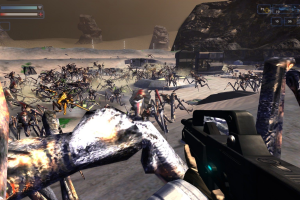
How to Play
The game v5.24 has been tested on Windows 7 64-bit, Windows 8, Windows 10 and Windows 11, it works fine. You may experience some small troubles when you play the game on modern systems, check our Guide and Notes for details
Install & play guide:
- Mount the disc image. You will need the utility for mounting disc image files, like WinCDEmu, UltraISO, Alcohol 52%/Alcohol 120% or Daemon Tools Lite
- Install the game. It is recommended to install the game not in default path but in some other, non-system folder, like
C:/Games/Starship Troopers, so you won't have troubles with NoCD or fixes - After you installed the game, install the patch v5.24. It is the cumulative patch that includes all previous patches
- Then use NoCD, simply copy STGame.exe from the archive and put it into the directory with installed game, agree to replace the original file
- Open the directory with the game and find STGame.exe. Right-click on STGame.exe -> Properties -> Compatibility - Set "Run this app in compatibility mode with Windows XP" and "Run as administrator"
- Launch the game and play. If the game doesn't work in compatibility mode with Windows XP - try to launch it in compatibility mode with other version of Windows (Windows 98, 2000, etc.)
On some modern GPUs, there could be graphics issues in the game, so it is recommended to use display wrappers, such as dgVoodoo 2, to run the game. Also, you probably will want to play on high screen resolutions, use Widescreen Fix to be able to do that. For all details about display wrappers and Widescreen Fix check the Notes below
Notes:
- If the installation doesn't start - try to launch Setup.exe in compatibility mode with old version of Windows (98, 2000 or XP)
- It is recommended to install all versions of Microsoft Visual C++ Redistributable and NET Framework for the correct work of the game. Also it is recommended to install K-Lite Codec Pack for the correct work of in-game videos
- The game works on DirectX 9, so if you're using Windows 8, 8.1, 10 or 11 - you need to enable DirectPlay: Go to Control Panel, and select 'Programs'. Select 'Turn Windows features on and off', click on 'Legacy Components' and check the box 'DirectPlay'. Select OK, once the installation is done, restart your computer
- About the patches: international patches should be compatible with 5 standard language versions: English, French, German, Italian & Spanish. International patch v5.24 is the cumulative patch that includes all official updates for the game, so you don't need to install previous patches. Local releases such as Polish, Czech or Russian supposed to be already pre-patched to v5.24
- NoCD is required for the launch because the game doesn't work without the disc - some releases had simple disc check, some were protected with SafeDisc 4 DRM that doesn't work on modern systems. NoCD "breaks" the protection and allows to play the game without the disc. If you see the error that there's not enough space on the hard drive when you copy NoCD files - re-install the game in non-system folder, like
D:/Games/Starship Troopers, Windows Protection may block copying of files to system folders (likeC:/Program FilesorC:/Windows). Be careful, Russian version was protected with infamous StarForce DRM that can break your system, make sure to use NoCD before the first launch of the game! Drivers of StarForce DRM can break your system, especially if you use 32-bit variant of Windows OS! Do not run the game after the installation, first use NoCD and replace the executable in game folder - The game has support of widescreen resolutions but only up to 1600x900. If you want to play the game on higher screen resolutions, first install the latest patch v5.24, then use this Widescreen Fix. With that fix you can play the game on any high resolution (the main menu will be in 4:3 ratio though), including ultrawide displays and UHD 4K resolutions, check WSGF page for example screenshots. Widescreen Fix is based on "cracked" executable from NoCD, so it also works as NoCD. Widescreen Fix is fully compatible with display wrappers like dgVoodoo 2 or DXVK
- If you want to change Field of View (FOV) in the game, use this FOV Changer. That FOV Changer works only with Widescreen Fix, so first you need to install the Widescreen Fix
- If you hear random low sound volume when the music and sound effects suddenly become too quiet and stay low - make a Quick Save then Quick Load to reset the sound volume levels. That bug usually happens after the commander gives new mission instructions, but could happen at random moments too
- For owners of AMD/ATi graphics cards: on some of AMD/ATi video cards the game shows poor perfomance and has the other issues, such as corrupted graphics or flickering textures. If you have such issues, the solution for that problem is very simple - you need to run the game with one of display wrappers, such as dgVoodoo 2. The game with dgVoodoo 2 has been tested on PC with Windows 10 and AMD RX480 8 GB, it works fine. Also, you can use WineD3D or another display wrapper
- If you have an issue with missing lighting - change
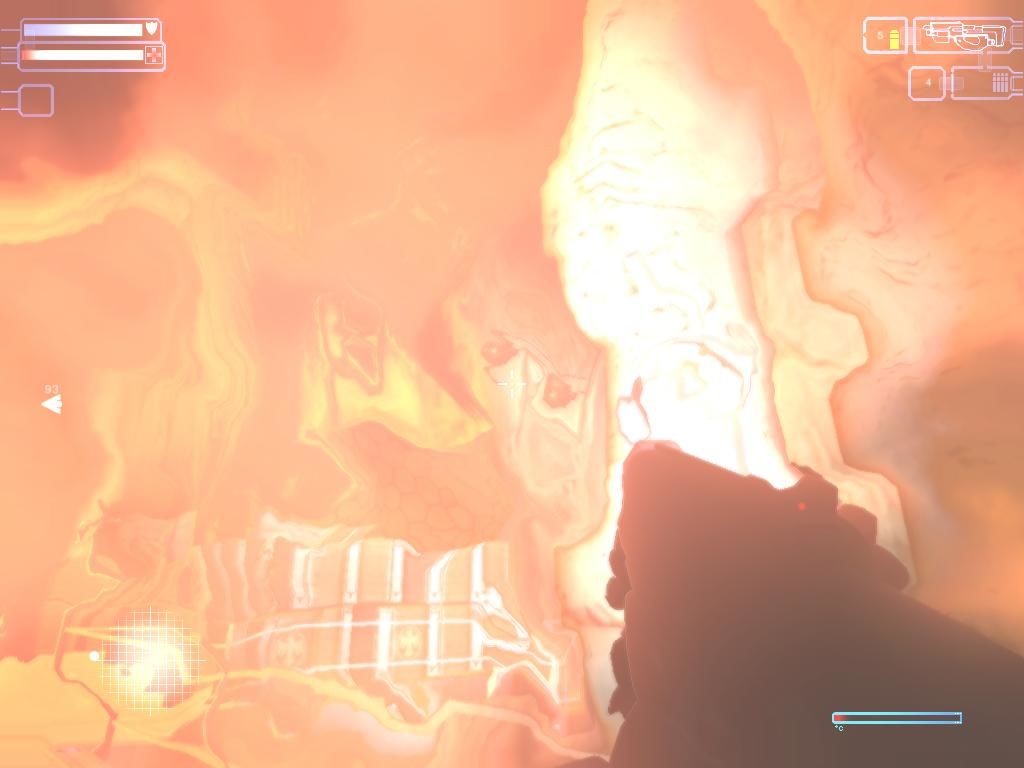
Shader QualitytoMedium. Sometimes ifShader Qualityis set onLoworHigh, surfaces will not be lit properly - If you have only a black or white/grey screen at launch and don't see the intro videos: go to
Documents/Empire Interactive/SST/Settingsfolder, open global.settings file in Notepad and setDistortparameter to0; save the file and try to run the game again, it should work fine. If the game revertsDistortparameter to1- make global.settings as Read-only. If it didn't work - also changeGlowandGlowtrailto0 - If you have any graphical glitches, such as black 3D-models, flickering textures, etc., try to run the game with one of display wrappers. According to this video, running the game through DXVK helps to fix the graphical issues. Also, you can try to use dgVoodoo 2 or any other display wrapper, it should help too. The game with dgVoodoo 2 has been tested on Windows 10, it works fine. To install dgVoodoo copy the dll-files from the
MS/x86folder, dgVoodooCpl.exe and dgVoodoo.conf to the game folder, next to STGame.exe. You can even enable Texture filtering and Anti-aliasing in dgVoodoo 2 to get the better graphics, to do that run dgVoodoo Control Panel (dgVoodooCpl.exe) as Administrator and change the graphics settings in DirectX tab. It seems that running the game with display wrapper should fix all the issues above, including the graphics issues on AMD/ATi GPUs, black/white screen at launch and broken lighting - If the game crashes at the launch or when you try to change the graphics settings - try to cap the framerate to 60~120 FPS in control panel of your video card or with one of framerate limiter utilities. For example, if you play with dgVoodoo 2, you can set the framerate limit in dgVoodoo.conf file by editing
FPSLimitline - Also, the high framerate may cause certain scripted sequences to break! And the damage of some enemies is tied to the framerate, for example the damage of Blaster Bugs increases with the framerate. So if you see the broken in-game scripted sequences or feel that the enemies' attacks are too strong - cap the framerate to 60~120 FPS
- The game may crash on display with refresh rate higher than 100 Hz. If you have the display with high monitor's refresh rate and the game crashes when you change the graphics settings or in random moments - reduce the refresh rate of your display to 100 Hz or lower
- If the game jumps to menu after the level "Offensive" - you need to change the level name by editing the game files as in this guide
- The game has support of Surround Sound, use one of DirectSound3D restoration software tools if you want to enable Surround Sound in game
- The game doesn't have the controller support. If you want to play with gamepad, download ST 2005 Controller Support mod. If the game doesn't recognize your controller - try using one of the additional tools from PCGamingWiki guide for controllers
- If you want to play with cheat codes, first you need to enable the dev console. To do that run the game with
-devusercommand line argument. Then press ~ in the game and enter one of these cheat codes:godfor Godmode,ammofor unlimited ammo,evileye- bugs die instantly when targeted,gun- toggle gun model display,banzaifor invincibility, instant kill and fast speed,speed #to multiply game speed by# - Don't forget to check PCGamingWiki page if you have troubles, it is very useful!
 English
  French
  German
  Spanish
  Italian
  Czech
Czech  Polish
  Russian





 Hungarian
  Portuguese (Brazil)



Comments and reviews
so when i finished instaling this game,for curiosity i entered check online for more updates,and it sent me to a link that gave y computer adware,i now cant escape these mcaffe ads
I remember playing this! It was a blast, especially if you were a fan of the movie. Denise Richards in a video game, can't complain.
Was the upload not an English version? I still have the physical lol.
We updated this page, added more language versions and translation patches, plus fixes and troubleshooting guide for almost all possible issues
i need this game:):D:P
Game was stable and worked and ran well. Problem is when you run into bosses. Good luck finding their weak spots without some kind of guide or walkthrough. It's not happening. You might as well be shooting into the air or a solid wall. You'll accomplish the same thing. Bosses and especially gameplay got so repetitive that by the time I got not even half way through the game, I had to save a commander, go to an evil base, then after fighting through as bugs got all over me, I got to a boss where they gave me a crate, a god mode spot where ai couldn't reach me or hurt me, and I promptly left the game shortly after. If they couldn't be bothered to finish their game, neither could I. It's a shame, but without unlimited ammo and one shot kills, you're not beating this game, even on easy. Good luck!
The patched version available for download works fine. Tips:
- BEWARE THE GAME IS BRUTAL. It will throw massive swarms of enemies at you and some levels are very hard and require patience. I recommend playing it on Easy.
- The Royal Bugs DO NOT TAKE MISSILE DAMAGE, NOR RAIL-GUN. Use your rifles to shoot their weak-spots.
- The game does not have mid-mission auto-saves, make sure to assign a key for Quick-Saves and use it frequently.
- You can hold the fire button to increase your firing speed for missiles.
- Morita Mk2 assigned to Weapon Slot 2 fires Scattershots, Scattershots deal more damage than shotguns but have less AoE.
- On level "Bait", at the final section, I recommend walking from one end to another of one of the cliffs above the bunkers. It's easier to take care of bugs there.
I made a video guide that resolves some graphical issues when running the game in Windows 10 with an AMD GPU (at least I think it might be AMD specific, I'm not actually sure.) Specifically, it resolves missing/broken textures on the baby plasma bug, blasters, and cliff mites.
https://youtu.be/INV3bkKhfyk
I like your page is very useful, I have my cds original game but I can,t to play for that this page its fantastic.
Hey @Daniel
Which folder?
And do I need to do the other steps as well or did WIND3D fixed everything?
A good bug Is a dead bug, I'm doing my part!
Cheers i found the solution. You gotta dwld wined3d and apply it in game folder. Google it and dwld. Then copy dx9.dll and wine3de.dll to game folder. All video glitch problem fixed, at least for me in my nitro 7 win 10. It fix in game mission graphic, it fix cliff termite shooting "laser" graphic, it also fix sniper secondary mode black screen
Frost 2020-02-04 24 points
2) change the Glow, Glowtrail, PostProcessing & Distort values to 0
To change resolution:
ScreenXRes: { "1920" } (or whatever res)
ScreenYRes: { "1080" }
frost this do help with video problem win 10, but this also disrupt mission where you deal with cliff mite shooting laser. you wont be able to see the projectile they shoot you and in such dark environment, you become hard to notice their location. or if they are shooting you. you just take damage without knowing the direction of shooting. i think that because the setting Glow, Glowtrail, PostProcessing & Distort values to 0. so it also become problem for the gameplay starting from mission 4...
Stopped working for me. Played it in the morning, some time later the application got moved to an entirely different location and now it's telling me to Insert the Disk.
It appears janky at first because of the troopers models and starting environment but it's a decent enough game overall for a franchise cashgrab.
Game works fine when i max it out in setting but when i shoot i have screen tearing i have an i7, 4070ti and a 144p 165hz monitor
Funny thing is even though I can download it from here, I still have the CD to the game itself along with the casing for it
With the new Starship Troopers game coming out, and with Helldivers 2, young and old from all over the globe are joining up to fight the bug menace with even this old rough gem.
Service garuntees citizenship!
I'm doing my part, are you?
Game had Polish release: https://archive.org/details/starship-troopers-2005-pl
I have problem with all scopes, when i have to tried scope with morita assault rifle, when show's me black screen, when i back to main position, screen goes normal and i see it. So who knows, how to solve guns scope , when i can see objects with scope?
I was able to play the pre-installed version just fine with graphics settings all on max, except for adaptive quality which is off. Using nvidia control panel I set 16x AF and enabled FXAA and it is working well.
Can anyone tell me what is the difference between "Pre Installed and Patched" with "ISO version", including patch 4.09.10, patch 5.24, and no video fix.
I'm having issues with the "MK2 scoped" when using it's main mechanic, the "scope", turns black screen when using the scope. It's already hard enough to find the Cliff mites hiding in the shadows
My mom said I can't get Helldivers :(
despite being a "budget" game under a movie license that was already 8 years old by that point the game came out and its actually pretty good! better then i expected. Its more or less retelling the events of the movie from the marauders perspective. It reminds me a lot in style and gameplay to AvP franchise. And of course the selling point of this game when it came out is the amount of Arachnids (alien bugs) on screen without dropping frame rate. I had no luck getting to run properly on my base pc, but on my older pc runs win 10 but 32-bit version (which the best play this game without issues) using the ISO version then using the global patch (the game was notoriously buggy and broken when it was released) the game now works great, no issues at all, the only downside is the sound mixing in this game is pretty bad. even with playing with the setting i had to adjust the volume constantly.
Hi Guys, for all the people with W10 I recommend downloading de ISO, then patch 4 patch 5.
Install the game
Patch 4
Patch 5
Video to fix problems
https://www.youtube.com/watch?v=WPHlYo0lgbk&t=68s
I tried to play with the Pre Installed and Patched English version 3.8 GB but I couldn't in W10, so my solution was the ISO.
Does anyone have guide cause its all white after the opening scene. Like the menu to start the game turned all white and I'm getting confuse with the instructions. The readme.txt about black screens
Doesn't work on Windows 10 x64 PRO 22H2. I downloaded the ISO version, installed it and tried to launch it, but right on the intro video, you know, the one with developers and stuff, it freezes dead, and when I open task manager it says that the application does not respond. I have tried different compatibility modes but it doesn't help. And I have tried the latest patch to this game, but it installed the patch somewhere on my PC, but not in to the game, and I don't know where. I can't simply find it anywhere. So yeah, the game is not working, the patch does not let you select the installation path, and in general, this game is impossible to play on Windows 10. What a shame!
One of my fans, I'm not sure which one, I think either Mobo or GPU, roars constantly after I played this game.
Maybe it's not this game, but the problem only started up again after I sent my PC off to be cleaned and serviced and I played this game again.
Downloaded and installed on Manjaro Linux with Wine/Lutris and patched to the latest version. There's a couple white-screens where cinematics used to play (probably fixable with some winetricks ddl's), but gameplay is rock solid at max graphics settings.
10/10 - I look forward to playing this one through to the end.
I reinstalled the patched version and now it works
so on my last comment i had the pre installed and patched now ive tried the .ISO and the screen was black when starting the first level so i applied the graphics and shadow fixes but then when i pressed any button in the main menu like settings or credits it would freeze and crash to desktop
nice game but when I load compound 001 the game crashes to desktop I've applied resolution fixes and settings
Working in Linux, video: https://www.youtube.com/live/PlqdIpA7XlQ?feature=share
Working great in Linux ZorinOs and I found legend for ptbr. Nice.
j'ai un problème
dès que je lance le premier niveau le jeu se bloque sur un ecran noir
actually, it turned out that i COULD activate the elevator, but my HUD is gone! how can i get my hud back?
i can't activate the elevator at the start of outpost 001. i could before, but i had to install a program to fix area51 game, by reducing max frame rate. PLZ HALP!!
Anybody know how to fix the sniper rifle situation. I go to zoom and the screen goes blank.
After fixing black screen issue everything are fine, just when using sniper scope the screen still go black.
Anyone know how to get the multiplayer working?
This version is updated.
https://archive.org/details/starship-troopers-updated
I love this game too much that I want to download it
With the help of PC Gaming Wiki a.k.a PCGW; I was able to run this game on Windows 10 at 1080p60 + vsync, slightly wider FOV, full 16x anisotropic filtering alongside SMAA (there's no anti-aliasing option in the settings menu) + FidelityFX CAS sharpening (game is inherently quite blurry) forced via ReShade.
Overall a pretty decent experience. Let's hope they make this game available at GOG at some point; although chances are rather slim.
it is a cool game
The download button for windows is not showing up.
Attempting to alter the graphics, when I select graphics in the options menu, the game CTD. Is there a known issue with accessing the graphics menu?
where is the last mission ?
I tried running this through my Dolphin emulator and (even with both patches downloaded) it still doesn't recognise the ISO file :(
How do I make it so the game is in English
It works in Windows 7 comp!
Has anyone else had problems trying to get the TILDE (~) command console to work in this ripped version?
To "Chaosunit0010": actually the "Starship Troopers" install folder is not the one in which you have to modify the "global.settings" file; it is instead in your personal documents folder, namely "Documents\Empire Interactive\SST\Settings". When you open a document explorer (Win+E), just click on the "Documents" folder.
Am i downloading a different version of the game? The game shows up in a file called starship troopers in my program files and doesn't have a global settings file.
I had no real issue with main game but thought id update with the patches.
Unfortunately they do not do anything.
They extract to temp folder, then delete themselves.
Not sure if this is because i didnt install the game to default directory?
I managed to quickly copy&paste the extracted patch in temp folder before deleted itself but files cannot be dragged and dropped into the game folder.
They seem to be in some sort of bespoke archive file, where the new assets would be extracted to the right folder. Unfortunately this doesnt happen.
Anyway to install the patch on Win8.1 or 10?
The whole time I was installing the files, I kept getting multiple files where it said it couldn't find it. I ignored them, and the game installed but literally every word option says "No String Found". Has the file been corrupted? It took like two damn days to install this thing after I downloaded it.
Followed frost's instructions, and everything seems to work. The sniper rifle zoom is still bugged though, it gives me a black screen. As I understand, there is no fix for this.
How do you apply the patches (Win10)?
I started the executable, let it do its thing, got no error but game isn't patched.
Any fix for the game crashing at the main menu if I click any menu option?
https://www.youtube.com/watch?v=WPHlYo0lgbk&t=68s
this is a tutorial on how to install the game if you need to know how.
So I had few issues with this game and with a bit of research I found solutions to most peoples problems.
English - to set the game to English you need to select English when installing the game. If you don't, you will have to reinstall the game to select it.
For Windows 10 Video glitching:Fix:
1) Open the "global.settings" the file is found in Documents\Empire Interactive\SST\Settings
2) change the Glow, Glowtrail, PostProcessing & Distort values to 0
To change resolution:
ScreenXRes: { "1920" } (or whatever res)
ScreenYRes: { "1080" }
3) In game: go to options\graphics
set Terrain shadows to NONE
set Shader quality to LOW
everything else to maximum
How to fix Last Level bug Fix:
go to the Starship Troopers Main Directory, go in the "ST" folder, you will see the level folders of the game. Find folder called "Level_Brainbug" and rename it like this: "Level_BrainBug". Make sure the word Bug is capitol.
hopefully this helps anyone.
Yeah this game was great I still have retail disk of this, I played it as kid.
how to fix the outpost 29 misson
Someone please make a video "how to install this game" and post it on youtube
Someone please make a video "how to install this game" and post it on youtube
yup its in the setup when u first install it, you have to choose english.
i just want to play the game but no english version?
Warning! The last mission is missing in this version of download.
This game appears to be hard coded with Russian language, why can't it be changed to English?
nice and very very fiting game and wanderful place
is this game free to download?
I tried to fix the video issue with the instructions that the "FIX" provide but I can't find the Folder nor the file that is supposed to be in it...
Help please.
Where can we change language?
How to change the language? russian/ukraine to english??
how can i if it is in different language
It is in english, you have to select it in a dropdown menu in the setup program
Any chance of getting this in English?
No comment nor review for this game at the moment.