
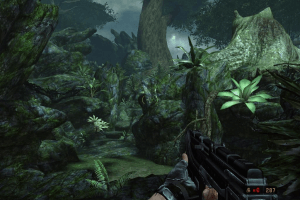
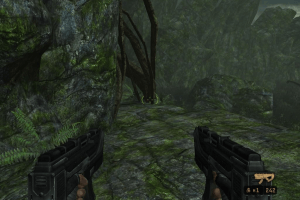
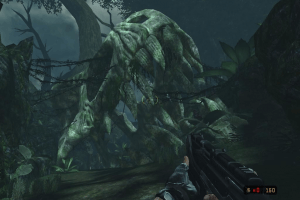
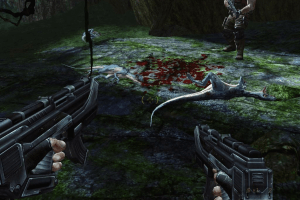
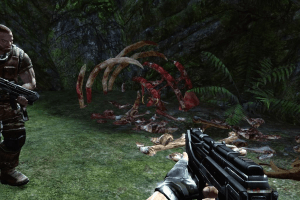
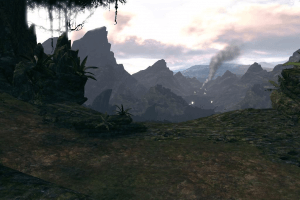
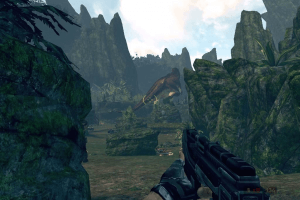
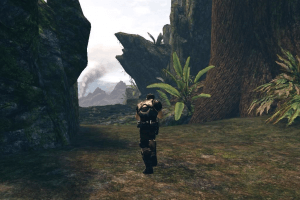
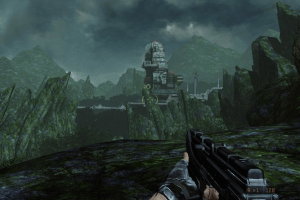
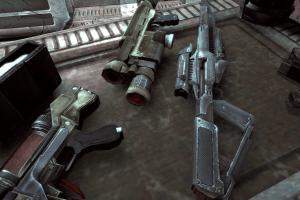
How to Play
The game with NoDVD has been tested on Windows 7 64-bit and Windows 10, works okay. The game supports widescreen and ultra-high resolutions up to 4k. You may experience some troubles during the play, check our Guide and Notes for details
Install & play guide:
- Mount the disc image of DVD1. You will need the utility for mounting disc image files, like WinCDEmu, UltraISO, Alcohol 52%/Alcohol 102% or Daemon Tools Lite
- Install the game (if autorun doesn't work - simply launch the installation from Setup.exe inside the disc). When the installation process will ask for second DVD - mount the disc image of 2nd DVD
- Also it is recommended to install DirectX 9 from the disc (if you're using Windows 10 - enable DirectPlay, read this or this guide how to do it)
- The game is using PhysX software, so you will need to install PhysX Legacy Driver
- After you installed the game - install NoDVD, copy TurokGame.exe from the archive and put it in
Turok/Binariesdirectory, agree to replace original files - Open
Turok/Binariesdirectory and find TurokGame.exe. Right click on TurokGame.exe - Properties - Compatibility - Set "Run this app in compatibility mode with Windows 7" and "Run as administrator" - Launch the game and play. If the game doesn't work in compatibility mode with Windows 7 - try to launch it in compatibility mode with other version of Windows (Win98/ME, Win2000, WinXP, etc.)
What to do if you get General Protection Error:
- The game requires PhysX drivers, so make sure to install PhysX Legacy Driver v9.12.1031. If you have any other version of PhysX Legacy Driver and see that error - delete it and install v9.12.1031. If that didn't work - install PhysX System Software 9.16.0318. Both drivers are included in archive on our website, check Downloads
Notes:
- If the installation doesn't start - try to launch Setup.exe in compatibility mode with old version of Windows (98, 2000 or XP)
- NoDVD is required for the launch because the game is using SecuROM DRM protection, which doesn't work correctly on modern systems. That NoCD "breaks" DRM protection and allows the game to work on modern systems
- It is recommended to install all versions of Microsoft Visual C++ Redistributable for the correct work of the game
- Also it is recommended to install RAD Video Tools and K-Lite Codec Pack for the correct work of the game
- Install game not in default path
C:/Program Files/Turok, but in some non-system folder, likeC:/Games/Turok, otherwise you may have difficulties with NoDVD and savegames. To select the folder click on "Custom install" in installer - The game works on DirectX 9, so if you're using Windows 8, 8.1, 10 or 11 - you need to enable DirectPlay: Go to Control Panel, and select 'Programs'. Select 'Turn Windows features on and off', click on 'Legacy Components' and check the box 'DirectPlay'. Select OK, once the installation is done, restart your computer
- If you have bug with black textures or black models, like this one - go to
TurokGame/Configfolder, open TurokInput.ini in Notepad, find [Engine.Console] section and changeConsoleKey=NonetoConsoleKey=Tilde. Save the file, start the game, press ~ (Tilde) button and typeviewmode unlit, press Enter; typevideomode shadows, press Enter. That way you will fix broken textures. Here's also video guide for that trouble. It is a common issue of all Unreal Engine 3 games, usually on AMD video cards, same trouble happens in first Mass Effect - If you don't like post effects in the game, you can disable them with Turok 2008 PostFix
- By default the game has FOV 65, but you can change it through console, read this guide. However, changing FOV may result in broken weapon zoom and missing textures, check this thread for details
- If you want to play with controller, you will need Xpadder utility, you can get it here
- Don't forget to check PCGamingWiki page if you have troubles
 English
  French
  German
  Spanish
  Italian










Comments and reviews
After you installed the game - install NoDVD.. in which arcive it can be found?!
NO DISK 2 .... NICE
Where´s the Dis 2??
can someone help me, I aam getting a genral protection error, I have the nocd file downloaded, and the phys thing.
As I said in Prey (2006) My Family is kinda Indigenous American and I love that so I said I want to play a game were the character is native similar to prey tehn I found is Masterpiece, I wanted to play it again and Im Thankful with MyAbdonware to have it free I have a lot of good meroes with this game
pinche juego hermoso, gracias
The game is annoyingly bad and has been forgotten for good reason.
You move forward and enemies are randomly sent at you from above and behind. If you shoot dinosaurs, you come people; if you shoot people, you come dinosaurs.
There are an infinite number of them until you step on a trigger.
You fall from everything, and when you do, the game spins you around so you don't know where you're going.
Checkpoints are so rare, there's about one per level.
But there are QTEs.
It's real PS3 crap.
1/10
And on one level, instead of a cutscene (when our buddy is fiddling with the computer upon reaching the building), there is only a yellow-red flashing image.
The "game" doesn't freeze, but you can't proceed.
Can not download any files. I hope this game will be downloadable soon again.
The setup is really confusing but it's worth it.
@Carnoassasin66 try Joy2Key. it`s a program form mapping mouse and keyboard input on controller.
it's a good workaround imo.
anyone know how to get a Xbox controller to work on this??
Thanks for the opportunity to download the ElAmigos repack. The game didn't work the first time because there was no PhysX Legacy Driver.
Very specific problem but for some reason knife prompt for hadrosaur/parasaurolophus and dilophosaurus doesn't show up? (& yes I know you have to knock down the dilo with an explosive first)
How do you open the console on the ElAmigos repack? Need to increase the FOV.
Does anyone knows what changes in the ElAmigos' repack ?
@YMKING
DL this https://ntcore.com/4gb-patch/
and point it to your TurokGame.exe in the binaries folder. apply it.
you're welcome.
@FLYBOY Turok was never on ps1
DONDE DESCARGO EL ARCHIVO TUROKINPUT.INI CUANOD DESCARGUE EL JUEGO FALTABA ESE ARCHIVO
Here is the link to the Magipack repack. https://www.magipack.games/2023/11/turok-full-game-repack-download.html
Like MADMAN, I installed the Magipack repack with no problems. Follow the instructions and enjoy
I installed the magipack version with no issues. Thanks!
Am afraid there's no guarantees in life.Do guns kill dinosaurs I had turok on PS1 which you had a bow and arrows give me the BFG from doom anytime
Is there any guarantee that when I download your "original" ISO images of this game I won't pick up some sort of contagion?
This game needs to be on steam
@J3FF Yeah, I agree with SASAKR, disconnect all controllers except mouse & keyboard. Also, try to lower DPI or Polling Rate of your mouse
@YMKING Don't know what can cause that trouble, but I'd recommend to disable dynamic lighting with console command "viewmode unlit" and try to play that place again. Check my guide above for instruction how to enable in-game console
anyone having an issue with the screen going yellow and red after the explosion in the armory? I cant get past that part.
To J3FF: Do you have you your controller plugged in? I experienced that as well. What I did was add the game to Steam as a non-steam game. Then the Steam input worked properly.
I've installed and started the game fine but the camera just spins around the whole time during gameplay and I have no idea how to fix it.
We have updated this page, added ISO images of original DVDs, plus missed NoDVD (crack). And we made the guide about most common troubles, make sure to check it above
No crack! wherl can i get a crack?
Disk 1 and 2 is not working for me🥲
It's not working
Please help me someone
Please
The apk is not opening after installation
What to do
Working on Windows 11
Found that Elamigo would install fine, but the main menu of the game "Press enter" would just lock up my system.
CD1 and CD2 worked for me. Make sure you use WinCDEmu for Disc 1 and 2 and you need a crack of the game 1.0
CD1 and 2 worked for me.
how can i download this game??
after i hit download and it scrolls the page to the download button there not there and i realized this only after a youtube vid i saw
techno gamer would you like
use elamigo it will work
I am unable to find the crack in the files and could use a pointer or any help I don't have any experience in this type of stuff
The files work great! Granted the game dislikes having it streamed or recorded as it will crash. Also, setting the application settings to 58-60 FPS helps stability from crashes.
Even the CO OP missions are there, but you can only run them solo as expected. The game also requires a No CD patch, I found one on a different site that replaced the TurokGame.EXE and it worked well.
With the right adjustments to the config files, you can add the console which will allow one to change the FOV of the game from 65 to whatever is desired, but this will cause some minor graphical issues.
If the game flashes red and yellow ((thank god I'm not seizure prone))
Restart the game and try the area again and sometimes spamming space bar quickly enough will permit one to skip the cutscene causing the red and yellow flashing issue.
Having the real CD or Disc and installing it onto a W10 OS PC is impossible to make it run, but the ISO DVD 1 and 2 download makes it possible to play in 2022.
The game was meh, but I'm one of the weirdo's that sorta liked it, and I'm happy I finally get to play it with a flipping mouse and a better FOV
my favorite youtuber plays this game and i wanna try it out btw his name is thegamingbeaver
Where is the crack?? I can't launch the game.
Donwload needs 1 Day lol
No comment nor review for this game at the moment.