

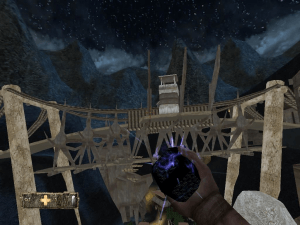
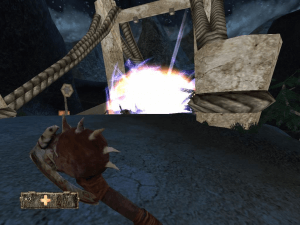
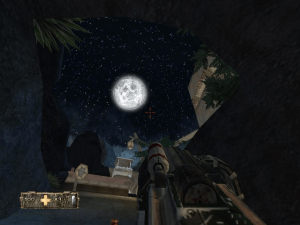
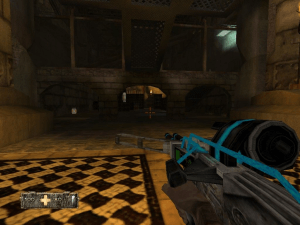
How to Play
The game with NoCD has been tested on Windows 7 64-bit and Windows 10, it works okay. The game supports widescreen and high resolutions up to 4K. However, the game has some troubles on modern systems, check our Guide and Notes for details
Install & play guide:
- Mount the disc image of CD1. You will need the utility for mounting disc image files, like WinCDEmu, UltraISO, Alcohol 52%/Alcohol 102% or Daemon Tools Lite
- Launch the installation (if autorun doesn't work - simply launch the installation from RunSetup.exe inside the disc)
- Select "Typical" installation, to install all components of the game
- When the installation process will ask for CD2 - mount the disc image of CD2. Do the same when the installation process will ask to enter CD1 again. CD2 must be mounted in same virtual drive as CD1, so first un-mount disc image of CD1 and then mount the disc image of CD2. In example, if CD1 was in virtual drive G:, CD2 must be mounted in virtual drive G: as well
- Also it is recommended to install DirectX from the disc (if you're using Windows 10 - enable DirectPlay, read this or this guide how to do it)
- After you installed the game - install NoCD, copy Turok4.exe from the archive and put it in game directory, agree to replace original files
- Now install Microsoft DirectInput Mapper, just run Install.bat as administrator. DirectInput Mapper is required because the game has the bug with controls remapping on modern systems
- Open the directory with installed game and find Turok4.exe and Turok4_Config.exe. Right click on both exe-files - Properties - Compatibility - Set "Run this app in compatibility mode with Windows XP SP3" and "Run as administrator"
- Run Turok Configuration (Turok4_Config.exe) to select Settings, then launch the game and play. If the game doesn't work in compatibility mode with Windows XP - try to launch it in compatibility mode with other version of Windows (Windows 95, 98, 2000, etc.)
Important notes:
- Make sure to install Microsoft DirectInput Mapper, because the game has annoying bug on modern systems, when you can't remap keyboard bindings. DirectInput Mapper fixes it
- Also, change controls setup or mouse settings ONLY in main menu. Don't change any keyboard or mouse settings during the game, otherwise all key bindings will "disappear", and you can't move. If that happens with you - close the game throught Task Manager (Ctrl+Alt+Del), then run it again, key bindings will "return"
Other notes:
- If the installation doesn't start - try to launch Setup.exe in compatibility mode with old version of Windows (98, 2000 or XP)
- NoCD is required for the launch because the game is using SecuROM DRM protection, which doesn't work correctly on modern systems. That NoCD "breaks" DRM protection and allows the game to work on modern systems
- It is recommended to install all versions of Microsoft Visual C++ Redistributable for the correct work of the game
- Also it is recommended to install RAD Video Tools and K-Lite Codec Pack for the correct work of the game
- Install game not in default path
C:/Program Files/Turok Evolution, but in some non-system folder, likeC:/Games/Turok Evolution, otherwise you may have difficulties with NoCD and savegames - If you has troubles when you cannot make savegame - re-install the game in non-system folder, like
C:/Games/Turok Evolution, or change C:/Program Files folder permissions - If you feel that mouse movement is too slow - try to decrease DPI of your mouse, or set Polling Rate to 125 Hz or lower
- If you want to play in Windowed mode - use DxWnd and follow the steps in this guide
- The game works the best on Windows XP, users who tested it on Windows XP said that there's no problems with key bindings or anything else. So if you have troubles with the game - try to run it on Virtual Machine with Windows XP
- If you feel that the game is too hard - enter one of cheat codes into Cheats menu
- Don't forget to check PCGamingWiki page if you have troubles
 English
  French
  Spanish





 German


Comments and reviews
Would be nice if it were modded to ghrapically use everything the xbox version has and soundwise that of the Gamecube
How are you gus getting past the question USER & EMAIL in the setup wizard
Unfortunately Direct Input Mapper doesn't seem to have done anything. Yes, I ran it as admin. The game is still playable with classic FPS controls (wasd to move, space to jump, ctrl to crouch, etc.) but that's it. Can't escape to menu or quit the game, have to kill the game with alt+F4.
Russian :
https://archive.org/details/2021-08-06-23-27-41-8788
Stuck on a white screen and refuses to launch at all on Windows 11.
oh nvm im wrong you cant combine both cd's in turok before running the setup as the files are PART files. Welp,Disk manager it is!
Literally never seen that one time before, never seen an iso split into PART files either, did a user make the ISOs provided here?
I NEVER mount disc images that i downloaded from this website. Think of disc images as zip files. Use anyburn and extract the disc image to a new folder on your desktop somewhere instead. If there are multiple discs then extract them both to the same folder and select "overwrite existing files" in anyburn. Trust me this works and overwriting matching files has never given me an issue (trust me ive done this on like 50 old games)
Its the only way to get through the entire setup without it ever asking you to insert CD2
Xp'de sorunsuz çalıştı fakat, oynanmayacak kadar hızlı. Saniyeler içinde bir kaç kez balta sallayabiliyor :S
there is a fix for the shaders in the turok modding forum this will fix the full bright things and water too. https://turokforums.com/turok-evolution-modding/fixing-the-shaders/
Hey everyone, so I downloaded it and everything seems to work ok except one annoying thing, when I jump, my character stays in the air with no way of getting back down. Obviously you can't really play like this. Anyone seen this and maybe have a fix?
Thanks
AMD Dual Core Radeon R3 HP Win10 Laptop,
How can i Fix no Hit with Pistol Sniper ?
Most comments are disliked... What's my fate?
I can't load the save.says it doesn't exist,can anyone help please
Also Aim is inverted by default!
As cant access Control Menu, dont worry
For some reason the Invert Toggle is under ADVANCED menu
If cant get your CD mounting software to find/use CD2 - TUROKCD2.BWI
rename it to TUROKCD2.ISO and proceeded to install
STEAMDECK
-Fix Controls
I copied to my SteamDeck & used protonTricks to install
dinput or dinput8 to get controls to work.
But if I opened the menu to look at the controls, the page would never open, then would stop all controls working.
Restarting game would then allow game to work.
If wondering what Zoom button is, its MouseMiddle.
ISSUES
-Control page wont load, as mentioned above
-Most objects have 100% brightness, so looks worse than Xbox or other consoles
-No shadows or lighting or transparencies working
-Zooming on Pistol, positions aim to the left by like 10degrees.
Aim will return to where shooting out of zoom.
Weirdly Tekbow zoom is perfect.
-All sounds are highly compressed & sound worse than any console version.
- Seems like the best version of the game is Xbox
I would play xbox version, but apparently only 30fps.
everything discussed here
Digital Foundry - https://yewtu.be/watch?v=W30AjewV4_0
Wish someone with some talent would fix the transparencies and object brightness properties and add the Shaders & sound from Xbox version.
Game is ugly, looks worse than Tresspasser with the shader issues.
great soundtrack
We have updated this page, added the installation guide and solutions for most common troubles
@MASURA Change any keyboard/mouse settings ONLY in main menu, if you change that settings during the game - all controls will break
Okay so everything works... except for the controls, I cant disable inverted controls or input breaks entirely and nothing works as soon as i load into the game, and I also cant access the controls menu at all.
bei mir funkioniert es leider überhaupt nicht :/ habe aber einen neuen Gaming laptop mit windowas 11 falls es damit was zutun hat?
Works great! Thanks!
Hey, so I'm not a big tech guy, but have successfully downloaded and played a lot of my favourite old games recently. I am Dying to play Turok again, like the good ole Gamecube days. I would be most appreciative of a step-by-step breakdown on how to unzip this file, and then begin the process of opening it up systematically, any extra downloads, etc. Please and thank you!
Muy bien
the gore is just *chef's kiss*
Anyone having problems then try validating the files from the CDROM menu, then when it asks for disk 2 make sure to mount disk 2 in the same slot as disk 1, and then run in xp service pack 3 as said by others below. This fixed the black screen and audio problem for me.
Works fine Thanks. [Windows 10 / 1080p]
you must open the file TUROKCD1.cue and then TUROKCD2.BWI with the WinCDEmu. in the same drive, for example E:\
evry time i lulach it its just a white screen
I dont get what to do :( somone plz help...
Guys DreamWorks classics own the rights to the Turok series since 2016, making it a grey area to be legal abandonware, Steam brought this to my attention while trying to share a this link to the game.
https://turok.fandom.com/wiki/DreamWorks_Classics
https://bit-tech.net/reviews/gaming/pc/abandonware-the-ethics-and-essentials/1/
I managed to download and install Turok: Evolution but I can't make it run. It requests my permission for changes and then crashes back to the desktop. I could use some help. P&T
I managed to download and install Turok: Evolution but I can't make it run. It requests my permission for changes and then crashes back to the desktop. I could use some help. P&T
Works like a charm like some said:
When mounting second CD, be sure that it is on the same letter than the first one.
If you don't havevideos, just run the executable with compatibility for windows XP (service pack 3)
It seems like the CD1 file is missing a lot of files
i have install the game i try to run it and it tells me plz insert disc 2 what i must do ?
Guys! I've found a solution!
after stalling the game you guys got to download a crack! where? I've found one here https://megagames.com/download/296708/0
If you are afraid of the link, you can just google turok evolution crack like I did and find it.
Download it, extract it, and replace the original launcher with it.
What a pain in that place just to play an old game.... nevertheless it was worth it, I used to play the crap out of this thing when I was a kid.
Gme Runs perfectly fine, except I cannot see the cinematic cutscenes. Does anyone know a fix?
CAN'T FOR THE LIFE OF ME INSTALL THIS DAMN GAME. I mounted both images and run the setup but it tells me files are missing. They are on disk 2 and I can see them...
the game runs fantastic.. all you gotta do is install on D drive Not the C drive to correct load save game issue. also you must use power iso to install to correct the disc 2 read problems. last but not least, to correct aim problems and cut scene video problems, all will be resolved when after the game is completley installed right click the crack exe that runs the game and go to compatibility and select run compatible for windows xp service pack 3. and walla. YOu have a Gread running copy of Turok Evolution PC. sorry for the misspelling and awful grammar.. scinserley EeGoN
the game won't run, can anybody help me?
I have the original manual!
como lo instalo
Just letting everyone know I've been working on a multiplayer online mod for this:
https://github.com/PermaNulled/T4Browser
Hopefully will have an alpha release soon.
Also one more thing
If you are unable to load your game install the game to drive :D not :C
@ALEX They are meant to disappear if you spear them they leave ammo or health.
Had to manually install everything on disk 2, since it had problems writing, even though I didn't install in program files. Also, the game requires both images to be mounted and doesn't even start. My advice to anyone who actually wants to play this game is to get the .iso for ps2/gamecube emulation and play it that way. The torrents for this game on PC are all dead. Don't waste your time.
Game keeps crashing for me (Once in the zoo cheat level and once in chapter 3). Also can't see cutscenes/intro and enemies who surrender disappear
I had the same problem with the textures missing.
To fix this you need: for example if you mounted the ISO(CD1) to drive F: you need to mount CD2 to to drive F: not the next available. There will also be no error messages, actually if you read it carefully its say that that and that files are missing because its looking for the files where your first disk was mounted.
works like a charm just changed some setting in nvidia inspectors and it works with all the textures
Got Disk 2 Working, You've got to mount it with DAEMON Tools Lite rather than WinMount but install errors which result in majority of textures missing.
Eg. Game Starts but there's no textures, you can move around but you can't see anything just particle effects but sound works.
Would appreciate Tutorial.
Disk 2 missing
How to install ?
A lot of the texture files are missing
No comment nor review for this game at the moment.