





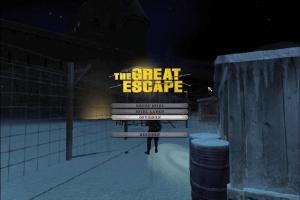
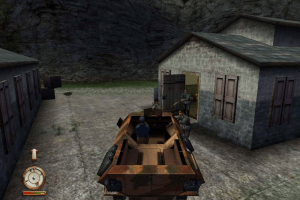
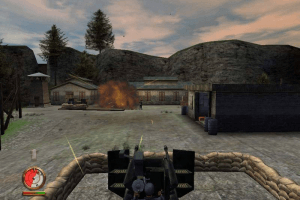
How to Play
NoCD showed a lot of generic warnings on VirusTotal, it is safe to use. If you worry about safety, it is recommended to launch the game on Virtual Machine with old Windows (Win2000 or WinXP) for 100% safety.
The game with NoCD has been tested on Windows 7 64-bit and Windows 10, works fine. If you have troubles with running the game on modern systems - check our Notes
Install & play guide:
- Mount the disc image of CD1. You will need the utility for mounting disc image files, like WinCDEmu, UltraISO, Alcohol 52%/Alcohol 120% or Daemon Tools Lite
- Start the installation (if autorun doesn't work - simply launch the installation from Setup.exe inside the disc)
- It is recommended to install the game in path by default (i.e.
C:/Program Files/SCi Games/The Great Escape) - When the installation process will ask for CD2 - mount the disc image of CD2. CD2 must be mounted in same virtual drive as CD1, so first un-mount disc image of CD1 and then mount the disc image of CD2. In example, if CD1 was in virtual drive G:, CD2 must be mounted in virtual drive G: as well
- Also it is recommended to install DirectX 8 from the disc (if you're using Windows 10 - enable DirectPlay, read this or this guide how to do it)
- After you installed the game - install NoCD (simply copy GreatEscape.exe from the archive and replace the original exe-file inside the game folder)
- Open the directory with the game and find GreatEscape.exe. Right click on GreatEscape.exe - Properties - Compatibility - Set "Run this app in compatibility mode with Windows 98/Me, Windows 2000 or Windows XP" and "Run as administrator"
- Launch the game and play. If the game doesn't work - try to launch the game, then open Task Manager (Ctrl+Alt+Del by default) and check for processes GreatEscape.exe and rundll32.exe. Close GreatEscape.exe but don't touch rundll32.exe (it's a Windows app for running old apps from 32-bit operational systems, most old games running through rundll32.exe). Now try to launch the game again, it must work. Don't forget to close rundll32.exe process in Task Manager after finishing playing
Notes:
- If the installation doesn't start - try to launch Setup.exe in compatibility mode with old version of Windows (98, 2000 or XP)
- It is recommended to install old versions of Microsoft Visual C++ Redistributable for the correct work of the game
- Also it is recommended to install RAD Video Tools and K-Lite Codec Pack for the correct work of in-game videos
- The game works on DirectX 8, so if you're using Windows 8, 8.1, 10 or 11 - you need to enable DirectPlay: Go to Control Panel, and select 'Programs'. Select 'Turn Windows features on and off', click on 'Legacy Components' and check the box 'DirectPlay'. Select OK, once the installation is done, restart your computer
- If the game doesn't work in compatibility mode with Windows XP - try to run it in compatibility mode with older Windows versions (Windows 2000, Windows 98/Me, etc.). For some users the game didn't work in compatibility mode with Windows XP but worked with Windows 2000
- Also, if you see graphical glitches - right click GreatEscape.exe - Properties - Compatibility - Check "Disable fullscreen optimizations"
- By default the game works only in 4:3 screen resolution, but you can run it in widescreen by registry editing, read this guide how to do that
- If you have troubles with running the game on Windows 7 and newer OS - try to run it through dgVoodoo utility (copy the dll-files from the MS/x86 folder, dgVoodooCpl.exe and dgVoodoo.conf to the game folder, then launch the game from GreatEscape.exe; to change dgVoodoo settings - open dgVoodooCpl.exe). Please note that your graphics card must support DirectX 9
- As alternative - you can use d3d8to9 wrapper, it is simple dll-file that adapts DirectX 8 games to DirectX 9 renderer. Simply put d3d8.dll next to GreatEscape.exe; please note that your graphics card must support DirectX 9
- NoCD is required for the launch because the game is using SecuROM 4 DRM protection, which doesn't work correctly on modern systems. That NoCD "breaks" DRM protection and allows the game to work on modern systems
- Russian version of the game doesn't have DRM, only simple disc check. Rename Game.bin to GreatEscape.exe to play without the disc
- Don't forget to check PCGamingWiki page if you have troubles!
 English
  Russian





Comments and reviews
Here's a link to the working widescreen fix for The Great Escape:
https://community.pcgamingwiki.com/files/file/3903-pivotal-games-fixer/
https://collectionchamber.blogspot.com/p/the-great-escape.html - second this, this version has a widescreen fix applied, albeit it's not perfect.
Can you add this:https://collectionchamber.blogspot.com/p/the-great-escape.html.
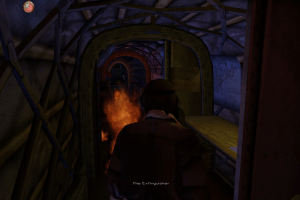
For some reason, the lights in this version are glitched. Here's an example from the third level ("Castle"):
This is how the proper light looks like (PCSX2):
https://images4.imagebam.com/03/4a/81/ME165QHC_o.png
In this version, the red light is missing. There's no way to turn off the light at that point (the screen was made before the player disables the power generator; I even double-checked it by disabling the generator and returning to that area, and it's in total darkness with no red glow on the walls, so it's indeed a glitch):
https://images4.imagebam.com/07/bf/89/ME165QGA_o.jpg
I downloaded another version of the game from a Russian tracker, and strangely enough, it doesn't have this glitch:
https://images4.imagebam.com/bb/f7/4b/ME165QHO_o.jpg
Could the website admins please look into it? Maybe a better English-language repack can be found somewhere?
I downloaded the full rip version. I can’t save the game.
For some reason the "Peek" function is disabled and no matter which key a assign it to it doesn't work. The game is still playable but without this it's more difficult.
Does someone know how to change the language? Because I can*t seem to find a way to.
Sorry my bad it work.
I copied GreatEscape.exe from CD1.
I didn't saw that extra NOCD archive at first.
but is it possible to change languages?
because CD1 say "Great Escape, The (Europe) (En,Fr,De,Es,It) (Disc 1)"
i can't get it work on windows 10 and 1080ti
I instaled the game
DirectPlay is enabled i even copy dplayx.dll from SysWOW64 to game folder
copied d3d8.dll from d3d8to9 wrapper, to game folder
then i copy GreatEscape.exe from CD to C:\Program Files (x86)\SCi Games\The Great Escape
Set 8bts colors
Tryed all compatibility mod win95/98/ME/XP sp2/XP sp3
but the game won't launch at all no error message or something
Had this on the X-Box in the day. It was fun the first time you played it, after that it was just fun to mess around with from time to time.
@SIR JOBBY BROWN
Well, dgVoodoo is using similar method of DirectX 8 to DirectX 9 renderer. So both methods are working, I tested the game with dgVoodoo on Windows 10 myself. But I will add the note about d3d8to9 wrapper, thanks.
About NoCD - we don't have time to decrypt and code new NoCD, you can do it yourself if you have experience in that kind of stuff.
If you're worrying about safety - you can run the game with NoCD in Virtual Machine with old Windows (Win98, Win2000 or WinXP), for 100% safety
This aint a request or anything but it sure would be amazing if the no cd practices were instead tutorials on were to byte patch the exe instead of downloading a random exe (also this aint me saying anything is not safe or whatever) just that if it was done that way it would be better at least in my eyes. It is what is though:)
Try d3d8to9 (ignore what it says about doing stuff with direct x 8) instead try this below.
It translates d3d8 into d3d9 in othewords game will play in d3d9 instead of d3d8.
Try this with the game (it should make it more compatible with mordern pcs) and fix issues lile the vsync problem and what not.
https://github.com/crosire/d3d8to9/releases
No comment nor review for this game at the moment.