You are on the beta version of My Abandonware. The live site is still myabandonware.com. Your favorites and ratings here are copied to the live site. Comments and other changes are not — we delete them every morning at 08:00 Paris time, when this site goes down for about an hour. Leave feedback through this link to Pastel (email required).
The beta goes down at 08:00 Paris time, in a few minutes. We rebuild the database from the live site. It comes back in about an hour.
Game Works Great On Widows 11 https://www.thejetfighter.com/2024/04/how-to-install-janes-combat-simulations.html here's the youtube video https://www.youtube.com/watch?v=uH0YLDQnaOQ
To answer "Mau Replier"... I thought I was clear...However I repeat that...To make this game work...you NEED to have an old computer and on that computer mount an old operating system, like XP2 or 3. Since it was not easy to do, because, first I had to find this computer with old hardware then I had to format it, then I had to find the drivers for all the hardware and finally try to make everything work with a thousand attempts...then I had to mount the game and in the end...exhausted, as soon as I saw that the base game worked, I took three months of vacation in the Caribbean!!! So I was repelled to use this damn game for a long time. Later, when I tried to mount the ADD on...the WHOLE game crashed!!! At that point I gave up everything and didn't think about it anymore. So... Dear "Mau Replier".....to recap...If you find an old PC, with an old operating system like XP, then you have some hope. If, however, you later dare to install the various expansions...then the game is no longer usable... At least this was my sad experience with this game that promised well, but in the end gave me only disappointments...
0
FROSTBYTE IS AN IDIOT23 Aug. 2024
You're an idiot frostbyte, there aren't any comments criticizing the game. It's all references to compatibility problems, but by all means, stay on your generational high horse boomer.
-11
frostbyte03 Jul. 2024
TYVM! Beautiful, and brings back memories (although Falcon 4.0 is even more nostalgic). I love all the comments from people who say "It's a very old program. This sucks!", despite the fact they're on a RETRO gaming site. These are the ones who are sadly unfortunate enough to not have lived during the glorious former age of gaming, like the '90s or even '80s, and only care about flashy 4K graphics and anti-aliasing, without caring about gameplay or the other IMPORTANT aspects of gaming. I feel for them. They're like drug fiends hooked on digital dope. Anyway, thx for the upload. Awesome game, at least for REAL old-school Gamers.
4
Big Noze25 Feb. 2024
Has anyone ever thought of re-writing this game through and through? With the smart game geeks who wrote this fantastic game back in 1999, you'd think someone today in 2024 would be able to rewrite a perfect game for Windows 10 or 11. Right now, it's like putting a square steel peg into a round hole. The instructions for installing SuperPro 9.4 (I guess by Slikk), they make no sense of logic and they don't work. The same with other patches. They are like putting a teaspoon of sugar in your gas tank, they destroy everything. I may experiment with a Virtual Machine for Windows 98, but from what I understand, they are not strong enough to run a flight sim game. GOG and Steam are no help either. I don't think they will ever carry this game. We're screwed big time.
1
Aqua05 Dec. 2023
I had a physical copy of this game, a true masterpiece.
4
Ed Straker11 Aug. 2023
It doesn't recognize cd with regular install. If i use crack game freezes when i click something on main menu.
-2
mau replier05 Aug. 2023
@mau do you mean it is good or work when not patching with super???????????????????????????????????????????????????????????????????????????????????????????????????????????????????????????????????????????????????????????? please answer
0
cambeiu28 Jul. 2023
CD Romance now has a portable version of this game that is click&play. No installation or configuration required at all and runs fine on Windows 10 and Windows 11. I will not link it directly since I don't know if it is allowed, but just go there and search for USAF.
2
alejo28 Aug. 2022
Hola instale el simulador y cuando trato de ingresar me saca del juego, que puedo hacer para solucionar el problema
1
mau02 Apr. 2022
Bah! Surely the images certainly offer a nice game ... However it is a very dated program. The only solution is to get a PC from a few years ago ... (let's say at least 10 years ago). On that computer we mount an old OS ... like the XP 2 or 3. So, then, you have to get a "crack no cd" file. Only in this way have I managed, at least in part, to make the game work. Unfortunately, when I apply the "Super Pro 9.4" mod then the pains begin! I have never seen a more rambling, confusing and devoid of any practicality mod! Once unzipped, (if you can find it), there are 5 or 6 installers, the first four are numbered, the others absolutely not! And no one knows exactly if it is necessary to respect a certain order ... or not. Also, the four numbered files require you to add a "2" in the folder name "USAF". This is because the numbered installers "MUST" create a folder outside the one created during the installation with the DVDs! And the name that will be given to this folder ... guess what it will be? But of course "USAF" ... What a fantasy !!! Then you have to take several files and transfer them from one directory to another, and finally another file, which you can NEVER install correctly. In fact, at the end of its installation, it makes fun of us saying that we were wrong to give it the extraction path !!! Well ... You can try ten thousand paths ..... it will always give the same error message ... Wrong installation path ... Uninstall and reinstall the program ..... endlessly. The final annoyance of the already tangled system is represented by the insertion of the Tackleberry Patch! Which very often, instead of solving problems, creates them itself !!! You tell me if I don't throw everything out the window first! Strange game Professor Falken ..... the only way to win is NOT to play ..... How about a good game of chess ???
-2
ahmed24 Feb. 2021
i install it on win10 platform 64 bit and without problem till i want to fly .. it's asked for entering disk .. everything i tried didn't solve the problem .. i had 4 disks files when i downloaded it with another two foe win xps users and the utility suite . any help will be appreciated.
0
Spartacus23 Feb. 2021
Top comment
Slikk was the best!
6
AIM-9X08 Nov. 2020
Jane's USAF is an excellent entry-level military combat simulator. Instead of focusing on a single aircraft, the player can fly multiple aircraft that were in the Air Force's inventory way back in 2000. The F-117, which retired several years ago, is a flyable aircraft. Jane's USAF is "arcade" enough that it allows novice players to easily get into it, yet it offers just enough sophistication (e.g., pulse-Doppler radar models, jammers/countermeasures, flight models, etc) to keep it interesting. The tutorial missions are very helpful, but you will still need a PDF copy of the manual and keyboard reference card (easily available online). Since the sim was released in 2000, the best way to get this to run is with Windows 9x/ME or Windows XP. If running Windows 7 or later, there are modern fixes/hacks (e.g., the "tackleberry patch") that can make it work, though I have not tried them. For Windows 9x/ME/XP, I would recommend mounting the virtual CD-ROM images in Daemon Tools (v3.47 for Windows 9x, v4.46 for Windows XP).
-1
SUnny24 Sep. 2020
go to janes usaf folder and open config.exe file change the primary driver to your own computer drivers display(nvidia .gtx .mpbile chipset etc) now start the game and go to your prefence icon in the game and choose the setting what you like or suitable for you
2
Fardad07 Sep. 2020
I could run USAF.exe by enabling compatibility settings "run in 640*480 screen resolution". But still my game is stuttering in the mission even in the lowest graphics level.
0
Fardad07 Sep. 2020
I have the same issue as "Allen".
-1
Fardad (fpouranph AT gmail DOT com)07 Sep. 2020
Hi. For installation, when it says "insert Disk2", eject the virtual driver, and then click and open the second .iso file to mount the second virtual disk. Then it automatically did the job. At last, you'll be asked again to mount Disk1 by the same way.
But after installation, my Game doesn't come up for some reason. I appreciate it if someone can help with that part.
-5
Chris07 Sep. 2020
I love this game, ever since I upgraded my computer I have windows 10 the disks for usaf won't wont. I really want to play this again
0
Richard xD03 Sep. 2020
Lo pude instalar y correr, pero va muy lento, no se si es mi PC, o el juego, estaria bien conocer cuales son los requisitos, o si hay que instalar algun Parche :/
-5
soul29 Aug. 2020
"missle launched six o'clock" i will never forget that.
2
Haseeb20 Jun. 2020
Hi I have downloaded the iso version but when I download the usaf 1 and click game icon it shows a message and didn’t opens.
need help!
-2
Skeeter15 Apr. 2020
Trying to install, got 80% of the way there, and it says "insert disc 2"... I have no cd/dvd drive. please help.
1
KhokanRoy13 Feb. 2020
Game is Good
0
Chris10 Feb. 2020
how do i download and get this game to run on a macbook pro. I have porting kit downloaded too.
-6
Emad08 Dec. 2019
Didn't work we already did everything you said but it's crashing when starting
-2
Rich28 Sep. 2019
These things NEVER work. Pisses me off. I loved this game
-6
Allen10 Aug. 2019
I installed the game using the setup.exe. During installation, I ejecting the first disk out of the drive and clicked on the second iso and continued the install. I then move the nocd exe to the install directory. It launches fine with the intro but then crashes when it starts to load. Any Ideas?
-4
chino17 Jun. 2019
Hi. I have already installed the game successfully but it won't run. I'm using Windows 10. What do you think is the problem? Thank you in advance!
-16
Kooper17 May. 2019
i could not run this game error is enter cd on correct drive then click ok.. i m using deamon lite to run that game
0
Cold Meal24 Apr. 2019
Hi,Rajesh
Just download the NOCD file listed below. Unzip it. Then replace it with the same file you will find in the USAF installed directory. The game will start without any issues. Please enjoy!
-2
Rajesh13 Apr. 2019
Hi,
Thank you for the download. But i seem to be facing an issue. whenever I launch the game, i get a message asking me to insert disk 2. Can you please help me with it?
PS I have the CD's of the game too but probably it does not work with my windows.(Win 8)
Help is most appreciated.
Raj
0
DevyChicken24 Mar. 2019
Neat game!
3
Maverick16 Mar. 2019
Top comment
Thank you Slikk for your great work on this great game.
28
No comment nor review for this game at the moment.








 English





Comments and reviews
I bought the physical copy of this game and IAF from Kuala Lumpur, Malaysia in 1999. It was really good quality at the time. I remember it fondly.
USAF works fine under Win 11 following these instructions: https://www.tales-from-darkenedroom.com/post/jane-s-usaf-unsurprising-simple-and-fast
Game Works Great On Widows 11
https://www.thejetfighter.com/2024/04/how-to-install-janes-combat-simulations.html
here's the youtube video
https://www.youtube.com/watch?v=uH0YLDQnaOQ
Other Link:
https://retrogametalk.com/repository/windows/janes-usaf-united-states-air-force-usa/
To answer "Mau Replier"...
I thought I was clear...However I repeat that...To make this game work...you NEED to have an old computer and on that computer mount an old operating system, like XP2 or 3. Since it was not easy to do, because, first I had to find this computer with old hardware then I had to format it, then I had to find the drivers for all the hardware and finally try to make everything work with a thousand attempts...then I had to mount the game and in the end...exhausted, as soon as I saw that the base game worked, I took three months of vacation in the Caribbean!!!
So I was repelled to use this damn game for a long time. Later, when I tried to mount the ADD on...the WHOLE game crashed!!! At that point I gave up everything and didn't think about it anymore. So... Dear "Mau Replier".....to recap...If you find an old PC, with an old operating system like XP, then you have some hope. If, however, you later dare to install the various expansions...then the game is no longer usable...
At least this was my sad experience with this game that promised well, but in the end gave me only disappointments...
You're an idiot frostbyte, there aren't any comments criticizing the game. It's all references to compatibility problems, but by all means, stay on your generational high horse boomer.
TYVM! Beautiful, and brings back memories (although Falcon 4.0 is even more nostalgic). I love all the comments from people who say "It's a very old program. This sucks!", despite the fact they're on a RETRO gaming site. These are the ones who are sadly unfortunate enough to not have lived during the glorious former age of gaming, like the '90s or even '80s, and only care about flashy 4K graphics and anti-aliasing, without caring about gameplay or the other IMPORTANT aspects of gaming. I feel for them. They're like drug fiends hooked on digital dope. Anyway, thx for the upload. Awesome game, at least for REAL old-school Gamers.
Has anyone ever thought of re-writing this game through and through? With the smart game geeks who wrote this fantastic game back in 1999, you'd think someone today in 2024 would be able to rewrite a perfect game for Windows 10 or 11. Right now, it's like putting a square steel peg into a round hole. The instructions for installing SuperPro 9.4 (I guess by Slikk), they make no sense of logic and they don't work. The same with other patches. They are like putting a teaspoon of sugar in your gas tank, they destroy everything. I may experiment with a Virtual Machine for Windows 98, but from what I understand, they are not strong enough to run a flight sim game. GOG and Steam are no help either. I don't think they will ever carry this game. We're screwed big time.
I had a physical copy of this game, a true masterpiece.
It doesn't recognize cd with regular install. If i use crack game freezes when i click something on main menu.
@mau do you mean it is good or work when not patching with super????????????????????????????????????????????????????????????????????????????????????????????????????????????????????????????????????????????????????????????
please answer
CD Romance now has a portable version of this game that is click&play. No installation or configuration required at all and runs fine on Windows 10 and Windows 11. I will not link it directly since I don't know if it is allowed, but just go there and search for USAF.
Hola instale el simulador y cuando trato de ingresar me saca del juego, que puedo hacer para solucionar el problema
Bah! Surely the images certainly offer a nice game ... However it is a very dated program. The only solution is to get a PC from a few years ago ... (let's say at least 10 years ago). On that computer we mount an old OS ... like the XP 2 or 3. So, then, you have to get a "crack no cd" file. Only in this way have I managed, at least in part, to make the game work. Unfortunately, when I apply the "Super Pro 9.4" mod then the pains begin! I have never seen a more rambling, confusing and devoid of any practicality mod! Once unzipped, (if you can find it), there are 5 or 6 installers, the first four are numbered, the others absolutely not! And no one knows exactly if it is necessary to respect a certain order ... or not. Also, the four numbered files require you to add a "2" in the folder name "USAF". This is because the numbered installers "MUST" create a folder outside the one created during the installation with the DVDs! And the name that will be given to this folder ... guess what it will be? But of course "USAF" ... What a fantasy !!! Then you have to take several files and transfer them from one directory to another, and finally another file, which you can NEVER install correctly. In fact, at the end of its installation, it makes fun of us saying that we were wrong to give it the extraction path !!! Well ... You can try ten thousand paths ..... it will always give the same error message ... Wrong installation path ... Uninstall and reinstall the program ..... endlessly. The final annoyance of the already tangled system is represented by the insertion of the Tackleberry Patch! Which very often, instead of solving problems, creates them itself !!! You tell me if I don't throw everything out the window first! Strange game Professor Falken ..... the only way to win is NOT to play ..... How about a good game of chess ???
i install it on win10 platform 64 bit and without problem till i want to fly .. it's asked for entering disk .. everything i tried didn't solve the problem .. i had 4 disks files when i downloaded it with another two foe win xps users and the utility suite . any help will be appreciated.
Slikk was the best!
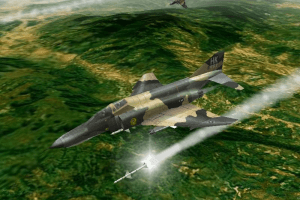
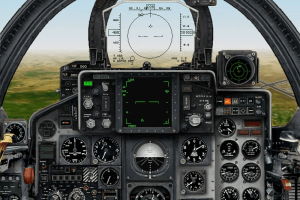
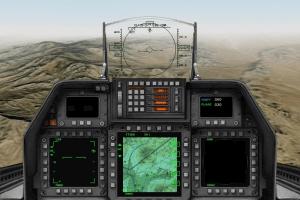
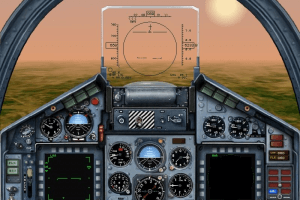
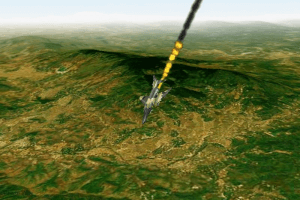
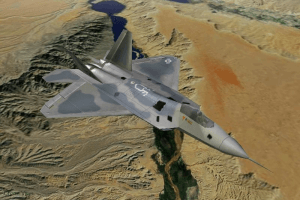
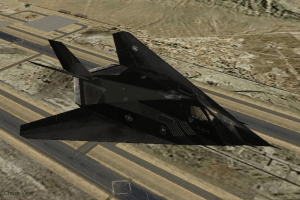
Jane's USAF is an excellent entry-level military combat simulator. Instead of focusing on a single aircraft, the player can fly multiple aircraft that were in the Air Force's inventory way back in 2000. The F-117, which retired several years ago, is a flyable aircraft. Jane's USAF is "arcade" enough that it allows novice players to easily get into it, yet it offers just enough sophistication (e.g., pulse-Doppler radar models, jammers/countermeasures, flight models, etc) to keep it interesting. The tutorial missions are very helpful, but you will still need a PDF copy of the manual and keyboard reference card (easily available online). Since the sim was released in 2000, the best way to get this to run is with Windows 9x/ME or Windows XP. If running Windows 7 or later, there are modern fixes/hacks (e.g., the "tackleberry patch") that can make it work, though I have not tried them. For Windows 9x/ME/XP, I would recommend mounting the virtual CD-ROM images in Daemon Tools (v3.47 for Windows 9x, v4.46 for Windows XP).
go to janes usaf folder and open config.exe file change the primary driver to your own computer drivers display(nvidia .gtx .mpbile chipset etc)
now start the game and go to your prefence icon in the game and choose the setting what you like or suitable for you
I could run USAF.exe by enabling compatibility settings "run in 640*480 screen resolution".
But still my game is stuttering in the mission even in the lowest graphics level.
I have the same issue as "Allen".
Hi. For installation, when it says "insert Disk2", eject the virtual driver, and then click and open the second .iso file to mount the second virtual disk. Then it automatically did the job.
At last, you'll be asked again to mount Disk1 by the same way.
But after installation, my Game doesn't come up for some reason. I appreciate it if someone can help with that part.
I love this game, ever since I upgraded my computer I have windows 10 the disks for usaf won't wont. I really want to play this again
Lo pude instalar y correr, pero va muy lento, no se si es mi PC, o el juego, estaria bien conocer cuales son los requisitos, o si hay que instalar algun Parche :/
"missle launched six o'clock" i will never forget that.
Hi I have downloaded the iso version but when I download the usaf 1 and click game icon it shows a message and didn’t opens.
need help!
Trying to install, got 80% of the way there, and it says "insert disc 2"... I have no cd/dvd drive. please help.
Game is Good
how do i download and get this game to run on a macbook pro. I have porting kit downloaded too.
Didn't work we already did everything you said but it's crashing when starting
These things NEVER work. Pisses me off. I loved this game
I installed the game using the setup.exe. During installation, I ejecting the first disk out of the drive and clicked on the second iso and continued the install. I then move the nocd exe to the install directory. It launches fine with the intro but then crashes when it starts to load. Any Ideas?
Hi. I have already installed the game successfully but it won't run. I'm using Windows 10. What do you think is the problem? Thank you in advance!
i could not run this game error is enter cd on correct drive then click ok.. i m using deamon lite to run that game
Hi,Rajesh
Just download the NOCD file listed below.
Unzip it. Then replace it with the same file
you will find in the USAF installed directory.
The game will start without any issues.
Please enjoy!
Hi,
Thank you for the download.
But i seem to be facing an issue. whenever I launch the game, i get a message asking me to insert disk 2. Can you please help me with it?
PS I have the CD's of the game too but probably it does not work with my windows.(Win 8)
Help is most appreciated.
Raj
Neat game!
Thank you Slikk for your great work on this great game.
No comment nor review for this game at the moment.