You are on the beta version of My Abandonware. The live site is still myabandonware.com. Your favorites and ratings here are copied to the live site. Comments and other changes are not — we delete them every morning at 08:00 Paris time, when this site goes down for about an hour. Leave feedback through this link to Pastel (email required).
The beta goes down at 08:00 Paris time, in a few minutes. We rebuild the database from the live site. It comes back in about an hour.
Tried installing it on a windows 10 machine with WinCDEmu (portable) and it gave me an error when installing. "Move data errror 117", which apparently when looking it up says it's because it's a bad CD image????
Anyone else with a similar issue?
1
Retro Amateur14 Jan. 2025
I got this running on my winXP Dell Optiplex GX260. I think I just had to Run it in compatibility and It just run. I can't remember exactly. It has been a while.
0
AIM-9X08 Jan. 2023
@molnibalage, Jane's F/A-a8 is going to give you trouble in a Windows XP VM because the sim expects the system to have physical graphics hardware compatible with DirectX 7. Virtual machines generally do not do well graphics virtualization with Windows XP. You can try installing Oracle VirtualBox's machine additions to see if that provides better compatibility (Make sure 3D acceleration options are checked in the VM's setup). Try running this in Windows 10/11 by following this thread: https://www.reddit.com/r/hoggit/comments/8gkcl0/how_to_get_janes_fa18_working_on_windows_10/. Alternatively, just pick up a cheap old box that was designed to run Windows 98/2000, and use a GeForce 4-era graphics card, such as the GeForce4 MX440. Add a SoundBlaster Live! audio card, and you should be good to go. If you do get this to work on a Windows XP VM, please post here how you got it to work.
3
AIM-9X08 Jan. 2023
@gpiano867@hotmail.com, The files contain .iso images (not .ios) that you mount with Daemon Tools, or a similar CD-ROM image reading tools (or, for Windows 7 and later, the built-in CD-ROM image mounting feature). ISO files are digital representations of the game CDs themselves. To use the sim, you must first mount the CD-ROM .iso image file. You can either mount the CD-ROM images using Daemon Tools (3.47 for Windows 9X or 4.46 for Windows XP), or something similar. You can also burn the .iso image to a physical CD. For anyone else having difficulty getting this sim to work, remember this was released in early 2000. It's best to run this on an operating system from the time (Windows 98/2000). For Windows 7 and later, follow steps from fan websites, such as simhq.com or the PC Gaming Wiki.
1
molnibalage25 Jul. 2021
To AIM-9X 2020-04-03
I set up a Virtual XP and does not run even on that... I got the msg. "could not find display driver list...
3
BobbehtrILL06 May. 2021
Im new to this website. I just downloaded this game and extracted it. How to I play it now? I have windows 10 and daemon tools lite.
-1
Cj27 Mar. 2021
Windows 10 user. So far every Jane's combat sim game I have downloaded works fine. Compatibility mode for Win98/ME works fine. .iso loaded through Daemon Tools Lite. I grabbed these for my son to play before I let him loose on my DCS rig and it's been great fun for me because I grew up with ATF and USNF.
3
AIM-9X03 Apr. 2020
Top comment
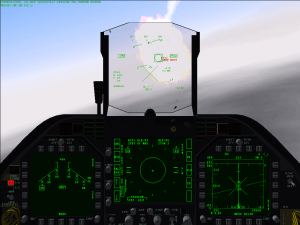
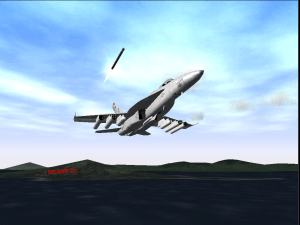
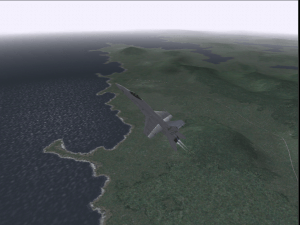
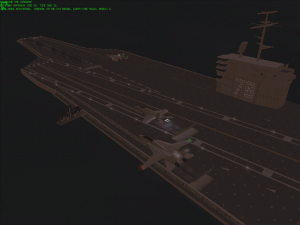
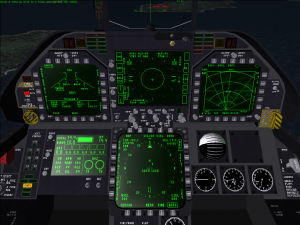
Jane's F/A-18 is another must-have for the joint military air power enthusiast. From a systems, planning, tactics, doctrine and reference perspective, It has about the level of simulation detail of Jane's F-15. It also teaches the virtual pilot about Naval operations and gives us an idea of how the Navy is able to project power across the globe. Jane's F/A-18 has an upgraded 3D engine from the F-15 product, supporting higher resolutions. It also has a "clickable" 3D virtual cockpit. At the time of its release (early 2000), you needed a very beefy Pentium III (or early AMD Athlon processor, if you were lucky enough to afford one) and a 16 MB Direct3D video card such as an nVidia Riva TNT, TNT2 or the first GeForce card (called the GeForce 256) to run the sim with decent frame rates. F/A-18 runs best in Windows 9X/ME/2000 and XP, and the official patch is highly recommended. With considerable effort using DxWnd, Jane's F/A-18 *will* run in Windows 10, but I highly recommend an old Windows 98/98SE or Windows XP Pentium 4 machine with a GeForce 4-era GPU. Like the other Jane's Combat Simulations, it is a real treat to own a physical boxed copy with the manuals, reference cards, etc. You can still find the manual and reference card online. Take the time to read through the manual and work through the training missions. Obviously, you need a joystick, and the Logitech Extreme 3D pro is quite useful if you don't have a sophisticated set of USB flight controls. This is a very detailed representation of the F/A-18E (at the time) and has a steep learning curve for those who are used to "arcade quality" flight simulation products. It takes practice, patience, and a strong willingness to learn. Like a real aircraft, if you don't touch this product for a while, you "lose currency" and it takes time to re-learn everything. Despite its age, I would still recommend this to anyone considering a career as a Naval officer/aviator.
12
gpiano867@hotmail.com02 Apr. 2020
Why does your downloads of Jane's F-15 and Jane's F/A-18say they are for windows? When one tries to download either of these, It shows (.ios) version. This is an extension for an Iphone OS. How do you get the windows versions on your web page.
-31
King23 May. 2019
Game not working
2
hek04 Apr. 2019
after dowloading the patch , game is looking for the cd even its in the drive , im trying to play it using win 7 64,. what to do in order it to work ?
-3
TENIENTE M "AGUILA" H29 Jan. 2019
- voy a probar este simulador del Hornet despues de haber estado volando virtualmente F-15 y Tomcat ahunque tambien voy a buscar Micro flight 5.2 Ilan P. (2006)
-1
GuyFawkes06 Mar. 2018
It may be worth noting for fans of the Jane's combat sim series, you can find a lot more of them besides F-15 and F/A-18 here: https://archive.org/search.php?query=jane%27s&&and[]=mediatype%3A%22software%22 Note that some of them are demos.
4
maxtil26 Feb. 2018
muchachos ya lo instale pero no lo puedo abrir no me salra ningun error solamente no abre
-1
No comment nor review for this game at the moment.



 English





Comments and reviews
Tried installing it on a windows 10 machine with WinCDEmu (portable) and it gave me an error when installing. "Move data errror 117", which apparently when looking it up says it's because it's a bad CD image????
Anyone else with a similar issue?
I got this running on my winXP Dell Optiplex GX260. I think I just had to Run it in compatibility and It just run. I can't remember exactly. It has been a while.
@molnibalage, Jane's F/A-a8 is going to give you trouble in a Windows XP VM because the sim expects the system to have physical graphics hardware compatible with DirectX 7. Virtual machines generally do not do well graphics virtualization with Windows XP. You can try installing Oracle VirtualBox's machine additions to see if that provides better compatibility (Make sure 3D acceleration options are checked in the VM's setup). Try running this in Windows 10/11 by following this thread: https://www.reddit.com/r/hoggit/comments/8gkcl0/how_to_get_janes_fa18_working_on_windows_10/. Alternatively, just pick up a cheap old box that was designed to run Windows 98/2000, and use a GeForce 4-era graphics card, such as the GeForce4 MX440. Add a SoundBlaster Live! audio card, and you should be good to go. If you do get this to work on a Windows XP VM, please post here how you got it to work.
@gpiano867@hotmail.com, The files contain .iso images (not .ios) that you mount with Daemon Tools, or a similar CD-ROM image reading tools (or, for Windows 7 and later, the built-in CD-ROM image mounting feature). ISO files are digital representations of the game CDs themselves. To use the sim, you must first mount the CD-ROM .iso image file. You can either mount the CD-ROM images using Daemon Tools (3.47 for Windows 9X or 4.46 for Windows XP), or something similar. You can also burn the .iso image to a physical CD. For anyone else having difficulty getting this sim to work, remember this was released in early 2000. It's best to run this on an operating system from the time (Windows 98/2000). For Windows 7 and later, follow steps from fan websites, such as simhq.com or the PC Gaming Wiki.
To AIM-9X 2020-04-03
I set up a Virtual XP and does not run even on that...
I got the msg. "could not find display driver list...
Im new to this website. I just downloaded this game and extracted it. How to I play it now? I have windows 10 and daemon tools lite.
Windows 10 user. So far every Jane's combat sim game I have downloaded works fine. Compatibility mode for Win98/ME works fine. .iso loaded through Daemon Tools Lite.
I grabbed these for my son to play before I let him loose on my DCS rig and it's been great fun for me because I grew up with ATF and USNF.
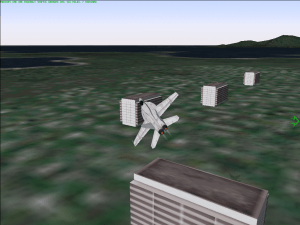
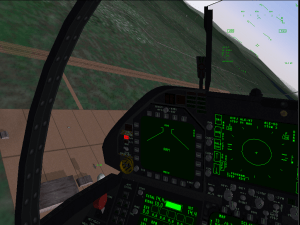
Jane's F/A-18 is another must-have for the joint military air power enthusiast. From a systems, planning, tactics, doctrine and reference perspective, It has about the level of simulation detail of Jane's F-15. It also teaches the virtual pilot about Naval operations and gives us an idea of how the Navy is able to project power across the globe. Jane's F/A-18 has an upgraded 3D engine from the F-15 product, supporting higher resolutions. It also has a "clickable" 3D virtual cockpit. At the time of its release (early 2000), you needed a very beefy Pentium III (or early AMD Athlon processor, if you were lucky enough to afford one) and a 16 MB Direct3D video card such as an nVidia Riva TNT, TNT2 or the first GeForce card (called the GeForce 256) to run the sim with decent frame rates. F/A-18 runs best in Windows 9X/ME/2000 and XP, and the official patch is highly recommended. With considerable effort using DxWnd, Jane's F/A-18 *will* run in Windows 10, but I highly recommend an old Windows 98/98SE or Windows XP Pentium 4 machine with a GeForce 4-era GPU. Like the other Jane's Combat Simulations, it is a real treat to own a physical boxed copy with the manuals, reference cards, etc. You can still find the manual and reference card online. Take the time to read through the manual and work through the training missions. Obviously, you need a joystick, and the Logitech Extreme 3D pro is quite useful if you don't have a sophisticated set of USB flight controls. This is a very detailed representation of the F/A-18E (at the time) and has a steep learning curve for those who are used to "arcade quality" flight simulation products. It takes practice, patience, and a strong willingness to learn. Like a real aircraft, if you don't touch this product for a while, you "lose currency" and it takes time to re-learn everything. Despite its age, I would still recommend this to anyone considering a career as a Naval officer/aviator.
Why does your downloads of Jane's F-15 and Jane's F/A-18say they are for windows?
When one tries to download either of these, It shows (.ios) version. This is an extension for an Iphone OS. How do you get the windows versions on your web page.
Game not working
after dowloading the patch , game is looking for the cd even its in the drive , im trying to play it using win 7 64,. what to do in order it to work ?
- voy a probar este simulador del Hornet despues de haber estado volando virtualmente F-15 y Tomcat
ahunque tambien voy a buscar Micro flight 5.2 Ilan P. (2006)
It may be worth noting for fans of the Jane's combat sim series, you can find a lot more of them besides F-15 and F/A-18 here: https://archive.org/search.php?query=jane%27s&&and[]=mediatype%3A%22software%22
Note that some of them are demos.
muchachos ya lo instale pero no lo puedo abrir no me salra ningun error solamente no abre
No comment nor review for this game at the moment.