How to Play
The game with patch 1.2, Widescreen fix and NoCD has been tested on Windows 7 64-bit and Windows 10, works fine. You may experience some small troubles when you play the game on Windows 10/11, check our Guide and Notes for details
Install & play guide:
- Mount the disc image. You will need the utility for mounting disc image files, like WinCDEmu, UltraISO, Alcohol 52%/Alcohol 120% or Daemon Tools Lite
- Launch the installation (if autorun doesn't work - simply launch the installation from Setup.exe inside the disc)
- Ignore EA Registration window, click "Register later"
- When the installation process will ask for CD2 - mount the disc image of CD2. CD2 must be mounted in same virtual drive as CD1, so first un-mount disc image of CD1 and then mount the disc image of CD2. In example, if CD1 was in virtual drive G:, CD2 must be mounted in virtual drive G: as well
- If at the end of installation you will see message "Please insert correct CD-ROM" - just click "OK", the game is fully installed. Don't launch the game yet
- Also it is recommended to install DirectX 9 from the disc (if you're using Windows 10 - enable DirectPlay, read this or this guide how to do it)
- Once you installed the game - install the patch 1.2
- After that install NoCD for version 1.2 (simply copy Speed2.exe from the archive and put it into directory with installed game, replacing original Speed2.exe)
- Optionally install Widescreen fix (instructions inside the archive)
- Open the directory with the game and find Speed2.exe. Right click on Speed2.exe - Properties - Compatibility - Set "Run this app in compatibility mode with Windows XP SP2" and "Run as administrator"
- Launch the game and play. If the game doesn't work in compatibility mode with Windows XP - try to launch it in compatibility mode with other version of Windows (98, 2000 or Vista)
Here's also video guide by 77Vids
Notes:
- If the installation doesn't start - try to launch Setup.exe in compatibility mode with old version of Windows (98, 2000 or XP)
- Also, some antiviruses like Dr.Web block autorun.inf inside the disk, add that file to antivirus exceptions
- If it didn't help or you see the error "Insert correct Disc 1", try to do the next steps: mount both CDs in virtual drive, copy compressed.zip from both CDs to some folder on your hard drive (i.e. create folder
NFSU2) and extract both archives. After that copy MOVIES and SDATA folders and RunGame.exe from CD2, and put in same NFSU2 folder. Then put exe-file of patch 1.2 in NFSU2 and run it. After that use NoCD for version 1.2 and replace Speed2.exe. Now you must be able to run the game from Speed2.exe - NoCD is required for the launch because the game is using SafeDisc DRM protection, which doesn't work on modern systems. That NoCD "breaks" DRM protection and allows the game to work on modern systems
- If you installed NoCD and in-game videos stopped working - go to
Need for Speed Underground 2/MOVIES folder and delete _ en from filenames. In example, video files should have names like Scene01.vp6, instead of Scene01_en.vp6. Once you renamed all video files and deleted _ en from filenames, in-game videos should start working - The game works on DirectX 9, so if you're using Windows 8, 8.1, 10 or 11 - you need to enable DirectPlay: Go to Control Panel, and select 'Programs'. Select 'Turn Windows features on and off', click on 'Legacy Components' and check the box 'DirectPlay'. Select OK, once the installation is done, restart your computer
- It is recommended to install all versions of Microsoft Visual C++ Redistributable for the correct work of the game
- Also it is recommended to install RAD Video Tools and K-Lite Codec Pack for the correct work of the game
- If you have troubles with installation of patch - copy patch-file into the game directory then launch it from there. Sometimes the patch cannot find the game directory automatically
- By default the game works only in 4:3 screen resolution but you can run the game by using Widescreen fix by ThirteenAG. Simply copy files from the archive and put them into main game directory. Then open NFSUnderground.WidescreenFix.ini in Notepad and change
ResX = and ResY = to your screen resolution. For example, if you have 1920x1080 display, make ResX = 1920 and ResY = 1080 - If the game doesn't run after you launched it or crashes in random moments - try to run the game only on 1 or 2 cores, it might help. You can do that by few methods:
- Create new shortcut on the desktop. Right click on it, go to Properties, in the
shortcut tab, find the line for target. Copy this in front of the target: C:\Windows\System32\cmd.exe /C START "Need for Speed Underground 2" /high /affinity 1. Check this thread for more details - Other method - launch the game, open Task Manager (Ctrl+Alt+Del), find Speed2.exe, click on it with right mouse button - Set affinity - disable all cores excepet "CPU 0" (leave only "CPU 0")
- If you're using Widescreen fix by ThirteenAG - open NFSUnderground.WidescreenFix.ini and set
SingleCoreAffinity = 1 - The more complex method is to edit exe-file of the game, but you will need to do it only once. Read this guide for details
- If the game is crashing after intro video, here's some methods how to fix it:
- Disable DEP for NFS: Underground 2. Right click on My Computer → Prorepties → Select Advanced system settings → Open Advenced tab → Performance settings → "Data Execution Prevention" tab → Click on "Turn on DEP for all programs except those that I select" → add Speed2.exe from the directory with installed game. Run the game
- If you're using Widescreen fix by ThirteenAG - open it in Notepad and change SkipIntro from 0 to 1. Now the intro video will be skipped
- Use No Intro Fix, just copy files from the archive and put in the game directory, agree to replace original files. With No Intro Fix all intro videos will be skipped
- If you have graphical glitches/bugs (flickering effects, broken rain, particle system lag) - run the game with dgVoodoo. Just copy dll-files from the MS/x86 folder, dgVoodooCpl.exe and dgVoodoo.conf to the game folder, then run dgVoodooCpl.exe, open DirectX tab and select the setting you want. After that click "Apply" to save settings, close dgVoodooCpl and run the game from Speed2.exe. Also, limit the game's fps to 60 - open dgVoodoo.conf and set
FPSLimit = 60. dgVoodoo is compatible with Widescreen fix, just don't select forced resolution in dgVoodoo settings - If it didn't help - use dgVoodoo & try to run the game in windowed or borderless mode, here's the guide
- If the game is constantly crashing on Windows 10/11 - try to run it in compatibility mode with Windows 98/ME
- If you changed key bindings but the game doesn't recognize it - download dimap.dll and put into game directory
- Some of graphical mods, like HD Reflections mod, are using dinput8.dll from Widescreen fix as a base. If you want to play with both HD Reflections and Widescreen - leave only the newest dinput8.dll
- US version of the game has exclusive Honda Civic and Acura RSX cars, EU version has exclusive Peugeot 106 and Vauxhall Corsa. If you want to have all cars in one game - you will need to download some mods, read this guide
- PC version of the game has videos in 512x192 resolution, but Xbox version of the game had high-quality videos in 640x480 resolution. If you want to use HQ videos from Xbox version - download this mod (also mirrored on this page)
- Some songs in the game soundtrack were edited or censored, if you want to play with Uncensored & Restored Soundtrack - download this mod by xGMVx (also mirrored on our website)
- Check PCGamingWiki guide for modifications, there's a lot of mods that can enhance game's graphics and improve gameplay, like HD textures, vinyls, better reflections, etc. Also, check GamePressure to find some gameplay and graphics mods
- If you want to play with gamepad - use Widescreen fix, the latest version includes improved gamepad support. As alternative - you can use NFSU-XtendedInput plugin. If you have troubles with gamepad deadzones - check this guide
- If you have troubles running the game on Windows 7 - disable Game Explorer, read this instruction
- If the game does not start on Windows 7, and only rundll32.exe in the processes: open Registry Editor (regedit.exe), go to
HKEY_CURRENT_USER/Software/Classes/Local Settings/Software/Microsoft/Windows/GameUX/Service Location, open Games tab and replace https ://games.metaservices.microsoft.com/games/SGamesWebService.asmx to localhost. If you cannot find such registry path - just create it manually and add Games tab, type localhost in it - For users of Windows 64-bit systems: if the game doesn't work after you launched it - open Task Manager (Ctrl+Alt+Del by default) and check for processes Speed.exe and rundll32.exe. Close Speed.exe but don't touch rundll32.exe (it's a Windows app for running old apps from 32-bit operational systems, most old games running through rundll32.exe). Now try to launch the game again, it must work. Don't forget to close rundll32.exe process in Task Manager after finishing playing
- Don't forget to check PCGamingWiki page if you have troubles, it is very useful!




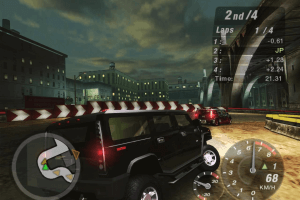
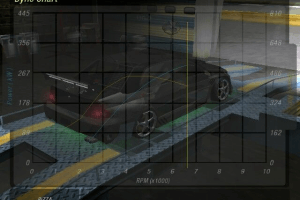
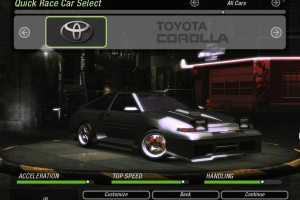
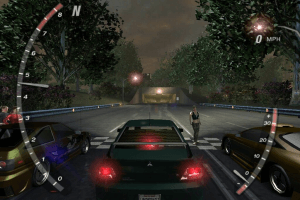

 English
  Dutch
Dutch  Swedish
  Danish
  German
  Spanish
  French
  Italian
  Russian
  Thai
Thai  Traditional Chinese





 Korean

 Czech
Czech  Polish
  Portuguese (Brazil)
  Slovak


Comments and reviews
CarlClover, did you know that the software is provided as-is? Without warranty of any kind and the software would not be issue-free.
There is a bug when we create a new account. Lets say we have completed the game on one of our account then we want to create a new one. After created it I went to dark blue garage and saw that all the upgrades are open on the stage 1. I tried to delete the account and opened a new one to try if its gonna happen in the same way. So there was no difference between two new opened account. The bug must be corrected.
How to get the game going on the LGU repack?
https://archive.org/download/need-for-speed-pro-street-repack-v-4/Need_for_Speed_-_Most_Wanted_Repack_v6.rar
im having trouble playing th game after th first raCES, there is no playthrough and no races appera on th map
rammynodaibouken
me gusta esta aplicacion de verdad
cant get the joypad to remap, b is accelerate and it wont let me change it o rt or anything else
I just tried the game in Linux. It works fine with Proton. The MagiPack repack has everything already setup and ready out of the box, so I can't recommend it enough. It should default to 640x480 which the widescreen patch uses for custom resolutions, so leave it on that unless you want a 4:3 resolution anyway. My gamepad (in Xbox compatibility mode) also works fine.
Good gaming.
So when Most Wanted will come back? :)
For me this game was the absolute peak of the entire series. It had everything a person could possibly want. Huge city to explore, different types of races, including drift maps, and oh wow the customization... I spent so many hours just cruising around, driving fast through the city and enjoying the sights. But I think the customization was the most fun. You had so many cars and so many options... And yeah, some of the music was pretty good too even if EA basically was using it as a way to sell air time. Some of it's really great for cruising down the road, looking at the city.
Later games did do some or most of this, but somehow they never quite were the same. Less freedom, more focus on realisms, etc.
I stopped playing it back in the day because I had a GPU that was too powerful for it and didn't know about vsync at the time. Haha! The tearing was so bad I couldn't tell what was going on anymore. Hindsight being 20/20, all I needed was vsync or today a framerate limiter would do. (D3D9_FRAME_RATE=[whatever] for us Proton/WINE users.)
Kind of excited to try this again. I hope it has aged well.
Daemon Tools is malware. Do not use this.
fantastic game for 016
I guess If anyone wants I have the Most Wanted black edition iso backed up to internet archive. https://archive.org/details/need-for-speed-most-wanted-win-en-dvd
le jeu installé, demande d'ajouter le cd pour jouer mais rien ne va.. le jeu est totalement manquant ne le télécharger pas!
CarlClover, 'EA were too lazy' EA never make games
The repack by Magipack works for windows 11 out of the box, just don't alt tab or window key out of the game or it'll freeze and you'll have to reinstall it with the setup.exe that it came in.
Anywho, thank you myabandonware and Magipack!
good game
nice grafic
im confused, its asking for a code that i dont have, where do i find a code?
this might probably help someone
so if you run the game on linux from magipack installer, and you ecounter "please insert disc 2" message then download the USA second disc and just copy the files over to game folder WITHOUT THE SPEED2.EXE.
it did work for me.
you guys wanna download nfs most wanted? i have the backup before it got take down
thnks for downloading
Cantidad de comentarios de nenazos que no saben copiar y pegar un crack... entiendo que yo me crie en otra epoca donde estas cosas eran la norma pero no necesitan ponerse a estudiar para poder instalar un juego de PC que no sea un repack de ElAmigos...
PD: porque quitaron el Most Wanted? quiero creer que fue por miedo a recibir una demanda porque lo confundan con el reboot de 2012 que aun sigue en venta... porque no creo que a EA le importe un comino lo que le pase a sus juegos clasicos...
este jeugo vale verga porque es una porqueria no me lo puedo instalar maldita porqueria
Randal McDaniels, your point about widescreen is fucking retarded because the console versions of this game had widescreen support and EA were too lazy to bother implementing widescreen for the PC releases of all these games up to Carbon and that one is ridiculous because that's a port of a proper HD 7th gen game
guys give us the most wanted version of NFS
REPACKS SUCK STOP WIDESCREEN MODDING OLD GAMES. 1440x1080 is infinitely better.
Seriously there are like 20 games i can think of that FACTUALLY looks better in 4:3, even if you use a properly made widescreen patch that scales the hud and fov correctly. Yes 4:3 still looks better. and im aware of thirteenag widescreen patches, im aware of alpha yellow. I know what im doing.
games off the top of my head that FACTUALLY look 1000x better in 4:3
far cry (because the gun sizes dont scale up or down)
homefront 2011 (looks like killzone in 4:3)
gears of war 2007 (looks long and dumb and weird in 16:9)
Just widescreen modding a game and assuming thats what the developers would have done the same if 16:9 existed at the time is an extremely flawed way of thinking. The developers would have done things COMPLETELY DIFFERENTLY if they had 3 more inches of video to the left and right
it works perfectly on windows 10 , just download the repack and everythings will be fine
asks for insert disk no 2
okay why the hell did you remove most wanted? we're all waiting for an explaination
Não consigo, Segui todo o passo a passo, mesmo assim na hora de jogar, fala que não localizou o cd. Alguém me ajuda?
Why NFSMW removed?? Please abandonware clarify did ea told you to do this?
Why did you take down Most Wanted? That page was really organized why did you do that guys please clarify
If you don't want to bother with disc 2 or running the game in full screen, you can download the repack by magipack below.
I Want To danload
where is NFS MOST WANTED ?
Why did NFS Most Wanted get removed? Is it being sold again? Is it being taken down by EA? If so, why are the other games not being taken down as well?
So, NFS Most Wanted just disappeared?
what do we do to enter the box code it asks for while installing?
کد 10 رقمی میخواهد چی بگم
I downloaded the magipack version, and for whatever reason, my controller won't work and it's constantly scrolling up when I enter menus, even when I'm not pressing anything. Can someone please help?
I followed the steps and installed the game,, Im getting error "Please insert the correct CD ROM, select OK and restart application"
hola , en los archivos de descarga en la versión española no tiene el documento exe. , por ende no puedo instalar el juego. alguien me ayuda por favor?
Tira o olho curioso!!!!!
LGU Repack by Bladez1992 English version 1.7 GB ]source file not found
......underground 2 1.0.0.0\install\NFSU21.cab.Verify that the file exists and that you can access it.
hola! estoy intentando instalarlo, pero me dice que el archivo de imagen de disco esta dañado TT nose que hacer
no speed.exe in Thai Version
hello i installed 1.2 patch and replaced noCD exe but now game doesnt lunch at all it doesnt even give me any erorr can someone help me
need for speed: underground 2
i do all the steps but my game wont start :( can anybody helps me ? :)
need hot pursuit
all working on windows 11 , no problem, just folllow steps.
My pc bad asf, I've tried to install that, but it said that i need to wait for 5 HELL HOURS 💔
win7 için var mı
so i copied the speed.exe from the NoCDpatch into the game directory, and i can see it in the directory. when i try to copy the file over, whether from the file or the homes screen, it tells me all it can do is make a shortcut on my desktop. running the game hits me with the cannot locate DVD-ROM. what should i do?
I followed the UPDATED INSTALL GUIDE step by step
4. Copy the speed2.exe you got from extractig the NoCD patch
to the same directory the game is installed, you will be
asked if you want to repace the speed2.exe currently present
there, yes you do :)
for thai?
I'm using WinCDEmu and every time I try to install a game, the following error appears:
Cannot locate the DVD-ROM. Please insert the correct DVD-ROM, select OK and restart the application.
Does anyone know what I'm doing wrong?
Estou usando o WinCDEmu e toda vez que tento instalar um jogo aparece o seguinte erro:
Cannot locate the DVD-ROM
Please insert the correct DVD-ROM, select OK and restart application
Alguém saberia me dizer oque estou fazendo de errado?
Is this safe to donwload n play?. and there is no malware, right?
trying this out right now on windows xp hope it works
MagiPack link doesn't seem to work
Is there a version available for download that is compatible with the IMAC? So it can run on the Boxer launcher.
O jogo é muito bom.
Repack by MagiPack link not working!!! Fix pls!!!
key not work
I finished installing the game, including the patch 1.2, and moved the NOCD to the game's installation directory. When I run the game, the message "Please Insert Disc 2" appears.
what do i do?
A fantastic strategy game, it still retains its beauty even after all these years.
good game need for speed underground series
My game crashes sometimes when it loads a race or garage.
is there a way to play this with a ps4 controller?
downloaded repack by magipack, and though the installed files don't seem to have anything when running through virustotal, the setup has two flags. looks like they can be ignored but it's good to mention.
Is the "Repack by MagiPack (includes fixes, HQ videos and uncensored soundtrack)" fully modded? So now you can say its a "Remaster" version?
LGU repack runs great! I'm playing on an android phone ATM with winlator, a windows emulator. In fact it's one of the only games that runs that well on my phone!
Hello, everytime I try opening the NoCD version of the game, it crashes, like near instantenously, when i double click i goes into black screen for a split second and you can also see the ingame cursor for a split second, but what seems to happen is that it crashes after 3-5 seconds, what do i need to do to so it can stop crashing? Thanks.
Perfect Thank you
this is the best game
Jugaba mucho
para quem está em duvidas sobre qual link usar, recomendo o link desse cara aqui pois tem o jogo em pt-br! https://sites.google.com/view/michellinfo/jogos
espero ter ajudado alguém :) e disponha....
Hello world
qual versão baixar??
Is it just me, or does NFS UG2 seem to stutter a bit (like exiting the garage or the SMS)? I tried a bunch of settings, and it looks like it's baked into the code. Can anyone confirm this? I'm using the Magipack on Windows 11
Nasıl kurarım diyenler için, Kurulum Rehberi:
https://youtu.be/ef49FrlBj0E
Just download the magipack. Trust me, thank me later.
I give up. Cant seem to get it running.
comment installé le cd 2 de need for speed underground 2
its working well after following the instructions properly. the only thing that is bothering me is that you cannot make a "New Profile" for some reason. is there a patch that can fix this?
eski oyunlar daha eğleceli
NoCD for version 1.2 isn't working, and I just keep getting a "Please Insert Disc 2" error message
is this 100% safe virus or malware free?
buranın oyunları çok güzel
IT was gud tht ifound this page or l would be buying these game
looking forward to the game, thanks very for keeping such games.
Thanks for the game
great
game played it a long time ago
please add spintires to myabandonware
please add spintires to myabandonware thanks
Olá, não sei se é só pra mim, mas as versões "LGU Repack por Bladez1992" e "Repack by MagiPack", fecham sozinhas depois de alguns minutos de jogo.
Best Need for Speed ever!
Thank you!!!!♥
After installing Repack by MagiPack, when I tried to launch the game it asks to insert Disc 2 which means that the NoCD wasn't working for me.
I was able to make it work using a tip found on Reddit. By creating a empty file called FOOBAR (no extension), the game bypasses the DRM verification.
Hi guys, millennial here with no knowledge of how to do things like this - just want to play a game from my youth!
I know someone has written an "idiot proof" guide, however, with words like 'mounted' and 'crack' I'm really at a loss here. I've clicked a load of buttons and put the key mentioned before and it looks like I've got it to a certain point - even managed to get passed the disk 2 error. However, when I go to run the game it comes up with an error saying "Cannot locate the CD-Rom". In my file explorer I can see disk 1 and 2 open in DVD drive E and F (my computer doesn't have a physical CD rom) but I dont know how to fix it. I also dont know where to find the speed2.exe file - I have tried searching my file explorer but it cant find it anywhere. Would anyone be able to point me in the right direction? Can you please put it in super idiot proof writing (i.e. please tell me exact buttons and words to click) if you know the answer
Thanks guys
The Older need for speed games are probably the ones WITHOUT THE PAY TO WIN STUFF AND THEYRE BETTER.
Please upload NFS Carbon here too, it was removed from Steam, so we cannot obtain it legally anymore.
Alright, here's the best, hopefully idiot-proof install guide for this classic. Ignore BK2010's guide as it has some issues and is outdated.
Step 1: Install the game by mounting the ISO for CD1 and running the setup.exe, then mounting CD2 when prompted. You can get a key for the game online or use a Keygen.
Step 2: Install the 1.2 update, it's absolutely necessary to have it! In most cases, it'll be a matter of just running the executable and the patch will install itself super-fast without having to do anything.
Step 3: Crack the game, aka overwrite SPEED2.EXE with the one from the NoCD download.
Step 4: Install the Widescreen Fix for the game, which also fixes some issues and allows you to properly play with a controller. You can find it here:
https://github.com/ThirteenAG/WidescreenFixesPack/releases/tag/nfsu2
Just open the file and drop the .dll and the scripts folder into the same directory as your SPEED2.EXE. It'll work on its own, but you can tinker with the settings, found in the 'scripts' folder, if you need to and know what you're doing. If you have issues with the game crashing when entering shops and stuff like that, open the .ini file and change SingleCoreAffinity = 0 to = 1.
Step 5: Right click the executable, go to Properties, and set Compatibility Mode to Windows XP (Service Pack 2).
Step 6: Run the game. It should be at your desktop resolution by default, and if you plan on using a controller you really should change the controls. When rebinding them, don't be confused by the button that shows up; the inputs will be set to whatever you pressed, even if it displays a completely different button.
Step 7: Profit. Ideally you should be good to go. I recommend adding a couple more mods, particularly Extra Options, to fix up other problems the game has and get more out of the game.
There you go! If the game still doesn't work for you, then pray to the old gods or do some ritualistic dance: there's no further help I can give you at this point.
Small guide to get the game working:
WORKS WITHOUT THE NEED TO USE THE 1.2 PACTH
you only need this patch if you plan have
a NVIDIA 6800 which the patch offers better performance
or if your going to host LAN games.
What you will need:
-----------------------------------------------------------------------------
Hardware:
-----------------------------------------------------------------------------
Min spec requirements: for mostly low settings @ 640x480 res with 30fps
CPU: Pentium III or Athlon XP
CPU SPEED: 933 mhz
RAM: 256 MB
OS: Windows 98/98SE/ME/2000/XP
TOTAL VIDEO RAM: 32 MB
DIRECTX VERSION: 8.1
FREE DISK SPACE: 2 GB
Recommended requirements:
CPU: Pentium 4 or Athlon XP (Or any decent single core or multithreaded single core)
CPU SPEED: 2 Ghz
RAM: 512 MB
OS: Windows XP
TOTAL VIDEO RAM: 128 MB
DIRECTX VERSION: 8.1
FREE DISK SPACE: 3 GB
-----------------------------------------------------------------------------
Software:
-----------------------------------------------------------------------------
You will need mounting software to mount the images
Windows (DAEMON Tools Lite) nofree or (WinCDEmu) free
Copy of the game.
NoCD patch (FOUND AT THE END OF THIS PAGE)
-----------------------------------------------------------------------------
Installation
-----------------------------------------------------------------------------
1. Mount images
2. Install game
3. When asked for key enter
eyyq-xenr-uy2L-cxzs-5dcc
4. Copy the speed2.exe you got from extractig the NoCD patch
to the same directory the game is installed, you will be
asked if you want to repace the speed2.exe currently present
there, yes you do :)
5. Download the Universal Widescreen (UniWS) Patcher
(Skip this step if you don't higher resolutions and widescreen)
https://www.wsgf.org/article/universal-widescreen-uniws-patcher
this will allow you set a custom widescreen resolution, as the game
without it only goes to 1024x768, but make the resolution in the game
set to 640x480, you can set the games custom higher resolution with
the UniWs patcher.
5. Launch, configure your graphics settings and enjoy the game
Notes:
If you want to put a copy of the game on another computer, simply copy the
entire Need for speed Underground 2 folder (after doing all the above) onto
a external USB, then you can simply copy to anywhere on the other computer
or you can simply run the game from the USB stick.
More notes: Game tested and works on Windows 7,also runs on Linux with wine
but I recommend doing all the above and then simply copy the installation folder
to USB, then in Linux (change directory) to the Game and simply run the speed2.exe with wine.
Some Linux crashes were observed, while this can happen, it does not happen all
the time and could be limited to only my setup.
Enjoy :)
Code for installing:
eyyq-xenr-uy2L-cxzs-5dcc
hey myabandonware team!
will you release either most wanted or carbon in the future? thanks!
No comment nor review for this game at the moment.