You are on the beta version of My Abandonware. The live site is still myabandonware.com. Your favorites and ratings here are copied to the live site. Comments and other changes are not — we delete them every morning at 08:00 Paris time, when this site goes down for about an hour. Leave feedback through this link to Pastel (email required).
The beta goes down at 08:00 Paris time, in a few minutes. We rebuild the database from the live site. It comes back in about an hour.
NoCDs have few generic flags on VirusTotal, those are safe to use.
Comments and reviews
janusz12 Jan. 2026
Beware Trojan:Win32/Wacatac.H!ml
0
SCAROMEO30 Jul. 2025
An even simpler method is to just use: DSOAL (A DirectSound DLL replacer that enables surround sound, HRTF, and EAX support via OpenAL Soft) https://github.com/kcat/dsoal Just unzip the latest released archive and put the 3 files from the DSOAL\Win32 folder into the game folder and that's it, all startup problems are solved (all sound settings can be set to maximum)
0
SCARomeo30 Jul. 2025
The method below can be ignored. The audio hardware/sound is the problem because of which the game cannot start or pass the language selection menu. The game seems to have a preference for Creative sound cards. This tutorial on steam solves the problem: "Restore EAX on PC's without Creative hardware" https://steamcommunity.com/sharedfiles/filedetails/?id=2487107657
And the game will run smoothly. You can also force the AA-8X and AF-16X from your videocard driver for a better image.
2
SCARomeo28 Jul. 2025
Instructions for playing under Windows 10: 1. Install the game, set compatibility mode for windows xp. 2. Run "starter" - settings - mixing hardware - "off". Set your desired resolution, 4k works without problems, but with the UI stretched. 3. Download the latest dgVoodoo, and extract the following files from the archive: -dgVoodooCpl.exe + dgVoodoo.conf and D3D9.dll (from the folder MS\x86) in the game folder. -in dgVoodooCpl, DirectX tab set the following "dgVoodoo Virtual 3D Accelerated Card - 4096Mb" "filtering - force AF 16X" "MSAA - 8x"
1
Mattia170923 Oct. 2024
Tried everything in this comment section more than one time. Only the starter works, but everytime fails to open the game, copied the crack files in the BlackBeanGames folder, tried many types of system compatibility, also tried switching off hardware audio sound mixing from the starter but nothing works!
2
Meshugeah22 Jun. 2024
Edit: Turn off hardware sound mixing in configuration tool then everything runs just fine
1
Meshugeah22 Jun. 2024
Managed to run game under W10 with sound turned off in starter.exe launcher
0
FD12 Dec. 2023
I made it work choosing compatibility mode windows xp service pack 3 + resolution 1600x900@60hz. Higher resolutions crash on language selection
0
Novak27 Nov. 2023
When I scanned game folder, antivirus showed me trojan virus at file named reloaded. And then I resolved it in antivirus. Do I need to worry?
5
zeitgeist15 Apr. 2023
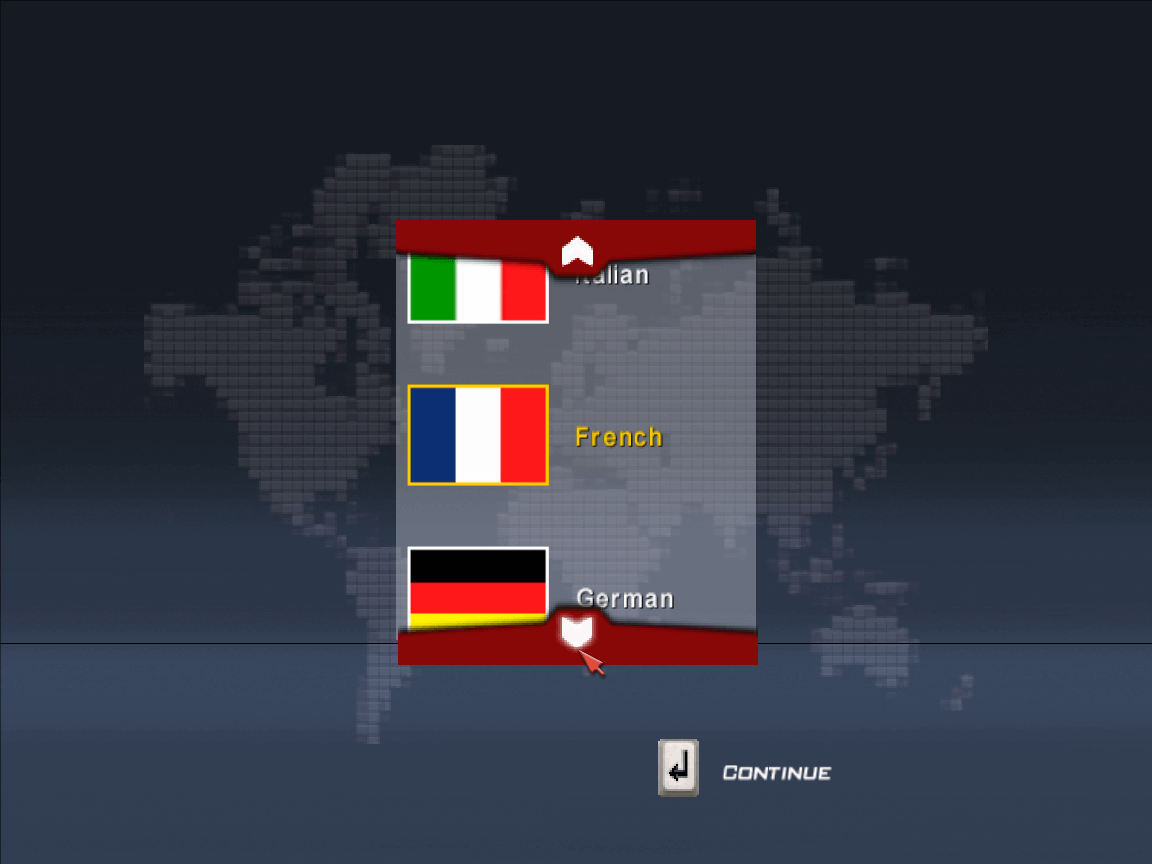
Game freezes and crash after language selection. Tried all compatibility modes.
2
AlfaWhiz07 Apr. 2023
Works for me as of today, used the ISO version, then copied over the crack (it's inside the ISO CD once you mount it). What a trip down the memory lane, and holds up surprisingly well even today. Greetings to all the Alfisti! :)
1
JCAMAR010 Mar. 2023
Same... as soon as I select a flag, the game just crashes
0
Kecske05 Dec. 2022
The game crash during the profile creation. Same on windows xp starter pack 2&3 and windows Vista.
0
AndroPolo1623 Nov. 2022
I can´t run the game
1
Ghidi08 Sep. 2022
the game works if you run with compatibility windows vista pack 3
-1
VIPERSON2227 Mar. 2022
game doesn't even start. used MARC.ZA's way and nothing.
0
Lucia17 Oct. 2020
Well, using MARC.ZA's comment I managed to get the game running However, the audio has a very VERY annoying stuttering issue. Every audio effect seems to play twice and it's kinda bothersome
2
Marc.ZA12 Apr. 2020
@Tiger Effect - Under Windows 10, you need to run the game in compatibility mode. (after converting the .bin file to .iso - use winbin2iso freeware). During the install, select yes to "Create Desktop Shortcut?" After installing: 1. Right-click the desktop shortcut to Scar.exe file and select "Properties". 2. Select "Compatibility" 3. Select "WIndows 95" from the drop-down and check "Run as administrator". 4. Run Starter.exe 5. Under video options, select your screen resolution. You should be good to go!
1
Tiger Effect30 Mar. 2020
Windows 10: the mini image is useless because Windows 10 doesn't support many old DRMs, the crack (which inside the "crack" folder of the ISO image) works but the game crashes to desktop after the language select screen. BTW, I also tried the original CD, with the same results.
2
LITE18 Aug. 2019
The NOCD patch Mini image is .mdf and .mds you will need an image mounter capable of mounting these type of images.
0
Makketakker17 Aug. 2019
Can't get it to work. Don't know how to deal with the mini image. Without it nothing happens. It's a pity
-3
No comment nor review for this game at the moment.









 English





Comments and reviews
Beware Trojan:Win32/Wacatac.H!ml
An even simpler method is to just use:
DSOAL (A DirectSound DLL replacer that enables surround sound, HRTF, and EAX support via OpenAL Soft)
https://github.com/kcat/dsoal
Just unzip the latest released archive and put the 3 files from the DSOAL\Win32 folder into the game folder and that's it, all startup problems are solved (all sound settings can be set to maximum)
The method below can be ignored.
The audio hardware/sound is the problem because of which the game cannot start or pass the language selection menu. The game seems to have a preference for Creative sound cards.
This tutorial on steam solves the problem:
"Restore EAX on PC's without Creative hardware"
https://steamcommunity.com/sharedfiles/filedetails/?id=2487107657
And the game will run smoothly. You can also force the AA-8X and AF-16X from your videocard driver for a better image.
Instructions for playing under Windows 10:
1. Install the game, set compatibility mode for windows xp.
2. Run "starter" - settings - mixing hardware - "off". Set your desired resolution, 4k works without problems, but with the UI stretched.
3. Download the latest dgVoodoo, and extract the following files from the archive:
-dgVoodooCpl.exe + dgVoodoo.conf and D3D9.dll (from the folder MS\x86) in the game folder.
-in dgVoodooCpl, DirectX tab set the following "dgVoodoo Virtual 3D Accelerated Card - 4096Mb"
"filtering - force AF 16X"
"MSAA - 8x"
Tried everything in this comment section more than one time. Only the starter works, but everytime fails to open the game, copied the crack files in the BlackBeanGames folder, tried many types of system compatibility, also tried switching off hardware audio sound mixing from the starter but nothing works!
Edit: Turn off hardware sound mixing in configuration tool then everything runs just fine
Managed to run game under W10 with sound turned off in starter.exe launcher
I made it work choosing compatibility mode windows xp service pack 3 + resolution 1600x900@60hz. Higher resolutions crash on language selection
When I scanned game folder, antivirus showed me trojan virus at file named reloaded. And then I resolved it in antivirus. Do I need to worry?
Game freezes and crash after language selection. Tried all compatibility modes.
Works for me as of today, used the ISO version, then copied over the crack (it's inside the ISO CD once you mount it). What a trip down the memory lane, and holds up surprisingly well even today. Greetings to all the Alfisti! :)
Same... as soon as I select a flag, the game just crashes
The game crash during the profile creation. Same on windows xp starter pack 2&3 and windows Vista.
I can´t run the game
the game works if you run with compatibility windows vista pack 3
game doesn't even start. used MARC.ZA's way and nothing.
Well, using MARC.ZA's comment I managed to get the game running
However, the audio has a very VERY annoying stuttering issue. Every audio effect seems to play twice and it's kinda bothersome
@Tiger Effect - Under Windows 10, you need to run the game in compatibility mode.
(after converting the .bin file to .iso - use winbin2iso freeware).
During the install, select yes to "Create Desktop Shortcut?"
After installing:
1. Right-click the desktop shortcut to Scar.exe file and select "Properties".
2. Select "Compatibility"
3. Select "WIndows 95" from the drop-down and check "Run as administrator".
4. Run Starter.exe
5. Under video options, select your screen resolution.
You should be good to go!
Windows 10: the mini image is useless because Windows 10 doesn't support many old DRMs, the crack (which inside the "crack" folder of the ISO image) works but the game crashes to desktop after the language select screen. BTW, I also tried the original CD, with the same results.
The NOCD patch Mini image is .mdf and .mds you will need an image mounter capable of mounting these type of images.
Can't get it to work.
Don't know how to deal with the mini image.
Without it nothing happens.
It's a pity
No comment nor review for this game at the moment.