How to Play
The game with patch 1.4 and NoCD has been tested on Windows 7 64-bit and Windows 10, works fine. You may experience some small troubles when you play the game on Windows 10/11, check our Guide and Notes for details
Install & play guide:
- Mount the disc image. You will need the utility for mounting disc image files, like WinCDEmu, UltraISO, Alcohol 52%/Alcohol 120% or Daemon Tools Lite
- Launch the installation (if autorun doesn't work - simply launch the installation from Setup.exe inside the disc)
- Ignore EA Registration window, click "Register later"
- When the installation process will ask for CD2 - mount the disc image of CD2. CD2 must be mounted in same virtual drive as CD1, so first un-mount disc image of CD1 and then mount the disc image of CD2. In example, if CD1 was in virtual drive G:, CD2 must be mounted in virtual drive G: as well
- At the end of installation you will see message "Please insert correct CD-ROM" - just click "OK", the game is fully installed. Don't launch the game yet
- Also it is recommended to install DirectX 9 from the disc (if you're using Windows 10 - enable DirectPlay, read this or this guide how to do it)
- Once you installed the game - install the patch 1.4
- After that install NoCD for version 1.4 (simply copy Speed.exe from the archive and put it into directory with installed game, replacing original Speed.exe)
- Optionally install Widescreen fix (instructions inside the archive)
- Open the directory with the game and find Speed.exe. Right click on Speed.exe - Properties - Compatibility - Set "Run this app in compatibility mode with Windows XP" and "Run as administrator"
- Launch the game and play. If the game doesn't work in compatibility mode with Windows XP - try to launch it in compatibility mode with other version of Windows (98, 2000 or Vista)
Here's also video guide by 77Vids
Notes:
- If the installation doesn't start - try to launch Setup.exe in compatibility mode with old version of Windows (98, 2000 or XP)
- Also, some antiviruses like Dr.Web block autorun.inf inside the disk, add that file to antivirus exceptions
- NoCD is required for the launch because the game is using SafeDisc DRM protection, which doesn't work on modern systems. That NoCD "breaks" DRM protection and allows the game to work on modern systems
- The game works on DirectX 9, so if you're using Windows 8, 8.1, 10 or 11 - you need to enable DirectPlay: Go to Control Panel, and select 'Programs'. Select 'Turn Windows features on and off', click on 'Legacy Components' and check the box 'DirectPlay'. Select OK, once the installation is done, restart your computer
- It is recommended to install all versions of Microsoft Visual C++ Redistributable for the correct work of the game
- Also it is recommended to install RAD Video Tools and K-Lite Codec Pack for the correct work of in-game videos, and OpenAL for the correct work of in-game audio
- US version of the game has full English localization and text localization for 8 languages. If you want to change the language - you will need to edit the registry, read this guide
- The game cannot be installed if you already have NFS: Most Wanted installed, because both games are using Speed.exe file. The solution is to rename one of files, read this guide for details
- If you have troubles with installation of patch 1.4 - copy patch-file into the game directory then launch it from there. Sometimes the patch cannot find the game directory automatically
- By default the game works only in 4:3 screen resolution but you can run the game by using Widescreen fix by ThirteenAG. Simply copy files from the archive and put them into main game directory. Then open NFSUnderground.WidescreenFix.ini in Notepad and change
ResX = and ResY = to your screen resolution. For example, if you have 1920x1080 display, make ResX = 1920 and ResY = 1080 - If the game is crashing after intro video, here's some methods how to fix it:
- Disable DEP for NFS: Underground. Right click on My Computer → Prorepties → Select Advanced system settings → Open Advenced tab → Performance settings → "Data Execution Prevention" tab → Click on "Turn on DEP for all programs except those that I select" → add Speed.exe from the directory with installed game. Run the game
- If you're using Widescreen fix by ThirteenAG - open it in Notepad and change
SkipIntro from 0 to 1. Now the intro video will be skipped - Use No Intro Fix, just copy files from the archive and put in the game directory, agree to replace original files. With No Intro Fix all intro videos will be skipped
- If the game is crashing after you complete the race - it happens because of autosave bug. In that case use ZPatch. Please note that with the fix you must save the game manually. Also, try to change the game's language to English US, read this instruction
- If ZPatch didn't help, try this: go to savegame location (by default it is
C:/ProgramData/NFS Underground), right click on username_autosave.ugd -> Properties and click on "Read only" - If the game doesn't work on Windows 10/11 - use Missing Cutscene Files fix, it is small fix that adds na_boot.mad, PSA.mad and NASCAR.mad movie files, sometimes the game doesn't launch if that files are missed
- If you changed key bindings but the game doesn't recognize it - download dimap.dll and put into game directory
- Check PCGamingWiki guide for modifications, there's a lot of mods that can enhance game's graphics and improve gameplay, like HD textures, vinyls, better reflections, etc. Also, check GamePressure to find some gameplay and graphics mods
- Some of graphical mods, like HD Reflections mod, are using dinput8.dll from Widescreen fix as a base. If you want to play with both HD Reflections and Widescreen - leave only the newest dinput8.dll
- If you want to play with anti-aliasing and texture filtering - run the game with dgVoodoo. Just copy dll-files from the MS/x86 folder, dgVoodooCpl.exe and dgVoodoo.conf to the game folder, then run dgVoodooCpl.exe, open DirectX tab and select the setting you want. After that click "Apply" to save settings, close dgVoodooCpl and run the game from Speed.exe. dgVoodoo is compatible with Widescreen fix, just don't select forced resolution in dgVoodoo settings
- If you have troubles running the game on Windows 7 - disable Game Explorer, read this instruction
- If the game does not start on Windows 7, and only rundll32.exe in the processes: open Registry Editor (regedit.exe), go to
HKEY_CURRENT_USER/Software/Classes/Local Settings/Software/Microsoft/Windows/GameUX/Service Location, open Games tab and replace https ://games.metaservices.microsoft.com/games/SGamesWebService.asmx to localhost. If you cannot find such registry path - just create it manually and add Games tab, type localhost in it - For users of Windows 64-bit systems: if the game doesn't work after you launched it - open Task Manager (Ctrl+Alt+Del by default) and check for processes Speed.exe and rundll32.exe. Close Speed.exe but don't touch rundll32.exe (it's a Windows app for running old apps from 32-bit operational systems, most old games running through rundll32.exe). Now try to launch the game again, it must work. Don't forget to close rundll32.exe process in Task Manager after finishing playing
- Don't forget to check PCGamingWiki page if you have troubles, it is very useful!




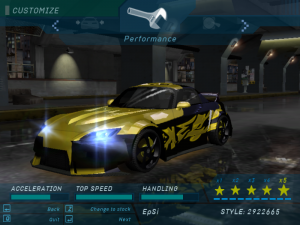
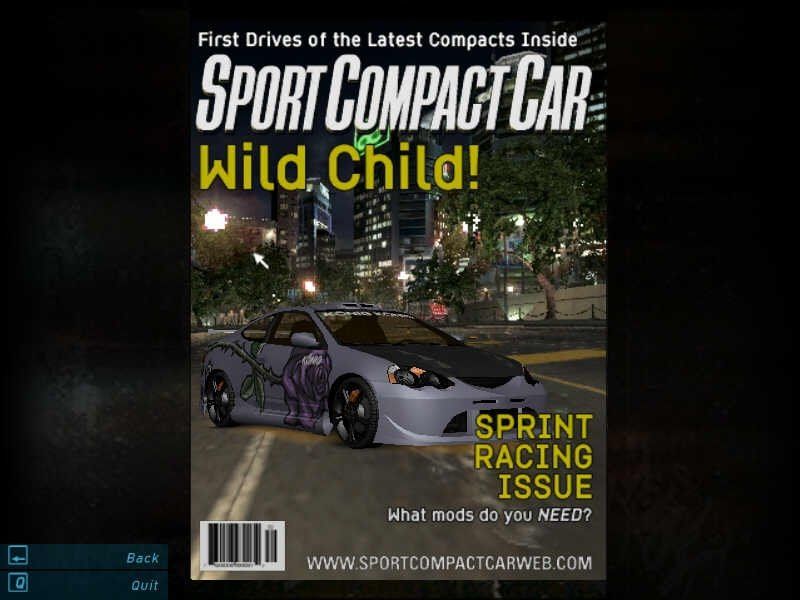
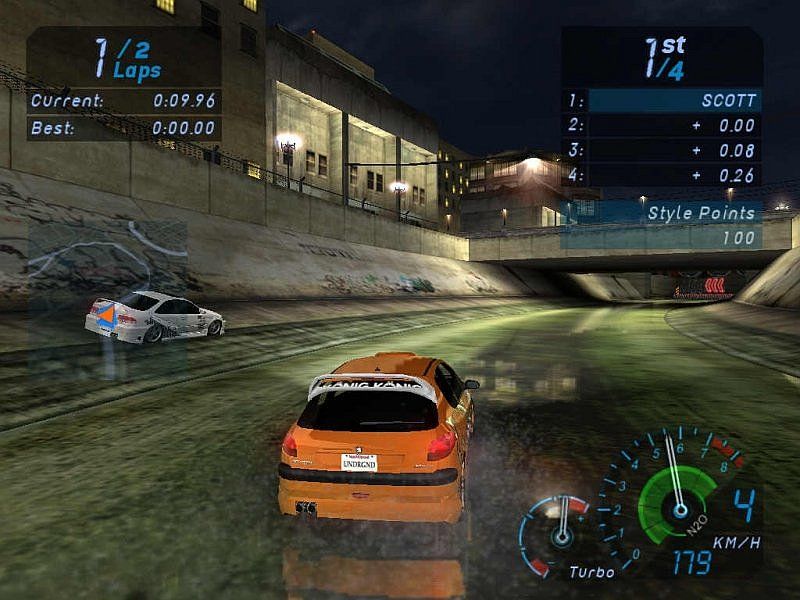
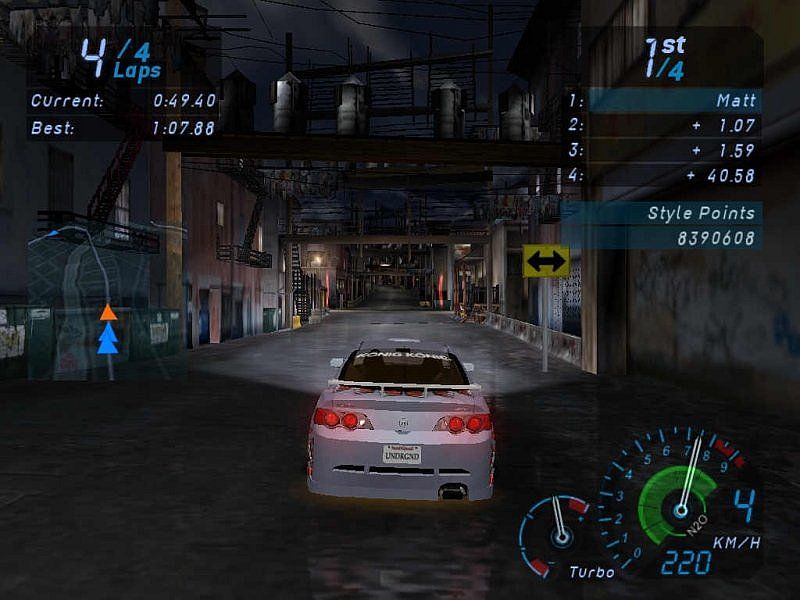
 English


 Polish
  Russian
  Traditional Chinese





Comments and reviews
russian versions dont work
all have problems for the game but i have the legendary tool to run every game easily without crash=(Dgvoodo.cpl) url=https://github.com/degediosg/dgVoodoo2/releases
Installed in Lutris using Mint, German Version needs, NoCD "Euro" for Ver. 1.0 from gamecopyworld
una pregunta, para descargarlo hay que bajar todo lo que esta abajo?
Non funziona una beata merda
Guys I found the reason for the game not working on windows 11, It does not have access to the older directx versions, install the LGU repack and download dgvoodoo 2,
open dgvoodo 2 download folder go to MS then x86 and copy all files into the game install folder next to speed exe, it will run.
Does not run on windows 11, I open it shows a black screen and goes back to desktop plzz admin help, Underground 2 nd most wanted work no problems.
Non funziona schermata nera
Non va schermata nera
love it, thx
has anyone figured out how to keep the game from crashing when i select wide body?
When I try going into widebody options the game crashes instantly is there anyone else experiencing this or know how to fix it?
I'm using WinCDEmu and every time I try to install a game, the following error appears:
Cannot locate the DVD-ROM. Please insert the correct DVD-ROM, select OK and restart the application.
Does anyone know what I'm doing wrong?
Estou usando o WinCDEmu e toda vez que tento instalar um jogo aparece o seguinte erro:
Cannot locate the DVD-ROM
Please insert the correct DVD-ROM, select OK and restart application
Alguém saberia me dizer oque estou fazendo de errado?
Требуется диск не работает
is this website safe to download form?
Any chance to enable other languages in the repack?
i still need a key. i tried the one in this comment section and returned invalid...
i never get a screen saying "register later"..its put in the right code or cancel..
anyone else?
to anyone having trouble of the game not starting at all i actually had the same issue but i uninstalled the game and done everything except using the patches from the disk2 i only added no CD files and now it works perfectly fine i think the reason why it didnt start before its cause theres issue with the 1.4 patches provided in disk2 i even downloaded different patches from this website but same issue game didnt start
eski oyunlar güzel
Ciao sono un pro
Looking into it, it seems the issue with the wide body crash is the "extra options" mod making the the option selectable before it should be.
The "repack by magipack" seems to have an issue where going into the wide body section of the customization menu instantly crashes the game. It runs perfectly otherwise.
ive downloaded carbon and most wanted now i want the whole franchise
Anyone trying to install it under Linux (Wine)? Installer is asking to insert CD2. But after mounting it, CD2 cannot be recognized. Any ideas?
PLS FIX THIS WHE I OPEN BODYWORKS THE GAME JUST CRASHES
The repack version of nfsu by magipack works perfectly except there is one problem.
whenever i go on a race and then skip the cutscene where people line up, my game starts to freeze for 1 second. The same goes for pausing the game.
But atleast this game works!
Tried a couple of times now but cant get the game to work.
after mounting and pressing on disk 1, i get to press install- add in a cd key- but never get asked about inserting disc 2. The game is installed on my c drive( mby not fully). if i add the patch there and try to run it i get "missing or invalid registry/ini entry".
If i try to run any of the speed.exe my screen zooms in for a second or two and then back to normal. any tips?
Doesn't work, tried all the different files available here but whenever I try to launch the game I get a black screen and back to desktop, I'm on windows 11 btw please help.
It crashes when i open the bodykits menu :(
Game runs perfectly, thanks for your efforts, however, I have one problem where my NOS gets used automatically before the race begins.
I can't control it and have changed the button on the controller settings. I'e even removed the xbox and playstation controller buttons from the scripts folder.
I'm running it on windows 11
I've installed the game with all the files available here and in this order:
- ISO images 1011 MB
- Patch v1.4 for US version 4 MB
- NoCD for version 1.4 1 MB
and everything works well, I'm at around 30% of the career and not a single crash for now.
Today (being at around 30% of the career) I also added:
- dimap.dll (Put in game directory if the game doesn't save custom key bindings) 228 KB
- Widescreen fix by ThirteenAG 5 MB
The game wasn't saving my custom bindings, and I wanted to see if the game feels better in widescreen even if I don't mind 4:3 (I'm an old gamer :P ).
I did everything as instructed, copied the DLLs in the game directory, edit the .ini file of the widescreen fix with my resolution of 1920x1080 and added a "1" for skip intros. The intros are skipped, the game is now in widescreen and my custom key bindings are being saved.
I kept on playing tonight, and I'm now around 45% of the career, still not a single crash. The only thing that I have is the magazine covers that have black background (there is a fix provided for that in the widescreen fix but I'm not using it because I couldn't care less about the magazines covers lol).
I'm on Windows 11 Pro legit with all the last updates, and my config is:
AMD Ryzen 7 7700X
Gainward Phoenix RTX 4070 Ti Super 16GB (non-OC)
32 GB DDR5 @ 6000MHz
Game installed on secondary SSD drive D:
Graphic drivers: 565.90
I hope that can help someone fix their crash issues. I was surprised to be able to run the game so smoothly without any crash nor even the need to run compatibility mode or anything like that, just installed and played. I hope people having problems will find a way to fix them, to me Underground 1 is the best of the series (I don't know why everyone on internet is loving so much Underground 2 when the 1 was simpler and more focused on the speed sensations, way better in my opinion!), and people deserve to experience pure speed sensations ; )
Always crashing when I finish the race
Is it possible to add the language Portuguese (Portugal)?
Thank you :)
Hey, I'm using the MagiPack and the first 2 races work fine however, game crashes when selecting the widebody kits. Anyone else having this issue and or if I should try another version? Im running this on Win11 currently.
Installed using the repack by MagiPack.
It works very well for now! Except that I get a CTD every time I try to enter the body kits menu. I can live with that, but I wonder if there's a fix.
I have exactly the same problem as DOM, choosing a car at the beginning after the first race. Does anyone have any idea what to do?
Repack by MagiPack works great out of fresh install and overall this game is just a blast to play. I originally played it on Playstation 2 when it came out in '03 and it still holds up to this day especially on modern hardware. EA Black Box studios were some of the best to handle the Need For Speed series and it clearly shows with this game
Hey
Game is running well, but after the first career race i can´t take one of the five cars.
Enter/x button/clicking on "next" makes a sound in game, but nothing happens.
How can i fix it?
Thx
Windows 11 user here. If the exe isn't doing anything when you run it as administrator, you probably have the compatibility mode on the wrong version.
I only got it to work on my machine after setting compatibility mode to Windows Vista (Service Pack 2)
the game is fantastic
The Magipack Repack works like a charm on Win10! Gonna try it on Steam Deck next!
I don't know how can i do to run this game.
peugeotlover123 approves
tips to download: get the magipack repack version
I can't get past the first race! :( Pressing enter does nothing when you're about to select your first car. Help!
Should I go with LGU Repack or MagiPack
from where can i get the code to install the game?
Installing MagicPack we don't need much more. But i found a problem, in menu, when we go customize the vehicle inside Body and go to last choice (i think is "body kit"), the game crashes :(
Thanks for this iconic game ❤️
When I boot up the game with controller connected its like the button is being held and its scrolling through menus really fast its impossible to bind any buttons
This key is confirmed to work, the downloadable one does NOT: 14077 BUSY DUNK BEAN FROG
when im racing against eddie at last race, after the countdown, both me and eddie stuck at start line despite the time is running.
Admin how should I fix this
please help.
For those who have NFS Most Wanted already installed, just go to its directory and rename the "speed" to something else, this will trick the setup into thinking it does not exist, and you are free to install underground:) Then you can rename it back! It works
Please help me with europe version!!
The game works great, Magipack is the one to go for. but there is a slight bug in game - the bodykit customization. when you click bodykit, it boots you from the game, everything else works fine. It's just that one area
Thank you!
Underground 1 is my favorite Need For Speed.
Doesn't work, You run the setup on disc1, then when it says insert disc2, you mount disc 2 and press okay. Then it just ignores disc 2 anyway and doesn't install any of disc2 making the game unplayable
Spanish version provided :
https://archive.org/details/pc-need-for-speed-underground-2003-spanish-espanol-2-cds-nrg
Polish :
https://archive.org/details/need-for-speed-underground-pl
disregard my last comment since i just found out 30 mins ago that something is wrong with my pc user account i got it to run completely fine by creating a new separate admin user on my pc
ive litterally tried every single download of those in here tried every fix that exists and none of them is launching on windows 10 fix this admin
Thank´s!!!! Valeu!!!!
having an issue where the game thinks im pressing down if i back into a menu from another menu (like backing out of customization), then it follows into races making me drive backwards, any insight?
I have installed everything according to the description (Patch, NoCD, Widescreen etc.). When I launch the game, I see the loading screen for a sec and then it just goes black. Everyone with the same issue?
bonjour, quand je lance ca me demande une clé d'activiation
For those struggling:
1. Use DAEMON Tools Lite to connect virtual disc 1 to pc
2. Launch disk 1 with double click
3. Wait until program asks for disk 2
4. Connect virtual disc 2 to pc and press OK on program
5. Installation completes
6. Run Patch to update the game
7. Use NoCD patch to make the game openable (for that put the exe of the NoCD patch into program folder replacing the old one)
Optional:
8. Apply widescreen fix (unpack and put into program folder)
9. Under scripts edit NFSUnderground.WidescreenFix.ini
10. Change resolution, FMVWidescreenMode = 0, ImproveGamepadSupport = 1
11. Add ability to change mapping by adding dimap.dll to program folder in Microsoft_DirectInput_Mapper.zip
lo pude descargar e instalar re bien pero cuando estoy en el menu, se va todo para arriba como si estuviera trabado un boton o algo asi. juego las carreras lo mas bien. la escenas me cargan bien, pero la unica es que en el menu me cuesta seleccionar algo porque siempre se va para arriba.Alguno tiene idea de porque pasa?
Body kit seçmeye basınca oyun otomatik kapanıyor.
Diğer modifiye seçeneklerinde bu sorunu yaşamadım ama Body kit'e tıklayınca oyun kapanıyor.
Yardıma ihtiyacım var
Love this game ♥
You can play online with NFSU: LAN Tool 1.0.1, there's some LAN communities on Radmin VPN, you can also host games or join on this dedicated server 45.7.228.197 (Crossplay between PC/PS2).
No tienes una versión para iPad?
Are the top 3 downloads the US or European (British) English version? They have the UK flag but so do the ones lower down specifically marked as US version. This matters because the European version has different cars to the US version.
Anyone who is getting the error 'this .exe is not supported. Please use v1.4 SPEED.exe from Drunk!' after replacing the files, you need NFS: Underground v1.4 [US] No-CD/Fixed EXE #2 from GameCopyWorld: https://www.gamecopyworld.com/games/pc_nfs_underground.shtml
Is it me or are there missing files?
Hello.
If I want to run the game it says " Please login with administrator privileges and try again". After that i try to run as an administrator , and it didn't work. What can i do ?
Can you upload this fixed executable for Windows 10/11 from here:https://www.gamepressure.com/download.asp?ID=82589.
CD keys are in Downloads - Misc category, called "Serial keys" https://www.myabandonware.com/game/need-for-speed-underground-bgh#download
And I added CD keys in most of archives too, as txt or nfo files (both txt and nfo files can be opened in standard Notepad)
can you help me to find right key to enter game pasword for disk 1 & 2 us version ?
Small update - we uploaded new versions for some fixes, including new version of Widescreen fix by ThirteenAG
Hey guys just a heads up, if anyone is still getting crash after the intro vids and you have the dep disable as stated above. You need to also disable it in the security section of windows hit you windows key and the letter s then type in exploit protection launch it the click on program settings and add the speed.exe to to the list scroll to DEP check over ride and it should know run. For some reason for me it didn't work the normal way listed above. Which always worked before.
Ah, the game that started my racing games experience. I love this game. NFS Underground dilogy is probably the best in whole series. Sure, it is subjective opinion but still, I think that I'm not alone on it.
I did everything to make the game run on Windows 11 and still doesn't even start. Any help?
Hey everyone, I've had a project for a few years now making new installers for old PC games; Need for Speed - Underground is one of the games I've restored
Come check out Legacy Gamer's Union on Discord for this game and plenty of others that actually work on Windows 10/11
discord.gg/invite/wF3zJPDVQg
can you guys teach me how to shift gears in drag?
TXT-file with CD-keys in Downloads - Game Extras, named "Serial keys"
What's the Registration Code for the ISO version of Need for Speed Underground? It asks me while running or installing NFSU Setup or AutoRun.
There is a new multiplayer client for Underground 1 called KickStart that has recently been released. If you're interested in multiplayer, give it a try: https://www.nfsaddons.com/downloads/nfsug/tools/7903/kickstart-nfsu-netplay-launcher.html
We have updated the game, added many new languages, fixes plus repack by Magipack (easy to install, includes fixes).
And we replaced NRG format disc images with ISO images, perhaps that will be useful for someone
No cd For Vanilla Version is not working
Disc Images NRG Format don't download they have terrible quality and are unnecessarily big
Works just fine for me, with enough trial and error. Now to find a high res patch.
Works on Windows 11 - have get speed.exe crack from the interwebs though!
Was anyone able to run it on Windows 11?
To fix the black screen on loading screen, you need to download the fix for "Missing logo_eng.mad" (go to the Download: Game Extras section). Paste the mad file inside the Movies folder. To run bin files, you can install WinCDEmu.
It doesn't work, as usual. You should stop uploading games on this website without a step-by-step manual.
Hi
I love this game :))
If anyone ever wants to race online please send me a email :))
jonny5isalivetm@gmail.com
serial:
H9CC-23EM-2L3K-LC98-5DEV
I'd like to note that there's a conflict issue when trying to install NFSU and NFS Most Wanted on the same PC (I'm going to guess NFSU2 may be an issue as well). After one game is installed, the next install believes the game is already installed because it triggers speed.exe to run.
I haven't had the opportunity to try yet, but it seems like you should be able to get around this by temporarily renaming speed.exe from the installed game to something else long enough to install the next game; then change the original executable back to speed.exe after the install is complete.
the download says it's an ISO but it downloads two .nrg files for me. how do i install from .nrg files?
this doesn't hold up as well as you remember even with patches.
hi I don't know why but I can download disc1 but disc2 has a speed.exe that doesn't works. what to do?
You do not have to use AnyBurn etc. to convert NRG to ISO. Download a program called Virtual CloneDrive (https://www.elby.ch/en/products/vcd.html). Right click the new virtual drive and mount the image. Find the NRG file location. It will say that there are no files in the location but select "all files" and the NRG files will show up. Mount the file the setup should begin.
You need to switch all regional and language settings to USA / US to make the game work on Scandinavian and Ukrainian Windows. Except for that, a great game. ;)
But then... why does it say that the disc image is corrupt? I need help.
If anyone needs the key here's one I found that worked for me.
F6LL-LZPR-5PUD-R9WL-VJKZ
I Found the NoCD crack provided here is not for this game version it's the cause for the blackscreen bug i tried v1.4 US crack by SPiRiTY from here https://m0002.gamecopyworld.com/games/pc_nfs_underground.shtml on a clean install and it worked.
btw use WinCDEmu to mount games.
this Disc
https://archive.org/details/NeedForSpeedUndergroundUSAEnFrDeEsItNlSvZhKo
and
the one here are the same
I've installed the game but whenever I try to run it nothing happens.
No comment nor review for this game at the moment.