




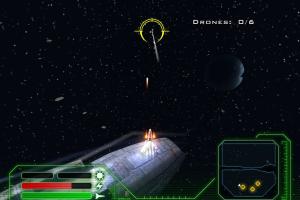
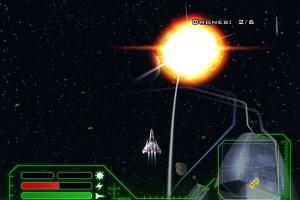

How to Play
The game with NoCD has been tested on Windows 7 64-bit and Windows 10, it works fine, the game supports widescreen. You may experience some small troubles when you play the game on modern systems, check our Notes for details
To install the game mount the ISO image and run Setup.exe (you can skip the registration of the game after the installation; the registration is not required if you use NoCD). After you installed the game - use NoCD, simply copy BSG.exe from the archive and put in game folder, agree to replace the original file
Notes:
- If the installation doesn't start - try to launch Setup.exe as Administrator and in Compatibility mode with old version of Windows (98, 2000 or XP)
- If the game doesn't work - run it in Compatibility mode with old Windows (like Windows XP) and as Administrator. Also, it is recommended to install all versions of Microsoft Visual C++ Redistributable and NET Framework for the correct work of the game. Also it is recommended to install K-Lite Codec Pack for the correct work of in-game videos
- The game works on DirectX 9, so if you're using Windows 8, 8.1, 10 or 11 - you need to enable DirectPlay: Go to Control Panel, and select 'Programs'. Select 'Turn Windows features on and off', click on 'Legacy Components' and check the box 'DirectPlay'. Select OK, once the installation is done, restart your computer
- NoCD for the game showed 3 generic warnings, it is safe to use. If your antivirus blocks it, simply add BSG.exe in antivirus exceptions list
- It is possible to run the game in Windowed mode, to do that you need to edit config-files: go to
Documents/My Games/Battlestar Galactica, open cvarsArchive.gm file in Notepad and in the linecvar.displayFullScreenFlag = 1;change the value to a0(should look likecvar.displayFullScreenFlag = 0;); save the changes and run the game - The game has full controller support and should work with any model of gamepad; the game should work the best with XInput-type controllers (Xbox gamepad or similar). To enable the controller, you must have both the keyboard and controller connected, then select the controller as input device in settings. If the game doesn't recognize your controller - try to use one of the additional tools from PCGamingWiki guide for controllers
- The game has multiplayer mode for up to 16 players. Online multiplayer was working through now defunct Sierra Online master server, so it is not possible to play the multiplayer online. But the game has support of LAN multiplayer, so you can try to play the multiplayer mode with LAN emulators, like Hamachi or RadminVPN
- Don't forget to check PCGamingWiki if you have troubles with the game
 English








Comments and reviews
No comment nor review for this game at the moment.