


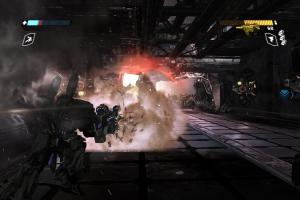
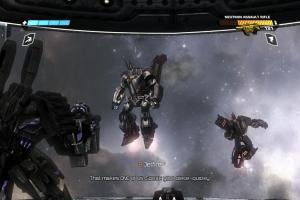
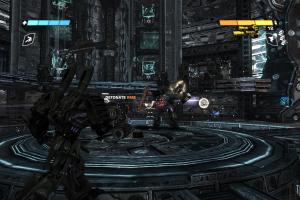
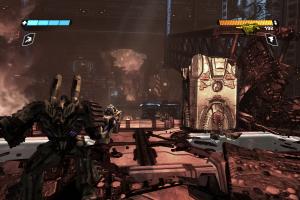
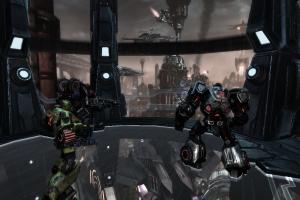
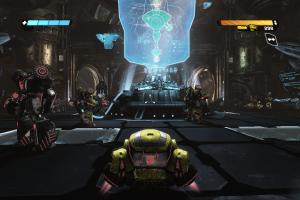
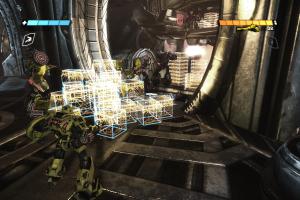
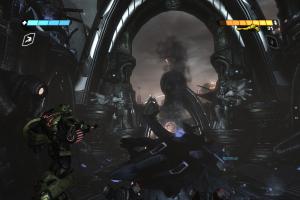
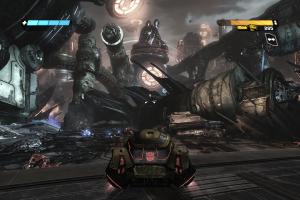
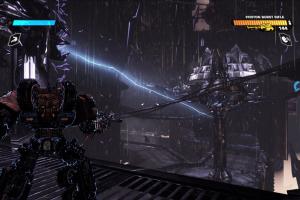
How to Play
The game with NoDVD has been tested on Windows 7 64-bit, Windows 8.1 and Windows 10, it works fine, the game supports high and widescreen resolutions up to 4k. You may experience some small troubles when you play the game on modern systems, check our Guide and Notes for details
Before installation, make sure to install PhysX drivers, it is required for the correct work of the game!
Install & play guide:
- Mount the ISO image with disc image utility, like WinCDEmu, UltraISO, Alcohol 52%/Alcohol 120% or Daemon Tools Lite, etc. Or, if you have WinRAR installed, extract the files from ISO image
- Install the game (if autorun doesn't work - simply launch the installation from Setup.exe inside the disc). It is recommended to install the game not in default path, but in some other, non-system folder, like
C:/Games/Transformers - War for Cybertron - After you installed the game - use NoDVD, simply copy TWFC.exe from the archive and put it in
Transformers - War for Cybertron/Binariesfolder, agree to replace original file - Open
Transformers - War for Cybertron/Binariesfolder and find TWFC.exe. Right click on both TWFC.exe -> Properties -> Compatibility -> Set "Run this app in compatibility mode with Windows 7" and "Run as administrator" - Launch the game and play. If the game doesn't work in compatibility mode with Windows 7 - try to launch it in compatibility mode with other version of Windows (Windows XP, Vista, etc.)
Notes:
- If the installation doesn't start - try to launch Setup.exe in compatibility mode with old version of Windows (98, 2000 or XP)
- It is recommended to install all versions of Microsoft Visual C++ Redistributable and NET Framework for the correct work of the game. Also it is recommended to install K-Lite Codec Pack for the correct work of in-game videos
- The game works on DirectX 9, so if you're using Windows 8, 8.1, 10 or 11 - you need to enable DirectPlay: Go to Control Panel, and select 'Programs'. Select 'Turn Windows features on and off', click on 'Legacy Components' and check the box 'DirectPlay'. Select OK, once the installation is done, restart your computer
- What to do if the game doesn't start: make sure to install PhysX drivers. If you already have PhysX drivers installed, delete it and install PhysX drivers 9.10.0129 from
redistfolder inside the game directory (or download it from our website). Also, run the game in compatibility mode with Windows XP. If it didn't help, try other versions of PhysX drivers, like 9.13.0604/9.13.0725 or 9.17.0524, it should work. For AMD video cards try PhysX drivers 9.19.0218, there were comments that it works the best for AMD GPU - If it didn't help, try to do the next: go to
C:/Program Files (x86)/NVIDIA Corporation/PhysX/Commonand copy all files from that folder intoTransformers - War for Cybertron/Binariesfolder, next to TWFC.exe. If it didn't work - copy the same files inC:/Windows/System32andC:/Windows/SysWOW64folders, then reload the system and try to run the game again. If it still didn't work, try to add TWFC.exe to the exceptions of DEP (Data Execution Prevention): Go toControl Panel -> System Properties -> Advanced System Settings. From theSystem Propertiesdialog, selectSettings. Select theData Execution Preventiontab. Select "Turn on DEP for all programs and services except those I select". ClickAddand use the browse feature to show the path to the program executable you want to exclude, in that case TWFC.exe insideTransformers - War for Cybertron/Binariesfolder. Here's the guide with pictures - Some graphics settings, such an Anisotropic filtering and Anti-aliasing, cannot be changed in the game options. But you can change it manually, by editing the config-files. You will need to use TF Games Configuration Utility, because config-files are encrypted. Decode Coalesced.ini file in
Transformers - War for Cybertron/TransGame/Config/PC/Cookedfolder with utility, then edit it like in this guide, to change the hidden graphics settings - The game has support of high and wide screen resolutions up to 4k. But there's a bug with low-res textures when the game is launched in 4k (2160p) resolution. To fix it you need to edit Coalesced.ini and change the line
HighTexturePoolSize=250/toHighTexturePoolSize=50000/. Also, subtitles look too small on resolutions larger than 1280 pixels wide, but there's no fix for that - The game doesn't support ultra-wide or multi-monitor setups. If you want to play on ultra-wide screen or multi-monitor setup, use additional tools like Flawless Widescreen or Widescreen Fixer
- If you want to play in Borderless fullscreen windowed mode, you will need to use GeDoSaTo app, read this guide for details
- If you want to change FOV (Field of View) in the game, use FOV & FPS Tool. That tool works only with English version, to use it with other versions the game's name must be changed to "Transformers: War for Cybertron" in the localization file Coalesced.int inside
Transformers - War for Cybertron/TransGame/Localization/Cooked/PCfolder (first decode it with TF Games Configuration Utility). Alternative method is to use Flawless Widescreen, but it affects scope zoom (larger FOV = less zoom) - By default the game's framerate is capped at 30 FPS. But you can unlock the framerate by using additional tools, like FOV & FPS Tool or FPS Cap Unlocker. But the game may have issues if it run on more than 60 FPS, so if you have issues with unlocked framerate, cap the framerate to 60 FPS with one of framerate limit utilities, or disable FPS unlocker. Alternatively, you can use 60 FPS Fix by Chuck-IE, it is edited executable with 60 FPS framerate enabled. Please note that higher FPS are not compatible with multiplayer game, the multiplayer part is coded for 30 FPS only!
- If you have the problem when the game doesn't save the progress and show error "Files are corrupted" - that may happen if you played Transformers: Fall of Cybertron game before. The thing is that both Transformers: War for Cybertron and Transformers: Fall of Cybertron make savegames in same
Documents/My Games/Transformersdirectory; to fix it rename of delete oldTransformersfolder inDocuments/My Games - Official multiplayer servers were closed years ago, but you can still play the game in multiplayer, thanks to unofficial servers. Read this guide how to configure the game for multiplayer, also visit Warehouse server on Discord, to find the other online players
- There also was a multiplayer DLC with new maps and characters but it released only on consoles. But luckily, fans ported it to PC, you can download DLC Mod here (please note that people who don't have the mod installed will cause the game to crash when trying to connect to a game). The game also has other mods, you can find them on ModDB, NexusMods or GameBanana
- The game has full controller support, but only keyboard button prompts are displayed. Also, if you want to remap the controls, you need to edit Coalesced.ini file in
Transformers - War for Cybertron/TransGame/Config/PC/Cookedfolder (first decode it with TF Games Configuration Utility). If the game doesn't recognize your gamepad - try using one of the additional tools from PCGamingWiki guide for controllers - Don't forget to check PCGamingWiki if you have troubles, it is very useful!








 Russian


Comments and reviews
Hey, is there a fix for windows 11 yet? I don't wanna waste my time and storage if not.
I am on Windows 11, I tried everything, but it does not work. I installed the game, followed all the steps and when i try to launch the game I can see that the process starts, but imedeatly stops after a few seconds.
I tried every compability setting, everything, It Does Not Work
will it work on windows 11?
I remember play this when I was young but since it's harder to get, I'm so great full for this and that you could get on PC
Worked perfectly for me, Win10. Thank you boys
i cant get it to work):
is there a way to play in english
are there any problems or corrupt files ?
IS THIS MALWARE PLEASE SOMEONE SAY IT NOT
i'm having issues with the install, i've tried everything suggested.
You are awesome👍
Does anyone know if this is malware
thanks for this. Now I don't need to hunt down a PS3 version
is there any way to play multiplayer?
i instal the game but there is a problem and problem is steam error 50000065434 what should i do
The game is very good, I like it, but I wish it had Turkish subtitles, it would be nice for me.
Brooooo,this game is on another level.
Maaan!!!!! damn! so much to learn man so much
Roger that with optimus the prime
This isn't malware is it??
is this a virus?
It won't open on my pc
The download is a ps3 version
It's amazing how many times have you been in the world?
It's amazing👍
link download can't i installed how trouble
this works right?, if so then awesome
the thing is, i am kind of an idiot with stuff like this so the setup guide is gibberish to me ngl, if someone has like a visual of what to do in terms of installing, that be nice.
Any chances to get fall of cyberton or devastation?
TRANSFORMERS!
Defenders of truth
Robots who fight in disguise
TRANSFORMERS!
When the battle is through
Only the strong will survive
TIL ALL ARE ONE!
can you add fall of cybertron next please
Very nice addition to the abandonware library.
No comment nor review for this game at the moment.