You are on the beta version of My Abandonware. The live site is still myabandonware.com. Your favorites and ratings here are copied to the live site. Comments and other changes are not — we delete them every morning at 08:00 Paris time, when this site goes down for about an hour. Leave feedback through this link to Pastel (email required).
The beta goes down at 08:00 Paris time, in a few minutes. We rebuild the database from the live site. It comes back in about an hour.
I do wonder if music can be made to work again, tried winmm and inmm, either they give an error, don't do anything or they will freeze the game on the flag selection screen.
0
sheesh12 Apr. 2026
Do not use the CD (physical or virtual) if you do the game will freeze. Also did you download dinput from https://github.com/elishacloud/dinputto8/releases? That's the one I was refering to.
0
RandomUser10 Apr. 2026
Even with all the needed files downloaded, the game doesn't open at all on windows 11, I tried to redownload it, but nothing changed
0
sheesh05 Apr. 2026
I should mention it is kind of prone to hang on the flag screen, but trying it again a few times will work
0
sheesh05 Apr. 2026
Good news, got it working decently on Win 7 and 8.1 (might work on 10/11). Download the rip. Then download Dinput.dll and put it in the folder, put the game on win 98 or 95 compability. Execute the .reg file and start the BW video setup and put it on 3DFX (install a glide wrapper like Nglide if you haven't already). Music doesn't seem to work (nor do FMVs but they are too troublesome here) everything else does. BE CAREFULL NOT TO MOVE THE MOUSE the game has some specific mouse code issue which makes it freeze/crash the moment you move it.
0
sheesh29 Sep. 2025
I now it's isn't a great (let alone good) game, but it's a shame how hard it is to get it to work, either it works on a virtual machine of XP or lower (but with no music). Or it will keep hanging on the Hasbro splashscreen if you start it on Win 7 and later.
1
KASUMI6514 Jul. 2025
European multilanguages (English, French and German) : https://archive.org/download/redump_pc_B/Beast%20Wars%20-%20Transformers%20%28Europe%29%20%28En%2CFr%2CDe%29.7z
-1
Cheezeit30 Mar. 2024
I haven't downloaded the game yet to check for myself. I did run into an issue with another game not being able to run setup.exe on windows 10. It turns out the installation wizard (as well as the game itself if I recall correctly) is a 16-bit program, and windows 10 no longer supports 16-bit programs.
Someone I shared the game with was able to attach WineDVM to make it run flawlessly on windows 10. I don't know how to do that myself, but that may be a place to start.
-1
rtw16 Sep. 2022
if anyones having problems about this search in youtube win98 retroarch.
-1
thewacho13 Dec. 2021
I can't get the .exe to run either
2
KyleRendar28 Sep. 2021
I actually can't even get the setup.exe to run. I'm running it as an administrator. Any idea how to make the installation run?
0
LepGadio86Lol25 Jul. 2021
Download the latest version of dgVoodoo2 http://dege.freeweb.hu/dgVoodoo2/dgVoodoo2/ copy the files from the MS \ x86 \ folder to the exe directory together with dgVoodooCpl.exe and dgVoodoo.conf and set the resolution etc. at your leisure
-2
moopy25 Apr. 2021
•mount the iso •open cd, right click setup and run as administrator •apply patch •replace .exe with fixed .exe •???? probably won't run on win 10 due to security policies.
3
dartmoul1225 Mar. 2021
ANY IDFA HOW TO MAKE IT WORK ON WIN 10 ?
1
gda16 Sep. 2020
nothing is responding wont install
0
Ughig12 Aug. 2020
Thanks for letting me play this game
0
No comment nor review for this game at the moment.





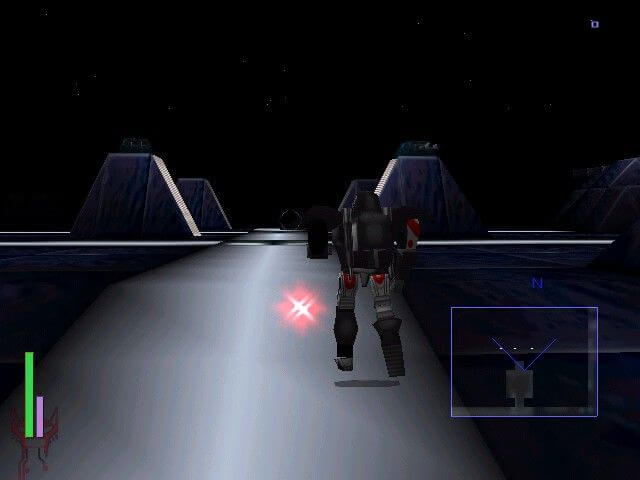


 English





Comments and reviews
I do wonder if music can be made to work again, tried winmm and inmm, either they give an error, don't do anything or they will freeze the game on the flag selection screen.
Do not use the CD (physical or virtual) if you do the game will freeze. Also did you download dinput from https://github.com/elishacloud/dinputto8/releases? That's the one I was refering to.
Even with all the needed files downloaded, the game doesn't open at all on windows 11, I tried to redownload it, but nothing changed
I should mention it is kind of prone to hang on the flag screen, but trying it again a few times will work
Good news, got it working decently on Win 7 and 8.1 (might work on 10/11). Download the rip. Then download Dinput.dll and put it in the folder, put the game on win 98 or 95 compability. Execute the .reg file and start the BW video setup and put it on 3DFX (install a glide wrapper like Nglide if you haven't already). Music doesn't seem to work (nor do FMVs but they are too troublesome here) everything else does. BE CAREFULL NOT TO MOVE THE MOUSE the game has some specific mouse code issue which makes it freeze/crash the moment you move it.
I now it's isn't a great (let alone good) game, but it's a shame how hard it is to get it to work, either it works on a virtual machine of XP or lower (but with no music). Or it will keep hanging on the Hasbro splashscreen if you start it on Win 7 and later.
European multilanguages (English, French and German) :
https://archive.org/download/redump_pc_B/Beast%20Wars%20-%20Transformers%20%28Europe%29%20%28En%2CFr%2CDe%29.7z
I haven't downloaded the game yet to check for myself. I did run into an issue with another game not being able to run setup.exe on windows 10. It turns out the installation wizard (as well as the game itself if I recall correctly) is a 16-bit program, and windows 10 no longer supports 16-bit programs.
Someone I shared the game with was able to attach WineDVM to make it run flawlessly on windows 10. I don't know how to do that myself, but that may be a place to start.
if anyones having problems about this search in youtube win98 retroarch.
I can't get the .exe to run either
I actually can't even get the setup.exe to run. I'm running it as an administrator. Any idea how to make the installation run?
Download the latest version of dgVoodoo2 http://dege.freeweb.hu/dgVoodoo2/dgVoodoo2/ copy the files from the MS \ x86 \ folder to the exe directory together with dgVoodooCpl.exe and dgVoodoo.conf and set the resolution etc. at your leisure
•mount the iso
•open cd, right click setup and run as administrator
•apply patch
•replace .exe with fixed .exe
•????
probably won't run on win 10 due to security policies.
ANY IDFA HOW TO MAKE IT WORK ON WIN 10 ?
nothing is responding wont install
Thanks for letting me play this game
No comment nor review for this game at the moment.