


How to Play
The game with NoDVD has been tested on Windows 7 64-bit, Windows 8.1 and Windows 10, it works fine, the game supports high and widescreen resolutions up to 4k. You may experience some small troubles when you play the game on modern systems, check our Guide and Notes for details
Install & play guide:
- Mount the ISO image with disc image utility, like WinCDEmu, UltraISO, Alcohol 52%/Alcohol 120% or Daemon Tools Lite, etc. Or, if you have WinRAR installed, extract the files from ISO image
- Install the game (if autorun doesn't work - simply launch the installation from Setup.exe inside the disc). It is recommended to install the game not in default path, but in some other, non-system folder, like
C:/Games/Transformers - Fall of Cybertron - After you installed the game - use NoDVD, simply copy all files from the archive and put it in
Transformers - Fall of Cybertron/Binariesfolder, agree to replace the original files - Open
Transformers - Fall of Cybertron/Binariesfolder and find TFOC.exe. Right click on both TWFC.exe -> Properties -> Compatibility -> Set "Run this app in compatibility mode with Windows 7" and "Run as administrator" - Launch the game and play. If the game doesn't work in compatibility mode with Windows 7 - try to launch it in compatibility mode with other version of Windows (Windows XP, Vista, etc.)
The game has localizations for 6 languages: English, French, German, Italian, Spanish & Russian, with full English audio & video and text-only translations for other languages. If you want to switch the language of installed game, use the Language Changer
Notes:
- If the installation doesn't start - try to launch Setup.exe in compatibility mode with old version of Windows (98, 2000 or XP)
- It is recommended to install all versions of Microsoft Visual C++ Redistributable and NET Framework for the correct work of the game. Also it is recommended to install K-Lite Codec Pack for the correct work of in-game videos
- The game works on DirectX 9, so if you're using Windows 8, 8.1, 10 or 11 - you need to enable DirectPlay: Go to Control Panel, and select 'Programs'. Select 'Turn Windows features on and off', click on 'Legacy Components' and check the box 'DirectPlay'. Select OK, once the installation is done, restart your computer
- What to do if you have the endless loading: that happens because of missed Windows Registry keys. To fix it open Registry Editor (press Win+R -> enter regedit.exe), go to
HKEY_LOCAL_MACHINE/SOFTWARE/Wow6432Node/valve/steam(if there's no such folder, then create it), create Expandable String Value with nameInstallPath, modify it and inValue dataenter the path to Steam.dll insideBinariesfolder (in example, the path should look likeC:/Games/Transformers Fall of Cybertron/Binaries/Steam.dll). That's all, now you can play the game. Here's also a video guide how to fix that issue - If you have the problem when the game doesn't save the progress and show error "Files are corrupted" - that may happen if you played Transformers: War for Cybertron game before. The thing is that both Transformers: War for Cybertron and Transformers: Fall of Cybertron make savegames in same
Documents/My Games/Transformersdirectory; to fix it rename of delete oldTransformersfolder inDocuments/My Games - If you get error 0xc0000142 on launch - that happens when you use old NoDVDs for this game which doesn't work on Windows 8 and later. Make sure to use NoDVD from our website, it is NoDVD by Plaza that works with no issues on modern systems. If you still get that error or the game doesn't launch - add TFOC.exe to the exceptions of DEP (Data Execution Prevention): go to
Control Panel -> System Properties -> Advanced System Settings. From theSystem Propertiesdialog, selectSettings. Select theData Execution Preventiontab. Select "Turn on DEP for all programs and services except those I select". ClickAddand use the browse feature to show the path to the program executable you want to exclude, in that case TFOC.exe inside theBinariesfolder. Here's the guide with pictures - Some graphics settings, such as an Anti-aliasing or maximum Anisotropic filtering, cannot be enabled in the game options. But you can change it manually, by editing the config-files. You will need to use TF Games Configuration Utility, because config-files are encrypted. Decode Coalesced.ini file in
Transformers - Fall of Cybertron/TransGame/Config/PC/Cookedfolder with utility, then edit it, check this guide for more details - The game has support of high and wide screen resolutions up to 4k. But there's a bug with low-res textures when the game is launched in 4k (2160p) resolution. To fix it you need to edit Coalesced.ini and change the line
ExtraTexturePoolSize=500toExtraTexturePoolSize=50000, use TF Games Configuration Utility to decode and encode that file, or download fixed variant from our website. Please note that subtitles will look small on resolutions larger than 1280 pixels wide, there's no fix for that - The game doesn't support ultra-wide or multi-monitor setups. If you want to play on ultra-wide screen or multi-monitor setup, use additional tools like Flawless Widescreen or Widescreen Fixer. Also, you can use Flawless Widescreen to change FOV (Field of View)
- By default, the game is capped at 60 FPS framerate. You can unlock the higher 120 FPS framerate by running the game with
-silent FPS=118command line argument. Please note that it may result in broken physics or speed up cutscenes, because the game was designed for 60 FPS. Also, it is not recommended to use it in multiplayer game - Official multiplayer servers were closed years ago, but you can still play the game in multiplayer, thanks to unofficial servers. Read this guide how to configure the game for multiplayer, also visit Warehouse server on Discord, to find the other online players
- Unofficial Polish translation is not finished yet, the current version translates only the subtitles in story mode and user interface; visit this page for future updates. Unofficial Russian translation by Zerberus is a better variant of official translation, with fixed mistakes, check this page for more details
- The game has a lot of mods, you can find most of them on ModDB or NexusMods
- The game has full controller support, but if you want to remap the controls, you need to edit Coalesced.ini file in
Transformers - Fall of Cybertron/TransGame/Config/PC/Cookedfolder (first decode it with TF Games Configuration Utility). If the game doesn't recognize your gamepad - try using one of the additional tools from PCGamingWiki guide for controllers - Don't forget to check PCGamingWiki if you have troubles, it is very useful!








 Polish


Comments and reviews
huh anyway i love multyplayer i wana to play NOW
this is a great game
I keep having this issue in the "Grimlock Smash" chapter where, after Slug easily beats the Bruiser class insecticon, the game just gets stuck in a permanent loading pause. Like, I take a few steps forward, and the game just stops while a loading wheel is spinning. I can't even close the game, I usually have to alt tab out then either restart or shutdown my computer just to close the program. Would really appreciate any advice.
Out of curiosity, does the Repack option by ElAmigos include all of the DLC as well?
I installed this on a Win 10 ssd with hardware far stronger than this game requires and it suffers from constant shader compilation and streaming stutter. Probably something to do with the amd gpu I have now, since I played this years ago on a slower nvidia one without issues. So I moved the game folder from windows to my steam library on my CachyOS drive and all the stutters from shader comp are gone and the loading stutters are drastically reduced. I was surprised how well it ran considering I forgot to enable gamemoderun lol
Change optimus Prime into new look
Works fine for Win10, now got both of the cybertron games!
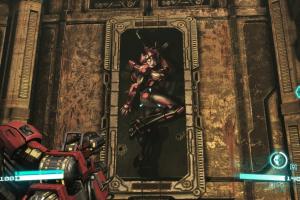
Why is Optimus gooning at the portrait of that fembot in the last pic?
this is broken
I WANT THIS AND I FINALY PLAY MULTYYYYYYYYYYYYYYYYYYYYYYYYYYYYYYYYYYYYYYYYYYYYYYYYYYYYYYYYYYYYYYYYYYYYYYYYYYYYYYYYYYYYYYYYYY
Please i want play a transformers fall of cybertron for free
Everytime i try to launch FOC it keeps saying "..is not a valid Win32 Application" is there any fixes to this? im on windows 7 btw 64 bit
the game save files and campaign files are corrupted. I reccomend fixing that.
How do i install it? I tried mounting the iso with poweriso but it keeps freezing.
YOU'VE GOT THE TOUCH!
YOU'VE GOT THE POWEEEEEEEEEEEEEEEEEEEEEEEEEEEEEEEEEEEEEEEEEEEEEEERRRRRRRRRRRRRRRRRRR~
YEAH!
They will rather remove it from stores than prolong the license so more people could play this fantastic game, which is pretty ridiculous, because this game was worth every penny in its price tag and they could just take the profit non-stop. Welp, at least nothing is lost on the internet.
download transformer fall of cybertron
@DAYFORM thanks for the help man i was pretty confused and it worked, anyone who gets the corrupted save error follow his instructions
does anyone know how to get the dlc for the game
hope this game good
i wanted to play this since a long time
So, the game installed properly, but when I try to play a level, it just stays in the blue loading screen. I have tried the fix in the description, but it does not work. Can someone PLEASE give me some advice?
game is not opening
esto es muy bueno pero el único problema es que se tarda mucho en descargar
Windows 11 uchun yuqmi(((
Another High Moon classic, awesome!
Wish we had Deadpool here, it's hard to find on PC (at least, from a non-shady source, I trust this site more)
does anyone have simpler instructions on how to set it up? I have a hard time with these
As a heads up to anyone who played War for Cybertron first, to avoid the "Save files corrupted" error when starting up Fall of Cybertron, go to Documents My Games and rename your "Transformers" folder to something else. Don't delete the folder or else your War for Cybertron saves will disappear/be overwritten (I made that mistake lol). Once you open up Fall of Cybertron again, it'll make its own separate "Transformers" folder.
@Hunter Why don't you upload it to PCGamingWiki or ModDB? We rarely upload mods, we usually upload only fan patches and fixes; because there's too many mods for abandonware games to check all of them
Thx Admin
Next Please Add Transformers: Devastation
@Admin - Excellent, I could give you a mod which basically unlocks all multiplayer features but for Singleplayer, so while you’re basically playing alone, you could still try out playing as Arcee and such, should I send it over to your team? I also have a similar mod for Fall of Cybertron - It increases FOV, has cheats enabled etc.
@Hunter - Transformers: War for Cybertron is already available https://www.myabandonware.com/game/transformers-war-for-cybertron-v9u
Goat game, I also have War for Cybertron on my PC (vanilla, along with a FOV and FPS modifier). It would be nice if you add that as well, looking forward for more Transformers games!
No comment nor review for this game at the moment.