


Marvel Ultimate Alliance has very active Marvel Mods fan community that is still developing fixes, patches and mods for the game. You can find a lot of mods for the game here, including new skins, characters and total conversions. Join Marvel Mods forum or their Discord server to find more information about mods, or if you're looking for multiplayer games
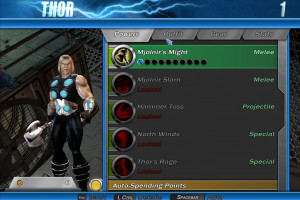
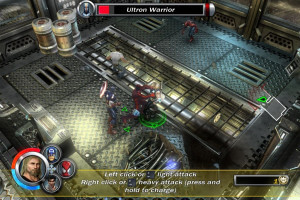
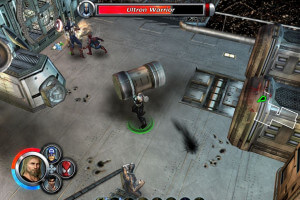
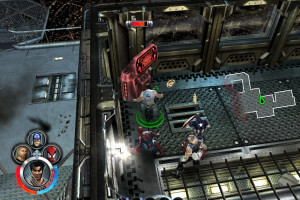
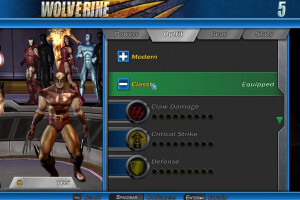
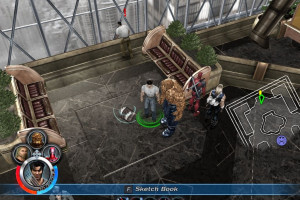
How to Play
The game with NoDVD has been tested on Windows 7 64-bit and Windows 10, works with no problem. You may experience some small troubles when you play the game on modern systems, check our Guide and Notes for details
Before installation - if you're using Windows 8, 8.1, 10 or 11 - make sure that you enabled DirectPlay if you didn't make it before, read this or this guide how to do it (if you're using Windows 7 or older - just install DirectX from the disc)
Install & play guide:
- Mount the ISO image of DVD. You will need the utility for mounting disc image files, like WinCDEmu, UltraISO, Alcohol 52%/Alcohol 120% or Daemon Tools Lite
- Install the game (if autorun doesn't work - simply launch the installation from Setup.exe inside the disc)
- It is recommended to install the game not in default path, but in some other, non-system folder, like
C:/Games/Marvel Ultimate Alliance, so you won't have troubles with NoCD or fixes - Finish the installation. After you installed the game - install NoDVD, simply copy Game.exe from the archive and put it into game folder, agree to replace original file
- Open the directory with the game and find Game.exe. Right click on Game.exe - Properties - Compatibility - Set "Run this app in compatibility mode with Windows XP" and "Run as administrator"
- Launch the game and play. If the game doesn't work in compatibility mode with Windows XP - try to launch it in compatibility mode with other version of Windows (Win98, Windows ME, Win2000, etc.)
Notes:
- If the installation doesn't start - try to launch Setup in compatibility mode with old version of Windows (98, 2000 or XP)
- Your antivirus may trigger on NoDVD file because there's several "cracks" for this game with similar file names and sizes. However, NoDVD on our website is totally safe, it showed 0 warnings on VirusTotal scan. If you antivirus blocks it - add that Game.exe file in antivirus exceptions
- NoDVD is required for the launch because the game is using SafeDisc DRM protection, which doesn't work correctly on modern systems. That NoDVD "breaks" DRM protection and allows the game to work on modern systems
- It is recommended to install all versions of Microsoft Visual C++ Redistributable, and NET Framework for the correct work of the game. Also it is recommended to install RAD Video Tools and K-Lite Codec Pack for the correct work of in-game videos
- The game works on DirectX 9, so if you're using Windows 8, 8.1, 10 or 11 - you need to enable DirectPlay: Go to Control Panel, and select 'Programs'. Select 'Turn Windows features on and off', click on 'Legacy Components' and check the box 'DirectPlay'. Select OK, once the installation is done, restart your computer
- If you launch the game and it doesn't start (just black screen), do the next steps:
- Open Registry Editor (launch regedit.exe)
- Go to `Computer/HKEY_CURRENT_USER/SOFTWARE/Activision/Marvel Ultimate Alliance/Settings/Display`
- Right-click Resolution and click Modify
- Input your Desktop Resolution (for example, 1920x1080, click OK and close the Registry Editor)
- The game should now launch properly, you will need to do this only one time after installation
- Also, that way you can run the game with display resolutions that are not available in Options. But note that the game engine doesn't support all resolutions, so if the game started crashing after you changed the resolution in Registry - revert the changes
- If in-game cursor stucks in the corner and doesn't react when you move your mouse - just go to Options (use keyboard arrows) and disable Vsync (switch from ON to OFF). That should solve the problem, after that you can enable Vsync back, if you want. However, if the problem still appears - keep Vsync disabled, also check for Vsync settings in control panel of your video card
- The game should automatically create savegame file when you run it for the first time. However, sometimes it doesn't happen, so the game doesn't save the progress. To fix this, go to your
Documents/Activision/Marvel Ultimate Alliancefolder and create a new folder calledSave - The game has controller support, but gamepads of some brands can result to the crash of the game. It is known that Saitek gamepads crashes the game, so if you have Siatek gamepad - unplug it before you run the game. Also, make sure to unplug gamepad if you have similar problem with other gamepad models
- Sometimes when you install the mods or translation patch the game can show ???? signs instead of text, or another "broken" symbols. That may happen if mod or translation patch is using some fonts that the game cannot recognize, in that case use Fonts Fix, simply run REG-file to fix broken fonts and then reload your computer
- The game has support for cooperative mode up to 4 players, you can play it locally on one PC by connecting additional controllers (like 1 keyboard + 3 gamepads). Also, before you could play the game in online cooperative, but the game was using GameSpy servers for multiplayer, and GameSpy service closed years ago. Currently, you can play the game in online cooperative via LAN emulators like Tunngle or Hamachi, or with some of unofficial GameSpy replacements, like OpenSpy
- Don't forget to check PCGamingWiki page if you have any troubles
 English





 Spanish
  Portuguese (Brazil)
  Russian


Comments and reviews
Download section includes iso image and a repack. Is it correct that if you install via the repack, you do not need the iso image?
No segui el turial, nomas lo instale ejecute el dico con administrador lo instale y funciono
Been trying to boot up this game all night, is currently 2:15 am. It's my first time doing something like this and I am confused.
1. I downloaded the no disc version, and even downloaded the thing to be able to run no disc stuff, and it doesn't start the game.
2. I enabled the directx9 to run it, and while it got to the start screen again it just doesn't actually start the game upon clicking the start button, and the rest of the buttons do nothing.
If anyone can help please do so, I will be checking this later today and I hope that there are updates or something along those lines to assist. Happy usage of abandoned ware my friends!
Ya intente de todo, simplemente no se puede
When I click play it just goes away, is it crashing and does anyone know how to fix it please and thanks!!
no idea how to get this to work. says to copy game.exe from the archive and put it into the game folder. where is the game folder and where is the archive? i have the game.exe after mounting the iso and installing the game into C:/Games/Marvel Ultimate Alliance.
@DARK HORSE @WLFMXX & anyone else who has the same issue with selecting options.
Download the latest stable release of dgVoodoo2 from its official site:
"https://dege.freeweb.hu/dgVoodoo2/dgVoodoo2/?utm_source=chatgpt.com"
Extract it somewhere.
Inside the extracted folder, open:
MS\x86
Copy only:
"D3D9.dll"
into your Marvel Ultimate Alliance game folder (the folder containing Game.exe).
Also copy:
"dgVoodooCpl.exe"
"dgVoodoo.conf"
into the same folder.
"Run dgVoodooCpl.exe"
Set configuration as:
Output API: Direct3D 11 (feature level 11.0)
Leave most settings at their defaults.
Go to the General tab.
Find:
☐ dgVoodoo Watermark
Uncheck it.
Click:
Click Apply.
Launch the game normally.
@ACE
the links on fitgirlrepacks are dead and torrent also sitting on 0.0%. They've abandoned the game.
@WingedWinterSerpent the original 06 port, if you're looking for the remaster it's on fitgirlrepack :)
Is this the original 2006 version or the updated next gen version? Asking mostly for the playable hero characters available in this.
@WLFMXX or anyone else who has the same issue with selecting options. DO NOT select Options in the Main Menu, that'll crash your game. Hit Load Game/New Game. Then pause during gameplay and change the options from there.
This game os rocks :D And this one still have the LAN version too... the newer "remaster" were removed that... because.... REASONS... XD
I can't for the life of me get into options. The game starts up but runs really slow all the way to the menu and then freezes when I click options, just hoping I can stop the lag with a settng change in there. Ive installed everything according to the instructions and run the game in windows xp compatibility. Im on windows 11 though. Anyone else know of a fix?
i try to click on "game" anda "MUA", but not works at all, why this hppns?
how do i add the font fix mod to my game
I'm having trouble to play on local coop, can someone help me??
@ERROR Why you keep trying to put NoDVD inside the disc? You obviously couldn't do that. You need to copy NoDVD into the folder with installed game, not on the disc. Also, I recommend to install the game in non-system folder, like C:/Games/Marvel Ultimate Alliance, if you install it in default C:/Program Files (system folder), Windows Protection can block the copying of files
If you have troubles with installing from the guide, you can use repack version, it has simple installer with NoDVD included
@DUDEBRO There was no DLCs for PC version of original MUA, they were released only on consoles. That DLCs were later added in remaster
can t open the launcher for the game. trying to copy the NoDVD exe to MUADVD\Setup\Data to overwrite the game.exe gives error code - 142.
Here's the Internet Archive link to the DLC
https://archive.org/details/marvel-ultimate-alliance-usa-steam-dlc-only
I installed this and it doesn't seem to have the characters from the Heroes and Villains packs. How would I get them?
Can't figure it out at all
Hay alguna persona que ayude con el "inicia sesion con privilegios de administrador"? como soluciono esto porfavor
Please login with administrator privileges and try again...
Como puedo solucionarlo?
Please add Deadpool Game. Deadpool game is not sold anywhere.
I can't find the NoDVD
@TRISTAN "When I try to copy the NoDVD version into MUADVD\Setup\Data"
Are you trying to put that file inside DVD? You should put that file in the folder with INSTALLED game, not in DVD! After that the game will stop asking for the disc, that's why that things are called NoCD/NoDVD
I could use a bit of help with getting the game to open. I've completed installation in a custom path on my PC's D:\Drive and can open the launcher for the game just fine. When I try to copy the NoDVD version into MUADVD\Setup\Data to overwrite the game.exe while it's mounted, my PC tells me this:
"There is not enough disk space on MUADVD. You need an additional 4.46 mb to copy these files."
I'm not sure of a way to circumvent this or if I need an application not mentioned in the instructions above to help me overwrite the game, I'm just following what is on this page as I've never tried installing a NoDVD game before. I've already tried using some of the different mounting applications listed here, any suggestions on what I can do to get one of my favourite games running on my PC would be much appreciated.
Great game, works perfect and easy to install. Also downloaded the extra characters from marvelmods.com Been playing on local co-op with my son
For anyone planning to play this game with a controller and you realize the buttons are mapped incorrectly I recommend this mod, it worked for me (I use an Xbox One controller): https://marvelmods.com/forum/index.php/topic,11191.0.html
This game is my childhood man. I played it on ps2 and ps3 with my cousins, but never on windows. I trust it will be as good as I remember it :)
This is absolutely a great game!
Highly unlikely we will get those, since they were Steam versions. But the version they have here works on modern systems. The Steam version only had a few extras that aren't that big of a loss.
Any chance we might get the Marvel Ult Alliance 1 & 2 2016 versions?
Oh my gosh thank you! I love you guys! Been looking for this game for years. Had a ISO version but it would not work. The MagiPack version you provide here however, works FLAWLESSLY on my Win 10 laptop. Cheers, and may this site live forever!
No comment nor review for this game at the moment.