How to Play
Be careful! The game was using infamous StarForce DRM that can break your system. DO NOT run the game right after installation, or you will launch the automatical installation of StarForce DRM drivers. Make sure to use NoCD before the first launch of the game! Read our Guide and Notes for details
Some disc images may trigger antivirus warning because of NoCD inside, but there's nothing to worry about, it is safe to use. NoCD showed few warnings about possibly malicious file, here's the report
The game with NoCD has been tested on Windows 7 64-bit and Windows 10, works fine. You may experience some small troubles when you play the game on modern systems, check our Guide and Notes for details
Install & play guide:
- Mount the disc image. You will need the utility for mounting disc image files, like WinCDEmu, UltraISO, Alcohol 52%/Alcohol 120% or Daemon Tools Lite
- Launch the installation. Install game not in default path, but in some non-system folder, like
C:/Games/Space Rangers 2, otherwise you may have difficulties with NoCD - When the installation process will ask for CD2 - mount the disc image of CD2. CD2 must be mounted in same virtual drive as CD1, so first un-mount disc image of CD1 and then mount the disc image of CD2. In example, if CD1 was in virtual drive G:, CD2 must be mounted in virtual drive G: as well
- Also it is recommended to enable DirectPlay, read this or this guide how to do it
- After you installed the game - don't launch the game, first install NoCD. Copy Rangers.exe from NoCD archive and put it into game directory, agree to replace original file
- Right click on Rangers.exe - Properties - Compatibility - Set "Run this app in compatibility mode with Windows 98/ME" and "Run as administrator"
- Launch the game and play. If the game doesn't work in compatibility mode with Windows XP - try to launch it in compatibility mode with other version of Windows (Windows 95, Win2000, WinXP, etc.)
Alternatively, we recommend you to use Full-Rip, it is pre-installed game with fixes and NoCD, StarForce DRM is removed. Or you can download DRM-Free version of Space Rangers 2: Reboot, it is expanded version of the game with more missions and equipment
Notes:
- If the installation doesn't start - try to launch Setup.exe in compatibility mode with old version of Windows (98, 2000 or XP)
- The game was using infamous StarForce DRM protection that doesn't work on modern systems and can break your PC. Make sure to use NoCD before the first launch of the game, otherwise StarForce drivers will be automatically installed. NoCD "breaks" DRM protection and allows to play the game without StarForce
- Once you installed NoCD - delete protect.dll from game folder, just in case. It is StarForce DRM dll-file, the game doesn't use it anyhow
- If you accidentally installed StarForce drivers - use StarForce drivers removal tool. If it didn't help - run Windows in Safe Mode and delete all sf.sys* files (like sf1.sys, sf2.sys, etc.) from
C:/Windows/System32 folder and sfsync03.sys, sfhlp02.sys, sfdrv01.sys from C:/Windows/System32/drivers folder - Russian release of the game received updates up to v1.8.1. Western releases didn't have any updates, all versions was v1.3
- The game works on DirectX 8, so if you're using Windows 8, 8.1, 10 or 11 - you need to enable DirectPlay: Go to Control Panel, and select 'Programs'. Select 'Turn Windows features on and off', click on 'Legacy Components' and check the box 'DirectPlay'. Select OK, once the installation is done, restart your computer
- It is recommended to install all versions of Microsoft Visual C++ Redistributable for the correct work of the game
- Also it is recommended to install RAD Video Tools and K-Lite Codec Pack for the correct work of the game
- The game must be run in compatibility mode with Windows 98/ME, otherwise it will not work on modern systems. If it didn't work - run it in compatibility mode with Windows 95
- If you have black screen at launch or any other graphical problem - use ddraw.dll by StarMind, it is modified version of dll-file from DDRawCompat, specially created for this game. Simply put ddraw.dll in game folder, next to exe-file.
- Alternatively, you can use WineD3D, that wrapper resolves black screen too. But use it only if you have troubles with ddraw.dll by StarMind, because the game with WineD3D loads much longer, like 20-30 seconds
- Or you can use DxWnd - in
Hook -> Injection mode select "Inject suspend process" and in Main select 1024x768 window resolution, click "OK" and run the game. If mouse cursor disappeared - in game settings change "Cursor support" from Hardware to Software - For Windows 10 users: if compatibility mode with Windows 98/ME didn't work - try to run in compatibility mode with Windows Vista or Windows 7, it helped some users. Also, disable Fullscreen Optimization and any display scaling/DPI Settings modes
- If none of these methods helped - try to edit configuration files like in this guide, maybe it will work for you
- Some users compain that intro videos doesn't work, sometimes the game even freeze at intro video. Press ESC few times to skip intro videos, if it didn't help - modify config-files to skip intro videos
- The game works only in 800x600 or 1024x768 resolutions. It is not recommended to set any other resolution through control panel of your graphics card or other utilities, or the game may crash, glitch, etc. If you're using DPI, select DPI settings to “From the application”
- However, planetary battles are working on 3D engine, and you can change the resolution of it. Open cfg.txt and find
RobotResolution= line, change it to the resolution you need - If you don't like standard fonts in game - you can use smooth font mod, simply replace font file in game directory
- The game has many different gameplay settings, so if you feel that the game is too hard - try to enable or disable some of settings
- Don't forget to check PCGamingWiki page if you have troubles
- Also, you can check Steam forums or GOG forums



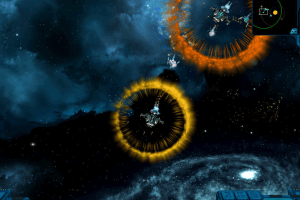
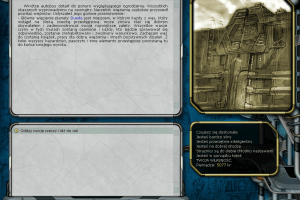
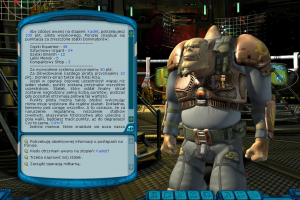
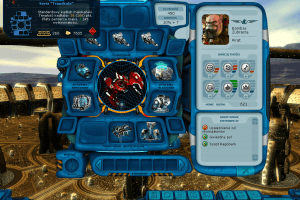
 English
  German
  Polish
  Russian




 Czech
Czech 


Comments and reviews
well i cant do a certin mission and im hoping it isnt one of the many planet based missions. i get and error=
exception: call stack: (unavailable in release) file=work\Eg\Src\Programm\MatrixGame\src\MatrixGame.cp line 643
im not sure if i can fix this please help
Did anybody get the german version to run properly?
My ship explodes as soon as i want to move. I guess this is some anti pirate function?
Absolute Gem of a game.Def included in top100 of all time! Like 4 games rolled into 1, got planetside FPS effect,rpg side where you allocate stats etc,scroller platform when your inside wormholes and my fav,the txt based quests,like galaxy pizza olympics/become president of some planet,to many to name.Lots of humor included. Robust AI (at the time) and galaxy just evolves on its own,you just a small part of it.Lot of great effort in the making of this gem.Everyone should give it a try!
wow this look fascinating, i will play it thanks
Quite possibly the greatest space game I have played so far. Eat your heart out, Bethesda.
We have updated the game, added fixes for comfort play on modern machines plus guide for it. Also we added Full-Rips (pre-installed games) for English & Russian languages, because the game was protected by infamous StarForce DRM. Full-Rips are already coming with fixes that disabled DRM protection
This is made by a company called 1C, and they have made a few games that are extremely good, like Star Wolves and Space Rangers. The gameplay tends to emphasize depth in story and gameplay even if some of the games aren't super long or maybe have limited replayability. Some of the best games.
English v 1.3 here
ulozto.cz/file/HuyksTVA/space-rangers-2-crack-cestina-rar
click the turtle and fill in the captcha
the link is not working
Oh come on! Why only russian? The text is just "????" for me in the game..
Sad, I wanted to play my game from my childhood but I can't find it anywhere.
ISO is corrupted .. fix please
Probably the best game you can download here. I have the Steam version.. Russians make good games.. who knew?
Top game!
No comment nor review for this game at the moment.