






How to Play
The game v1.1 with dgVoodoo 2 has been tested on Windows 7 64-bit, Windows 10 and Windows 11, it works fine. You may experience some small troubles when you play the game on modern systems, check our Guide and Notes for details
Install & play guide:
- Mount the disc image of first CD. You will need the utility for mounting disc image files, like WinCDEmu, UltraISO, Alcohol 52%/Alcohol 120% or Daemon Tools Lite
- The installer of the game doesn't work on 64-bit systems, so you will need to use the Alternative Installer. Simply run Install-FORCECMD.exe and choose where you want to install the game. It is recommended to install the game not in default path but in some other, non-system folder, like
C:/Games/Force Commander, so you won't have troubles with fixes - When the installation process will ask to insert Disc 2 - mount the disc image of second CD. Please note that CD2 must be mounted in the same drive as CD1, so first un-mount CD1 and after that mount CD2
- The patch v1.1 is already included in Alternative Installer. If you installed the game some other way - additionally install the patch v1.1
- After you installed the game, open the second CD and copy the whole
Moviesfolder from the disc toForce Commander/Resourcesfolder - Then use NoCD, simply copy focom.exe from the archive and put it in
Force Commander/Resourcesfolder, agree to replace the original file - Now you need to download dgVoodoo 2, that utility is required for the correct work of the game on modern systems. Extract dgVoodoo 2 archive, copy D3DImm.dll and DDraw.dll from
MS/x86folder, dgVoodoo.conf and dgVoodooCpl.exe toForce Commander/Resourcesfolder. Then run dgVoodoo Control Panel (dgVoodooCpl.exe) as Administrator and set the following: in "General" tab → "Scaling mode: Stretched, Keep aspect ratio"; in "DirectX" tab → select "Fast video memory access" - Launch the game from desktop shortcut or start-forcecommand.bat in
Force Commander/Resourcesfolder and play. If the game doesn't work - set the Compatibility mode with Windows 95 or 98 for focom.exe
If the installation guide looks too complicated for you, you can download repack by Magipack. It has a simple installer and includes the full game v1.1 with dgVoodoo 2 and fixes for the comfort play of the game on modern systems. If you want to change dgVoodoo 2 settings, run dgVoodoo Control Panel (dgVoodooCpl.exe) as Administrator
Notes:
- The installer of the game doesn't work on 64-bit systems, so use the Alternative Installer to install the game. Another variant to install the game on 64-bit systems is to use 16-bit emulator like winevdm, check this guide for more details
- It is recommended to install all versions of Microsoft Visual C++ Redistributable and NET Framework for the correct work of the game. Also it is recommended to install K-Lite Codec Pack for the correct work of in-game videos
- The game works on DirectX 7, so if you're using Windows 8, 8.1, 10 or 11 - you need to enable DirectPlay: Go to Control Panel, and select 'Programs'. Select 'Turn Windows features on and off', click on 'Legacy Components' and check the box 'DirectPlay'. Select OK, once the installation is done, restart your computer
- The game doesn't have any DRM protection, only the simple disc check. If you want to play without the disc, first copy the
Moviesfolder from the second CD toForce Commander/Resourcesfolder; then use NoCD - copy focom.exe from the archive to the sameForce Commander/Resourcesfolder, agree to replace the original file. If you see the error that there's not enough space on the hard drive when you copy NoCD files - re-install the game in non-system folder, likeD:/Games/Force Commander, Windows Protection may block copying of files to system folders (likeC:/Program FilesorC:/Windows) - The game should work fine on modern systems if you run the game with dgVoodoo 2. If you still have the compatibility issues - try to create a Windows compatibility database entry, following this instruction
- By default the game supports only 4:3 screen ratio, the maximum supported screen resolution is 1280x1024. You can try to run the game in widescreen by setting such an option in dgVoodoo settings, but note that the in-game graphics and interface will be stretched. So we recommend to set "Scaling mode: Stretched, Keep aspect ratio" in dgVoodoo settings to play the game with the correct 4:3 screen ratio
- Also, with dgVoodoo 2 you can run the game with Anti-Aliasing and texture filtering, to get the better graphics. To select that graphics settings run dgVoodoo Control Panel (dgVoodooCpl.exe) as Administrator and go to "DirectX" tab
- The launcher of the game doesn't recognize the most of modern graphics cards, so the resolution and graphics quality settings cannot be changed in the launcher. But you can do it by editing the Windows Registry entry, follow this guide. If you installed the game with Alternative Installer, there should be no such issue as it automatically creates the required Windows Registry entry (if you don't see that path in Windows Registry - run the launcher (force.exe) one time as administrator)
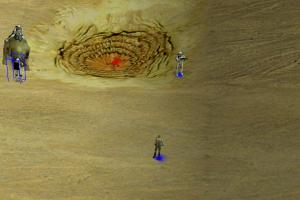
- For unknown reason, the game has a visual glitches on some of modern AMD video cards. If the game runs, there is significant terrain artifacting that, though it does not affect gameplay, can not be fixed. Here's the example screenshot how it looks like
- The game may have a sound issue on some systems. If you have sound issues, use the Sound Fix - simply copy bat-file to
Force Commander/Resourcesfolder, next to focom.exe, and run the game from that bat-file. That fix is already included in Alternative Installer so you don't need it if you installed the game through Alternative Installer - Sometimes the game's process doesn't close after you exit the game. If you closed the game and run it again, but get the error that application is already running - open Task Manager (Ctrl+Shift+Esc) and "kill" the focom.exe process
- If you couldn't manage to run the game on modern systems, use Virtual Machine with old Windows. The game was tested on VMWare + Windows XP SP3, it works fine if you select the Compatibility mode with Windows 2000 and 16-bit color mode
- The official online multiplayer servers of the game doesn't work anymore, obviously. But the game has the option for LAN multiplayer, so you can try to play the game in multiplayer with LAN emulators like Hamachi or RadminVPN
- Don't forget to check PCGamingWiki if you have troubles, it is very useful!
 English
  German
  Spanish
  French
  Italian





 Hungarian
  Russian




Comments and reviews
Yeah the soundtrack alone is great this game is decently underrated, rage mix is fire. You can also do things non canon to the films like destroy the escape pod. Not counting theory's like obi wan killed Luke's aunt and uncle. It has group shift plus 123 selection for a game released in 2000, a ATPT will slow down if selected with stormtroopers, air units, unlike galactic battleground both sides have more than one unique unit. It has atpt's.
Underrated game... Or mabe it's just nostalgia.
No comment nor review for this game at the moment.