You are on the beta version of My Abandonware. The live site is still myabandonware.com. Your favorites and ratings here are copied to the live site. Comments and other changes are not — we delete them every morning at 08:00 Paris time, when this site goes down for about an hour. Leave feedback through this link to Pastel (email required).
The beta goes down at 08:00 Paris time, in a few minutes. We rebuild the database from the live site. It comes back in about an hour.
@GENTLEMAN's instructions worked perfectly for getting the game running on windows 11.
I had a no mouse/cursor issue, but another comment down here said to go to Options Graphics Disable "Harddware Mouse Update" worked for me to get the cursor back!
Also set your resolution to 1024 x 762. Any larger, and I don't think your cursor would fit properly on the screen. Hope this helped out, now time to relieve some nostalgia!
1
Spectre05 Sep. 2026
What the fuck are these "mdf" and "mds" files in the iso version? This is new and not the same as it was even a year ago when the zip file just had the MC2 disk iso in it.
-1
james07 Aug. 2026
Tikka T3X Lite Bolt Action Centerfire RifleStandard Manufacturing Switch-Gun Folding Revolver 22 Winchester Magnum Rimfire (WMR) 0.88″ Barrel 5-Round Silver BlackStandard Manufacturing’s DP-12 BullpupStandard Manufacturing 1911 Semi-Automatic PistolFederal Fusion MSR Ammunition 223 Remington 62 Grain Bonded Spitzer Boat TailCCI VNT Ammunition 17 HMR 17 Grain Polymer Tipped VarmintFN 502 Tactical PistolSig Sauer P322 Semi-Automatic Pistol 22 Long Rifle 4″ Barrel 20-Round Black with Romeo Zero Red DotIMR 4064 Smokeless Gun Powder (8lb)Aero Precision Standard Upper Receiver Stripped AR-15 AluminumRemington Core-Lokt Ammunition 6mm Remington 100 Grain Pointed Soft Point Box of 20Hornady Superformance SST Ammunition 6mm Remington 95 Grain SST Box of 20Cheddite Primers 209 (1000/box)KIMBER RAPIDE BLACK ICE SILVER / BLACK 10MM 5″ BARREL 8-ROUNDS WITH DAY/NIGHT SIGHTSRemington Premier Magnum Turkey Ammunition 20 Gauge 3″ 1-1/4 oz Copper Plated ShotFiocchi Speed Steel Ammunition 12 Gauge 3″ 1-1/8 oz #6 Non-Toxic Steel ShotKent Cartridge Upland Fasteel Precison Steel Upland Ammunition 20 Gauge 2-3/4″ 7/8 oz #6 Non -Toxic Steel ShotWinchester Super-X Turkey Ammunition 12 Gauge 3″ 1-7/8 oz #6 Copper Plated Shot Box of 10Shooters World SW4350 S070-05 Smokeless Gun PowderVihtavuori N540 Smokeless Gun PowderWinchester WSF Powder Smokeless Gun PowderIMR 4451 Enduron Smokeless Gun PowderRamshot X-Terminator Smokeless Gun PowderGreen Dot Powder Alliant Smokeless Gun PowderVihtavuori N110 Smokeless Gun PowderAlliant Powder Pro 2000-MR Power Smokeless Gun PowderVihtavuori N550 Smokeless Gun PowderTrail Boss Powder Hodgdon Smokeless Gun Powder 2lbAccurate No 2 Smokeless Gun PowderHodgdon H4895 Smokeless Gun PowderWinchester AutoComp Smokeless Gun PowderHodgdon Pyrodex P Black Powder Substitute 1 lb Sig Sauer P320 Nitron Compact 40 S&WVihtavuori 3N37 Smokeless Gun PowderSig Sauer P320 Compact Flat Dark Earth .40 SW 3.9-inch 10RdsSig Sauer P320 Compact Flat Dark Earth .40 SW 3.9-inch 10RdsGLOCK G26 Semi-Auto PistolShooters World Match Rifle D073-06 Smokeless Gun PowderVihtavuori N170 Smokeless Gun Powder 1 lbAccurate 2200 Smokeless Gun PowderVihtavuori N135 Smokeless Gun PowderAlliant BE-86 Smokeless Gun PowderVihtavuori N330 Smokeless Gun PowderWinchester WST Smokeless Gun PowderShooters World Clean Shot D032-03 Smokeless Gun PowderRamshot Big Game Smokeless Gun PowderAccurate 2015 Smokeless Gun PowderIMR Enduron 4166 Smokeless Gun PowderShooters World Long Rifle S065 Smokeless Gun PowderVihtavuori N160 Smokeless Gun PowderAlliant Reloder 10X Smokeless Gun Powder Alliant Power Pro Varmint Smokeless Gun PowderShooters World Tactical Rifle D073-08 Smokeless Gun PowderAlliant Reloder 33 Smokeless Gun PowderAlliant Reloder 50 Smokeless Gun PowderRamshot Enforcer Smokeless Gun PowderIMR 8208 XBR Smokeless Gun PowderRamshot Hunter Smokeless Gun PowderHodgdon H1000 Smokeless Gun PowderShooters World Ultimate Pistol D036-07 Smokeless Gun Powder Alliant Promo Smokeless Gun Powder 8 lbAccurate 2700 Smokeless Gun PowderHodgdon H4198 Smokeless Gun PowderRamshot ZIP Smokeless Gun PowderRamshot Competition Smokeless Gun PowderAlliant Clay Dot Smokeless Gun PowderAlliant Herco Smokeless Gun PowderAlliant Power Pro 300-MP Smokeless Gun PowderShooters World Auto Pistol D036-03 Smokeless Gun PowderAlliant Steel Smokeless Gun PowderAlliant e3 Smokeless Gun PowderWinchester Super-Handicap Smokeless Gun PowderHodgdon Retumbo Smokeless Gun PowderHodgdon International Smokeless Gun PowderAccurate Nitro 100 Smokeless Gun PowderVihtavuori N105 Smokeless Gun Powder 1 lbAlliant Power Pro 4000-MR Smokeless Gun PowderAlliant 410 Smokeless Gun PowderIMR Enduron 4955 Smokeless Gun Powder 1 PoundVihtavuori N32C TIN STAR Smokeless Gun Powder 1 lbAccurate 4100 Smokeless Gun PowderAlliant Power Pro 1200-R Smokeless Gun PowderAccurate LT-30 Smokeless Gun PowderVihtavuori N565 Smokeless Gun PowderHodgdon H380 Smokeless Gun PowderAlliant Pro Reach Smokeless Gun PowderAlliant AR-Comp Smokeless Gun PowderAlliant Extra Lite Smokeless Gun PowderAccurate No. 11FS Smokeless Gun PowderAlliant Sport Pistol Smokeless Gun PowderVihtavuori N570 Smokeless Gun PowderShooters World AR Plus D073-04 Smokeless Gun PowderAlliant Reloder 23 Smokeless Gun PowderVihtavuori N165 Smokeless Gun PowderAccurate 2495 Smokeless Gun PowderAlliant Reloder 7 Smokeless Gun PowderAlliant Reloder 19 Smokeless Gun PowderAlliant Red Dot Smokeless Gun PowderAccurate No. 7 Smokeless Gun Powder
FlagShipLab's comment on running on Linux was perfect! On initial launch after setting that up I didn't get a cursor, but with a bit of work I navigated to optionshardware mouse update and turned it off, applied, then the cursor returned.
0
FlagshipLab16 Mar. 2026
Running under Linux under proton 10, must use protontricks to install directplay and a version of DXVK, remembering also to set render mode in protontricks settings to vulkan, seem to be some kind of switch to make DXVK work.
2
XxTortillax01 Mar. 2026
Junge das läuft auf win 11 ein Traum wird War danke
0
outcold21807 Jan. 2026
Amazing game, normally wouldnt recommend free downloadz nothings free but this shitz amazing
-2
MechWarriorZero05 Jan. 2026
there was another one called MechCommander 2 Reloaded, I'm trying to find that one but can't find it any where
-1
Speedy30 Dec. 2025
Hello Admin, i have a german Rip (works on Win10), the German Manual and the German ISO. Will you upload this Files?
0
Maurice Jasmann26 Sep. 2025
how can I download this game?
-2
Ohgun01 Aug. 2025
Oh, and one more thing. If you want to see the cutscenes and mission briefing videos, you may want to copy the video files from the ROM version to the ripped version.
0
Davion30 May. 2025
If you want to save yourself a huge headache trying to run games like MechCommander 2 and MechWarrrior 4 I recommend just running them on a Windows XP virtual machine.
Go with WMware Workstation not Oracle VirtualBox Since WMware Workstation can run 3D games. Here is where you download it from for free.
Oh and during the creation of the virtual machine remember to set "Hardware compatibility" to Wokstation 10.x. That way you won't have trouble after you install the VMTools.
Not sure if this comment will be relevant in the far future but right now in May 30th 2025 this is a very convenient way to play older Windows games that don't run on Windows 11.
Thank me later. :)
2
KASUMI6523 May. 2025
French : https://www.abandonware-france.org/ltf_abandon/ltf_jeu.php?id=3116&fic=liens
German : https://archive.org/download/redump_pc_M/MechCommander%202%20%28Germany%29.7z
0
Tecmes12 Apr. 2025
Gentlemen above is not quite right. If you want the sound FX, you don't need to actually install the ISO version. Just mount the ISO (dl from elsewhere, this one is a MDS version) and copy the sound folder content from the mounted virtual cd.
0
Just a normal man15 Oct. 2024
Tips that got me going Everything you need: dgvoodoo WinCDEmu ISO Version RIP Version Install WinCDEmu from the dev site. There’s a prompt or something mid install, but it’s just a driver so it’s okay. Get dgvoodoo as well. Unzip the ISO version and right click the files to Mount like a CD. Install from the setup.exe file. For MC2 you will need to remount this ISO version every time you want to play, so don’t get rid of it or you'll get the No CD error. Unzip the RIP version and copy the sound folder from the ISO install to replace sound in the RIP version’s data folder. Delete the ISO version of MC2 you just installed and replace it with the RIP folder renamed to match the MC2 install folder you just deleted. Unzip dgvoodoo and copy the 2 main dgvoodoo and config files info the main MC2 folder with the exe. Also bring in the 4 dll files under MS/x86. Open it up and under general tab, select graphic adapter and display and check enumerate refresh rates. Under directx tab set VRAM at 1024, max out filtering and antialiasing and set the resolution at 1600x1200 59hz, you'll see why at the end. Check Bilinear DD and Forced vsync. Uncheck watermark if you want to. To avoid a crash or hang up when loading the first mission do these 3 things: -delete the D3D8.dll file you just brought in from dgvoodoo. This game doesn’t like it. -Right click the Mc2Rel.exe file and under properties/compatibility, check “Disable Full Screen Optimizations” -Under assets/binaries, delete the imagehlp.dll file Also, to fix the pixelated ground textures in game, delete the badcard.csv and vidcard.csv file in the main folder. When you are in the first mission make sure your mouse can reach the edges of the screen to pan up and down. If it can’t, make sure the In game resolution is set lower than your normal desktop resolution, for me it needed to be 1024x768 since mine is at 1600x900, even though I set dgvoodoo to run at 1600x1200. You can change this in game, but there are more choices in the options.cfg file. The options are 0-4 there, so 0=640x480, 1=800x600, 2=1024x768, 3=1280x1024, and 4=1600x1200.
I think that’s everything. GLHF
2
s8817 Sep. 2024
so most of the sound in game dose not work?
1
Tone09 Jul. 2024
@skymonkey42 I bought this game from best buy back in the early 2000s and even the store copy in my system gave me the "no cd" error. I had to return the game (but not after installing it and actually finding a no-cd crack) to keep it on my system. I'm guessing that whomever copied this into abandonware's database, may have used one of those copies.
Back then, companies were super paranoid about piracy and went overboard... (This was the same year that Napster was shut down after Metallica sued their own fans).
Good luck everyone. Hope it works out for you all.
1
Break XIII17 Mar. 2024
Can anyone figure out how to change to widescreen resolution on Windows 11? I have combed the internet for months... If you are the hero, my children will sing your praises in olden song
2
Old fella Zukov17 Aug. 2023
Have follow all instructions including using the same mounting tool. When I click run as administrator it asks if I wish to allow changes to this device. I select yes and then nothing. Can anyone advise?? Using win 11 pro. Is this an issue??
0
Skymonkey4213 Aug. 2023
Ok so I checked and I didn't get the NO CD issue once again. One thing I notice is the Screen flickers upon first Running the game, and upon Starting the Campaign. I can't answer why the NO CD is an issue for some. Sadly, even back in the old days when I purchased an original copy of this game (which I still have). I never found a NO CD patch for MC2, hence these were easily available for Mechcommander 1 and Gold. The only version of MC2 that seems to have a NO CD bypass is the version from Old Games (linked from my older comment). So one option I thought of (but can't test because I don't have the issue) is to maybe try creating your own ISO file (With all the Files and Folder contents) of the game in it and Mount it. (Google search for how to create one). OR you can try downloading the ISO file from THIS website (585MB) and mount it to see if that works. Mounting ISO is the only work around I know of for the NO CD issue. The websites that I used many years ago that were pretty legitimate for NO CD patches for games was www.Megagames.com, and www.Gamecopyworld.com. Unfortunately I don't think MC2 was popular enough for someone to create a NO CD patch for MC2. I hope all this info and suggestions helps you guys get this game to work. Best of Luck!
1
Fistan30 Jul. 2023
Well, tried skymonkey's suggestion. Game requires cd when trying to load campaign. It was fine on menu even with higher resolution, legacy components + admin seemed to take care of it, didnt even need to check compatibility mode. But when you try loading campaign it just requires cd. How did you guys solved that?
0
YoBigBoss29 Jul. 2023
I followed @SKYMONKEY42's instructions and it finally worked. I have tried for years to get this to work and I kept on getting error messages. I have a Surface Pro running on Windows 10 Pro.
0
Shazbot23 Apr. 2023
This game still holds up fairly well, sure the graphics are dated, but like good stuff.
0
Draxicous11 Jan. 2023
Having an issue with old game version. When I try to launch with Mc2rel.exe it will open a black windowed screen and then close a second after. In the error log, I found Error188406.log
STOP : Could not find 'mc2res.dll' Address : 0x0050D5FB Location : MC2REL! (+0x10C5FB)
Ok guys, I got the game running finally on Windows 10 but I'm going to tell you to NOT bother using the files from here. As much as I like this website, I honestly think "myabandonware" should reupload this game in a better way because I hated the process to get this game to work using the files for this game. I found a better option in order to get this game to run. I ended up going to: https://oldgamesdownload.com/mechcommander-2/ From that website, scroll down and you will see a file called: MechCommander_2_Win_Preinstalled_EN.rar Click that filename icon, Webpage will update and present you with 2 options to Download it. Select the "Archive.org" option (NOT the torrent). Once you have downloaded the file. Open and extract the Folder (Mechcommander 2) out of the .RAR file to a location of your choice. (I used "7-zip" to extract the files, it's free software!) From within the folders: Mechcommander 2\Game Files\ Their is a file called: Mc2Rel.exe (THIS is the game file, do not open it yet)
A few things need to be done first or else the game won't run! Instructions: Right Click the file: Mc2Rel.exe, select properties, click on Compatibility Tab. Now 'check the box' that says: Run program as Administrator (apply and press ok). If you don't run this file as "admin" it will give you an error when running.
Do Not run game yet! Another thing must be done first!
In windows 10, Goto Control Panel, Now in the upper right where it says "View By: " Change the view from 'Category' to "Large Icons". Now you should see "Programs and Features" click on it. From here, on the left side, Click where it says: Turn windows Features On or Off Scroll down the list and look for "Legacy Components" and check the box. Note: THIS box must be checked for windows 10 to run older games!
Windows 10 should start installing some software. Once its done, go back to that 'Mc2Rel' file and run it (as administrator).
Now Open the Mc2Rel.exeThe game SHOULD RUN!
DO NOT start playing until you go into OPTIONS FIRST. You must set the Correct Resolution. Make sure to use 1024 x 768 (32) and nothing higher. If you do not set this option of resolution the game becomes difficult to play because it isn't designed for such high resolutions that we have today. The problem with the higher resolutions is when playing, the MOUSE won't go past a certain point to click on stuff. (Trust me, it's not playable in a good way!)
After the resolution is set, NOW you can go into Campaign and play!
(Don't ask about multiplayer though, No one played it after 4 months upon release, It was that bad!)
Hope this helps! Enjoy!
From this point forward IT SHOULD play without issues. I currently am playing the game "Sound and everything with no issues".
4
blizzit22 Dec. 2022
I have followed the instructions, but the only exe files in the RIP version are viewRel, RegSetup,Mc2Rel, EditRel, and dw, none of which run anything useful, or at least don't seem to. Any help?
0
Stric22 Nov. 2022
Followed steps by overwriting the sound folder in RIP version.
Music does not work for me on Win 10. Movie, dialogue & SFX sounds work OK and music comes back for a few seconds if I go to the sound menu.
0
Alla08 Sep. 2022
Played this game 20 years back (installed from CDs). Hoping to play it again and finish it this time.
0
cbcfox17 Aug. 2022
Dear friends, I would really need some help on this installation
Once I installed the RIP version, the exe file does not work. It starts with the game start-up screen then an error appears: Cannot CreateNetLib - Startup .......
I have searched across internet and cannot find possible solution. I did went to Microsoft and installed the latest DirectX (not sure about version, but it is the latest one from the official site), but this does not change much.
I wonder if any of you have encountered with the same problem, and if so, is there any way to solve this matter? I have been looking for this game for over 8 years and it will be sad for not been able to get through it again as childhood memory of a big fan to Battlemech.
0
Solarruss15 Aug. 2022
It appears that I'm an idiot. You just have to extract out of the MDF file. All hope is not lost. Just use something like UltraISO
1
Solarruss15 Aug. 2022
The ISO version no longer works, something happened to the file. It can't be installed in any way that I've found. This means that you can't follow Gentleman's instructions for fixing the RIP versions sound, as the ISO can't be installed to begin with. If anyone has figured out how to install the ISO, please let me know by responding in this thread, I'd be very interested.
-3
Solarruss21 Jul. 2022
How do I install the ISO version? I don't see any executables.
0
SamboNZ17 Jul. 2022
Thank you GENTLEMAN - your instructions about copying the 'SOUND' folder from the ISO version over the RIP version worked for me too. The game is up and running no problems in Win 10 as at Jul'22. Cheers!
1
EC27 May. 2022
Thank you, PeterBeHere. I got the videos to work in the RIP version. I copied the data/movies folder from ISO to the RIP like you said.
Everything works fine. I am playing through the 2nd time now.
0
EC24 May. 2022
I follow gentleman's instructions and managed to get mechcommander 2 to work. I finished the game. Then i patched it up with the official patch and am playing it the 2nd time. Thank you very much.
I think the data\textures\mc-01.water0016.tga error is because of hardware compatibility. I got that error message when i ran it on my desktop. But when i ran it on my laptop, everything worked well.
I think the Failed (0x80004001.WINERR_Not Implemented) error is also a hardware compatibility problem. I got that error when i played the game on speakers. But when i played it using my earphones, everything worked well.
0
Ded Spector13 Oct. 2021
For people who have trouble getting the original version to work on modern OS/hardware...
Pretty much the same game except with videos removed because copyright issues, plus it adds some fanmade campaign missions.
-2
Djomla25 Sep. 2021
Can some1 help to instal adn run this game??
1
GOG29 Aug. 2021
If your mouse pointer is not visible, first disable Enhance pointer precision in windows and uncheck Hardware mouse update in Game options - Graphics, Enjoy
4
LRM-Boat30 May. 2021
@BattletechAlwaysNeededAMovie If your mouse is missing try disabling/enabling the Hardware Mouse Acceleration.
1
Wen01 Apr. 2021
I replaced the RIP's sound files with the ISO's sound files as GENTLEMAN's post, but now I'm getting stuck on the 2nd campaign mission which says it needs a texture file that I can't find. I tried replacing the texture.fst file with the ISO's but it still will not get past this. Anyone got an idea?
0
black hat one07 Feb. 2021
exelente ejecutando en linux
0
Richard02 Jan. 2021
ISO / MDS is corrupted?
0
#JadeFalconsucks17 Sep. 2020
can't wait to do my Machine Gun Array only run of the game
1
BattletechAlwaysNeededAMovie11 Jul. 2020
Top comment
I can't get my mouse cursor to show up in the game. Slightly troublesome :/
Mouse will still highlight things as it passes over them, there's just no cursor.
13
Grimm27 Jun. 2020
CHeers guys
0
ZARDOZ04 Jun. 2020
I loved this game many years ago ! thanks a lot.
0
Mechfan24 May. 2020
Just a heads-up if you're running Windows 10, you don't need a 3rd party iso program, win 10 has the ability to do that natively. No more need to download something that might try to sneak in a piece of ad/crapware to give your av some fun times. For more info, check this post out.
i had this game but i lost it. then a guy named Scott Clem showed me a better game but i still wish i could play it again.
-5
The_Doc_Man12 Oct. 2019
I had this working OK on a Win7/64 bit on SP1, but my hard drive crashed. I got a WIN7 image backup on the repaired machine and was reloading games. I had the MechCommander2 original disk, but when I try to reload it and run it, no joy. I had Task Manager up to show me what was going on, but it was over so fast that I never saw the image come into memory in the first place. I'm going through compatibility stuff but so far, that is also no joy. Any ideas?
0
peterbehere17 Aug. 2019
WINDOWS 10
See GENTLEMAN's comment below AND Don't forget to grab the movies folder too ;)
-4
KountryBoy_2419 Mar. 2019
Will it work on windows 10?
-9
tnt18 Jan. 2019
i love this game from when i was a child
1
Ami06 May. 2018
Me again!! If videos arent loading, i suggest playing them separately on a fileplayer ? Or replacing the rip version files with the iso.
for the no mouse problem: Disable Hardware Mouse Update under Graphics.
4
EBG728 Jan. 2018
I can't see my mouse and it makes my game unplayable
1
Space Jump02 Dec. 2017
This game has many flaws compared to its predecessor and the biggest one is the enemy AI behavior of targeting only the first of your units it sees, no matter what, until it dies. Pretty disappointing that no one has managed to address that despite the fact that the game has been open source for over a decade.
0
gentleman15 Nov. 2017
Top comment
To all those who can run the rip version BUT WITH NO SOUND but can't run the ISO version at all, this worked for me on 64bit win7 professional:
Install ISO version
Download RIP version
Find the file directory for your ISO install (should be C:\program files\microsoft games\mech commander 2 by default or something similar)
Find the DATA folder and open it
take the sound folder and use that one to overwrite the sound folder in the DATA folder of the RIP version (i.e. delete the sound folder of the RIP version and cut/copy and paste the sound folder from the ISO version in its place the correct sound folder should be close to 200mb)
Open RIP version EXE
Enjoy :-)
31
Starslayer8920 Oct. 2017
If your game is getting stuck at the opening screen, hit Esc, Space, whatever to get out of that screen ASAP. If you skip past it immediately you're golden. Sounds crazy I know, but when I don't skip the intro the game locks up or crashes. But I never have that problem after skipping.
2
Anon16 Oct. 2017
https://github.com/Echelon9/mechcommander2-open source code for this game here.
1
ns955926 Sep. 2017
Rip version doesn't have sound, Can't get iso version to work on Windows 7. I really loved this game when I had it in physical form, too bad.
0
Farhan06 Sep. 2017
Tell me how to play this game on windows 10 after black screen game stop working :( please help me i love this game
-3
Kyle04 Aug. 2017
It worked for me on my old laptop but THere was no sound
3
cash20 May. 2017
hi I'm new here
Will this work on windows 10 ???
4
RedTieGuy06 Feb. 2017
Same here in terms of audio not playing. But, also, once I finish the first Campaign, my graphics get messed up with the second campaign. Sensors are all jacked up.
1
sparky25 Jan. 2017
@JARTHUR4707 I had this problem, too, with the RIP version. I downloaded the ISO version (MDS/MDF, actually) and installed it, the sounds all work fine. There's a 146 MB difference in the folder size of "sounds" between the two versions, which may account for this.
0
Tempest15 Jan. 2017
Hmmmmm, the installer says that it can't install on to a 64 bit installation. Reckon I've got any options?
-2
X-Grunt27 Oct. 2016
Cannot find an exe file in the down loads to install the game, what am I missing?
-2
Frozen Spirit Jac19 Oct. 2016
I have tried to run this program from no matter how many downloads I have tried. And it never seems to work. I have tried using Magic Iso maker, and running it from a mounted Virtual Drive. Tried running from a burned CD & DVD. Tried coping files into the the harddrive and running there. never seems to work. Even changed the Compatible modes ... Any suggestions on how to get it running from Windows 7, the Editor & the library works. but the game itself...
-23
jarthur470716 Sep. 2016
I'm having an issue where the non FMV audio isn't playing. No mech sounds, music, ect. However, all of the FMV files have full audio. Any help would be appreciated.
0
ricew3911 Aug. 2016
AM A old fart was playing this on a tandy cpu 150 mag bits in late 90's now got 5 tbt
1
hegira24 Jul. 2016
thank you. Forever MechCommander and Battletech Universe!!
0
No comment nor review for this game at the moment.






 English





Comments and reviews
@GENTLEMAN's instructions worked perfectly for getting the game running on windows 11.
I had a no mouse/cursor issue, but another comment down here said to go to Options Graphics Disable "Harddware Mouse Update" worked for me to get the cursor back!
Also set your resolution to 1024 x 762. Any larger, and I don't think your cursor would fit properly on the screen. Hope this helped out, now time to relieve some nostalgia!
What the fuck are these "mdf" and "mds" files in the iso version? This is new and not the same as it was even a year ago when the zip file just had the MC2 disk iso in it.
Tikka T3X Lite Bolt Action Centerfire RifleStandard Manufacturing Switch-Gun Folding Revolver 22 Winchester Magnum Rimfire (WMR) 0.88″ Barrel 5-Round Silver BlackStandard Manufacturing’s DP-12 BullpupStandard Manufacturing 1911 Semi-Automatic PistolFederal Fusion MSR Ammunition 223 Remington 62 Grain Bonded Spitzer Boat TailCCI VNT Ammunition 17 HMR 17 Grain Polymer Tipped VarmintFN 502 Tactical PistolSig Sauer P322 Semi-Automatic Pistol 22 Long Rifle 4″ Barrel 20-Round Black with Romeo Zero Red DotIMR 4064 Smokeless Gun Powder (8lb)Aero Precision Standard Upper Receiver Stripped AR-15 AluminumRemington Core-Lokt Ammunition 6mm Remington 100 Grain Pointed Soft Point Box of 20Hornady Superformance SST Ammunition 6mm Remington 95 Grain SST Box of 20Cheddite Primers 209 (1000/box)KIMBER RAPIDE BLACK ICE SILVER / BLACK 10MM 5″ BARREL 8-ROUNDS WITH DAY/NIGHT SIGHTSRemington Premier Magnum Turkey Ammunition 20 Gauge 3″ 1-1/4 oz Copper Plated ShotFiocchi Speed Steel Ammunition 12 Gauge 3″ 1-1/8 oz #6 Non-Toxic Steel ShotKent Cartridge Upland Fasteel Precison Steel Upland Ammunition 20 Gauge 2-3/4″ 7/8 oz #6 Non -Toxic Steel ShotWinchester Super-X Turkey Ammunition 12 Gauge 3″ 1-7/8 oz #6 Copper Plated Shot Box of 10Shooters World SW4350 S070-05 Smokeless Gun PowderVihtavuori N540 Smokeless Gun PowderWinchester WSF Powder Smokeless Gun PowderIMR 4451 Enduron Smokeless Gun PowderRamshot X-Terminator Smokeless Gun PowderGreen Dot Powder Alliant Smokeless Gun PowderVihtavuori N110 Smokeless Gun PowderAlliant Powder Pro 2000-MR Power Smokeless Gun PowderVihtavuori N550 Smokeless Gun PowderTrail Boss Powder Hodgdon Smokeless Gun Powder 2lbAccurate No 2 Smokeless Gun PowderHodgdon H4895 Smokeless Gun PowderWinchester AutoComp Smokeless Gun PowderHodgdon Pyrodex P Black Powder Substitute 1 lb
Sig Sauer P320 Nitron Compact 40 S&WVihtavuori 3N37 Smokeless Gun PowderSig Sauer P320 Compact Flat Dark Earth .40 SW 3.9-inch 10RdsSig Sauer P320 Compact Flat Dark Earth .40 SW 3.9-inch 10RdsGLOCK G26 Semi-Auto PistolShooters World Match Rifle D073-06 Smokeless Gun PowderVihtavuori N170 Smokeless Gun Powder 1 lbAccurate 2200 Smokeless Gun PowderVihtavuori N135 Smokeless Gun PowderAlliant BE-86 Smokeless Gun PowderVihtavuori N330 Smokeless Gun PowderWinchester WST Smokeless Gun PowderShooters World Clean Shot D032-03 Smokeless Gun PowderRamshot Big Game Smokeless Gun PowderAccurate 2015 Smokeless Gun PowderIMR Enduron 4166 Smokeless Gun PowderShooters World Long Rifle S065 Smokeless Gun PowderVihtavuori N160 Smokeless Gun PowderAlliant Reloder 10X Smokeless Gun Powder
Alliant Power Pro Varmint Smokeless Gun PowderShooters World Tactical Rifle D073-08 Smokeless Gun PowderAlliant Reloder 33 Smokeless Gun PowderAlliant Reloder 50 Smokeless Gun PowderRamshot Enforcer Smokeless Gun PowderIMR 8208 XBR Smokeless Gun PowderRamshot Hunter Smokeless Gun PowderHodgdon H1000 Smokeless Gun PowderShooters World Ultimate Pistol D036-07 Smokeless Gun Powder
Alliant Promo Smokeless Gun Powder 8 lbAccurate 2700 Smokeless Gun PowderHodgdon H4198 Smokeless Gun PowderRamshot ZIP Smokeless Gun PowderRamshot Competition Smokeless Gun PowderAlliant Clay Dot Smokeless Gun PowderAlliant Herco Smokeless Gun PowderAlliant Power Pro 300-MP Smokeless Gun PowderShooters World Auto Pistol D036-03 Smokeless Gun PowderAlliant Steel Smokeless Gun PowderAlliant e3 Smokeless Gun PowderWinchester Super-Handicap Smokeless Gun PowderHodgdon Retumbo Smokeless Gun PowderHodgdon International Smokeless Gun PowderAccurate Nitro 100 Smokeless Gun PowderVihtavuori N105 Smokeless Gun Powder 1 lbAlliant Power Pro 4000-MR Smokeless Gun PowderAlliant 410 Smokeless Gun PowderIMR Enduron 4955 Smokeless Gun Powder 1 PoundVihtavuori N32C TIN STAR Smokeless Gun Powder 1 lbAccurate 4100 Smokeless Gun PowderAlliant Power Pro 1200-R Smokeless Gun PowderAccurate LT-30 Smokeless Gun PowderVihtavuori N565 Smokeless Gun PowderHodgdon H380 Smokeless Gun PowderAlliant Pro Reach Smokeless Gun PowderAlliant AR-Comp Smokeless Gun PowderAlliant Extra Lite Smokeless Gun PowderAccurate No. 11FS Smokeless Gun PowderAlliant Sport Pistol Smokeless Gun PowderVihtavuori N570 Smokeless Gun PowderShooters World AR Plus D073-04 Smokeless Gun PowderAlliant Reloder 23 Smokeless Gun PowderVihtavuori N165 Smokeless Gun PowderAccurate 2495 Smokeless Gun PowderAlliant Reloder 7 Smokeless Gun PowderAlliant Reloder 19 Smokeless Gun PowderAlliant Red Dot Smokeless Gun PowderAccurate No. 7 Smokeless Gun Powder
Roxicodone 30mgRitalin 10mgSubutex 2mg (Sublingual tablets)Xanax (Alprazolam)Diazepam 10mgSoma (Carisoprodol) 350mgDemerol (Meperidine) 50mg/30ml AmpulCodeine 30mg TabletsAdderall XR 10mgSubutex 8mg (Sublingual tablets)Percocet (oxycodone/acetaminophen) 5mg/325mgArimidex (Anastrozole) 1mgTramadol 100mg TabletsStilnox (Zolpidem) 10mgTramadol 100mg TabletsStilnox (Zolpidem) 10mgMifepristone 10mg TabletDihydrocodeinePregabalin Capsules 30mg (Lyrica)Adderall 5mg – 25mg TabletsBuy Xanax 0.25mg Codeine Phosphate 30mg TabletsArnicare creamArnicarePaxlovid
ApetaminOrajelOrajel extra strengthOrajel dental gelTylenolLevonelle
ImprylLovimaZelletaCliquePriligyAvomineEroxonLansoprazoleUtovlanStemetilwellbutrinSolpadeineSolpadeine maxSolpadeine max solubleSolpadeine plusNitrofurantoinNaproxenCiprofloxacinBenadryl AllergyBenadryl allergy reliefsudafedSudafed max strengthPanadolPanadol extraSominexnitrazepamAlleviaprochlorperazineAdaptilFexofenadine 120mgFexofenadine 180mgQlairaMelatoninRivotrilNytolNytol herbalModafinilKalmskalms nightcircadinCyclizinezopicloneGedarelGedarel 20/150KsalolmounjaroSaxendaRybelsusMysimbaOzempicFigurProvitalizeOrlos
FlagShipLab's comment on running on Linux was perfect! On initial launch after setting that up I didn't get a cursor, but with a bit of work I navigated to optionshardware mouse update and turned it off, applied, then the cursor returned.
Running under Linux under proton 10, must use protontricks to install directplay and a version of DXVK, remembering also to set render mode in protontricks settings to vulkan, seem to be some kind of switch to make DXVK work.
Junge das läuft auf win 11 ein Traum wird War danke
Amazing game, normally wouldnt recommend free downloadz nothings free but this shitz amazing
there was another one called MechCommander 2 Reloaded, I'm trying to find that one but can't find it any where
Hello Admin, i have a german Rip (works on Win10), the German Manual and the German ISO. Will you upload this Files?
how can I download this game?
Oh, and one more thing. If you want to see the cutscenes and mission briefing videos, you may want to copy the video files from the ROM version to the ripped version.
If you want to save yourself a huge headache trying to run games like MechCommander 2 and MechWarrrior 4 I recommend just running them on a Windows XP virtual machine.
Go with WMware Workstation not Oracle VirtualBox Since WMware Workstation can run 3D games.
Here is where you download it from for free.
https://www.techspot.com/downloads/189-vmware-workstation-for-windows.html
Here is a guide how to install the workstation
https://www.youtube.com/watch?v=CXbqXb00XZ4
Oh and during the creation of the virtual machine remember to set "Hardware compatibility" to Wokstation 10.x. That way you won't have trouble after you install the VMTools.
https://www.reddit.com/r/vmware/comments/1hy2hh3/windows_xp_i_cant_set_resolution_higher_than/
Not sure if this comment will be relevant in the far future but right now in May 30th 2025 this is a very convenient way to play older Windows games that don't run on Windows 11.
Thank me later. :)
French :
https://www.abandonware-france.org/ltf_abandon/ltf_jeu.php?id=3116&fic=liens
German :
https://archive.org/download/redump_pc_M/MechCommander%202%20%28Germany%29.7z
Gentlemen above is not quite right. If you want the sound FX, you don't need to actually install the ISO version. Just mount the ISO (dl from elsewhere, this one is a MDS version) and copy the sound folder content from the mounted virtual cd.
Tips that got me going
Everything you need:
dgvoodoo
WinCDEmu
ISO Version
RIP Version
Install WinCDEmu from the dev site. There’s a prompt or something mid install, but it’s just a driver so it’s okay. Get dgvoodoo as well.
Unzip the ISO version and right click the files to Mount like a CD. Install from the setup.exe file. For MC2 you will need to remount this ISO version every time you want to play, so don’t get rid of it or you'll get the No CD error.
Unzip the RIP version and copy the sound folder from the ISO install to replace sound in the RIP version’s data folder. Delete the ISO version of MC2 you just installed and replace it with the RIP folder renamed to match the MC2 install folder you just deleted.
Unzip dgvoodoo and copy the 2 main dgvoodoo and config files info the main MC2 folder with the exe. Also bring in the 4 dll files under MS/x86. Open it up and under general tab, select graphic adapter and display and check enumerate refresh rates. Under directx tab set VRAM at 1024, max out filtering and antialiasing and set the resolution at 1600x1200 59hz, you'll see why at the end. Check Bilinear DD and Forced vsync. Uncheck watermark if you want to.
To avoid a crash or hang up when loading the first mission do these 3 things:
-delete the D3D8.dll file you just brought in from dgvoodoo. This game doesn’t like it.
-Right click the Mc2Rel.exe file and under properties/compatibility, check “Disable Full Screen Optimizations”
-Under assets/binaries, delete the imagehlp.dll file
Also, to fix the pixelated ground textures in game, delete the badcard.csv and vidcard.csv file in the main folder.
When you are in the first mission make sure your mouse can reach the edges of the screen to pan up and down. If it can’t, make sure the In game resolution is set lower than your normal desktop resolution, for me it needed to be 1024x768 since mine is at 1600x900, even though I set dgvoodoo to run at 1600x1200. You can change this in game, but there are more choices in the options.cfg file. The options are 0-4 there, so 0=640x480, 1=800x600, 2=1024x768, 3=1280x1024, and 4=1600x1200.
I think that’s everything. GLHF
so most of the sound in game dose not work?
@skymonkey42 I bought this game from best buy back in the early 2000s and even the store copy in my system gave me the "no cd" error. I had to return the game (but not after installing it and actually finding a no-cd crack) to keep it on my system. I'm guessing that whomever copied this into abandonware's database, may have used one of those copies.
Back then, companies were super paranoid about piracy and went overboard... (This was the same year that Napster was shut down after Metallica sued their own fans).
Good luck everyone. Hope it works out for you all.
Can anyone figure out how to change to widescreen resolution on Windows 11? I have combed the internet for months... If you are the hero, my children will sing your praises in olden song
Have follow all instructions including using the same mounting tool. When I click run as administrator it asks if I wish to allow changes to this device. I select yes and then nothing. Can anyone advise??
Using win 11 pro. Is this an issue??
Ok so I checked and I didn't get the NO CD issue once again. One thing I notice is the Screen flickers upon first Running the game, and upon Starting the Campaign.
I can't answer why the NO CD is an issue for some. Sadly, even back in the old days when I purchased an original copy of this game (which I still have). I never found a NO CD patch for MC2, hence these were easily available for Mechcommander 1 and Gold. The only version of MC2 that seems to have a NO CD bypass is the version from Old Games (linked from my older comment).
So one option I thought of (but can't test because I don't have the issue) is to maybe try creating your own ISO file (With all the Files and Folder contents) of the game in it and Mount it. (Google search for how to create one). OR you can try downloading the ISO file from THIS website (585MB) and mount it to see if that works. Mounting ISO is the only work around I know of for the NO CD issue.
The websites that I used many years ago that were pretty legitimate for NO CD patches for games was www.Megagames.com, and www.Gamecopyworld.com.
Unfortunately I don't think MC2 was popular enough for someone to create a NO CD patch for MC2. I hope all this info and suggestions helps you guys get this game to work. Best of Luck!
Well, tried skymonkey's suggestion. Game requires cd when trying to load campaign. It was fine on menu even with higher resolution, legacy components + admin seemed to take care of it, didnt even need to check compatibility mode. But when you try loading campaign it just requires cd. How did you guys solved that?
I followed @SKYMONKEY42's instructions and it finally worked. I have tried for years to get this to work and I kept on getting error messages. I have a Surface Pro running on Windows 10 Pro.
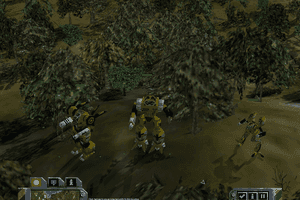
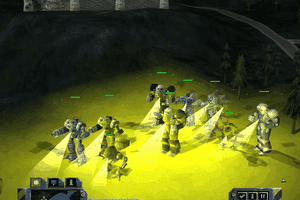
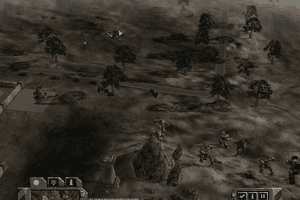
This game still holds up fairly well, sure the graphics are dated, but like good stuff.
Having an issue with old game version. When I try to launch with Mc2rel.exe it will open a black windowed screen and then close a second after. In the error log, I found Error188406.log
STOP : Could not find 'mc2res.dll'
Address : 0x0050D5FB
Location : MC2REL! (+0x10C5FB)
Call Stack
==========
0x005A24BF MC2REL! (+0x1A14BF)
Processor Registers EAX=0x00000000 EBX=0x00000000 ECX=0x00000000 EDX=0x00000000 Flags=0x00000000
=================== ESI=0x00000000 EDI=0x00000000 EBP=0x0019AB04 ESP=0x0019A59C EIP=0x0050D5FB
EIP (0x0050D5FB) 6A 04 68 00 10 00 00 68 C0 D4 54 07 33 DB 53 A3 C4 EF 6D 00 FF 15 4C F1 66 00 8B F0 8D 45 BC 50
ESP (0x0019A59C) 0019AAF8 006A7034 006760D8 0E400270 00000000 00010001 00000000 0E617170
000015D8 00000000 0E613548 CBCAC9C8 CFCECDCC D3D2D1D0 D7D6D5D4 DBDAD9D8
DFDEDDDC E3E2E1E0 E7E6E5E4 EBEAE9E8 EFEEEDEC 00000000 00000000 00000000
@Skymonkey42 adding the oldgamesdownload version
Ok guys, I got the game running finally on Windows 10 but I'm going to tell you to NOT bother using the files from here. As much as I like this website, I honestly think "myabandonware" should reupload this game in a better way because I hated the process to get this game to work using the files for this game. I found a better option in order to get this game to run. I ended up going to:
https://oldgamesdownload.com/mechcommander-2/
From that website, scroll down and you will see a file called:
MechCommander_2_Win_Preinstalled_EN.rar
Click that filename icon, Webpage will update and present you with 2 options to Download it.
Select the "Archive.org" option (NOT the torrent).
Once you have downloaded the file.
Open and extract the Folder (Mechcommander 2) out of the .RAR file to a location of your choice.
(I used "7-zip" to extract the files, it's free software!)
From within the folders: Mechcommander 2\Game Files\
Their is a file called: Mc2Rel.exe (THIS is the game file, do not open it yet)
A few things need to be done first or else the game won't run!
Instructions:
Right Click the file: Mc2Rel.exe, select properties, click on Compatibility Tab.
Now 'check the box' that says: Run program as Administrator (apply and press ok).
If you don't run this file as "admin" it will give you an error when running.
Do Not run game yet! Another thing must be done first!
In windows 10, Goto Control Panel, Now in the upper right where it says "View By: " Change the view from 'Category' to "Large Icons".
Now you should see "Programs and Features" click on it.
From here, on the left side, Click where it says: Turn windows Features On or Off
Scroll down the list and look for "Legacy Components" and check the box.
Note: THIS box must be checked for windows 10 to run older games!
Windows 10 should start installing some software. Once its done, go back to that 'Mc2Rel' file and run it (as administrator).
Now Open the Mc2Rel.exeThe game SHOULD RUN!
DO NOT start playing until you go into OPTIONS FIRST. You must set the Correct Resolution. Make sure to use 1024 x 768 (32) and nothing higher. If you do not set this option of resolution the game becomes difficult to play because it isn't designed for such high resolutions that we have today. The problem with the higher resolutions is when playing, the MOUSE won't go past a certain point to click on stuff. (Trust me, it's not playable in a good way!)
After the resolution is set, NOW you can go into Campaign and play!
(Don't ask about multiplayer though, No one played it after 4 months upon release, It was that bad!)
Hope this helps! Enjoy!
From this point forward IT SHOULD play without issues. I currently am playing the game "Sound and everything with no issues".
I have followed the instructions, but the only exe files in the RIP version are viewRel, RegSetup,Mc2Rel, EditRel, and dw, none of which run anything useful, or at least don't seem to. Any help?
Followed steps by overwriting the sound folder in RIP version.
Music does not work for me on Win 10. Movie, dialogue & SFX sounds work OK and music comes back for a few seconds if I go to the sound menu.
Played this game 20 years back (installed from CDs). Hoping to play it again and finish it this time.
Dear friends, I would really need some help on this installation
Once I installed the RIP version, the exe file does not work. It starts with the game start-up screen then an error appears: Cannot CreateNetLib - Startup .......
I have searched across internet and cannot find possible solution. I did went to Microsoft and installed the latest DirectX (not sure about version, but it is the latest one from the official site), but this does not change much.
I wonder if any of you have encountered with the same problem, and if so, is there any way to solve this matter? I have been looking for this game for over 8 years and it will be sad for not been able to get through it again as childhood memory of a big fan to Battlemech.
It appears that I'm an idiot. You just have to extract out of the MDF file. All hope is not lost. Just use something like UltraISO
The ISO version no longer works, something happened to the file. It can't be installed in any way that I've found. This means that you can't follow Gentleman's instructions for fixing the RIP versions sound, as the ISO can't be installed to begin with. If anyone has figured out how to install the ISO, please let me know by responding in this thread, I'd be very interested.
How do I install the ISO version? I don't see any executables.
Thank you GENTLEMAN - your instructions about copying the 'SOUND' folder from the ISO version over the RIP version worked for me too. The game is up and running no problems in Win 10 as at Jul'22.
Cheers!
Thank you, PeterBeHere. I got the videos to work in the RIP version. I copied the data/movies folder from ISO to the RIP like you said.
Everything works fine. I am playing through the 2nd time now.
I follow gentleman's instructions and managed to get mechcommander 2 to work. I finished the game. Then i patched it up with the official patch and am playing it the 2nd time. Thank you very much.
I think the data\textures\mc-01.water0016.tga error is because of hardware compatibility. I got that error message when i ran it on my desktop. But when i ran it on my laptop, everything worked well.
I think the Failed (0x80004001.WINERR_Not Implemented) error is also a hardware compatibility problem. I got that error when i played the game on speakers. But when i played it using my earphones, everything worked well.
For people who have trouble getting the original version to work on modern OS/hardware...
Just download the fanmade Omnitech version
https://www.moddb.com/mods/mechcommander-omnitech
Pretty much the same game except with videos removed because copyright issues, plus it adds some fanmade campaign missions.
Can some1 help to instal adn run this game??
If your mouse pointer is not visible, first disable Enhance pointer precision in windows and uncheck Hardware mouse update in Game options - Graphics, Enjoy
@BattletechAlwaysNeededAMovie
If your mouse is missing try disabling/enabling the Hardware Mouse Acceleration.
I replaced the RIP's sound files with the ISO's sound files as GENTLEMAN's post, but now I'm getting stuck on the 2nd campaign mission which says it needs a texture file that I can't find. I tried replacing the texture.fst file with the ISO's but it still will not get past this. Anyone got an idea?
exelente ejecutando en linux
ISO / MDS is corrupted?
can't wait to do my Machine Gun Array only run of the game
I can't get my mouse cursor to show up in the game. Slightly troublesome :/
Mouse will still highlight things as it passes over them, there's just no cursor.
CHeers guys
I loved this game many years ago ! thanks a lot.
Just a heads-up if you're running Windows 10, you don't need a 3rd party iso program, win 10 has the ability to do that natively. No more need to download something that might try to sneak in a piece of ad/crapware to give your av some fun times. For more info, check this post out.
https://www.howtogeek.com/howto/windows-vista/mount-an-iso-image-in-windows-vista/
i had this game but i lost it. then a guy named Scott Clem showed me a better game but i still wish i could play it again.
I had this working OK on a Win7/64 bit on SP1, but my hard drive crashed. I got a WIN7 image backup on the repaired machine and was reloading games. I had the MechCommander2 original disk, but when I try to reload it and run it, no joy. I had Task Manager up to show me what was going on, but it was over so fast that I never saw the image come into memory in the first place. I'm going through compatibility stuff but so far, that is also no joy. Any ideas?
WINDOWS 10
See GENTLEMAN's comment below
AND
Don't forget to grab the movies folder too ;)
Will it work on windows 10?
i love this game from when i was a child
Me again!! If videos arent loading, i suggest playing them separately on a fileplayer ? Or replacing the rip version files with the iso.
http://www.mech2.org/forum/viewtopic.php?f=8&t=806
For any other fixes.
https://www.reddit.com/r/mechwarrior/comments/5cfad2/how_to_play_mechcommander_1_2_on_windows_10
@Everyone whining about how to play.
for the no mouse problem:
Disable Hardware Mouse Update under Graphics.
I can't see my mouse and it makes my game unplayable
This game has many flaws compared to its predecessor and the biggest one is the enemy AI behavior of targeting only the first of your units it sees, no matter what, until it dies. Pretty disappointing that no one has managed to address that despite the fact that the game has been open source for over a decade.
To all those who can run the rip version BUT WITH NO SOUND but can't run the ISO version at all, this worked for me on 64bit win7 professional:
Install ISO version
Download RIP version
Find the file directory for your ISO install (should be C:\program files\microsoft
games\mech commander 2 by default or something similar)
Find the DATA folder and open it
take the sound folder and use that one to overwrite the sound folder in the DATA folder of the RIP version (i.e. delete the sound folder of the RIP version and cut/copy and paste the sound folder from the ISO version in its place the correct sound folder should be close to 200mb)
Open RIP version EXE
Enjoy :-)
If your game is getting stuck at the opening screen, hit Esc, Space, whatever to get out of that screen ASAP. If you skip past it immediately you're golden. Sounds crazy I know, but when I don't skip the intro the game locks up or crashes. But I never have that problem after skipping.
https://github.com/Echelon9/mechcommander2-open source code for this game here.
Rip version doesn't have sound, Can't get iso version to work on Windows 7. I really loved this game when I had it in physical form, too bad.
Tell me how to play this game on windows 10
after black screen game stop working :(
please help me i love this game
It worked for me on my old laptop but THere was no sound
hi I'm new here
Will this work on windows 10 ???
Same here in terms of audio not playing. But, also, once I finish the first Campaign, my graphics get messed up with the second campaign. Sensors are all jacked up.
@JARTHUR4707 I had this problem, too, with the RIP version. I downloaded the ISO version (MDS/MDF, actually) and installed it, the sounds all work fine. There's a 146 MB difference in the folder size of "sounds" between the two versions, which may account for this.
Hmmmmm, the installer says that it can't install on to a 64 bit installation. Reckon I've got any options?
Cannot find an exe file in the down loads to install the game, what am I missing?
I have tried to run this program from no matter how many downloads I have tried. And it never seems to work.
I have tried using Magic Iso maker, and running it from a mounted Virtual Drive. Tried running from a burned CD & DVD. Tried coping files into the the harddrive and running there.
never seems to work. Even changed the Compatible modes ...
Any suggestions on how to get it running from Windows 7, the Editor & the library works. but the game itself...
I'm having an issue where the non FMV audio isn't playing. No mech sounds, music, ect. However, all of the FMV files have full audio. Any help would be appreciated.
AM A old fart was playing this on a tandy cpu 150 mag bits in late 90's now got 5 tbt
thank you. Forever MechCommander and Battletech Universe!!
No comment nor review for this game at the moment.