How to Play
The game with official patch version 1.06 and NoCD has been tested on Windows 7 64-bit and Windows 10, works with no problem. We also tested the game with unofficial patch version 1.09 on Windows 7 64-bit and Windows 10, works good too. Here's video guide by The Emulation Portal, if you prefer videos over text. You may experience some troubles during the installation and playing, so don't forget to check our Notes
Install & play guide (for CD version):
- Mount the disc image of CD1. You will need the utility for mounting disc image files, like WinCDEmu, UltraISO, Alcohol 52%/Alcohol 102% or Daemon Tools Lite
- Launch the installation (if it doesn't run - simply launch the installation from Setup.exe inside the disc, run it in compatibility mode with Windows XP). It is recommended to install the game in the path by default 'C:/Program Files/Electronic Arts/The Battle for Middle-earth II'
- Skip the registration at the start, click on "Register later"
- When the installation process will ask for CD2 - mount the disc image of CD2. Do the same when the installation process will ask for next discs. CD2, CD3 and CD4 must be mounted in same virtual drive as CD1, so first un-mount disc image of CD1 and then mount the disc image of CD2. In example, if CD1 was in virtual drive G:, CD2, CD3 and CD4 must be mounted in virtual drive G: as well
- Finish the installation
- Also it is recommended to install DirectX 9 from the disc (if you're using Windows 10 - enable DirectPlay, read this or this guide how to do it)
- After that install the official patch version 1.06
- Then mount the mini image in virtual drive, to bypass DRM, or use NoCD (simply copy game.dat from the archive and replace the original file inside the game folder)
- Don't launch the game yet, first check
C:/Users/"Username"/AppData/Roaming/My Battle for Middle-earth(tm) II Files folder and look if the installer created Options.ini file inside. If there's no such folder or file - downloads Options.ini file (from Downloads section) and put it there manually - Open the directory with the game and find lotrbfme2.exe. Right click on lotrbfme2.exe - Properties - Compatibility - Set "Run this app in compatibility mode with Windows XP SP2" and "Run as administrator"
- Launch the game and play. If the game doesn't work - try to launch the game, then open Task Manager (Ctrl+Alt+Del by default) and check for processes lotrbfme2.exe and rundll32.exe. Close lotrbfme2.exe but don't touch rundll32.exe (it's a Windows app for running old apps from 32-bit operational systems, most old games running through rundll32.exe). Now try to launch the game again, it must work. Don't forget to close rundll32.exe process in Task Manager after finishing playing
Install & play guide (for DVD version):
- Mount the ISO disc image of DVD. You will need the utility for mounting disc image files, like WinCDEmu, UltraISO, Alcohol 52%/Alcohol 102% or Daemon Tools Lite
- Install the game (if it doesn't run - simply launch the installation from Setup.exe inside the disc, run it in compatibility mode with Windows XP).
- It is recommended to install the game in the path by default 'C:/Program Files/Electronic Arts/The Battle for Middle-earth II'. Skip the registration at the start, click on "Register later"
- Also it is recommended to install DirectX 9 from the disc (if you're using Windows 10 - enable DirectPlay, read this or this guide how to do it)
- After that install the official patch version 1.06
- Then mount the mini image in virtual drive, to bypass DRM, or use NoCD (simply copy game.dat from the archive and replace the original file inside the game folder)
- Don't launch the game yet, first check
C:/Users/"Username"/AppData/Roaming/My Battle for Middle-earth(tm) II Files folder and look if the installer created Options.ini file inside. If there's no such folder or file - downloads Options.ini file (from Downloads section) and put it there manually - Open the directory with the game and find lotrbfme2.exe. Right click on lotrbfme2.exe - Properties - Compatibility - Set "Run this app in compatibility mode with Windows XP SP2" and "Run as administrator"
- Launch the game and play. If the game doesn't work - try to launch the game, then open Task Manager (Ctrl+Alt+Del by default) and check for processes lotrbfme2.exe and rundll32.exe. Close lotrbfme2.exe but don't touch rundll32.exe (it's a Windows app for running old apps from 32-bit operational systems, most old games running through rundll32.exe). Now try to launch the game again, it must work. Don't forget to close rundll32.exe process in Task Manager after finishing playing
How to play The Battle for Middle-Earth II in multiplayer today:
First you need to install the game version 1.06, then install unofficial patch 1.09 version 2.0 (the patch is still being updated, check here for most actual version). After that go to T3A: Online website or join their Discord server, to find multiplayer server. You can check step by step tutorial at Revora Forum, how to install the game for multiplayer, they also has download mirrors
For multiplayer games, download T3A: Online Launcher, with that Launcher you can play all three Battle for Middle-Earth games in multiplayer, on free custom online servers hosted by community
Notes:
-
If the installation doesn't start - try to launch Setup.exe in compatibility mode with old version of Windows (98, 2000 or XP)
-
If none of serial keys is working - use multikeygen for EA games. Don't worry, it is safe to use, even though it shows a lot of warnings on VirusTotal
-
During installation of European version you may see error "A problem occured when trying to transfer the file 'D:/Support/sv/lasmig.txt' from the media". It happens because lasmig.txt file is actually läsmig.txt, with ä symbol. The work around for this is to copy all installation files to the hard drive, rename läsmig.txt to lasmig.txt and install the game from the hard drive
-
If the game doesn't recognize mini image in virtual drive - it's probably because of SafeDisc DRM protection, which doesn't work correctly on modern systems. In that case use NoCD, that NoCD "breaks" DRM protection and allows the game to work on modern systems
-
The game probably won't work on integrated Intel graphics cards, unfortunately. You can try to work it around with 3D Analyzer utility but we haven't tested it. Visit this thread for more info
-
It is highly recommended to install DirectX 9 for the correct work of the game. If DirectX 9 installer on the disc doesn't work - use DirectX 9 for 64-bit systems installer (we added it to Downloads section). If you're using Windows 10 - enable DirectPlay, read this or this guide how to do it
-
If you have troubles with running the game on modern systems - you can try to run it through dgVoodoo (copy the dll-files from the MS/x86 folder, dgVoodooCpl.exe and dgVoodoo.conf to the game folder, then open dgVoodooCpl, find DirectX tab and set the desired settings). The game with dgVoodoo has been tested on Windows 7 64-bit and Windows 10 with AMD and Nvidia video cards, works with no problem (please note that dgVoodoo doesn't work on Intel graphics cards). If you have troubles with launch - disable all custom dgVoodoo settings (open dgVoodooCpl, go to DirectX tab and put all settings to default)
-
If the game does not start but shows "Exception" or "Game crash" errors - it is because the installer didn't create Options.ini file inside C:/Users/"Username"/AppData/Roaming/My Battle for Middle-earth(tm) II Files folder. You can manually put Options.ini file there (available in Downloads)
-
Also, you can use Startup Fixer by Turin Turumbar, it is small utility that fixes that problem automatically, works both with BFME II and addon The Rise of the Witch-king
-
The game supports widescreen, to change the resolution go to C:/Users/"Username"/AppData/Roaming/My Battle for Middle-earth(tm) II Files and open Options.ini. Find the following line and set it to the desired value: Resolution = YourWidth YourHeight (in example, for 1920x1080 screen it will look like Resolution = 1920 1080)
-
If you're playing in widescreen resolution - additionally install widescreen patch for version 1.06, it fixes stretched UI in widescreen resolution
-
If you have a problem when your units and buildings start to disappear after 3-5 minutes of the game or you automatically lose the game - it happens because of DRM protection, here's methods how to solve it:
-
use Auto-defeat fix by withmorten (simply copypaste files from the archive to main game directory) or CDKeyFixer utility (it's on Russian but we added an instruction on English, inside the archive)
-
install unofficial patches
-
Unofficial patch 1.09 disables DRM, fixes some bugs and imbalances, plus adds widescreen support; it must be installed over the game version 1.06. With that patch you can play on T3A: Online multiplayer servers. Please note that with installed unofficial patch 1.09 you can't play addon The Rise of the Witch-king, because it requires BFME II v1.06, so use PatchSwitcher (included with unofficial patch 1.09) to reverse the game to version 1.06
-
With patch 1.09 you can install BFME 2: HD Edition mod that updates all in-game graphics
-
Check PCGamingWiki for more information about unofficial patches



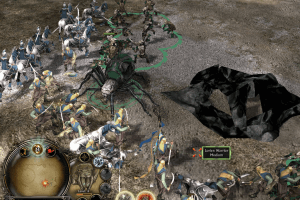
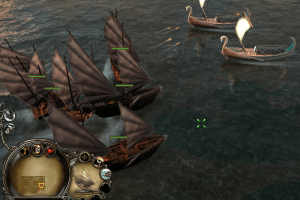
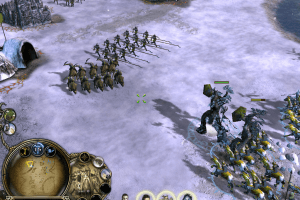
 English


 Russian





 Thai
Thai  Chinese


 Czech
Czech 



Comments and reviews
Traditional Chinese :
https://archive.org/details/BfME2ChtEngEA/
Hello!
I came across your website and was impressed by the quality of your traffic.
We are running a PPI network (Pay Per Install) that offers:
* High payout rates
* Live statistics and real-time dashboard
* On-time payouts
* Global offers
* Easy integrations
Our dashboard lets you track every click in real-time.
Would you be interested in testing our offers?
You can contact me anytime:
## WhatsApp: +923299876055
## Microsoft Teams: Install Adz _ Pay Per Install
## Telegram: @installadz
## Mail: info@installadz.com
Looking forward to your response.
Best regards,
[InstallAdz Network]
Hello, everyone.
Do not use these downloads. There is now no reason to go through a dozen steps to play these games. An absolute wonderful sweetheart made an all-in-one launcher for Battle for Middle-Earth 1,2, and Rise of the Witch King. I just finished the campaigns on all 3 with no problems at all. This launcher includes all official and popular unofficial patches, in a format where you can select which ones to use. It also includes several mods that can be enabled. There is an online function through their discord server as well, though I have not tried it.
https://bfmeladder.com/download
hello, i don't have a cd so I have to download the file called setup (includes all patches, NoDVD and fixes)
Hello, I've installed the full rip folder but have no idea how to start or run it. Please help Im a PC noob
Omg i just finally could enter the right code and doing etc., buuut now it says:
Please insert the correct DVD-ROM, select OK and restart application
!!!!!
Bro so much work, and how can i fix this?
(I downloaded: Setup includes all patches, NoDVD and fixes 6.8 GB)
Change the folder name and shorten it LOTR or BfME etc so you can install 6.8 GB version setup
Simplified Chinese :
https://archive.org/details/bfme-2
hey I've found if you want to download it do the no cd or download the all in one launcher. if that doesn't work change the name of the unzipped downloaded file and it worked for me. if you want to get it off your computer download a program called REVO uninstaller and it came off for me
Doesn't work on Linux. Instructional guide to run abandonware on Linux is also incomplete. Does not describe how to mount discs. It's the equivalent of art books. Step 1: Make a circle. Step 2: Draw the Taj Mahal.
Hi guys. I downloaded the Setup (includes all patches, NoDVD and fixes) version of the game, which is a 6.8 GB version. However, I am having problems during installation. I opened the downloaded file with Winrar and divided it into folders. However, when I try to install the game with the Autorun option, it asks for a CD/DVD. I could not find any ISO file among the 6.8 GB files I downloaded. Is there anyone who can explain the installation step by step?
Just letting you all know so you don't waste your time with it, the 3.7 gig full rip version has some kind of protection on it or something strange.
Every single mission has something critical die or get destroyed without any obvious cause, EVERYTIME, just self-destructing making you either fail or hard lock the mission and need to restart only for it to happen again.
Gonna try another, but don't waste your time on the 3.7g full rip, literally can't even finish the tutorials much less a normal mission.
Is it possible to play online?
Can you send me a link to The Lord of the Rings: The Battle for Middle-Earth II Public Beta ISO?
Setup (includes all patches, NoDVD and fixes) ... it's link stopped working when it's reached to 4.6GB from 6.8GB . Please fix this issue
DVD version is working like a charm, just follow the install guides on this site
@YOUR LORD AND SAVIOR which download option are you exactly referring to?
PLEASE DOWNLOAD THE ALL IN ONE PACK ON MODDB INSTEAD OF THIS VERSION
ITS AS SIMPLE AS INSTALL AND PLAY
YOU'LL THANK ME LATER
I got the game working but i am unable to play the campaigns and when i try to launch the war of the ring mode it crashes, can someone let me know how to fix this
I love game downloads riddled with "if it doesnt run then do this" and 15 step processes including multiple downloads. Love this game, unfortunately it will never run because I cant complete this extremely convoluted process. This one is a crash and burn.
everything tried still did not work
the problem is i cannot copy game.dat into the disk
Yeti wonders why there are uncompleted download files that end up not working after adding .ini or using a notworking fixing file called FIXER !
Just as a heads up, it worked for me in May 2024 !
It just took a long time for me to understand there was a Download/Extras section at the bottom of the page haha (I missed the options.ini file). Now the game is running fine, however I get some automatic defeat after some time, but I see there's a fix provided for this, going to try it out
Hello, how can I run the game in Windowed mode on Window 10?
I get the Error "Exception in exception handler" when I try to run the game (I went for the "Setup" version (6.8 GB) with or without any compatibility mode and as administrator. I use Win 8. Tried "Fix-Win-Crash-AppData-Options" in the archive, but it didn't help. Any ideas? Thanks in advance.
PS: BFME 1 worked without any problem.
For everyone who used the: Setup (includes all patches, NoDVD and fixes) download and are having trouble with the game asking for a CD I figured it out. The disc image with the download doesn't work I ended up getting the .iso from a different download. But all the patches and other fixes still work
Thank you so freaking much! I followed the instructions and it all works, extremely glad to play the game. I have the game on disc since launch, but its well scratched and won't read anymore. AGAIN thanks for having the game on the site really appreciate it!
for those having trouble instaling if the autorun asks for cd 1 insted of extracting the files use a virtual drive mounting tool like daemon tool or WinCDEmu to manully mount the files on a virtual cd then run the aoutorun
Do not waste your time with any of this, these games where my childhood but they are dead now. ive tried multiple sites to find this game but it just never works out
Here's the link for the Unofficial patch 1.09 version 3.0:
https://www.gamereplays.org/battleformiddleearth2/portals.php?show=page&name=bfme2-patch-1.09-version-3.0-live
I think there's a new version of the Unofficial patch 1.09 made by the T3A Online community, the version 3.0
Guys the "game won't start issue" is ALL ABOUT the options.ini file.
Yout have to add it in the folder
C:\Users\[your username]\AppData\Roaming\My Battle for Middle-earth(tm) II Files
Notice that the name of the last folder HAS TO BE IN YOUR GAME LANGUAGE. Otherwise the game won't detect the folder. So for my game in German the name of the last folder will be:
/Meine Die Schlacht um Mittelerde™ II-Dateien
So you need to know the language you installed the game in, name the folder in this language (you might need to google the exact name) and put the options.ini file in there. If you don't have the options.ini file, you will find it in the "Setup" Installer version under "/Patches and NoDVD\Misc\Options.ini" or on this site under "Game Extras". Then the game will detect the options.ini file on start and the game will run!
Very impressive game. It develops strategic mind and critical thinking.
what is the mini image ?
Hi guys. I downloaded the Setup (includes all patches, NoDVD and fixes) version of the game, which is a 6.8 GB version. However, I am having problems during installation. I opened the downloaded file with Winrar and divided it into folders. However, when I try to install the game with the Autorun option, it asks for a CD/DVD. I could not find any ISO file among the 6.8 GB files I downloaded. Is there anyone who can explain the installation step by step?
All works well with WinCDEmu and this video www.youtube(dot)com/watch?v=SWQlQuHb69w
I downloaded the Full-Rip version but the game laucher just endless loads. Game never seems to actually lauch. Please help.
@Dude
To solve this zooming problem install patch 1.09 after you've installed 1.06
It also gets you rid of many other stuff.
I've never done this before but thought WTH. Total pain in the neck and waste of time. Never got it to work.
Thanks for the great stuff! It works perfect on Win 10/64bit.
Just dowloaded the DVD (Euro Release) and several patches and fixes.
If you follow strictly the instructions of ADMIN it is easy to install.
Hint: To write the *.bin files from the downloads into *.iso files I use the free CDBurnerXP. The *.iso files can be mounted by Win10 as DVD/CD-Rom drives.
How do i switch to patch 1.06
Thanks a lot! works on my win10! :)
Anyone idea to zoom out- on 3440x1440 eversthing is big!! xD
Yeah so I've done the whole putting the My Battle for Middle-earth(tm) II Files folder into the roaming folder. Starting up the game still asks for a disk, which disk should I use?
wasted time, doesnt work.
did everything
autorun and setup dont work waste of time keeps saying its corrupted
thanks again guys. another childhood game on my desktop.
I cannot launch the game. It says, "Please insert the correct DVD-ROM, select OK and restart application."
I have been trying to download any of the big files for 3 days but every time I try I only can download them at a slow speed (between 50kbs and 200kbs) wich make them take up to 10-15h to dl, and every time the download "crashes" at some point and I need to retry from the begining, is there any way to either get this files from another source or to get them via torenting ? this way I can pause the DL and resume it when I want and I dont need to be on the computer for 10h at a time to see if the download crashed ?
Okay, for now - everyone, DOWNLOAD DISC VERSIONS (on 6 CDs or DVD), Setup has random "Please insert disk number 1" error (mostly occurring on Windows 10). That Setup doesn't have any unique files, all fixes are available for download on this page.
I wrote the guide how to install the game from discs, just read the description of the game
@ANON666 Check if the installer created folder in C:/Users/"Username"/AppData/Roaming/My Battle for Middle-earth(tm) II Files . If there's no such file - put it there manually, you can download it from this page (in Downloads section, called "Options.ini file")
Tried running it after using the 6.4GB setup with everything included. After installing the game and the nodvd and the official patch I cannot launch it. The launch image appears and the game just doesn't open. I tried admin as well. This sucks and was a waste of time.
We have updated the game, uploaded more languages + patches for all languages, and version on 6 CDs for easier download. Plus we uploaded all fixes we could find, read our Notes for more details.
If you have troubles with installing - you can try to use our Full-Rip or Setup (it is archive with installation files, patches and fixes). We recommend to use download managers for downloading of big files
@SIRBRUCIE added some CD keys generated by keygen, it is available in Downloads section, called "Serial keys"
Just allow it to download the computer thinks it's a virus but it is not when you need the cdkey open the keygen and select BfME ll(well okay the long version of it) and say generate (well okay just hit (not literally) generate) and it puts the key in for you wich is a time saver but can come across as hack ware
Can anyone tell me what the cdkey is? i cant download the keygen
I highly recommend installing Virtual Clone Drive, it acts like a Disk Drive. You then need to mount the ISO file and then the image file and boom you have the game booted without the disc.
I could cry right now, been trying for awhile to get this game running and this man and his 34 views finally fixed it for me. If youre stuck on the loading screen, download this fixer and it'll fix it up for you. https://youtu.be/svkM3tw5Djc
Hi did what the video said with the fixer but now get error parsing file 'numtosacrifice' in block objects any fixes
https://oldschoolgameblog.com/2022/02/11/how-to-get-lotr-battle-for-middle-earth-2-bfme-2-working-on-windows-10/ try this to get running
Um what is the code.
Where is the windows download? it doesn't seem to be here. :(
This game and it's expansion simply refuses to run, it just crashes at start up everytime. I've looked up everything I can to get it running but just nothing, I would buy it retail but now I'm afraid it might do that even with a legally bought copy. What an absolute mess of code this game must be to be so hard to get running, literally have downloaded countless other games on this site with no problem at all just this one. EA remain evil assholes to the very end.
Does anyone know the code for the game?
I have downloaded all of the files and extracted them all to the same folder. There is a folder for the NoCD, a folder for the patch switcher, the 1.06 application, the key gen, and the iso file for the game which I can only open with Daemon. If I try and use the patchswitcher I can't switch to 1.09, only 1.06. The game successfully installed however despite having the NoCD file I still cannot get past the game saying that no cd is detected. I have all the files downloaded what am I doing wrong here?
I've followed all the steps ,the game gets to the loading screen, stays on it for a minute or so and then just quits no warning. Did I forget a step or forget a file?
i tryed playingbattle for middle earth 2 and it needs a disk code i tryed dowloading the file and my computer instantly stoped it ditecting a virus what is that a bug or a ligit virus?
when i get to the launch, hit install and accept the TOS it wants me to put in a CD key
To the angry one that still cannot delte the game. Try to use system Restore to before the game installed.
pls someone help, how can i completly delete it, for some reason my pc sees it as like an other cd harver, but i have no idea why, and now when i try to delete the folder that is extracted to my desk it says close every running program, but clearly nothing is running, not even in the background. pls someone help, i'm really fckng pissed right now because of this site and this game...
I installed the game and patches, put the no cd, I get the splash screen then the game doesn't run, any idea whats wrong? I'm on windows 10
You can download a file here, extract it, and place it into the installation folder of the game. Then it will stop asking for the disc.
https://mega.nz/file/nBkTmYga#3tMQZxp0ncMNTUylrumIBMroHenv_tAa8kaYn61_lCA
If anyone having trouble installing this just get a clean copy of the game in the t3aonline.net/download and download the game there, for installation instructions read the text above the download links.
Hey, how do you get around the insert disk error message?
I downloaded the base game and an error message comes up saying that the file cannot be extracted, anyone know how to fix this?
Hey guys, i managed to get this and the lich king expansion installed, i can play the lich king expansion but when i try and play the base game, it shows the splash screen, i see the ring icon in my task bar, and then after a few minutes with my cursor loading it just closes? Anyone got any ideas?
Hi there
Where do i find the code to install the game?
Thx
nice guys!!!
how do i put the DAT file in the installation file whne i have no more room to put it in?
Good advise DRAGONKINGOFTHESTARS helps to know you know. Great game! Big Thanks myabandonware! peace love and now war ;-)
Delete my last comment: the answer is you go to the tutorial up there and download that DAT file it mentions, get's around it. This is why i should not impulse post (grumble)
I agree with Alex, how does one get past being asked to insert a disk?
How do I get past being asked to insert disc 1?
Maybe, one of the best videogames ever made.
No comment nor review for this game at the moment.