



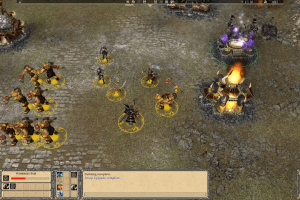
The franchise that blazed the trail for persistent world role-playing deploys in the popular realm of real-time strategy with Sony Online Entertainment's release of Lords of EverQuest. The game is designed to posit the intricacy and immediacy of modern RTS gameplay in the rich cultural setting of the world's most popular MMORPG.
Players choose one of 15 Lord characters to develop and command armies comprised of hundreds of units, including Humans, Elves, Dwarves, Fiends, Dragons, and other creatures familiar to thousands of traditional EQ gamers. Three playable factions offer three different styles of offense, defense, and development.
Though presented as a true RTS, Lords of EverQuest brings a wealth of role-playing elements to the style. Lord characters earn powerful abilities as they proceed through the game, and units of all types gain experience and level up. Hundreds of different special items allow players to customize their armies as they outfit their troops.
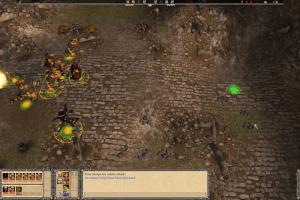
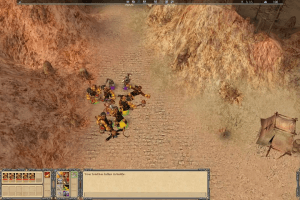
The single-player campaign features 36 maps and boasts over 75 hours of gameplay. Like many of the best contemporary \real-time strategy games, Lords of EverQuest also offers free access to dedicated online servers, allowing up to a dozen players to vie for superiority in single-battle sessions.
Review By GamesDomain
 English
  French
  Italian
  Polish
  Russian





Comments and reviews
@Alessio
The Polish version was recently added. Care to check that one?
i want to play this game
Unfortunately, in all 4 versions the "multiplayer maps" folder is empty, i.e. you can't play skirmish.
Although the French, Italian and Russian versions include the 3 deluxe edition scenarios with new heroes.
I recommend downloading the French or Italian version, as they also include English language (and even have it activated by default). The Russian one still has Russian voices even when the language set to English.
If anyone finds the "multiplayer maps" folder to play skirmish, please, upload it here.
@T4D
I was able to use the mdf file by using WinCDEmu 4.1 and mounting it as a data disc.
I downloaded this and tried to unpack the MDF but its saying that the file is damaged, any suggestions? have tried both 7zip and winrar, dont want to use PowerISO as its super sketch now.
French version "Installation Automatique", "CD ROM" and "NoCD" !
https://www.abandonware-france.org/ltf_abandon/ltf_jeu.php?id=5589&fic=liens
Well, the English version doesn't have any skirmish maps, for some reason. I'll check if they're included in the French version.
French version :
https://www.abandonware-france.org/ltf_abandon/ltf_jeu.php?id=5589&fic=liens
Italian :
https://archive.org/details/Lords_of_EverQuest/
i cant seem to get it to work it's just popping up as a mdf file
Hi I've applied the no cd patch but it hasn't seemed to work with the game still asking me to insert the cd. I've looked online for other patches and only found a few options on very seedy looking sights that I'm not keen to download from. If any would could give me some tips on this issue I'd very much appreciate it thankyou.
To make the config appear again run the game with /resetvideo command line
To fix the mouse cursor issue get dgvoodoo and use that
How do I start the installer? I downloaded it and tried opening every file, and I don't seem to have an installer.
When the game launches for the first time it gives you a config program that allows high resolution not available on the in game settings menu. it only opened on first launch but even after reinstalling it wont open again. Anyone know how to get it to open or where the games config file is located? Not finding any info on this game even pcgamingwiki has only placeholder information.
http://www.gameburnworld.com/dl/dl.php?file=LordsOfEverquestv1.0NoCDFixedexeEng.rar
This NOCD fix seems to have worked for me.
--------------------
My problem is that my mouse is frozen in the middle of the screen... i can still click around with an invisible mouse, but the cursor just sits in the middle of the screen.
I used to play this as a child, wanna get back to it somehow..
If you turn on unit status on player units in ingame configuration, there will be unit selection showing if you select units by mouse. If you select unit group by number, there will be only number over units regardless unit status configuration.
I can run the game but unit selection is not showing. Can you help?
Hi, when I have installed the game and and NOCD fix, it still says that the cd is required. Please help
No comment nor review for this game at the moment.