You are on the beta version of My Abandonware. The live site is still myabandonware.com. Your favorites and ratings here are copied to the live site. Comments and other changes are not — we delete them every morning at 08:00 Paris time, when this site goes down for about an hour. Leave feedback through this link to Pastel (email required).
The beta goes down at 08:00 Paris time, in a few minutes. We rebuild the database from the live site. It comes back in about an hour.
Mission 12 on Liu Bei crashes during loading no matter what I do :/
0
Richetto03 May. 2026
GuruOfLife69 I've done almost everything you said, but i'm stuck. I even installed the NO Disc Patch file when i press download on this website. I Extract the File and i see SANGUO. But I see no NODISC crack file that i can copy paste. When i try to play the game i need to Insert disc i press okay, but it doesn't do anything. Can someone help me please?
0
dragon18 Nov. 2025
what is a name and password to setup
-2
MatVPV10 Nov. 2025
I am having trouble loading the game, bc when I open the game, it asks me for the CD but even when clicking ok it doesn't work. Can someone help me?
The game depends on DirectDraw (ddraw.dll). Just copy the DDrawCompat version of ddraw.dll to the main game root directory (same as "sanguo.exe").
Works great in Windows 11 on my i9-14900k and Arc A770.
2
n25jry10 Sep. 2025
any help with the lag? i had a abandonware copy on a older PC and it ran perfect with the NOCD fix. (not sure i got it from here), im now running a brand new 16gb Ultra 7 and the lag is ridiculous, unplayable.
0
Sgt.McHale20 Aug. 2025
For the comment below, there's an English version in the downloads. You don't need to do any of that lengthy stuff to switch languages, just get the English package which is the first one in the downloads.
1
Sivertop14 Aug. 2025
For those having Chinese Menu and all. Here a Workaround since nobody knows how to properly change it.
Go into your Game-Folder - Data-Folder
you will see these 3 Files: CHINESETAIWAN.tib CHINESETAIWAN.TXD CHINESETAIWAN.TXS
Here the 3.Steps you will need to do: 1. Create a Backup-Folder on Desktop or somewhere else and Copy&Paste above mentioned files into the newly created Backup-Folder. 2. You will see the same 3 Files but with different names, like "German/French/English/EnglishUK/Italian/Spanish", what you want to do now is delete the 3 "CHINESETAIWAN" files, then Copy the 3 Files of your preferred Language and paste it in the same Folder, they should be automatically renamed by Windows to include "- Copy" in the name. 3. Rename those 3 Copies to "CHINESETAIWAN" (without the " ) you should now once again have these in that folder: CHINESETAIWAN.tib, CHINESETAIWAN.TXD, CHINESETAIWAN.TXS
Done
Basically the game still thinks its playing the Chinese stuff but actually its your Language.
The only thing that is not changing is the Voiceover/Story-Voiceover. Not sure yet how to change that. Back then i played this game in German (Text and Story-Voicelines) the only thing that was not translated even back then were the Voicelines of Units (when clicking around and such).
I have the Original CD here but no drive for it -.-
1
Sgt.McHale07 Aug. 2025
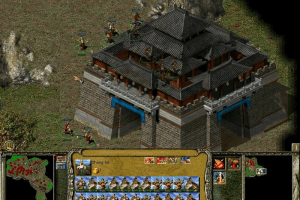
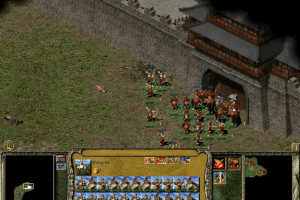
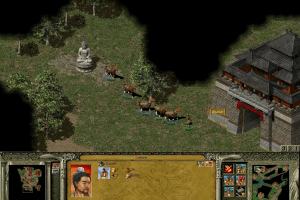
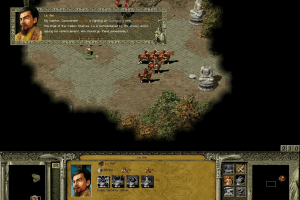
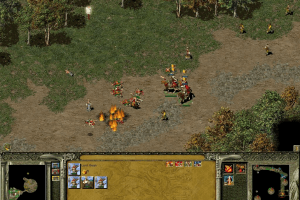
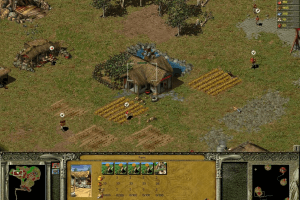
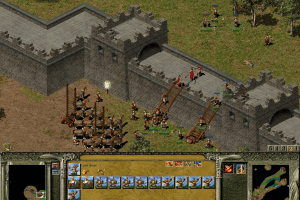
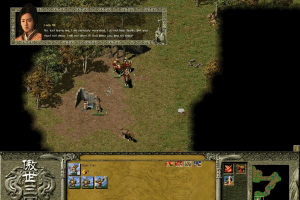
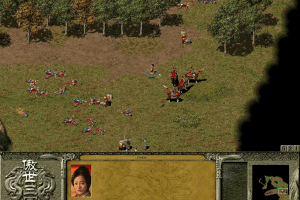
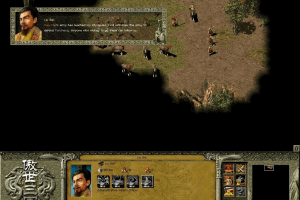
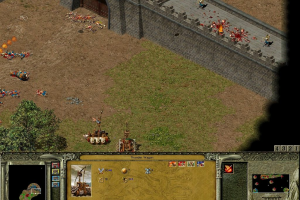
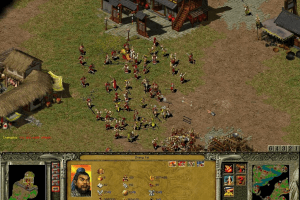
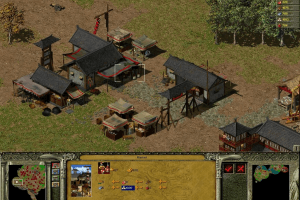
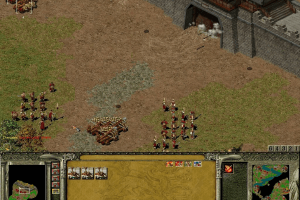
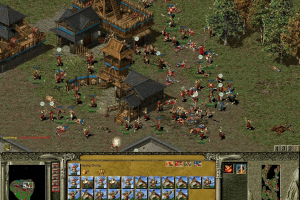
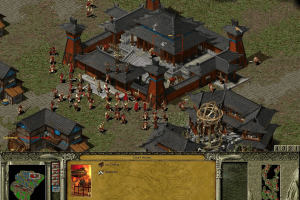
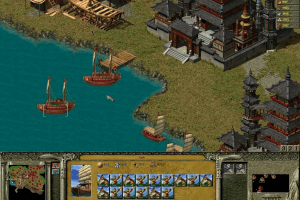
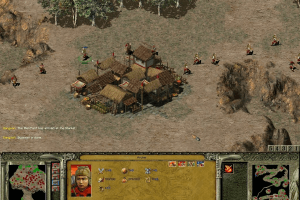
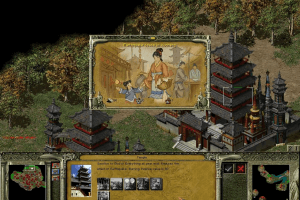
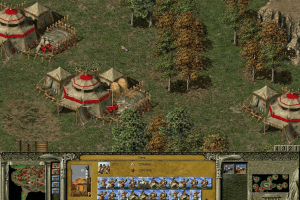
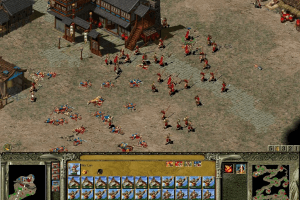
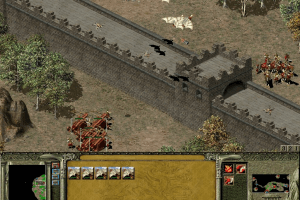
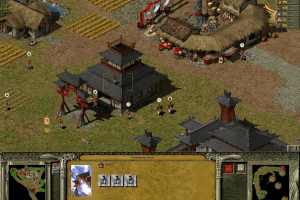
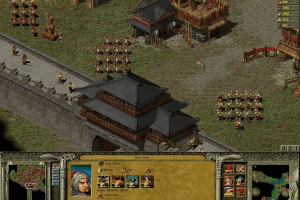
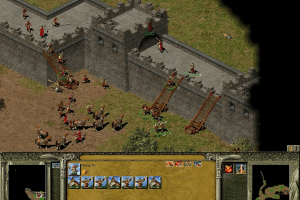
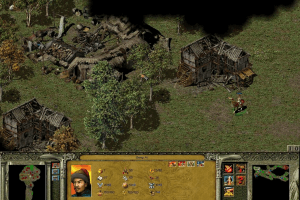
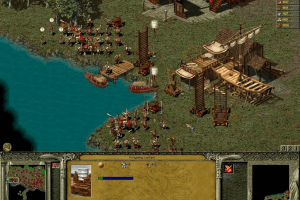
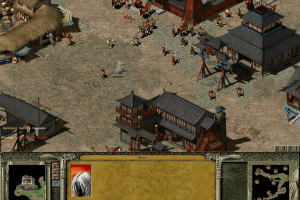
It's an interesting game, with some unique features not seen in any other RTS games at the time. Gameplay takes place on two maps, one for the inside of a city and one for the actual battlefield. You can't construct cities, you can only capture them and to train and gather resources you have to get inside. Units have a strength stat which decreases when not being supplied with food. Gold is the only resource you can't gather, you get it from monthly taxes so you gotta capture more cities to fund your armies.
If you're into RTS games, and not just a casual player, give this a try, it's a must-try.
The game lags on modern systems, install either dgVoodoo or cnc-ddraw, each bring more problems however. cnc-ddraw makes the game too fast and dgVoodoo doesn't run in full screen no matter what options I try.
0
MarcellusDutra24 May. 2025
Povo, é só mudar a resolução do PC para 800x600, quando executar o jogo, muda para 1290x1600, ai é só retornar a resolução do seu pc para o normal e pronto.
1
Stormdrell11 Mar. 2025
Follow all the steps of GuruOfLife69, game crash in loading screen
0
REAPER12 Feb. 2025
Game is running but it lags most of the time! Not sure if is a video or sound config. But I noted that an "Alt+enter" to windows solves the problem for a bit of seconds......Any clue? Is it possible to run as windowed?
1
MangorushZ12 Feb. 2025
How do you install the sp1 patch?
3
Nazreen18 Dec. 2024
This is v1.03 NOCD for the game+soundfix for Win7-Win11x64....current NOCD fix is for original cd 1.02,not for Official Patch SP1 v1.03
I installed the game using the first disc image, then installed the patch, and last copied and pasted the NoCD crack. The game is working fine on Windows 10.
0
nyl28 Aug. 2024
followed instructions of @Guruoflife and it opened, but when the insert disk pop up came, the ok button wouldn't work. It won't let me in no matter how long I wait but when I click cancel, the game immediately shuts down. What do I do?
2
Ponygone1930 May. 2024
Thanks GURUOFLIFE69. It worked.
1
olives22 May. 2024
Doesn't work for me, even after following the steps from GURUOFLIFE69. It won't display anything unless I set the compatibility mode to Windows 95, and even then it just displays the Eidos screen and then just a black screen.
0
Ericaek24 Apr. 2024
Thank you the game work really good. Follow the steps from the @GURU0FLIFE69
1
YARAKHASAN06 Feb. 2024
GERMAN language please
3
jeff28 Nov. 2023
how do I install this game on my pc? i download the zip folder but unsure how to install it
-2
RANDOMNAME03 Sep. 2023
Is there a way to change the language of the game?
-1
Johnnyan13 Jul. 2023
Unfortunatly, the no-cd is v1.02 only and none of the ones I found online for 1.03 worked.
2
Dom01 Jan. 2023
I also noticed lags the more notification occured. Forcing the game to start in window mode solved the problem. Download DxWnd, run the program as admin and launch the exe via DxWnd. Basic settings worked for me.
0
UndaCovaBrotha06 Nov. 2022
I noticed that the game becomes laggy the more there are notifications (bottom left of screen). It ranges from 1 notifcation (bearable) to 6 notifications which is straight it up unplayble. Anyone knows a fix for this? Also huge shoutout to @GuruOfLife69, his comment worked for me.
2
Phistra17 Jun. 2022
Guys, I got to change the language: If you start the autosave and just reinstall the game (maybe on another folder, don´t forget the No-CD-Crack) then it starts in english.
-1
Phistra10 Jun. 2022
Installation ran perfectly and i can even start the game but the menu is all on chinese!
-1
cvb05 Mar. 2022
is not running in windows 11 installing ok but when try to run it nothing happens, change compatability to windows xp but nothing, any help
2
Arnaud30 Jan. 2022
Game work but need to change the language to english... someone can help ?
-1
Eagle9r23 Oct. 2021
I just wanted to thank whoever found this gem, I played a lot when I was younger and I really wanted to play it again
2
Drosera22 Oct. 2021
Made an account just to thank @GuruOfLife69. His explanation worked for me.
1
quiche04 Jul. 2021
I downloaded it and was able to open the file- when installing, it keeps saying "an error occurred while launching the setup"
-4
GuruOfLife6927 Jun. 2021
Top comment
To all those who are having problem, just google for a software that can extract .bin data, extract it into a folder, I use PowerISO in this case. Once done, go into the extracted folder, run the SETUP.exe During installation, you will be asked to install Maximum or Minimum file, select Maximum (at least that's what I did) and let the set-up process complete. Upon complete installation, run the patch file from this site. Finally, copy and paste the No-CD crack into the installation folder and you're good to go.
(Note: When you enter the game, they will prompt for you to insert disc despite the no-CD crack, just ignore this by selecting "OK")
12
ConfusedPoo20 May. 2021
How do I even install this? .bin and a .cue file? I thought it was going to be an ISO.
-2
Cymel03 May. 2021
"!" (exclamation mark) key of keyboard not working in game, meaning use of cheats is impossible. Appeared with the nodc install
1
azi29 Sep. 2020
download the NOCD in Game Extra below to fix the Insert Disc problem
-2
Jay29 Sep. 2020
Please how can I change the language to English?
4
Eskanor15 Aug. 2020
please insert disque I need help please !!
0
No comment nor review for this game at the moment.
Downloads
Windows version
Disc Image
English
456 MB
Disc Image
English
Chinese
456 MB
Disc Image
French
446 MB
Extras
Patch1
Official Patch 1.03
Windows4 MB English
Misc1
Czech Translation
Windows80 KB Czech
NoCD2
For original version 1.02
Windows896 KB English
For patched version 1.03 - Includes soundfix, provided by Nazreen





 English
  Chinese
  French





 Czech
Czech 
Comments and reviews
多人游戏时容易闪退 不知道怎么回事
用虚拟光驱wincdemu加载完成安装了,点了运行三国没反应。还要补丁的吗
下载了怎运行呢.发现一堆bin cue
Mission 12 on Liu Bei crashes during loading no matter what I do :/
GuruOfLife69 I've done almost everything you said, but i'm stuck. I even installed the NO Disc Patch file when i press download on this website. I Extract the File and i see SANGUO. But I see no NODISC crack file that i can copy paste. When i try to play the game i need to Insert disc i press okay, but it doesn't do anything. Can someone help me please?
what is a name and password to setup
I am having trouble loading the game, bc when I open the game, it asks me for the CD but even when clicking ok it doesn't work. Can someone help me?
Solution to affinity issues and slow game play:
DDrawCompat
https://github.com/narzoul/DDrawCompat/releases
The game depends on DirectDraw (ddraw.dll). Just copy the DDrawCompat version of ddraw.dll to the main game root directory (same as "sanguo.exe").
Works great in Windows 11 on my i9-14900k and Arc A770.
any help with the lag? i had a abandonware copy on a older PC and it ran perfect with the NOCD fix. (not sure i got it from here), im now running a brand new 16gb Ultra 7 and the lag is ridiculous, unplayable.
For the comment below, there's an English version in the downloads. You don't need to do any of that lengthy stuff to switch languages, just get the English package which is the first one in the downloads.
For those having Chinese Menu and all. Here a Workaround since nobody knows how to properly change it.
Go into your Game-Folder - Data-Folder
you will see these 3 Files:
CHINESETAIWAN.tib
CHINESETAIWAN.TXD
CHINESETAIWAN.TXS
Here the 3.Steps you will need to do:
1. Create a Backup-Folder on Desktop or somewhere else and Copy&Paste above mentioned files into the newly created Backup-Folder.
2. You will see the same 3 Files but with different names, like "German/French/English/EnglishUK/Italian/Spanish", what you want to do now is delete the 3 "CHINESETAIWAN" files, then Copy the 3 Files of your preferred Language and paste it in the same Folder, they should be automatically renamed by Windows to include "- Copy" in the name.
3. Rename those 3 Copies to "CHINESETAIWAN" (without the " )
you should now once again have these in that folder:
CHINESETAIWAN.tib, CHINESETAIWAN.TXD, CHINESETAIWAN.TXS
Done
Basically the game still thinks its playing the Chinese stuff but actually its your Language.
The only thing that is not changing is the Voiceover/Story-Voiceover. Not sure yet how to change that.
Back then i played this game in German (Text and Story-Voicelines) the only thing that was not translated even back then were the Voicelines of Units (when clicking around and such).
I have the Original CD here but no drive for it -.-
It's an interesting game, with some unique features not seen in any other RTS games at the time. Gameplay takes place on two maps, one for the inside of a city and one for the actual battlefield. You can't construct cities, you can only capture them and to train and gather resources you have to get inside. Units have a strength stat which decreases when not being supplied with food. Gold is the only resource you can't gather, you get it from monthly taxes so you gotta capture more cities to fund your armies.
If you're into RTS games, and not just a casual player, give this a try, it's a must-try.
The game lags on modern systems, install either dgVoodoo or cnc-ddraw, each bring more problems however. cnc-ddraw makes the game too fast and dgVoodoo doesn't run in full screen no matter what options I try.
Povo, é só mudar a resolução do PC para 800x600, quando executar o jogo, muda para 1290x1600, ai é só retornar a resolução do seu pc para o normal e pronto.
Follow all the steps of GuruOfLife69, game crash in loading screen
Game is running but it lags most of the time! Not sure if is a video or sound config. But I noted that an "Alt+enter" to windows solves the problem for a bit of seconds......Any clue? Is it possible to run as windowed?
How do you install the sp1 patch?
This is v1.03 NOCD for the game+soundfix for Win7-Win11x64....current NOCD fix is for original cd 1.02,not for Official Patch SP1 v1.03
https://drive.google.com/file/d/1vmBetmYzjVm58HSIBmOl0-mZ0ZORgJrt/view?usp=sharing
Work without problem on Linux Manjaro. Thanks
I installed the game using the first disc image, then installed the patch, and last copied and pasted the NoCD crack. The game is working fine on Windows 10.
followed instructions of @Guruoflife and it opened, but when the insert disk pop up came, the ok button wouldn't work. It won't let me in no matter how long I wait but when I click cancel, the game immediately shuts down. What do I do?
Thanks GURUOFLIFE69. It worked.
Doesn't work for me, even after following the steps from GURUOFLIFE69. It won't display anything unless I set the compatibility mode to Windows 95, and even then it just displays the Eidos screen and then just a black screen.
Thank you the game work really good. Follow the steps from the @GURU0FLIFE69
GERMAN language please
how do I install this game on my pc? i download the zip folder but unsure how to install it
Is there a way to change the language of the game?
Unfortunatly, the no-cd is v1.02 only and none of the ones I found online for 1.03 worked.
I also noticed lags the more notification occured. Forcing the game to start in window mode solved the problem. Download DxWnd, run the program as admin and launch the exe via DxWnd. Basic settings worked for me.
I noticed that the game becomes laggy the more there are notifications (bottom left of screen). It ranges from 1 notifcation (bearable) to 6 notifications which is straight it up unplayble. Anyone knows a fix for this? Also huge shoutout to @GuruOfLife69, his comment worked for me.
Guys, I got to change the language: If you start the autosave and just reinstall the game (maybe on another folder, don´t forget the No-CD-Crack) then it starts in english.
Installation ran perfectly and i can even start the game but the menu is all on chinese!
is not running in windows 11
installing ok but when try to run it nothing happens, change compatability to windows xp but nothing, any help
Game work but need to change the language to english... someone can help ?
I just wanted to thank whoever found this gem, I played a lot when I was younger and I really wanted to play it again
Made an account just to thank @GuruOfLife69. His explanation worked for me.
I downloaded it and was able to open the file- when installing, it keeps saying "an error occurred while launching the setup"
To all those who are having problem, just google for a software that can extract .bin data, extract it into a folder, I use PowerISO in this case.
Once done, go into the extracted folder, run the SETUP.exe
During installation, you will be asked to install Maximum or Minimum file, select Maximum (at least that's what I did) and let the set-up process complete.
Upon complete installation, run the patch file from this site.
Finally, copy and paste the No-CD crack into the installation folder and you're good to go.
(Note: When you enter the game, they will prompt for you to insert disc despite the no-CD crack, just ignore this by selecting "OK")
How do I even install this? .bin and a .cue file? I thought it was going to be an ISO.
"!" (exclamation mark) key of keyboard not working in game, meaning use of cheats is impossible.
Appeared with the nodc install
download the NOCD in Game Extra below to fix the Insert Disc problem
Please how can I change the language to English?
please insert disque
I need help please !!
No comment nor review for this game at the moment.