



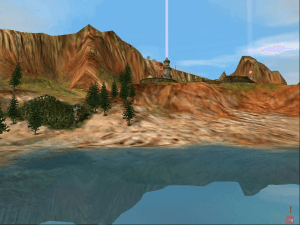
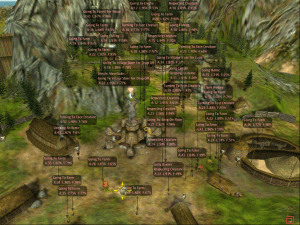
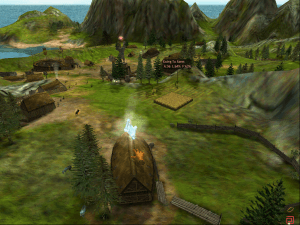
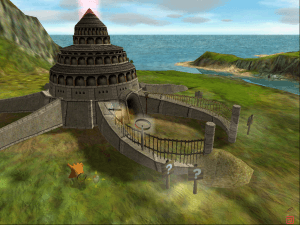
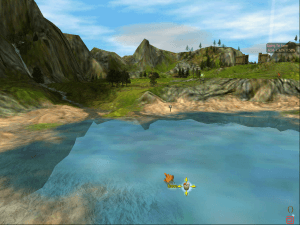
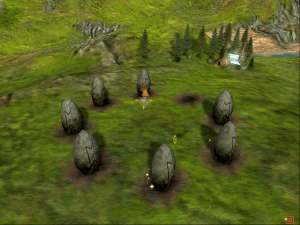
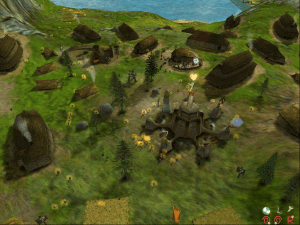
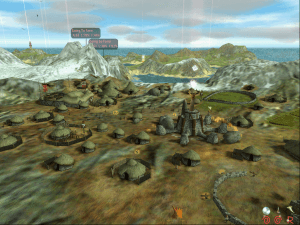
Black & White is a “god” game in the tradition of Populous, one that hoped to revolutionize the genre through complex learning AI and an exploration of good and evil and how they relate to a divine being. It was one of the most anticipated games of the genre and highly praised for its originality and concepts upon release, however many have re-evaluated Black & White since the glow of its initial hype faded and found it over-ambitious and highly flawed, likely to leave a mixed impression.
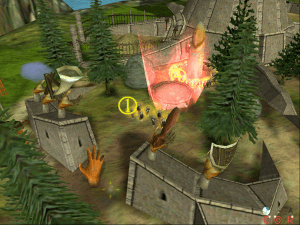
While you take on the role of a god of a primitive people, you cannot act as a gentle shepherd in your divine role—to put it simply, your followers are brick-dumb and useless, and they cannot do or accomplish anything, even having kids, without the literal hand of God intervening.
Black & White's tutorial may be useful, but it is also quite lengthy—an indicator of the snail's pace at which the game moves. Your “influence” grows very slowly as you perform miracles and impress your followers by dumping food and raw materials on them; eventually, you are able to interact with neighboring villages to win hearts and minds or destroy them utterly. The process can take hours.
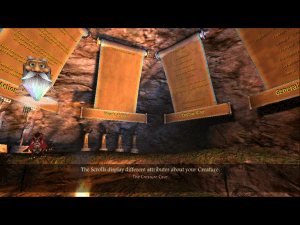
One of the key features touted in Black & White is your “creature”--an animal with a learning AI that allows you to teach it by showing it things, rewarding “good” behavior and punishing undesired behavior. The difficulty in effectively teaching the creature to behave in a useful manner is one of the most frequently criticized aspects Black & White. Plus several unfinished or poorly implemented aspects of its AI can prove a source of constant frustration (such as a creature complaining repeatedly about thirst—there's no way to force the creature to drink, and water is not a resource you can manipulate or provide).
The moral quandaries posed by Black & White are often the cartoonish type you get with any games with hamfisted morality systems, where the choice is to be an angelic paragon or a mustache-twirling villain. Of course, difficult controls and sluggish rate of progression means that it's also easy to either accidentally do bad or too tiresome to resort to good.
Black & White is more a novel curiosity to be revisited than a genuinely good game. Fans of real-time strategy games that focus on building and developing a culture will find Black & White shallow and imprecise, while fans of real-time strategy games that focus on action and combat will find Black & White slow and tedious. To the builders, I'd recommend Serf City or Age of Empires; to those who get a kick out of being an evil hand that smacks its minions around, the Dungeon Keeper games are infinitely more rewarding.
Review By P. Alexander
 English
  Czech
Czech  German
  Spanish
  French
  Italian
  Polish
  Portuguese (Brazil)





Comments and reviews
I downloaded the spanish version and my antimalware software detected it as a trojan. Is this a fake detection o could be a malware inside the download?
I love this old game and the review is such a hater!! Whoever is in charge of this website should update the review to something less negative. Nobody looking to play a 25 year old game is going to appreciate such a pessismistic description of such a nostalgic game! The author of the review sounds like they were forced to play against their will, impatient minute man
i downlkoaded everything from the rip folder and put it all intyo a new B&W folder, works fine.
This can be installed even on modern machines in 2026.
What worked for me on Win 11 on Intel Core 9 / RTX 5080 (Laptop) was this:
- Fresh install from ISO version (EN) - make sure to remove any old B&W files or registries via registry editor
- Patch directly on the ISO-installed version to 1.1 - 1.2 - 1.42 (the FanPatch).
https://www.bwgame.net/downloads/v1-1-patch.129/download
https://www.bwgame.net/downloads/v1-2-patch.130/download
https://www.bwgame.net/downloads/black-white-unofficial-patch-v1-42.1418/download
- Set the Screen resolution with the FanPatchSetup menu as described in earlier posts.
- Skip the RIP version altogether.
- Get latest ddraw.dll from GitHub: https://github.com/narzoul/DDrawCompat/releases. browse the assets to download the dll. save the dll in you Black and White folder (like "C:\Program Files (x86)\Lionhead Studios Ltd\Black & White"). This will fix video artifacts on later GPUs like the RTX 5-series.
- Get the draw distance patch from https://www.bwgame.net/downloads/black-white-v1-42-infinite-drawing-distance.1464/ - backup your old runblack.exe and replace with the new one.
After those steps it worked perfectly in native resolution 2560x1600. I could even copy-paste my ancient saves by replacing the contents in the new profile folder I created in the game folder from my old backups.
I was able to get this game running on Windows 11.
Follow the previous comments installation guide
skip the step where you install the BWFanPatchInstaller
Extract the .RIP and copy and paste the ENTIRE contents (except THE AUDIO FOLDER) of the folder into the same black and white
As per comment below: Even following that setup guide it still crashes as soon as it gets to the first loading screen. Anyone knows what might be the issue?
Even following that setup guide it still crashes as soon as it gets to the first loading screen. Why is this damn game so hard to get running?
Most of these guides are not correct.
Here is what I did to make this work in Windows 10 in 2026.
1. Download fan patch - https://www.bwgame.net/downloads/black-white-unofficial-patch-v1-42.1418/download
2. Download B&W ISO
3. Download B&W RIP
4. Download NO CD Patches
5. Download an ISO mounting software.
6. Mount the ISO
7. Install it with Setup.exe and grab a CD key from the other comments
8. Use the RIP files and copy/paste everything to where the ISO installed
9. Use the NOCD Patch and replace the runblack.exe in the install path with the 1.20 version
10. Run the fan patch install
11. Run the config tool and start with lower resolutions in the configuration tool like 1920x1080 or less and run it in windowed mode (fullscreen doesn't work correctly)
12. Launch the game as admin with runblack.exe in the install path folder
The review / description for this is braindead. As Phoenix said it does not catch the essence of the game. Of course the population are dumb. You are seeing the population from the view point of a god. It is still one of the best as there is nothing else apart from Black and white 2 like it.
The patches, 1.1 --- 1.2 --- 1.42 do not seem to be able to find a handful of the older files and wont install.
I'm also on win11, The rip version is what stops the patches from installing, I'm not using it this time round.
Mounted the ISO and ran setup in compatibility mode, (XP service pack 2)
installed all three patches in order
Ran "runblack", again in compatibility mode.
Seems to work so far
VirusTotal found a TrojanDropper.Injector in the ISO version. and 2 Trojans in the Fanpatch installer. USE WITH CAUTION!
I'm having the same issues as HIRTE.
(I'm on windows 11) I did everything the guide said, but I did notice that the patches 1.1 and 1.2 throw me an error upon installing. the game loads but crashes on the first load screen. any recommendations?
So, I have issues running it.
I followed every step in the comments.
I then also installed the infinite draw distance patch.
When I start the game, it crashes in the first loading screen.
Any ideas?
Wieso wird nirgendwo beschrieben, wie man die Sprache ändern kann.. man kann zwar die Dateien herunterladen, aber niemand schreibt präzise wo und was man machen muss um die Sprache zu ändern... // Why is it nowhere explained how to change the language... you can download the files, but no one writes precisely where and what you have to do to change the language...
everything runs great on win 11 (eng iso version) . amazing guys, simply lovely !
Anyone had any success installing this on bazzite through Lutris
I followed the instructions from here and from one of the forums linked and got it running without any issues on Windows 11.
Do not install it in a custom directory. This is the problem if you're not able to patch.
I run a windows 7, and all I had to do was download the rip, and far as I can tell, it works fine. Can't get the creature to stop eating people though...
None of the solutions above worked.
when i downloaded the iso, no matter what i tried i could not patch the game with patches 1.1 and 1.2.
tried fresh install from the iso, using the crack from the iso, adding the RIP, nothing worked.
shame
For Windows 11 users, the method that worked for me is much simpler. I didn't require the RIP file.
Download ISO
Download 1.10 Patch
Download 1.20 Patch
Download 1.42 Patch
Download DDraw (This fixes weird graphics bug)
https://github.com/narzoul/DDrawCompat/releases/download/v0.6.0/DDrawCompat-v0.6.0.zip
Install game with ISO
Install patches in order 1.1 - 1.2 - 1.42
Copy ddraw.dll into root of installed folder
(for me, copy to here C:\Program Files (x86)\Lionhead Studios Ltd\Black & White)
Use runblack.exe to play.
Tried to download the patch 1.42 and it says it has a virus detected, and then when i finally get it to attempt to open with the WinCDEmu, it says it is corrupt.
This link that was posted above worked for me: https://www.bwgame.net/threads/running-black-white-on-windows-10.7916/
However, unless I'm misunderstanding something, I needed to change the default install folder name from "Black & White" to "BW" or anything without special symbols (and possibly spaces?) since the "&" symbol seems to outright cause the patches to not work. It also seems like the patches only work if it's installed on the C drive, for whatever reason.
Despite the other comments implying otherwise, replacing my installation (from the ISO) with the RIP version seems to have also prevented me from installing the patches (maybe it's pre-patched?) but it also seems to glitch the opening movie?
my man ACE. Thanks for your guide. There's a problem, though: when I try to install the patches after copying the files from the RIP version, it shows an error saying it can't find the old file and it will not install the game since the file it found in the folder is not the original one
Thank you very much for the work making this gaming running again.
I made it work on my Win11 machine, but I have a small problem which I do not find any solutions only. The binding of the creature leash to anything is not working at all. If i'm trying to bind my creature to something, the tooltip appears. But when I click the right mouse button, the creature just moves to this position and the leash stays at my hand. Does anybody else have the same issue? Thanks in advance!
Thank you team for making this website and preserving all this tech! With this as the cherry on top! Also I want to thank the commenters for creating the install tutorials, going to try them now!
And yes, I have to agree with other commenters on the quality of the game. This review up top is shortsighted. This game is a deeply spiritual masterpiece. Flawed and all. You can learn a lot from it on a spiritual and metafysical level if you pay attention ;-)
Hi , ich bin der Anleitung von EmmaDeeb gefolgt und es hat ohne Probleme funktioniert , mal ein fettes Danke dafür.
Aber bekomme ich das Spiel auch auf deutsch zum laufen?
den die ISO als auch die Rip-Datei gab es nicht auf deutsch jetzt hab ich mir die englische runtergeladen in der Hoffnung das ich die Sprache im spiel ändern kann
LG
I've followed all the instructions on here. When trying to install Patch 1.1, I get 'Files do not match' error. It refuses to install the patch...
Cannot download complete files.
Simplified Chinese version just provided today :
https://archive.org/details/BAW_CHS
Lovely getting to play this game again, really relaxing!
I followed the step-by-step given by UNWISELYWORDS (dated 2020-08-27) on my recently built PC running Win 11. Everything working fine: visuals, saves, sound, mouse, all good!
Black & White fan here, running Windows 10.
Tried the install tips and tricks from the comments, but either the patches didn't install properly, or the game just crashes or has weird aspect ratios.
Here is my solution after lots and los of trying and learning from mistakes:
Step 1: Download your desired ISO. You DO NOT NEED the RIP version! Or use your CD and install it from there.
Step 2: Download patches for versions 1.1, 1.2 and 1.42 (unofficial fan patch).
Step3: Mount the ISO in WinCDEmu (didn't try the windows mounting tool, might work as well) and install the game with 'Setup.exe' (Administration rights required). Use one of the already mentioned cd keys or google for one (or use your own;) ).
VERY IMPORTANT!!! Do NOT use the default install directory! Do NOT use empty spaces or the '&' character in the folder name (it will screw up the patches!). Use something like 'C:\Games\BlackWhite\'
Step 4: After install you can patch the game normally, starting with the lowest version. After the fan patch 1.42 you can select your desired screen resolution.
Step 5: Go back to your mounted ISO (or CD) and copy the 'Audio' folder. Paste it into the install directory and overwrite already existing files.
Step 6: While already in the install directory right-click on 'runblack.exe' and select Properties, then go to the 'Compatibility' tab.
Select 'Run this program as an administrator' and click on the button 'Change high DPI settings'. Enable both settings 'Use this setting to fix scaling [...]' and 'Overwrite high DPI scaling behavior'. In the list beneath it select 'Application'.
Last step: Create a shortcut of 'runblack.exe' on your desktop. Optionally go to the properties and change the symbol to 'black.ICO' or 'white.ICO' (whatever floats your boat).
Done! It runs perfectly with the correct aspect ratio, sound, music, saving and loading without any problems!
I got the game to load, but i loads in the upper left corner of my screen and is really small. Any fixes? thanks in advancce
eu usei o virus total para escanear os arquivos do jogo e tinha achado varios arquivos dando como virus e trojan eu devo mim preocupa ou era so um aviso falso do virus total
this game brings back memories for sure. just recently got into running older dos games, a few i already had but this site seems to have a large catalouge of all the ti8meless classics
When I run setup.exe it asks me for a CD key "Please enter the entire code found in the white box at the lower left of the back of the CD case".....I don't have a CD or a case. What do i do!?
It crashes when going to the third world. And with the temple saves not working and resetting me to island one(but with my old creature?), It's unfortunately not playable to the end :(
The saves in the temple are not working, any fix to this or tips?
French version :
https://www.abandonware-france.org/ltf_abandon/ltf_jeu.php?id=3104&fic=liens
Spanish :
https://archive.org/details/videogame_gtrrer
Portuguese :
https://archive.org/details/Black__White_2001_PTBR
how do i get the game going after downloading the files
I hate these download things, they never work for me.
What does rip mean and ISO mean I downloaded both I can't copy and paste because apparently they won't fit together.
Vahln,
To what directory did you install the game?
To troubleshoot installation of the patches…if you haven’t tried already…I would use a very simple install path. Operating systems back then had very limiting rules for naming folders (and the rules extended to executables looking for folders such as patches).
Maybe try C:/Games/BW or even C:/BW?
Not sure…
I had a very similar problem to yours. I fixed m8ne by installing the patches before copying the RIP folder. I installed Black & White to D:/Games/BW.
Did you run the RegSetup from the RIP folder?
That may be needed for the patch installations.
Even after my first attempt at installing didn’t work, I had run RegSetup after copying the RIP folder (that’s the folder that has RegSetup), but before I installed the patches.
I did not delete any registry fields. If the game setup routine couldn’t make the correct entries, then maybe my uninstall of the first failed attempt didn’t delete the registry entries and that may be why the patches worked on the second try for me.
So…
1) Try a simple install path
and/or
2) Run RegSetup once the RIP folder is copied to your install directory then try reinstalling the game and patches
Tried it again with the feedback listed here and it still won't work for me. The patches will not run regardless of whether I replace the files with the RIP folder or not. They continue to say
"Neither command line parameter is an existing directory"
and
"You do not have the correct version of Black & White installed to use this patch."
I can install only the fan patch, but the game just crashes immediately after the load screen.
Music is now working on 'Creature Isle'.
And I'm glad it wasn't because the music was missing from 'Black & White' and I didn't even notice.
The installation routine creates the 'Audio' folder in the installation directory. In that folder, the installation routine creates the 'Dialogue', 'Music' and 'SFX' subfolders. The 'Dialogue' and 'SFX' folders are fully populated (and the files are NOT available on the ISO...only created by the installation).
However, there were only (2) music files in the 'Black & White' 'Audio' folder (under the subfolder, 'Music')...'Intro' and 'Trailer', I believe...and none in the 'Audio' folder of 'Creature Isle'. The music files are in the .sad format and were probably intended to be run from the optical media as HDD storage was very limited in those days.
I just mounted the disc image files downloaded from here and copied the 'Music' folder to the 'Audio' folder in 'Black & White' (I installed under 'BW' to avoid legacy folder naming issues) and in 'CreatureIsle'. That moved all the .sad files (and they have their own subdirectories) onto my SSD.
Music works perfectly in both games now.
JLT...
You had the same problem as Vahln with respect to the patches.
I would suggest that patch 1.42 (the unofficial patch) is more useful than the RIP folder.
However, you cannot copy the RIP contents to the installation directory first.
You have to patch to 1.2 then to 1.42 (unofficial) THEN copy the contents of the RIP folder (sans the AUDIO folder as previously noted).
Works great. In widescreen.
Unfortunately, for 'Creature Isle' (where the unofficial patch also does wonders), I have audio, but no music.
bwgame.net is EXTREMELY useful for playing both 'Black & White' and 'Black & White 2'.
That is where the unofficial patches habitate. Also, a very helpful and active community. Lots of mods. I prefer to play games "vanilla", but if you prefer more variety...
Not sure why people are bypassing the unofficial 1.42 patch.
One commenter suggested that the RIP folder allows the creature unblockers to work.
Patch 1.42 unlocks all of the creatures and adds the Rhino.
Once the RIP version of runblack.exe is copied over the patched 1.42 version, the creature unblockers may become necessary again. I haven't got to that point. Steam sale.
Here's been my experience trying to get this working:
I followed the step-by-step guides. The first two patches don't install. They both give error messages saying "You do not have the correct version of Black & White installed to use this patch". Looked for a solution, some said the game had to be installed to the C: drive and have no spaces in the file path but it didn't work. The fanmade patch DOES install but then the game crashes on the first loading screen.
Download the RIP version, no patches at all, and it works. It means you can't play in widescreen but it's better than nothing.
Hello Vahln...
I am running the game successfully on Windows 11.
I also followed Ace's most excellent instructions (thank you!) and experienced the EXACT same problem as you.
For me, Ace's instructions (which were extremely helpful) were just a bit backwards with regards to the RIP folder.
1) Mount Black & White disc image and install.
2) Run official Patch 1.2 (you don't have to move the patch .exe to the install directory...I ran it from my SDHC)
3) Run unofficial Patch 1.42 (again, you don't have to move the patch .exe to the install directory)
4) NOW, copy the contents of the RIP folder to the install directory EXCEPT the AUDIO folder (I extracted the contents of the RIP folder to my SDHC after downloading and then deleted the AUDIO folder from the extraction)
If you copy the RIP contents into the install directory first, then neither the official or unofficial patch can install. You get the message that the patch installer has found a filename but the file's contents are not correct and therefore not patched.
The unofficial patch (1.42) must be run after Black & White is patched to 1.2.
DO NOT PATCH to 1.3.
Install - 1.2 Patch - 1.42 (unofficial) Patch (which contains the NO CD and fixes)
5) Run the RegSetup file (that was copied to your install directory from the RIP folder) as an administrator
6) Launch the game
I only "played" for a couple of minutes (more watching... "When someone prays, a god is born"...), but I was able to enter my name and choose my symbol, watch me save the little boy from the sharks and then start following the villagers back home to be worshipped.
I did NOT run the game (runblack) as administrator, so I may have problems with save games. I'll deal with that later.
SUCH A COOL GAME and looks better than expected on my 2560x1440 laptop.
I also installed Creature Isle along with the 1.24 unofficial patch (NO CD and fixes). I did this BEFORE copying the RIP contents into the install directory. Copying the RIP content and running RegSetup were the last two things I did.
I have NOT tested Creature Isle.
Now, if I could only get Splinter Cell: Pandora Tomorrow to work..
Trying to play this on Windows 11 in 2024, looking for some help!
I followed the very helpful comment below but the patches will not apply and the game crashes right after the first load screen. When trying to patch I get the following pop-up errors in order.
"Neither command line parameter specified is an existing directory."
"You do not have the correct version of Black & White installed to use this patch"
I believe I've followed the instructions to the letter, so I'm not sure what the issue is unless it's simply related to being on Windows 11 instead of 10. If anyone has a solution I'd really love the help.
Thanks!
Hey guys,
since none of the setup tutorials here worked for me (Windows 10), and my audio wouldnt work, here is how I did it with the fan patches applied to the game so you can play with 1920 x 1080 and Audio.
Unfortunatly I didnt get the dlc to run using this method, you guys can try but it just wouldnt work for me.
Step 1: Get the ISO Version in Downloads.
Step 2: Get the RIP Version in Downloads.
Step 3: Get the Patches
you can copy these links in you URL for the download: https://www.bwgame.net/downloads/v1-1-patch.129/download
https://www.bwgame.net/downloads/v1-2-patch.130/download
https://www.bwgame.net/downloads/black-white-unofficial-patch-v1-42.1418/download
Step 4: Mount the ISO, I used WinCDEmu.
Step 5: Navigate to your mounted ISO in your explorer, and run the "Setup" exe as administrator to install Black & White, you will be asked for a cd code.
0901-3324366-4702210-2081
you are now done with the ISO and can unmount it.
Step 6: After the install go to unzip your RIP, you will get a folder called Black_&_White copy everything **BUT THE AUDIO FOLDER** to your Black & White folder (the folder where you installed Black & White using the ISO C:\Program Files (x86)\Lionhead Studios Ltd\Black & White by default)
Step 7: Now we apply the patches one by one
drag Black_White_Patch_v1.100 into your folder and run as administrator.
do the same with black_white_patch_v1_20, again run as administrator.
lastly drag in BWFanPatchInstaller and run as aministrator.
Step 8: Run "RegSetup" in your folder as administrator.
Step 9: Run "Setup" in your folder as administrator. If the patches were applied correctly you can now choose 1920 x1080 as resolution.
Stepp 10: run "runblack" as adminstrator and the game should run with audio and your settings determined with "Setup".
Wow the review sucks you just have to not be a sheep and like things fast lol just mess around and have fun not like this is a esport lol
I followed all the install instructions in the comments, they were very helpful.
The game boots just fine, but I can't enter my name! It's as if B&W isn't detecting my keyboard, so I can't proceed past the opening screen.
Any advice would be appreciated
Please help! One of the patches fixed the infinite wood and food glitch and it was the main gpitch that made me enjoy this game so much, how can I restore this one glitch so it continues to work??
It's nice to see people having a nostalgia trip, and I did remember the game fondly myself, but after *trying hard* to play (let alone enjoy) the game for three or four afternoons, I sadly have to agree with the review completely.
It's not a game. It's Peter Molyneux coming up with a million dollar idea and executing it with a thousand dollar budget, or at least I assume that's what happened.
There are only 5 maps, one being a rehash of the first, and the only activities that truly matter are watering forests (2-5 spells per fully grown tree, with villagers nabbing the saplings under your hand), collecting wood, and building the same small or large houses over and over. Ok, you sometimes also build one of the 4 other structures, but typically just one per village. That's it, that's the true "game" in Black & White.
None of the other features matter. Be good, be evil, and you mostly just get a different commentary from your two guides. Well, except, being good all the time makes the empty shell of a game ten times slower. The best way to overtake a village is to... throw a stone around in their village center, because everything else gets mundane for them after a single use, you'd have to wait long minutes before trying again. Heal or give resources once, you get 30-100 belief. Do the same and you might literally get just 1 or 2 belief points.
There's also a huge number of buggy or just flat out non-functioning features, including those that involve the creature. Creature you don't need *at all* by the way, you even have to finish map 3 without it. The creature training process is extremely finicky, but at least it's also extremely time consuming and frustrating. And your creature might easily destroy everything. A Tamagochi will be much more fun, if listening to farts and picking up poop is your sort of thing.
To make everything even worse, the default controls are just plain horrible and after some 10 hours it makes one *beg* for a normal UI from, say, Dungeon Keeper. It's not "immersive" it's just destroying the game part. Imagine having to play Age of Empires, but you have to invoke structures and units with mouse gestures. That don't detect correctly. And which are needlessly complicated—a circle? That would be boring, please draw this when you immediately need water to stop your kindergarten (créche) from burning down, along with half your future population, and half of your actual population that tries to douse the fire using bare hands. Just be ready to draw it 3 times (or 1 time, but slower than those 3) per each fire, which means about 60 times in total, because when a storm lands on your kindergarten, it just stays there and keeps setting it on fire. Basically, I should have just scrapped the game and start over, it would have been quicker. Instead, I realized there's no way to sell or raze a structure, other than physically smashing it with a stone. Now would be a good time to remind you the building is full of people, hope you weren't trying to be a good god.
And while there are at least some keyboard shortcuts, you will never hear about them in the game! Especially the " |R " gesture with a double "stalk" is so frustrating, so it's great that you can just press "R" on the keyboard instead, but you cannot remap this in the game, and I've only learned about it being a thing at all when I read some FAQs for the game...
I could go on forever, but I think you get the idea. People who "love" the game must be just revisiting their childhood, because this game-like-object is virtually unplayable as a normal game. Sometimes it's literally unplayable, like in my case when map 3 got corrupted somehow, dialogs would freeze forever after saying a line, saving and loading after one specific autosave stopped working, and worst of all, when I painstakingly, with a patience not unlike that of a true minor god, finished the game and jumped into the vortex taking me to the next one, the game just crashes. Yes, I did try more than one time. From that last working autosave, I've replayed the second half of the map three times in a different way, with the same result.
TL;DR: This is a buggy tech demo, not a real game.
Hey guys!
I have a problem... When playing higher Res than 800x600 My screen is not centered, which means i cannot see the entire screen :(
Does someone know how to fix that?
i wanna play with dutch language
One of the Best games ever made. I remember back then, I sort of broke my creatures AI, it constantly and only did good things but looked the evil way, which was amazing with the turtle, as it truly looks awesome in evil mode. (it probably is the best looking creature in both, good and evil), The Horse is also great when it turns into a unicorn. And for some reason it never pooped anymore, Which kinda also was great because seeeeriously, the major annoiyng part in B&W is your creatures poop everywhere. And it doe snot feel very god like throwing poop into the ocean all day.
Can anyone help me..
I get followed the instalation steps but i get
0x80040702
failed to load dll: ShellExec ?
pls help
All in One: B&W1+2 (All patches)
https://www.mediafire.com/file/gxe1kslqzk8csk7/Black_%2526_White_1%252B2.7z
Simplified Install:
- Base Game / Jogo Base
- Expansion / Expansão
- Patch 1
- Patch 2
- Patch 3
- Patch 4
- Done! / Pronto!
* Install Patches in order / Instalar Patches em order (1 2 3 4)
Does anyone else have an issue where their creature collapses of exhaustion when it's meter is low?
Hi, I've been able to install and play the base version - however whenever I try running Ultimate (I've added it into the B&W folder) - it states I must have Black and White installed to play Ultimate. How do I fix this please? Thank you
B&W was one of the best games I have ever played.
Does anyone know of a version that is playable on Windows 11?
is there a workin crack for german version? cant open ripped versions at win98
I followed @Anon's guide and while it worked, and all due respect to them, you're way better off just downloading Magipack's version.... https://www.magipack.games/2020/11/black-white-full-game.html
A snap to install on both XP and windows 10
I'm having the same issue as the last dude. Worked fine for a while now a small side window and my save won't load? Please help
Any advice for installing on Windows 11? Everything works up to the unofficial fan patch v1.42. Can't find any guides on making the game work for 11.
Worked great for a little while now the game is shrunk in the corner when I run it and doesn't load my save, Graphics got all weird and I can't figure it out. I completely removed it and tried again to no success, any ideas?
Tem que fazer um pós doutorado pra jogar um jogo de 2001 vai se fuder, deu preguiça so de ler os comentarios, baixei e ja exclui trampo do caralho!
@IJUSTREALLYLOVEBLACKANDWHITE
if you rlly would do that dm me, i dream bout it every day
discord @fetibash
I've been waiting for Fata Deum to release on Steam for going on 2 years. It feels like it was HEAVILY inspired by B&W. If that's the case, it has some mighty large shoes to fill. B&W is still the golden standard for god games. I've played it for over 20yrs. Also, if you aren't enjoying the pacing, there are tools you can easily find on the internet that will manipulate the game files for you, or you could just mess with them yourself. I think there's even a tool that will skip the intro. I know I tried them about a year ago and some of them worked, but keep in mind, it's a bit hit-or-miss with these tools. They were created for a different, older era. If I knew anything about coding, I would rebuild this game from the ground up as a passion project, update the graphics, and bring it into the future, because it deserves it. Oh and, yeah, this version works. I return to this page every time I need to redownload the game. Just follow the super helpful people that explain how to install it properly. It works on windows 11 also.
I followed @ANON install advice in the comments section (it was fourth from the top for me) and the game works well on Windows 10. Not a fan of the unskippable tutorial, but what can you do?
It'd be a real miracle to be able to play and finnish this game, I remember playing it at school but it must have been an early release or something because I was only 8 years old or so. So that would of meant it was being developed in 1996 but am not sure really. If it wasnt released until 2000 am not sure. Was a long time ago. Is an amazing game full of wonder.
had this game running for several months. now it crashes every time I save. not sure how to fix without losing my save file.
Also this may be a dumb question but what are the "disc image" downloads? I thought it was different languages but i cant figure out how to add them to the game. Can someone help me? Thanks in advance
@T Audio is stilling missing for me after overwriting the audio from iso to rip, too. Have you found a way?
Music is playing sometimes but whole dialogues and sound effects are missing. Can't even do the singing stones quest lol
Anyone know of a way to adjust the resolution beyond what's in the setup? Even if I can't widen the game display (I know that would make everything stretchy-looking), can I at least center the display so it's in the middle of my screen instead of the far left with the other half of my monitor just being a black box? XD
When I overwrite the audio to the RIP folder, I still have missing audio, anyone else?
Anyone know how to get saves to work I keep having to redo the unskippable tutorial and then there are no saves in the temple
Will this work on a steam deck? it runs linux
The shadow bug with the creature, I was able to shake him loose with it, with a leash. Took about 10minutes of stubbornness.
It's where the creature is stuck, and turns only into a shadow.
also follow-up. I downloaded the 1.42 unofficial patch and now the game crashes every time i load up.
I keep having a problem where when i load into the game, my creature is stuck in one spot, invisible and just looks like a shadow. every time this happen, i have to restart the game completely over since loading a previously saved game won't fix this issue. any help would be appreciated!
Everytime I run the game I have to go thru the whole tutorial and then I have to load my save game. Is there anyway around that?
I remember playing this game when I was young, oh man the memories! this game brought me so much joy and all the random extra things you can learn to do such as the speed/slow time, infinite food and wood glitch. I've had these moments where I would just want to play again. Hopefully someone will bring this game up or do a justify remake of it.
Das mit der Installation hat sehr gut funktioniert! vielen dank für die guten Anleitungen. Kann man das spiel auch auf deutsch umstellen?
Thanks so much for the files and links to get this running. All working on Win10 as at Apr 2023, using: https://forum.bwgame.net/threads/running-black-white-on-windows-10.7916/
Anyone else get a trojan when downloading this?
I was never able to finish this game because of a few bugs. I was only 6 so I didnt know how to fix it.
Now I can finally finish this game. My first ever PC game.
Thank you
I was wondering if the other versions of the game with different dub are still available or if only the English version has survived
I followed the instructions in the comments and it ran great when I started it and I played for hours. However, then I saved the game in the temple and quit it, and since then, it won't start again. I get the logo screen and the load screen and then it all goes black and I'm back to desktop.
Awesome game
How i can switch the Language?
I like playing as a god
I used to love playing this, even if it came with weird unorthodox mechanics, this felt like an experiment back in the day.
is there a way to fix where items are half see through. example when people are running away you shouldnt see their faces facing you. Or be able to see a building and see through it
i spend my childhood playing this game it was so fun old but gold such a great game i hope one day they will realease a new one with unreal 5
All time favorite game, such a shame it's so hard to find.
I thought this must be too good to be true, surely its all viruses?
Nope! Its glorious!
The controls haven't aged well, and the audio is messed up (even aver following EMMADEEB's intrusctions) so I missed out on the sailors song. But this game is just as old and the creatures are as gloriously nightmarish and unccany as I remember :)
I loved games like this at the time, daring to be different and tried to push gaming code at the same time. The problem with the industry now is that it's too commercialised and the publishers will only now try and cater for the mainstream. I doubt we will see visionaries like Jeff Minter, Peter Molyneux, Sid Meier, Jon Romero (Pre Daikatana), Chris Sawyer, the Rowlands Brothers. When computing was still a hobby for boys and most of the programmers learned their trade in their bedroom, nobody to teach them and no confines of trying to appeal to a publishers' whims.
The game works very good by using this guide on windows 10:
https://forum.bwgame.net/threads/running-black-white-on-windows-10.7916/
Download the ISO version and follow the guide from the link that I provided, the game it's still unstable sometimes and you need to save (F7) or quicksave (CTRL+S) often but it's playable, you can find some keys in the comment section.
Good luck!
How to run Black & White 2021
This guide is meant to help people having trouble downloading/running B&W on windows 10.
First off you want to create two folders on your desktop one called (Black & White) and call the other folder (B&W ISO). Next you want to download both the RIP version and ISO version of the game. Now you want to put the ISO file in the (B&W ISO) folder than unpack that file using 7zip. Now you want to take the RIP file and put it in the (Black & White) folder and unpack that file using 7zip as well. Now open the ISO file that we just unpacked and copy the audio folder and paste it in the black and white rip folder doing this will cause a windows prompt just click replace files. Now you want to run the setup.exe file in the rip folder. This will let you change the games resolution and things like that. Now at last you can click on runblack.exe which will start the game.
Have Fun!!
What a terrible review that doesn't capture the essence of the game, nor does it do the game justice in any way. BaW is meant to be played slowly so you can fully enjoy the zen atmosphere it establishes, especially in the first island or two.
The guy that wrote this game review screams of an impatient gamer. While Black & white has flaws like any other game its still a great game. What happened to the really nice review awhile back? It is a deeply complex game which kind of glosses over it's depth despite having tons of tutorials and sign posts. I'll go over the things this guy complains about since he probably spent 3 hours and gave up.
1)Villagers actually get lazy if you micromanage them ,guide them don't baby them just place buildings and only make male breeders since one guy can breed with all the women. Don't directly give them resources as they will get to dependent on you and your creature. If you are evil you can punish them for this hahahaha.
2) Creatures are like babies and no nothing when you first get them. There are 15 creatures in the base game(16 with the rhino fan patch) and ALL of them are very different from each other. So to go over the starter creatures real quick the ape is the brains the tiger is the fighter and the cow the middle ground. When people complain about them being dumb or AI is broken they most likely chose the tiger which has a 1 out of 10 intelligence score which is the lowest in the game. Many people chose the tiger because it looks cool but don't understand that it demands a lot of patience and creature training experience. If you really want your creature to learn what you want it to as fast as possible chose the dang dirty ape or chimp they both have the highest intelligence scores the ape being a 9 and chimp 10. They may suck at first in combat but make up for it when they start blasting enemy creatures like a wizard and you can just switch to another creature you like later.
3) The water complaint, it sounds like he rewarded his creature to get thirstier even faster which you can do lol similarly to teaching them to be more gluttonous. The AI works just fine in this game what is he talking about? Now there is only certain spots creatures can actually drink at that you can click on but its kind of a quirk which I can see his point.
I can play the game and save it, however, I cannot load an existing game from the starting menu or anything like that. I always get the unskippable intro cutscene and have to go through the tutorial everytime I open the game. Once the temple has been built, I can enter it and load a file form inside the temple. Any way to fix this?
Hey guys and gals, building on what Chilly already posted here is a proper step by step guide on installation order:
(Note that any CD Keys you may need you can pretty easily google.)
Step 1: Download **BOTH** the ISO and the .RIP from this site.
Step 2: Download a free ISO mounting program.
Step 3: Install Black and White from the ISO as you would any other program. DO NOT LAUNCH YET!!! (it wont work anyways)
***OPTIONAL STEP*** Download the .ISO of the addon Creatures Isle from this site and install it on top fo the Black and white install you just did.
Step 4: extract the .RIP and copy and paste the ENTIRE contents of the folder into the same black and white folder you just created via the proper install. (C:\Program Files (x86)\Lionhead Studios Ltd\Black & White by default)
Step 5: Right click the Registry setup and run as administrator. (It will think it didnt install properly but it did.)
Step 6: Right click the Setup APPLICATION run as administrator and chose your settings for when the game opens up.
Next is one of the MOST IMPORTANT steps....
Step 7: The game is now playable in this state HOWEVER you ***MUST*** Right click RunBlack Application and run this administrator or else the game will save Creature progress but not your actual land/ingame progress.
Thats it. You can now play Black and White 1. Sadly I could not get either Fan patches or Official patches to work this way however my game has been incredibly stable and hasn't even crashed once. The only hiccup being the save issues (see above for fix)
Optional: Creature unlockers **WILL** work with this setup I can confirm, as I run around with a Horse Creature.
Optional but Necessary: Copy the Audio from the ISO file and paste it over the Audio in your default Black and white folder. This will correct the missing music/audio during certain cut-scenes and ambiance.
The cd case keys are 0901-3324366-4702210-2081 OR 1507-3675069-2422562-7350 OR 1802-2939293-7504664-6430.
How to install. (EASY)
Start of creating two new folders, wherever you want this installation to take place. One called B&W ISO, and one called Black & White.
Download the ISO file, to the B&W ISO folder.
Download the RIP Version to the Black & White folder.
Unpack the ISO file in the ISO folder, and the RIP file in the Black & White folder.
Go to the unpacked ISO folder, and copy the Audio folder to the Black & White RIP folder. It will ask you to overwrite - Pick yes.
(In the RIP file, the music seems to have gone missing, so this will fix that.)
If you want to unlock the creatures, simply download the Creatures unlockers to a new folder. Once they have been downloaded, you will been to unpack them, and they will show up as Exe files. Start one at the time as admin. It will ask you if you wish to install the creature, press yes.
If you get a windows pop-up saying it might not have been properly installed, just chose "No, this has been installed correctly." or just press the X.
I have been playing the game for hours on end, and I still love it after all these years.
Also - No issues what-so-ever. Save files working great, no lag or weird bugs. Everything seems to be working just fine when "installed" like this.
So I definitely recommend installing it like this, using the RIP version, and not installing via the ISO version, just taking the Audio files from ISO to RIP to make sure all of the Audio works fine.
Happy installing!
My whole family has been looking for this game since 2008 when we lost our hard copy, the makers of this site deserve some kind of cultural preservation commendation for the site in general, but especially this, thank you, admins.
No comment nor review for this game at the moment.