



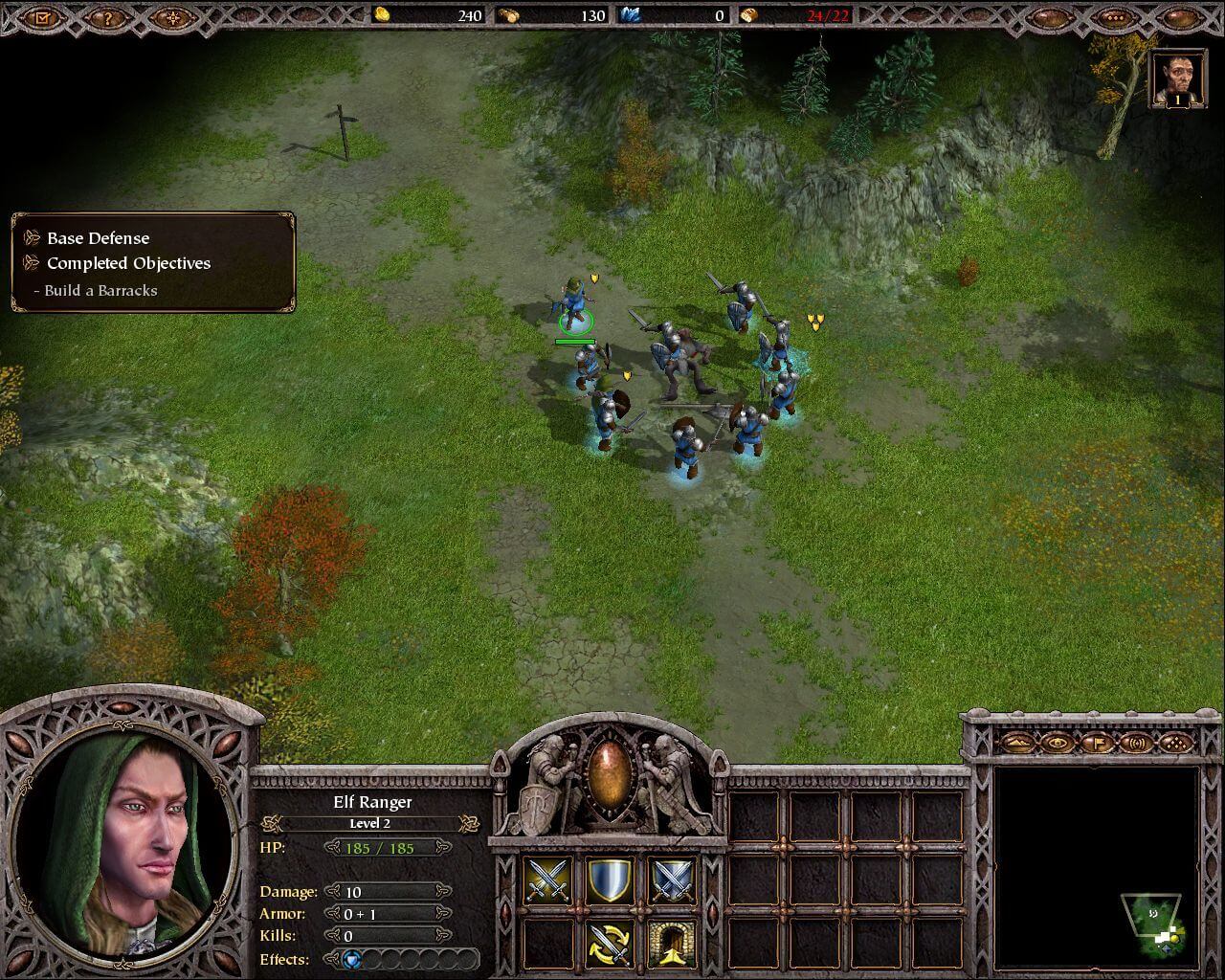
How to Play
The game with patch 1.4 and NoCD has been tested on Windows 7 64-bit and Windows 10, works fine. You may experience some small troubles when you play the game on modern systems, check our Guide and Notes for details
Install & play guide:
- Mount the disc image. You will need the utility for mounting disc image files, like WinCDEmu, UltraISO, Alcohol 52%/Alcohol 120% or Daemon Tools Lite
- Launch the installation (if autorun doesn't work - simply launch the installation from Setup.exe inside the disc)
- When the installation process will ask for CD2 - mount the disc image of CD2. CD2 must be mounted in same virtual drive as CD1, so first un-mount disc image of CD1 and then mount the disc image of CD2. In example, if CD1 was in virtual drive G:, CD2 must be mounted in virtual drive G: as well
- You can skip GameSpy installation, since GameSpy servers doesn't work anymore
- Ignore EA Registration window at the end of installation, click "Register later"
- Also it is recommended to install DirectX 9 from the disc (if you're using Windows 10 - enable DirectPlay, read this or this guide how to do it)
- Once you installed the game - install the patch 1.4
- After that install NoCD for version 1.4 (simply copy files from the archive and put it into directory with installed game, agree to replace original files)
- Open the directory with the game and find Exigo.exe. Right click on Exigo.exe - Properties - Compatibility - Set "Run this app in compatibility mode with Windows 2000" and "Run as administrator"
- Launch the game and play. If the game doesn't work in compatibility mode with Windows 2000 - try to launch it in compatibility mode with other version of Windows (98, XP or Vista)
Notes:
- If the installation doesn't start - try to launch Setup.exe in compatibility mode with old version of Windows (98, 2000 or XP)
- International patch 1.4 works with any language version, except Russian. Russian version is already patched to the version 1.4, so you don't need patch for it
- NoCD is required for the launch because the game is using SafeDisc DRM protection, which doesn't work on modern systems. That NoCD "breaks" DRM protection and allows the game to work on modern systems
- Be careful! Russian version of the game uses StarForce DRM protection! StarForce can break your system, so make sure to use NoCD before the first launch
- The game works on DirectX 9, so if you're using Windows 8, 8.1, 10 or 11 - you need to enable DirectPlay: Go to Control Panel, and select 'Programs'. Select 'Turn Windows features on and off', click on 'Legacy Components' and check the box 'DirectPlay'. Select OK, once the installation is done, restart your computer
- It is recommended to install all versions of Microsoft Visual C++ Redistributable for the correct work of the game
- Also it is recommended to install RAD Video Tools and K-Lite Codec Pack for the correct work of the game
- If you have 1920x1080 display - you can use Widescreen fix by jackfuste. That fix works with any version of the game except Russian, but unfortunately it supports only 1920x1080 resolution, so you cannot select other widescreen resolutions, like 1366x768. Check this thread for more details
- If you have other than 1920x1080 display - you can run the game with dgVoodoo. Just copy dll-files from the MS/x86 folder, dgVoodooCpl.exe and dgVoodoo.conf to the game folder, then run dgVoodooCpl.exe, open DirectX tab and select the setting you want. After that click "Apply" to save settings, close dgVoodooCpl and run the game from Exigo.exe. But consider that all game graphics and UI elements will be stretched
- For Russian version of the game you can use this Widescreen fix. There's 2 versions in the archive, Version 1 works with Russian version and has support for 1366x768 and 1920x1080 resolutions. Version 2 is same fix by jackfuste
- If you see black space instead of character portraits - open Settings and click on "Disable portraits". Also, it may be the result of glitch, try to run the game with dgVoodoo
- If you have graphical glitches - the problem can be in drivers of your video card. Try to install old drivers, like version from 2013 year or earlier
- If you have laptop with 2 graphics cards - make sure that the game runs on discreet graphics, it doesn't work with most of integrated graphics
- The game doesn't work on most of Intel graphics card. If you get error "Your video card does not meet Armies of Exigo minimum requirements" - use fixed exe-files for Intel graphics, created by BrainRipper
- Also, if the game doesn't run on your graphics card - run it with SwiftShader, use 32-bit only version. Simply drop the files in game folder and run the game. If you want, you can edit SwiftShader.ini, here's the instruction
- For users of Windows 64-bit systems: if the game doesn't work after you launched it - open Task Manager (Ctrl+Alt+Del by default) and check for processes Exigo.exe and rundll32.exe. Close Exigo.exe but don't touch rundll32.exe (it's a Windows app for running old apps from 32-bit operational systems, most old games running through rundll32.exe). Now try to launch the game again, it must work. Don't forget to close rundll32.exe process in Task Manager after finishing playing
- Don't forget to check PCGamingWiki page if you have troubles
Even though it is not mentioned in Readme, the game supports 9 languages: English, French, German, Italian, Spanish, Polish, Czech, Hungarian & Chinese. You can change the game language by registry edit:
- Open Registry Editor, press Win+R and type regedit.exe, click OK. Go to
HKEY_CURRENT_USER/Software/Electronic Arts/Armies of Exigo - Create DWORD value (REG_DWORD) and name it Language, create String value (REG_SZ) and name Locale
- Change values of Language and Locale to select the language you want. For example, for English language you must enter Language value 409 and Locale value en_EN
- English: 409 / en_EN, Chinese: 0804 / cn_CN, Czech: 405 / cs_CS, French: 40c / fr_FR, German: 407 / de_DE, Hungarian: 40e / hu_HU, Italian: 410 / it_IT, Polish: 415 / pl_PL, Spanish: c0a / es_ES


 Russian





Comments and reviews
نزلتها و لعبتها و كان اخوي يلعبها ايام زمان غصبن عن الجيمر العربي و عن صاحب صفحة العاب الزمن الجميل على الفيس بوك
Hi CJK,
Please 'scuze the very late reply. The latest versions of DX all have DX 9 incorporated. Trying to install a stand alone DX9.0 won't work. There must be another issue. Try changing your screen resolution.
Hope that wrks.
the game doenst work for me
hey i need a game key why that?
I really loved playing this game in my childhood along Warcraft 3 and Age of Empires 2. I am really glad to see it still accessible to everyone.
you can change to your monitor resolution with dgVoodoo
So I've found the fix for my problem in my previous comment. In the Documents/Armies of Exigo/Save/Profile folder, open the config.con file and change:
set ui_LastCampaign "1"
... to...
set ui_LastCampaign "3"
Seemed to work like a charm for me, I hope it helps anyone else who runs into the same issue. If you run into this issue after the Human campaign and before you can start the Fallen campaign, then maybe you can use set ui_LastCampaign "2" instead!
So, with the widescreen patch, after completing the last Fallen mission, the campaign menu gets covered by a black box, and I can't click to start the next campaign, the Beast one. Are there any known fixes or workarounds for this?
Před spuštěním kry to po mě chce nějaký pětimístný kód který by měl být v manuálu hry
Pomozte prosím
To everybody who struggle to start the game
There is a 1920x1080 Mod
Once you drag it in your exigo files it should run
Many thanks. Hope this game gets a remaster, is nice that I can at least be able to play it, but with 1280x1024 resolution is not a fun experience.
@ARMS OF EGGS
Yes, because the whole reason to play a strategy game is for the award-winning story... The only thing a strategy game needs is a semi-plausible reason for 2 massive armies to go to war.
(See Every Total War game.)
Honestly, the story isn't even that bad. The Human Empire gets invaded by Lovecraftian-type "Others" from the void, with the only way to win the war being siding with their most hated enemy, the Beastmen.
I personally thought it was better than the Warcraft 3 story. This Game even offers features not seen in any RTS at the time, like the humans able to use cannons to mortar to close off an approach (the human kingdom isn't crippled in the first 5 minutes and is actually able to put up a pretty good fight.)
I remember the story of the campaign being pretty boring and uninspired, so don't get your hopes up in that department, the gameplay however was pretty good.
Done the download steps, currently stuck on the Exigo.exe not launching the game, I did the compatibility settings and start as administrator but it won't start up.
Please help.
who want to play online go gameranger,nick M00N. ID: 12809904
When I open the game but the game not launching
I was able to install and play the game using the Repack by ElAmigos. To be clear, this repack includes everything needed to install the game and thus does not need the serial key, NoCD file, or patch (already part of the repack).
Hey Guyes, at first sry for my english
i tried, i have mountet both CD's
i installed all, ignord GameSpy an EA. I also dont installed Direct9 could it be that this move is the reason why nothig starts ?
If i double click on the exe, nothig happens the kard editor either.
Hase someone a clue or could write me a step for stepinstrucition ?
Nobody hase a youtube toutorial right? sry i loved this game so much in my childhood, i buyed it on amazon but the same failurbuilt nothig happens
Repack by ElAmigos works on Win10, but if you get an error message saying something like "your videocard does not meet minimum requirements to run the game", you have to download dgvoodoo2, unpack everything into the game directory, also copy files from MS/x86 subfolder of the downloaded .zip file directly into the game directory too, then run dgVoodooCpl.exe and in "DirectX" tab uncheck "dgVoodoo Watermark" to get rid of the ugly watermark while playing the game, then everything runs fine and smooth, no issues
Hello, I have a problem with the game. original on disc,
your video card does not meet armies of exigo minimum requirements but this is impossible, please help
If you want to play I can conform the ElAmigos repack works great on Windows 10. No issues.
Whether you'd want to play - that's another thing.
It seems like a Warcraft 3 clone on first glance , but it's much more generic and misses the core mechanics that make it fun.
Also - BE WARNED - the AI does the same thing it does in Spellforce 1 and 2 - that is , it spawns units ENDLESSLY . IT does NOT have to collect resources or anything. As long as it buildings stand it just sends and ENDLESS stream of units to your base.
Garbage design , and now i remeber why i hated this back in the day.
For some reason, the game only shows part of the screen for me, how can this be solved? A big strip is missing from the right and bottom part, and so I can't use the game's menu either.
the game doesnt launch. Directplay enabled, compatibility mode on Win 98, XP, Vista, launch as Admin, ger version, patch 1.4 installed... any advice?
will fixing the resolution break the game if I try and fix it in the menu
this game is good but it have a flaw: the sound of the weapons is the SAME sound over and over and over again, it's annoying and made me quit playing it, if someone knows a way for fixing that i would appreciate it a lot
Quality Warcraft 3 clone. I have the original disc and the game is a blast. It's truly a hidden gem.
We have updated the game, added more languages plus instruction how to play the game on modern systems
I just bought the strategy guide (doesn't have a scanned version) if anybody is interested I can probably have it scanned and posted. It's not really needed to play the game, but if you are like me you like Strategy Guides for the extra content and world building rather than actual game strategies.
This game have viruts ??? i downloaded the russian version, but when i install and open the game it makes my computer reboot and windows 7 is broken!!!!!
How do i get this to run? i downloaded each file and in my DOS folder
Es muy bueno el juego
Like middle earth
Awesome, hidden gem. Thanks for the upload.
No comment nor review for this game at the moment.