

Rise of Nations: Rise of Legends has a lot of mods, you can find some on ModDB or Rise of Legends Heaven
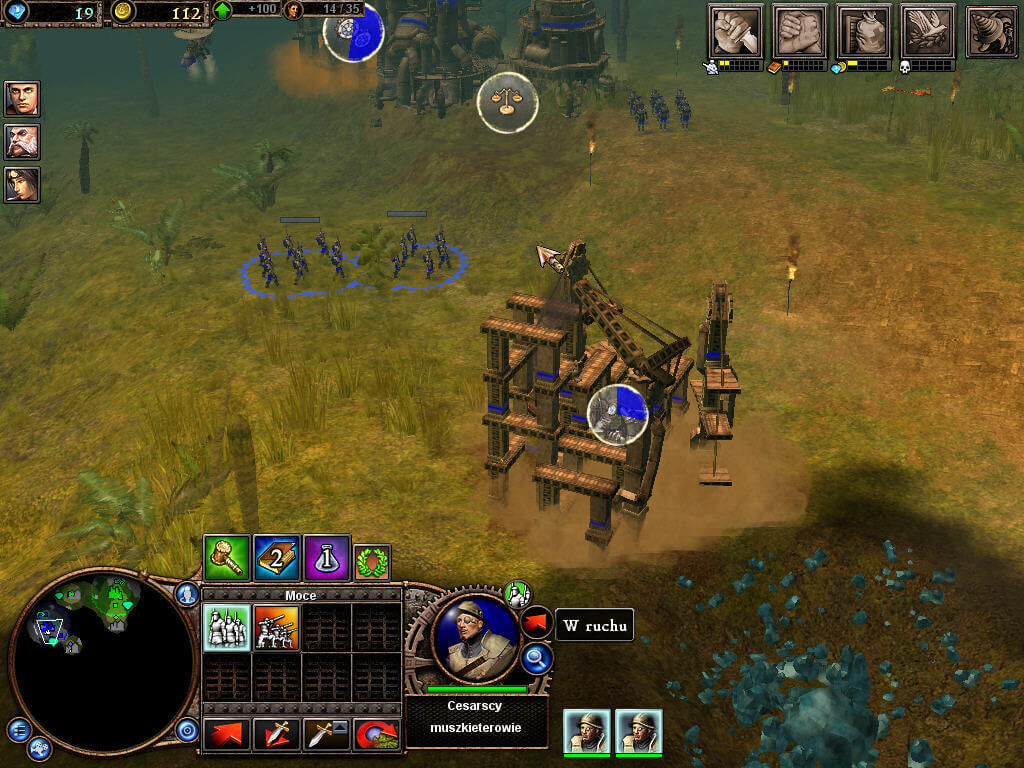
How to Play
The game has been tested on Windows 7 64-bit and Windows 10, works fine. The game supports widescreen and ultra-high resolutions up to 4k. You may experience some small troubles when you play the game on modern systems, check our Guide and Notes for details
We recommend to install DVD re-release that was published in US & North America in 2010. That version includes all patches and doesn't require the disc for launch (DRM-Free)
Install & play guide (for 2010 DVD re-release):
- Mount the disc image. You will need the utility for mounting disc image files, like WinCDEmu, UltraISO, Alcohol 52%/Alcohol 120% or Daemon Tools Lite
- Install the game (if autorun doesn't work - simply launch the installation from Setup.exe inside the disc)
- Also it is recommended to install DirectX 9 from the disc (if you're using Windows 10 - enable DirectPlay, read this or this guide how to do it)
- Open the directory with the game and find Legends.exe. Right click on Legends.exe - Properties - Compatibility - Set "Run this app in compatibility mode with Windows XP" and "Run as administrator"
- Launch the game, enter serial key and play. If the game doesn't work in compatibility mode with Windows XP - try to launch it in compatibility mode with other version of Windows (98,2000 or Vista)
Install & play guide (for European CD version):
- Mount the disc image. You will need the utility for mounting disc image files, like WinCDEmu, UltraISO, Alcohol 52%/Alcohol 120% or Daemon Tools Lite
- Launch the installation (if autorun doesn't work - simply launch the installation from Setup.exe inside the disc)
- When the installation process will ask for CD2 - mount the disc image of CD2. CD2 must be mounted in same virtual drive as CD1, so first un-mount disc image of CD1 and then mount the disc image of CD2. In example, if CD1 was in virtual drive G:, CD2 must be mounted in virtual drive G: as well. Do the same when the installer will ask for next discs
- Also it is recommended to install DirectX 9 from the disc (if you're using Windows 10 - enable DirectPlay, read this or this guide how to do it)
- Once you installed the game - install the patch v2.5
- The installer for patch v2.5 comes as an archive. You must extract all files from the archive, copy it into game directory, and then run patch_manual.bat as administrator
- After that install NoCD (simply copy Legends.exe from the archive and put it into directory with installed game, agree to replace original file)
- Open the directory with the game and find Legends.exe. Right click on Legends.exe - Properties - Compatibility - Set "Run this app in compatibility mode with Windows XP" and "Run as administrator"
- Launch the game and play. If the game doesn't work in compatibility mode with Windows XP - try to launch it in compatibility mode with other version of Windows (98,2000 or Vista)
Here's also similar guide by PlayOldPCGames website
Notes:
- If the installation doesn't start - try to launch Setup.exe in compatibility mode with old version of Windows (98, 2000 or XP)
- The game got multiple updates after its release, but unfortunately that updates were distributed only through the GameSpy service which was shut down in 2014. Luckily, fans found the way to make an installer for the latest patch v2.5
- Patch v2.5 for English version comes as an archive. You must extract all files from the archive, copy it into game directory, and then run patch_manual.bat as administrator. Patch v2.5 for German version comes as installer; probably, it should be compatible with other versions too
- Patch v2.5 supposed to remove DRM protection, but if it didn't happen - use NoCD
- If you have troubles with installation of patch - check this thread. Here's also video tutorial how to install that patch
- The game works on DirectX 9, so if you're using Windows 8, 8.1, 10 or 11 - you need to enable DirectPlay: Go to Control Panel, and select 'Programs'. Select 'Turn Windows features on and off', click on 'Legacy Components' and check the box 'DirectPlay'. Select OK, once the installation is done, restart your computer
- It is recommended to install all versions of Microsoft Visual C++ Redistributable for the correct work of the game
- Also it is recommended to install RAD Video Tools and K-Lite Codec Pack for the correct work of the game
- The game is using PhysX, so it is recommended to install PhysX Legacy Drivers for the correct work of the game
- If you get the error "MSXML4.0 is not installed correctly" - go to the game directory and run msxmlenu.msi as administrator, to install MSXML 4.0. If you already have installed MSXML - delete it and install again, from that msxmlenu.msi
- If you get an error about graphics card unable to be initialized, go to
Documents/My Games/Rise of Legendsand delete everything inside - If you have any graphical glitches or bugs - run the game with dgVoodoo. Just copy dll-files from the MS/x86 folder, dgVoodooCpl.exe and dgVoodoo.conf to the game folder, then run the game from Legends.exe. If you want to change dgVoodoo settings - open dgVoodooCpl.exe
- If you have troubles with Russian version of the game - check this thread
- For users of Windows 64-bit systems: if the game doesn't work after you launched it - open Task Manager (Ctrl+Alt+Del by default) and check for processes Legends.exe and rundll32.exe. Close Legends.exe but don't touch rundll32.exe (it's a Windows app for running old apps from 32-bit operational systems, most old games running through rundll32.exe). Now try to launch the game again, it must work. Don't forget to close rundll32.exe process in Task Manager after finishing playing
- Check PCGamingWiki and Rise of Legends Heaven if you have troubles with the game
Downloads
Windows version
 English


 Russian
  Traditional Chinese





 Danish
  Finnish
  Korean
  Norwegian Nynorsk
  Swedish


Comments and reviews
French (including patch 2.5) :
https://www.abandonware-france.org/ltf_abandon/ltf_jeu.php?id=5607&fic=liens
One of the ways I stopped the random crashing is by using the recommended Anti-Aliasing of none. Ever since, I haven't encountered game crashes from overloading.
MangorushZ you probably need to mount the dvd to a virtual drive
The game keeps asking for cd-key everytime I launch it, I downloaded the DVD version, any way to make it stop from asking?
the nocd its not working
i need the iso version pls
and the language in english/spanish
Not sure if anyone is reading this section still—the game SORTA works. Issues I've noticed immediately while playing:
-I can't repair buildings. The button just doesn't work.
-The campaign loads up normally, but after the opening cutscene (and loading screen after) the game crashes when the first mission starts. The initial cutscene that's supposed to play is auto-skipped, then the game simply closes with no dialogue box.
i luv when people want to share their luv for gaming with others Thank you!
hey hey people
I can't get the ui to change sizes
wtf is the serial key?? unplayable
The latest versions of wine staging have a fix specifically for this game, since wine staging 10.3. So this game runs perfect on linux with wine staging ...which can be added to Lutris easily, via the runners section.
managed to install it but the gane constantly gave this battery alert, i know my laptop battery is broken but is there a toggle to turn it off? can`t find it in the option
Microsoft cancelled its deal with Big Huge Games to produce successive Rise of Nations titles, including plans to develop Rise of Nations 2. In addition, 38 Studios developed an unreleased Rise of Nations game, titled Rise of Nations: Tactics, following their acquisition of Big Huge Games in 2009. Later that year, a Gold edition of Rise of Nations was released, which included both the original and the expansion. Microsoft acquired the intellectual property for the Rise of Nations franchise in 2013.
https://wines123.blogspot.com/2025/01/rose-wine.html
The US DVD version works like charm, only have to enter serial every time I open the game.
Just installed this on Windows 10 after numerous failed attempts using files sourced elsewhere. This was the first one that worked. I also like that all the files are on one ISO disc image. Thank you good sir or madame! You are a... legend!
You can download the French path here !
https://traductionjeux.com/Rise%20of%20Nations-Rise%20of%20Legends.html
My game keeps crashing
Your site is fantastic loving it
Installed fine on Linux but cannot enter CD Key. The first box is limited to 4 characters but the other boxes accept all 5 characters.
Hello,
I installed the game and it works fine, I have only one problem: the enemies do not move and are doing nothing. Even if I set the difficulty to Hardest, the AI is not doing anything. Any advices to fix it?
Hey Hey people 2010 version works great no issues just mount drive and install. Serial key included in the download as a jpeg image enter when launching the game as in the instructions.
@CIREEEEEE Product codes (aka Serial keys) are available in Downloads, filename is Serial keys :-|
Plus Serial keys are inside the archive with the game
@BIGVJKV All links should be working, checked right now, everything works. Try to right-click on the link and select "Save as...", it should work
what the fuck
decided to revisit this page after Sseth made a vid about it and madd amounts of people flocked to this place. Based
Someone link me a goddamn torrent please cuz the links dont work for me for some odd reason
Hey Hey People. Where Am I supposed to get a product code from? I wouldn't have expected an abandon ware site to care about such legalities
One of my few favorite strategies.
We have updated the game, added more languages plus 2010 DVD re-release that includes DRM-Free version with all patches
A great RTS. I still have the disked version and runs great on windows 10. I still play to the day. The above person said no conquest mode but there is kinda. It remided me of Dawn of war the dark crusade's Campaign map.
This is amazing
it is not working. all it does is blink the system. the windows blink a few times and then it returns to normal operations.
I loved this game as a kid. To install it, mount the disc 1 .bin file. I used virtual clone drive to do so. You'll be able to see the contents. Find the setup.exe file and run it. Follow the instructions. You'll mount the discs in orders from 1-4 as the installer works. Then it gets a little funky after the install is over if you're on windows 10. I had to click the exe for the game several times before the game would play. I had to open task manager and end the process after the first few times didn't work. The fourth time the game opened. Enjoy!
Played this when I was 8, managed to finish the Vinci campaign really fun game as I remember. let's see if this is as good as I remember it being. The interface seemed good enough for 8-year-old me.
Yes, its a great game, solid RTS, great designs, nice graphics, and an even rarer Steampunk game. Sadly I remember it missing a good skirmish conquest mode that made Rise of Nations infinitely more repayable. Sure you can play the story mode or map skirmish, but why they couldn't add a global conquest skirmish mode I'll never understand. Some great games from the time had that problem.
I remember buying this one in a Zellers. Honestly it's a solid game became a little steamrolly on the players side in later missions but gameplay was solid and controls were simple. I really loved the setting and was pretty sad there was never a part two to this. I think I can actually blame this for my lifelong love of Steampunk and Alt history TBH.
It can be janky at times, but if you were a fan of Rise of Nations and have a major steampunk itch like me, you'll enjoy this a lot. It finally got me to download Virtual CloneDrive.
The game itself is janky, don't even bother. I had this game years ago for WinXP and the interface is horrible.
No comment nor review for this game at the moment.