


There's trouble brewing in Middle Earth. Anyone who has read the books and/or seen the films knows all about that. War is coming... to Cineplexes and to videogames. Vivendi managed to secure the book license to counter Electronic Arts' artful grab of the film license, and that's why you won't see anything from the movies in its new real-time strategy release, War of the Ring.
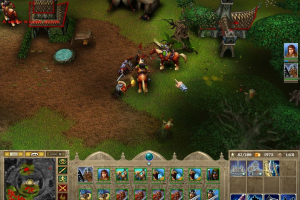
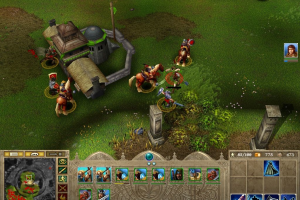
The voices don't sound like the movie characters, the weapons and architecture aren't what we've seen on the screen, and the orcs don't look like Peter Jackson's orcs. But that doesn't mean the game doesn't look very familiar. In fact, it looks almost too familiar; it looks like Blizzard's best-selling Warcraft III and, unfortunately, it suffers a bit from the comparison.
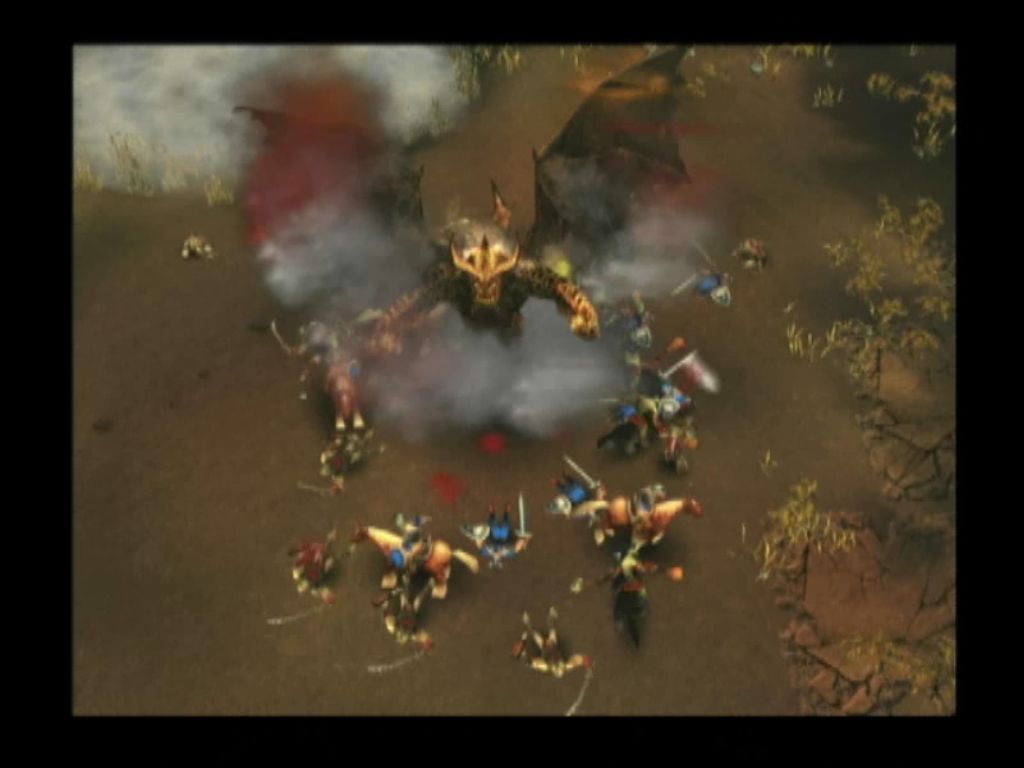
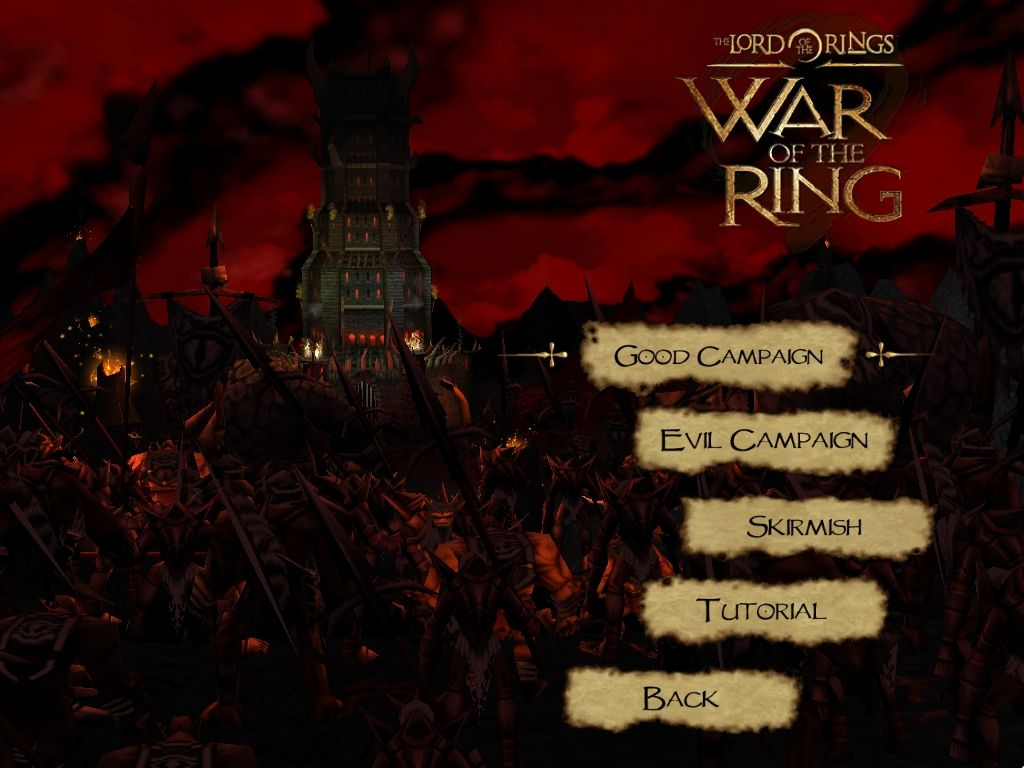
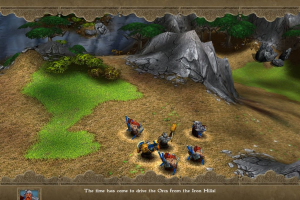
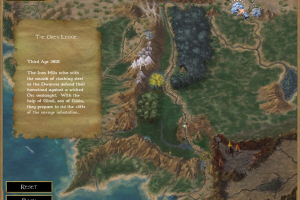
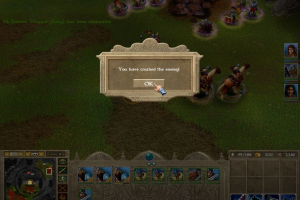
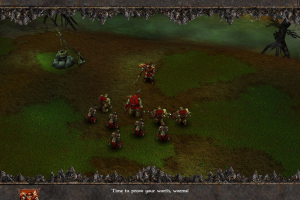
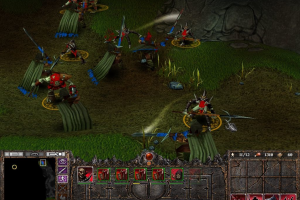
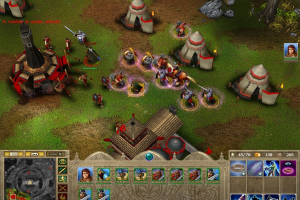
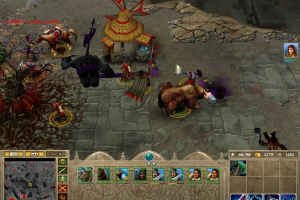
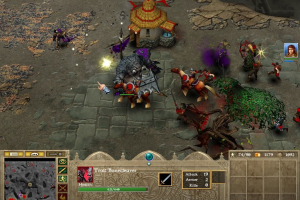
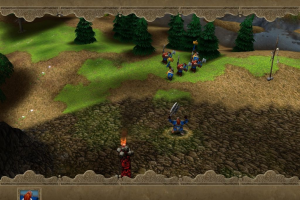
War of the Ring seems to imitate Warcraft III, all the way down to the menu screens for each campaign. It also features the same 3/4ths perspective, same limited camera options, same cartoonish 3D graphics, and the characters even run with the same hoppy-skippy gait (though it's toned down a bit). The larger creatures have the same blockiness (particularly the horse hooves), and this weakens Tolkien's somewhat humorless tone. It worked for Warcraft III because there were dark, foreboding (and gorgeous) cutscenes telling the story. War of the Ring lacks this and instead relies on clunky in-game cutscenes.
The game plays like Warcraft III, too. Similar mix of races: Human (Gondor), Elves, Dwarves, Orcs and other assorted bad guys. It's a similar rock-paper-scissors unit approach. And the heroes function in almost exactly the same way. Similar power recharge rates, and when they die, you can bring them back to life. All of this is pretty odd when you consider Sierra's claim that War of the Ring is based on Liquid Entertainment's Battle Realms engine and not on Blizzard's work.
But that doesn't mean it should be ignored.
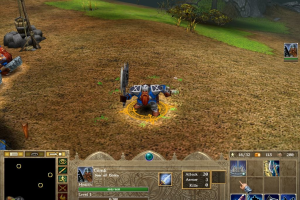
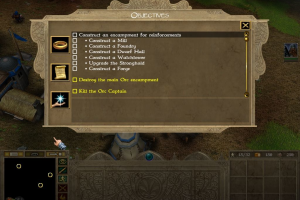
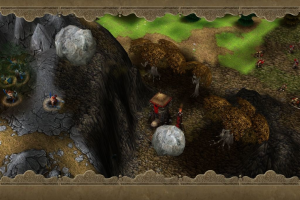
War of the Ring manages to innovate in some clever ways. Every campaign mission has a nice touch. In one, the dwarves have to rescue, defend, and repair a giant catapult that you can use to rain death on the enemy. In another, workers must destroy a bridge as warriors fend off the attackers. There are barriers, ambushes, surprise attacks, and missions that require quick thinking and cunningly using your hero's powers. Some of the later twists count as (minor) innovations to RTS storytelling.
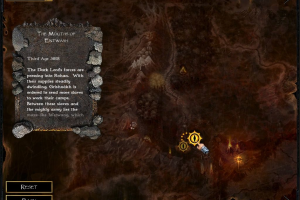
The opening of the "Good" campaign takes place East of the Misty Mountains and tells the story of how each member of the Fellowship fought the beginnings of the war before heading out to Rivendell to ask for help. The Dwarves of the Iron Mountain, led in battle by Gimli, fight off orcs. Legolas hunts down Gollum in Mirkwood and stumbles upon an orc invasion. And Boromir leads his men against the forces of Mordor as they try to cross into Osgiliath. This is all loosely based on Tolkien's writing, but some of it might give purist fans fits. The campaign eventually reaches key moments covered in the books (like Helm's Deep) and brings us to the War of the Ring itself.
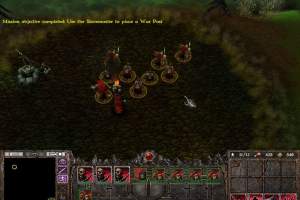
The second campaign has you playing the bad guys and dealing with these pesky heroes out to stem your foul tide. How the Ring Bearer fits into this story, we won't spoil. The "Evil" side plays a little differently; they mine the same resources, food and ore, but they can't build without a Slave Master unit. These brutes have lots of hit points, but deal out little damage (essentially, they're mobile "farms"). Their purpose is to motivate their fellow units, and to construct poles in the ground that corrupt it like a disease. This makes the evil side more flexible when it comes to raiding and to constructing new bases.
Heroes don't gain mana like in Warcraft III; they gain fate points through combat. This makes them more effective fighters, but it requires you to seek out a fight with the enemy as much as possible, using a hero as a raider. This is odd when your hero is Frodo... but hey, it's a game after all. There aren't any creeps to take on (those neutral beasts that populate Warcraft III's world) so this means you'll be running into the real enemy. Watch out in multiplayer; make sure that you kill the enemy hero every time he comes calling. Meet him in force, preferably with your own hero or ranged attackers, to reduce how many fate points he's gathering.
The unit AI is mediocre. Your men will frequently run off screen and into enemy trigger points, releasing a torrent of orcs, or taking on giant trolls by their lonesome. To make matters worse, your men don't default into formation. So you'll find your ranged attackers in the front row bearing the brunt of an assault, while your melee units struggle to find their way around them.
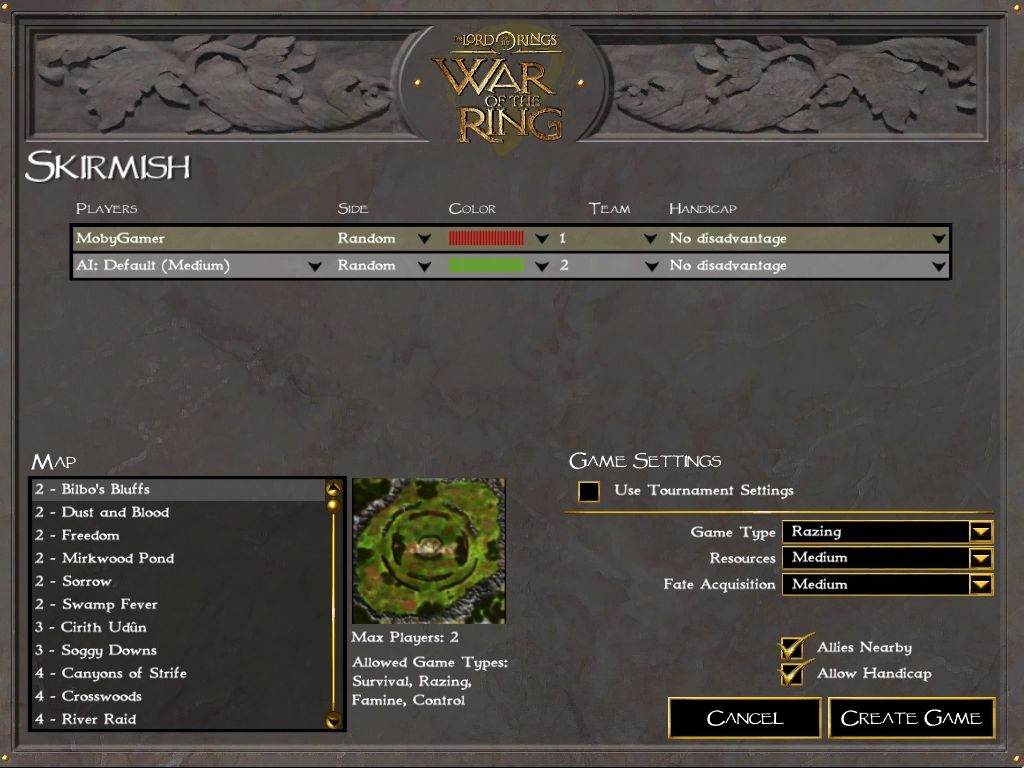
Multiplayer should have strong legs, particularly for -- wait for it -- Warcraft III fans. Famine mode drastically reduces the amount of food available, making the game a contest of resources and keeping units alive. Catapult is our favorite: each side fights to gain control of a massive catapult in the center of the screen. Command of this weapon lets you rain death on the enemy base and army. Another mode challenges players to hold "places of power" on the map for long periods of time. All standard RTS modes are available as well.
War of the Ring's primary flaw is that it fails to really make use of its license. Remove the LOTR backdrop and names, and you could be playing any generic fantasy RTS game. It's missing the dramatic scope of the books, suggesting that game mechanics similar to Medieval: Total War or even Bungie classic, Myth, would have been better inspiration for warfare on this scale. That's not the game they made, of course, and RTS and Warcraft fans will find a good amount to like here in Middle Earth; it's the Tolkien fans who might be a little disappointed by the visit.
Review By GamesDomain
 English
  German
  Spanish
  French
  Italian
  Polish
  Russian
  Traditional Chinese





 Turkish




Comments and reviews
Guys, for the game to save you need to set "rings.exe" to run as admin.
I just get a black screen with a window saying the serial number was wrong, but I wasn't given an option to enter it!
ok risolto...per windows11 sul file exe nella cartella di installazione clic tasto destro selezione proprietà , vai a scheda compatibilità , spunta la casella "esegui il programma come amministratore", spunta anche "esegui il programma in modalità compatibilità winwows xp(service pack3)
quando salvo e immetto un nome da nome non valido cosa devo fare???
Followed RTW's instructions, but can not get the game to save.
RTW comment below laid it out perfectly. Works great, even on Windows 11! I missed out on this game in my childhood, so I'm so glad to have the chance to play this now.
And after complete a level, don't press continue otherwise it crash the same way, go to main menu and go to campaign from there.
If the game crash when selecting good campaign, I found a solution, get free program dxwnd https://sourceforge.net/projects/dxwnd/ and set name as you wish and path of the game in the program, probably turn off run in window if you wish and set DirectX version hook to DirectX 8. For me it works.
i solved issue with Saruman mission - wraith shoud go first - if its change color to yellow add ork - if not repeat, i had to play 4times - but it worked (i used max res)
@Speedy1131 use widescreen patch - it already provide nocd
@all I have same issue with borrow-width merging with ork to create uruk hai - they dont want to merge ;( i already using voodoo
i downloaded the full rip version, But a message appears saying that I should insert a CD? I only clicked on Ring.exe, as described. Maybe someone can help?
full rip version works fine with w11 (need voodoo because exception in helms deep). Polish version dont want to start (black screen for second and turn off).
I'm on a ZOTAC zone, it has no dedicated gpu so I can't set up due to lacking drivers for gpu, anyone can help me with this?
Where can i find the installation key? I don't see him anywhere.
The game doesn't work. It says 'CD key is invalid. Please reinstall the game.'
Help!
When I run rings.exe as administrator I get this:
The code execution cannot proceed because binkw32.dll was not found. Reinstalling the program may fix this problem.
I've tried reinstalling several times and no joy.
Was getting a black screen crash when I tried to play the Good Campaign. I fixed it by enabling Direct Play in Windows 11: "Open Control Panel, go to "Programs and Features", click "Turn Windows features on or off", expand "Legacy Components", and check the box next to "DirectPlay. Restart your PC."
I’m getting a black screen pop up then go after following install guide
A Black screen shows up when I launch the game, then disappears. I tried the task manager method, but found no processes of rings nor rundll.exe occurring, please, help, I know I'm close to finishing my installation, it's just this problem is the only thing stopping me..
French version with patches on modern Windows found on a Lord of the Rings French website (1 CD instead of 2 because it's only in French and not multilanguages) :
https://www.laterredumilieu.fr/jeux/laguerredelanneau
Spanish (El Señor de los Anillos : La Guerra Del Anillo) :
https://archive.org/details/pc-juegos-el-seaa-or-de-los-anillos-la-guerra-del-anillo-espaaa-ol-crack-serialby-charlie
Italian :
https://archive.org/details/wotrinstall
Traditional Chinese :
https://archive.org/details/mojiezhizhanzhongtushijiezhengba
Polish :
https://archive.org/details/lotr-war-of-the-ring-pl
@Saruman launch the exe as admin (right click on the application and it's the option with a little shield). If that doesn't work try going to properties and running in compatibility mode for Windows XP service pack 3
cant safe, does anyone now a solution?
For those who have crash at good campaign:
Try to install the game to the default directory.
C:\Program Files\Liquid Entertainment\War of the Ring(tm).
Very easy install. Great to play a classic from my childhood again!
1. Download Full Rip - Has all the files you need.
2. Extract Folder
3. In the game folder run Setup.exe to install - use the serial number provided on this page and say no to Gamespy install.
4. If you want to use widescreen; in the game install folder backup the rings.exe file (I just rename it to rings.exe.old). Copy the rings.exe file from the widescreen folder into the game folder.
5. Right click on rings.exe, go to compatibility Select: Run in Windows XP SP2 and Run as Administrator. Apply.
6 Play the game :) I was able to set the resolution to 1920x1080, looks great - for an old game.
Hi, I am trying to replace the ring.exe file with the one from NoCD-cracked. But my system tells me I can't do that, because I don't have enough saving capacity on my "WOTR_Install". I don't know what to do, does anyone have an idea as to what I'm doing wrong?
UNABLE TO SAVE THE GAME SHOWING INVALID NAME. ADVISE?
can anyone help me with the saruman urukhai mission cuz the wraith and the orc doesnt merge into an urukhai when i place them in the pit?
Do not use the fullrip. It does not work as it missing the registry keys needed.
When using the full rip, and i launch it just says invalid cd key try reinstalling and closes. Is there a place to put a cd key to update this?
@MORT Can't find any information about that. I'd suggest to use trainer for this level if it is not possible to beat it "legally"
@ADMIN thanks for that. i eventually fiddled with profiles and saves and finished the good campaign. Now i got a bug during the evil campaign where i take control of Saruman and have to birth the uruks with orcs and wraiths. I send them to the hand and nothing happens. From memory they're meant to morph into cocoons. Ill keep fiddling around and ill give your tips a go
@MORT Couldn't find any information about that bug, but here's my suggestions:
1. Delete save games fro that mission, set the graphics settings on minimum and try to beat that mission again, sometimes it helps with old games
2. Make sure you have enough virtual memory
3. If you have multi-core processor (almost all modern processors are multi-core) - try to run the game only on one CPU: open Task Manager, find Rings.exe, click on it with right mouse button - Set affinity - disable all cores excepet "CPU 0" (leave only "CPU 0")
4. Try to run with dgVoodoo utility, perhaps it will help
installs fine, resolution fix works. Currently have a crash at helms deep during the good campaign. Right after i have to survive till daylight thats when it crashes. Unsure how to continue at this point
Had to also reference the moddb.com page, install a different version of DirectX 9 but eventually this guide did work. You just have to know your way around file explorer, control panel - legacy features, and a do a few restarts but eventually it did work!!! (Using Windows 11)
Can't seem to get the good campaign to work, I downloaded the full-rip version and added the widescreen fix along side the patch, runing on windows 11. Every time I try to install the patch it cant find a file, tried to follow a few other comment's on to no prevail.
If anyone could give any instructions on how to fix that would be great.
german patch?
@SOMENOOB About DirectX 9 on Windows 10 and later - you need to enable DirectPlay, check this guide how to do it https://www.pcgamingwiki.com/wiki/Blur#Black_screen.2C_degrading_frame_rate.2C_freezes_on_launch.2C_or_loads_endlessly (it's for Blur game, but instruction is the same for all DirectX 9 games on Windows 10). I will add it to the guide.
About the patch - it is literally in Downloads section, just scroll down and you will see Patch v1.01.0011 file, there's also NoCD for version 1.01.0011.
If you have troubles with installing - try to use Full-Rip, it has the pre-installed game with patch and NoCD, I made it especially for such of cases
The Installation guide is really poor.
first of all, the explanation is just badly made. for example, if you have DirectX 10, 11 or even 12 the system won't install DirectX9.
secondly, you're not describing how to install the patch, you simply say "install it", yeah ok that's great but which folder is it in and do i simply run it?
the step to install "NoCD" is not accounting for the fact that there's no "Rings.exe" file inside the archive folder after the initial install of the game.
maybe you could be more specific in your guide and, you know, actually make sure the items to run/move etc. are actually in the folders you claim they will be in?
i tried to install the game following your guide, then i got frustrated and attempted to delete it all after uninstalling, and my system is telling me i can't because a folder is in use, which its not, so that's great.
Hi. Do you have the spanish patch?
We have updated the game, added some fixes plus instruction how to run the game on modern systems. Also we added Full-Rip if it helps
The save issue fixed itself when I ran the game in administrator. the save folder is called /Saves/"profilename"/. i.e. C:\Program Files\Liquid Entertainment\War of the Ring(tm)\Saves\jdubnj93
Patched it, copied the widescreen crack exe, now works like a charm.
For patch.exe to work, it needs to be placed in game directory, and with the original Rings.exe still intact.
If someone still needs this.
Hi there!
Having trouble with the ISO, it's mounted, but when I try and run it the option to install is greyed out? I can only uninstall? Thanks
I tried running it with the no cd exe and a small black screen popped up, then vanished and the game didn't run after that. What am I doing wrong?
For those with with save game issues, the problem is that the game can't create the folder to save to. sometimes running it in admin gives it the credentials but not always. I've manually added the folder in before but Its been years and I can't remember the exact name and directory you need to make the folder in, If someone can let me know that information or even send me over a working installs directory I'll cash app you a $20.
On another note If anyone can help me fix my current "L_Rasterizer error" that pops up when i try running a vista virtul machine, I"ll make in $40
this game work fine in win 7. just install and play with no problem. just set compability to xp sp3 and run as administrator like in general games.
but in win 10, the game cannot play the good campaign. it will close to desktop. other mode work fine though. so solution is to install newest patch and then apply the no-cd widescreen crack. but in order to install the patch, the patch will ask for original binary exe. this do not included in game installation folder. i dwld it from other source.
so the steps is :
-install game
-copy paste the exe from War of the Ring 1.0 Original Binary Rings to game folder
-launch the patch and it can detect the original exe and commence the patch installation
-copy paste the widescreen no cd crack for modern os like win 10 and play
I went through the install wizardm entered the cd key, and it tells me to insert the play disk. Mounting the play disk does nothing, the application starts then closes. I tried swapping the cracked and original exe in the directory and it didnt work
Tried launching on Windows 10 and struggled to get working. Has anyone been able to launch this with Windows 10?
good campaign isn't working i can at least get to the set up page for skirmishes and evil works but the game quits when i start the good
If you are getting the invalid CD Key please reinstall error, then set compatibility to WinXP Service Pack 2 and tick run as Admninistrator. then the Cracked exe or the Widescreen Fixed exe will work.
needed this file to copied to game directory.
using the crack.
https://www.moddb.com/games/lord-of-the-rings-war-of-the-ring/downloads/files-for-patching-non-us-releases
i either get invalid cd key (crack copied)
or spinning cd icon immediate quit. (using virtually mounted iso, orig. exe)
doesnt matter which .exe i use (crack or o.g. exe) it wont run.
windows vista 64.
Installation worked, got it running, and got through the tutorials.
Major graphical issues with the first mission of the good campaign, had to remove it.
Good game, lost the play CD somewhere and was happy to find this.
i downloaded the game, press play to play the game and dissapears and the game doesn't start. help i don't know what i'm doing wrong
gracias por el juego
I followed all the steps in "JOHNNYDERP"'s comment but when I start the game I always get asked to create a new player profile and my old one doesn't save. I also can't save in-game during missions. I get the message "Invalid save name! Try again" no matter what I type in.
sokall you suck mate that's a feature
How to fix bug in some missions that you fight with enemy units after fight your units gets damage from unvisible units its unplayable
i can't run it support please
wher to find cd key???????????????????
Feeling nostalgic...!
Got the game installed, but when i try to run it, it starts, and stops before anything has shown up.
i cant download big size of games,guys can you show me simple way?
Hey, does anyone know if the you can play the game on LAN?
You CAN get this to work with any software that can mount .iso files to a virtual CD drive. However, you will need to apply a no-cd fix to get around the copy protection shenanigans.
The ISO image file you download here on this site is Version 1.00. After installing the game, you can first manually patch it to Version 1.01 by following the instructions in the link below. Make sure you read the instructions because your installation needs to be in the correct path for the patch to work.
https://www.moddb.com/games/lord-of-the-rings-war-of-the-ring
Note: you can follow all the steps on the ModDB pages.
Next, you need to apply a no-cd fix that works only for version 1.01. You can get the fix from [EDIT] the downloads.
To apply the fix, replace the ring.exe file in the game folder with the new ring.exe in the crack folder. After replacing the file, double-click it and you should be able to run the game.
where is cd key?
I did the Alcohol 120%, but the myabandonware image file won't let me emulate into a new "securom-enabled" image. It just comes up with an error message at the Alcohol 120% level.
You will need Alcohol 120% and use the Securom emulation to get this running. Mount the play disc on a virtual cd rom drive and enable to copy protection emulation and you`ll be able to play.
Incidentally, IGG games is an illegal torrent site full of malware and viruses do not google it and visit it...
Some people should know better.
this isnt working i downloaded it on here so i went to igg games and it works great
Hi! I installed the game but it wont start, any ideas?
I bought this game when it came out, and played it alot. It is based on the books rather than the movie, and is quite good. I played through the campaign,and I play skirmish mode, great game, i have trouble with more than 2 enemies, but I enjoy this game alot.
I can't get the game to work. After it's installed and I try to run the game, it says to insert the "Play" disk. Anyone have tips to getting this to run without the disks?
No comment nor review for this game at the moment.