
Following the success of Warcraft: Orcs and Humans, Blizzard Entertainment released the second game of the series in 1996. Once again the game was set in the kingdom of Azeroth with a single player game revolving around commanding either a force of orcs or humans through a multi-mission campaign.
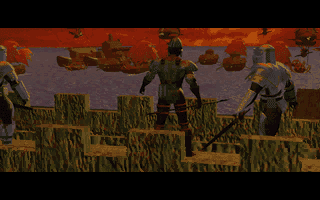
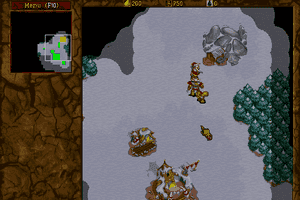
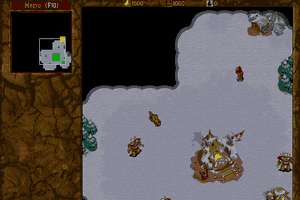
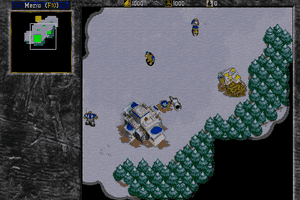
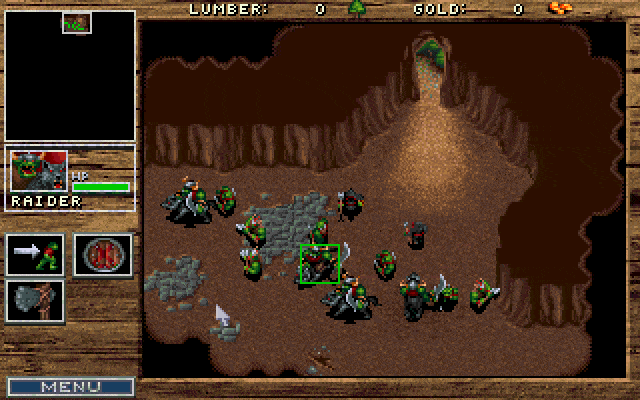
At the time of Warcraft II’s release Blizzard Entertainment were in direct competition with Westwood and their Command & Conquer franchise. As a result the game features a host of new and improved features when compared to its predecessor. The graphics have been overhauled and now feature higher resolution artwork, rendered in SVGA, and along with this the sound has been enhanced. In response to Command & Conquer there are new units, both naval and air, as well as resources and buildings to support them. While the base building and resource harvesting game mechanics remain essentially the same, the AI has also been slightly improved. Units are now quicker to respond and have options to allow them to patrol and carry out tasks independently without continual player interaction.
These changes were enough to ensure that Warcraft II dominated gaming awards in 1996 and catapulted Blizzard Entertainment into the ranks of the elite developers of the time. Their success and that of Westwood in the late 1990s had a huge impact on the real-time-strategy genre and without a doubt shaped the games of today.
Review By Richard
Online Play
If you want to play online, we recommend you check out http://server.war2.ru/.

 English






Comments and reviews
ottimo scaricato purtroppo solo windows 32byt
No longer available on GOG, you can bring this one back.
It says the game is available on GOG but I can't find it, does anyone know where it can still be downloaded?
Это было замечательное время когда игра была установлена на Win98 с диска и перед игрой мы всегда смотрели ролики а потом сражались по сети. Я даже сейчас помню все до мельчайших подробностей. А было это 29 лет назад...
I wasn't a fan of the first game, but boy I really enjoyed Warcraft 2. If not the best, definitely one of the best RTS of the 90s.
why are all the extras dead?
WHERE can I gwt this for Mac????? NOT PC!!!!!
Come play on the free server server.war2.ru. There is still an active community checkout the site and stay safe indoors
KHAN
Thank you brother!
thanks for removing the DOS version..
GOG doesn't sell the dos version, and now all the mods here don't work and theres nowhere to get the dos version anymore..
both games work fine but there is no control groups and a+move doesnt work aswell
Cuz GOG is assholes, basically they took BNE and classic War2 and merged the two together. The enhancement if you can even call it that comes War2 not BNE. But since the game files is packed with Blizzard compression. It appears as a single game which is controlled via a GOG constructed launcher. under all teh crud Warcraft 2 is packaged like Diablo just in compressed
how can i make it full screen????
I like this game when I was young.
Rumors are that GOG is working on getting this to GOG. So might not be abandonware for so much longer.
"At the time of Warcraft II’s release Blizzard Entertainment were in direct competition with Westwood and their Command & Conquer franchise."
I've never really thought about that. In the end, though, we all won.
followed khans instructions below and the RIP file ran perfectly. Now take that same text and follow these instructions they provide in the "dosbox cd tutorial" (heres the link) http://www.abandonia.com/vbullet/showthread.php?p=445456
one you do this you will not have to enter this text to bipass the key again. Obviously im the noobiest of noobs and even i figured it out thanks to some excellent instructions! thank you!
to get warcraft 2 to work is to download the patch and do what you do to get it in your file and ran the patch and than ran the game watch the game let you to play it so have a good day to and have a fun time play warcraft 2 on your pc and dos box
does this work with windows 10 - cant seem to get it to work...
Neither of the two rip version work for me, though I suspect they are the same version - just that one has been made Raspberry Pi-ready, both just ask for the CD whenever you try to start a game, I've tried running the included crack by 'Pixie', it seems to edit 2 files but doesn't negate the CD check.
The rips are broken.
Hey! Downloaded the RIP version on my Mac. opened the .bat og ran the game, but it asks for me to insert the cd in order to play. How do I bypass this?
hey is this site trust worthy for game downloads?
this is how you get dosbox in fullscreen for windows
https://www.youtube.com/watch?v=CJzZOVxhfuA
is it possible to make the game big? i can't make it big
Just Download the RIP version and execute the cr4ck exe first, and then run the game ;)
Most DOS games will work on the mac. Just download DOSbox, right-click on the .exe or the .bat file for the game and open as 'DOSbox'. No need to mount a drive, its that simple and will run flawless. No need for windows too.
Provider,
Sorry to hear you're having trouble. I know it can be frustrating. To answer your first question, it does seem there is still an active, on-line community for WC2. You can read earlier comments to find it.
I am also not familiar with ISO's or DOSBox, for that matter, but I got the game to run. I just followed the instructions by Khan that are given below.
But I think, as someone else mentions in the comments below, that there is no need to mount the file or anything. If I just click-and-drag the WC2 game file onto DOSBox, it does everything automatically. So, maybe you can try that.
Ok I am having trouble with the game
My system is as follows.
MacBookPro 2017
Bootcamp
OSX High Sierra/ Windows 10 Pro
I am using Games in windows 10 side
I downloaded the Rip Files as I am unfarmilar with how to work the ISO stuff
I put all the files in one directory.
The map editor works just fine, but the game will not run. It says this program will not run on your computer.
Cant believe I'm this old. I was 22 when this came out. It's still very playable. does the multiplayer still work?
Thanks, IDDQD.
I actually just noticed that in the Preferences section, there is a scroll speed option. I set it to the lowest, but it is still a bit fast, though much more playable than before.
How exactly do I modify the War2 config?
Thanks!
you can reduce the scroll speed in the war2 config via the CPU cycle speed
find cycle=max and change it to cycle=30000 depending on your cpu speed.
i set it to cycle=40000
I got the game working, but there seems to be a problem with how the scrolling.
The game scrolls way to fast when I try to move my cursor along the map. It is almost impossible to control. If I move my cursor to the right, it immediately shoots to the very edge of the map. Up, left, down, etc... all behave this way, too.
Anyone else have this issue?
Join war2 battle net. Still ppl playing in 25/11/2018.
Free full download, bug fixes Win7 win8 win10 and more. No need of DOSBox
http://en.war2.ru/
Does any of you play online Warcraft 2? It's my favorite game of ALL TIME!
I have tried to download the ISO version but it is taking forever and it is not my internet because I checked that already. :(
Wow, Durham, so edgy. Don't cut yourself. If you don't like the game, then don't play it. Simple as that.
If you drag the .exe of the game to the dosbox exe it will open the game, its not necesary mount and all of that
The game runs fine and all, but I'm having a few issues when using alt+enter to access fullscreen. When I enter fullscreen, the screen is flipped upside-down. Any tips?
I've reduced the scroll speed all the way, but its still to fast. Any suggestions?
Works following the tip in the description. When I use other command line, the game always ask for the CD.
I cannot download the file. after some minutes of download, it cancels and a message
appears that says "No file found".
Is there something that I mught be doing worng? or it is a file's problem?
thanks
Please keep up the good work.!
@Benis
Press Alt+Enter to enable fullscreen.
can you make it fullscreen? the windowscreen Im getting is so small I can barely see:(
Scanned Ra7en's version on VirusTotal, it's safe: https://www.virustotal.com/#/file/74b62369f58c2f6e997425d118df0e7e339435625a65a7bd13b1ab078f602299/detection
Ra7ven's Installer for Windows English version 18 MB my computer detected a virus in this.
Is there any virus in this game?
OK guys, after tinkering with the W2, which was different that W1, I finally came up with a professional installer. Just install and play, no configuration needed. When done, just uninstall it. Sorry Mac, DOS only.
It was a pain as it was really stubborn to have a CD roms installed. so I made a conf. to make the whole package easier..
Enjoy!!
How do we install the MOD with 1000 new levels?
Guys there is a warcraft out there!!!
http://en.war2.ru
There are old players on it like Swift, Viruz, Ash, alf-attack, Poscow, tabac-man, TwC-Air-Issues parts of AA. clan, etc etc etc. We're all still playing!
Best version was the WC2 Battlenet Edition it no longer exists, Blizzard pulled it from sale a while ago. I think it had some visual improvements and worked on Windows without the need of dosbox.
SPARKY unless its been modded no it wont allow hotkeys this was before that was the norm. The mouse scroll speed being fast is normal has always been like that use the arrow keys its a bit more controllable. I know this is a month later but your comment was humorous too me and I can tell you never played when it came out. Its a great game one of the original good RTS games but it is very old and the UI can be tough to get used too.
this is very good website
Guys, I'm having an annoying problem. When I try to scroll with my mouse outside the border of the visible screen and it automatically moves me to edge where I was scrolling. It's the same, when I use the arrows, If I am at the bottom, when I press the up key and the screen is moved to the top. I am playing on MacBook Pro, with boxer emulator. Any ideas?
Does anyone know of a version that can be downloaded where hotkeys can be used? It's very frustrating trying to play without hotkeys. Also, the screen scroll speed for my mouse is INSANELY fast. Did anyone else have that problem?
How do you do this on a mac? as it does not have a "c" drive
J'ai acheté Warcraft I & II pour PC à l'époque. Je n'ai jamais pu finir le II (j'étais au dernier tableau) à cause d'un bug :(
Je suis prêt à recommencer l'aventure depuis le début :)
Got the game to work without any problems, can't say as much about the editor though. war2ed95.exe launches just fine under Win7 (even without any compatibility tweaks) and it works as intended, BUT only until I decide I want to load or save a map. At that point the editor instantly crashes with no error notification or anything.
Anyone got a clue how I can fix this?
Kahn this is not working at the end the very last part when I type w2cd.bat it says its an illegal command
Whats a DOS box and how do I download and play this game on a pc?
This game is awesome
Hey. I have downloaded the ISO version, I got two files. one Warcraft 2.bin (572mb) and another Warcraft 2.
Any idea how I can get it to start?
Thanks
hello, almost 2018 - and i found something..
http://www.xtdos.com/game.php?id=1619
plays in web browser. nothing required, click and play. free.
no saves afaik - complete it in one go, ironman style.
glhf :)
hey i have a problem running this on android.
The game works fine on my laptop but dosbox on android keeps crashing when i launch the game i tryed both aDosbox and Magic dosbox,
Are there some specific settings i need to chage ?
Kind regards,
That's real WarCraft and not the crap which is available at the moment. Before the game was about logic, strategy... now it's more to steal customer's money for some upgrades and minor things. I am frustrated how game industry degrade with years. I played that game long time and I had feeling that maps were too small... now I can see that I remember right, map is really very small =)
I miss the old good days when they respected the customer like they especially programmed the "three-players-on-one-cd" feature to those few players that had more than just 1 computer for the family
Now, nobody cares about such minority and, if you want to play multiplayer, you have to buy separate copy for each player...
Watched my uncles play for hours, and eventually got a copy myself. I also was amazed at how the Game CD, doubled as a soundtrack where you could play it from any CD player.
is there a chance to decrease the speed? :) my mouse runs up and down the screen and i cant scroll
So what the hell do I do if I've only got one drive? I don't have a drive D for the CD to mount to
Hi people, warcraft 2 can be well played on android when you wait somewhere, in a bus or by doctor. I created several youtube videos about playing dos games on android. See https://www.youtube.com/watch?v=8g5EKo7YQ48
I am trying to get it to work on my windows 10. I used the above mount commands, but it still asks me for a cd rom. What can I do???
the ctrl+# to make/use a group does not work for me. I'm using dosbox on a winxp machine. Tried both ctrl keys and top row num keys and the number keypad. I'm not sure if it a game problem or a Dosbox issue. any ideas?
thanks
Remember when using the RIP version on Dosbox:
After running the crack, the war2.ini file will state "cdpath=.", refering to the local working directory. However, when you mounted the Warcraft 2 folder to another drive using Dosbox, you should refer to that assign drive.
For example, I have mounted the game to drive W: using the dropbox command
mount w c:\games\warcraft2
Now I shoud change the first line of the war2.ini file to 'cdpath=w:\'
Enjoy!
The BNE edition is pretty much better, since runs in Windows xp/7/8/10 without any emulation and moreover has fixed the bugs and improved the graphics with Starcraft 1 engine (Wc2 BNE is 1999 ). After that that remains a cool game.
I enjoyed all Human campaign XD many surprises
this game is very cool
I have gone through both Tatsukichi and Khan's instructions and I have gotten stuck at the last one with "Illegal command: war2cd.bat." I havent seen any file named warcraft-ii... and I think that's why I cannot progress, I only encounter 2 files after I extract, Warcraft 2.bin and Warcraft 2.cue, with the cue being a cinematic I assume and the bin being the game. I need help
That's so cool but not better than terraria
You can try this:
edit war2.ini
change the first line to use the cdrom you desire.
I.E. cdpath=D:\ to cdpath=X:\
MAC OSX Sierra 10.12.4 Guide
Step by step
1. You will need to d/l two additional applications-
1.1 Boxer - http://boxerapp.com
1.2 bChunk - http://www.jamesnsears.com/code/bchunk.zip
2. D/L the ISO version of WC2 (Important)
3. Unzip the file two files, Warcraft 2.bin and Warcraft 2.cue
4. Open the application Terminal on your MAC. You can find this under the 'Utilities' tab, or Shift+Command+U.
5. Follow this guide on how to create an ISO file from the Bin/Cue files.
https://www.pcdailytips.com/how-to-convert-bin-cue-to-iso-file/
5.1 You should now have a file named Warcraft 2.iso01.iso, and a numerical series of files named Warcraft 2.iso02.crd, etc...
6. Go back to Boxer. Open and install it, if you already haven't done that.
6.1 You have three options browse your games, import new games, of DOS promo. Choose import new games.
7. Drag and drop the file Warcraft 2.iso01.iso into the Boxer frame.
8. Choose INSTALLER.EXE, and press Launch Installer.
9. Choose a sound card, I tried Generic OPL-3 and it worked fine for me.
10. The Boxer screen goes to a DOS promt. Type, WAR2 to play the game.
11. Get some nachos, drinks and turn off the cell phone. It's Warcraft 2 time....
I can't get warcraft 2 to work. The game says it needs a cd. Ive been at it for hours, trying to mount folders and adding the -t cdrom, nothing works! please help
Hi Guys! i have a problem in the iso version dont get the setup file, and I download the iso version, any one have the same problem??
Hello... are the cinematics included in the game? They don't play when the game starts and choosing the "Replay introduction" option in the main menu only plays the credits...
i miss this game
I can running the installation but there the program wont create any folder, when he is asking me to type a "creation folder"where to install the game... Even the example 'C:\Warcraft' didnt work and i alway get the error-msg: "Folder can not create". .. I'll run the game via ISO. + dosbox and mounted C: "SETUP.EXE" - File.
Any clues?
Correction to my post below.
When you do the imgmount use
imgmount d c:\oldgames\warcraft 2.bin -t iso
Sorry! You'll get an error message if you use the .cue.
Hi Fox. You downloaded only the basic files with the RIP version. To get all the sounds and extras you need to download the ISO files as well. Then you mount the .cue file as an image so the game can access them. Here's how I did it:
I put the bin and cue files in my c:\oldgames folder and all the other files in the my c:\oldgames\war2 folder
mount c c:\oldgames\war2
imgmount d c:\oldgames\warcraft2.cue -t iso
c:
war2
Hope this helps
I have the game running, but the music doesn't play. The music is awesome and i need it!! Does anyone know how to fix? I'm running the RIP version through dosbox on windows 10. Thanks :)
thanks Khan, woked perfectly for me
I still have an issue ingame though, namely the scrolling speeds, which are way too fast and setting the speeds to minimum in the menu didn't change anything.
Anybody else have this problem?
What app do I need to run these on OS X??
Guys check out Warcraft 2 Combat edition at http://en.war2.ru/. This is if you want get into competitive 1v1 scene. highly recommended!
I have tried a million times to make this work but once I get to the last step after mounting where you should enter "setup" it says its an illegal command. and when I do the download it only gives me 2 things instead of a whole list....anyone know how to solve this issue?? T.I.A.
I got to the title screen but is says that I need the CD. Any one else have this problem and/or know how to fix it?
Hi, guys!
I managed to get the good old wc2 to work. Thank you for that!
Only thing lacking are the hotkeys. I can fasten my build by working out peons with build hotkeys but managing groups CTRL+1-9 does not work or adjusting camera locations and such. Have you people been able to get these working?
Thank you in advance for any helpful stuff!
It wouldn't start because it says you need the CD?
zug-zug
The in game music isnt working and i would like for them to work. How can i fix this?
i also tried to go to the configuration settings file called "WAR2" and change mscroll=6 to mscroll=1 but as soon as i went back in the game it changed back to mscroll=6
i managed to get the game to work but a problem i have is that even at the lowest setting the mouse scroll is way to fast as soon as your mouse gets to a side of the screen it practically instantly flies to the other side of the map.
I cant get this game to work with DOSBOX D Fend Reloaded... Therefore iam very sad
Why the cinematics & narrator voice does not run? I've played before and it gives the awesome feeling... The game seems bleak without them... Is there any fixes for it and/or could you fix it?
SHORT EASY AND WORKING WITH RIP TOO
1)create a folder in drive C named "w2cd"
2)now extract the RIP zip file, you have two folders in it the "MACOSX" one ant the other "warcraft-ii-tidesxxxxx".
3)Rename the warcraft one as "w2".
4)copy "w2" to "w2cd". so "w2cd" has another folder "w2" in it.
5) now open dosbox by double clicking and perform the following in case sensitive.
Z:\ mount c c:\w2cd
Z:\ mount d C:\w2cd\W2 -t cdrom
Z:\C:
C:\cd w2
C:\war2cd.bat
Voila! Thank me Later
Instructions for noobs like myself that haven't used dosbox, simple enough for a monkey like me. these are step by step ways to make it easier for you with no used-this-for-years shorthand that seems to make things simple but is over the heads of us children.
struggled but the way I got mine to work on dosbox
made folder under C: called oldgames and in that a folder called w2tod, threw the game files in w2tod, then renamed the long named file "warcraft-ii-ti......." to "wc2tod" copied all the files from this and pasted into the first w2tod file. Then in dosbox: (don't use caps lock, the cdrom part was case sensitive)
Z:\ mount c c:\oldgames
Z:\ mount d C:\oldgames\W2tod\wc2tod -t cdrom
Z:\C:
C:\cd w2tod
C:\w2todwar2cd.bat
Voila! the game starts! Credit where it's due, mixed what was commented on here by fluffy, and admin, to what I was trying to follow on the Dosbox wiki basic setup. Heck this may be what fluffy was talking about entirely but I couldn't really understand anything in there except make copy of file in same file. though mine wouldn't let me keep it the same name so added a "c".
No comment nor review for this game at the moment.