


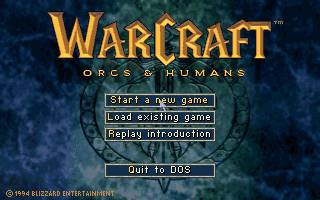
Warcraft: Orcs & Humans marked the beginning of Blizzard Entertainment’s now legendary gaming franchise. After Westwood’s Dune II, avid strategy gamers were waiting for a new game. Warcraft filled that spot immediately. The first Warcraft was well received with its great ambiance, sounds and interface, impressive cut scenes (a Blizzard characteristic) and a 2 player mode (through a modem or null-modem).
Released at a similar time to Westwood’s Command & Conquer, the two franchises would spend much of the late 1990’s competing. For those preferring fantasy settings over a modern military setting, Warcraft was obviously the preferred choice.
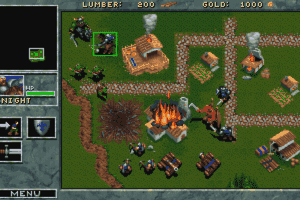
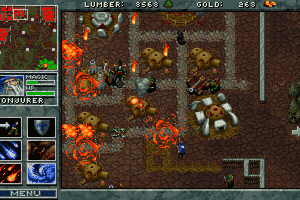
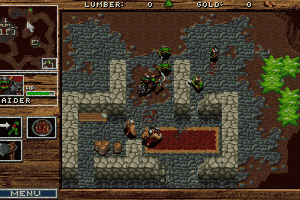
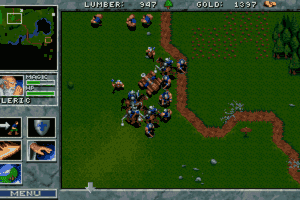
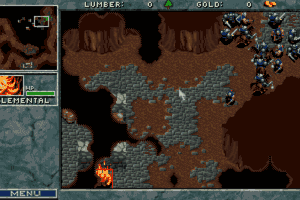
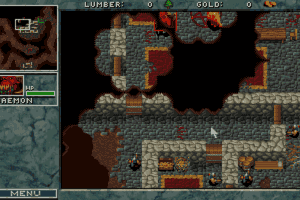
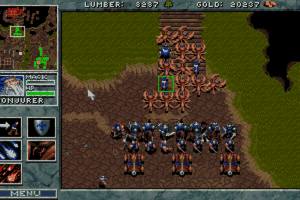
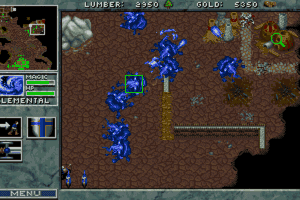
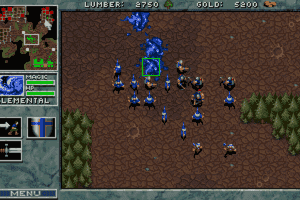
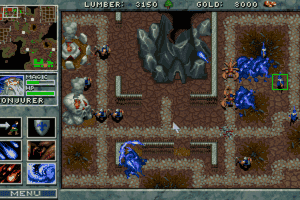
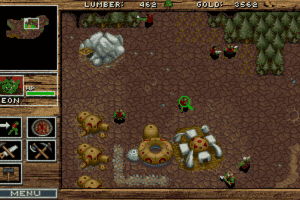
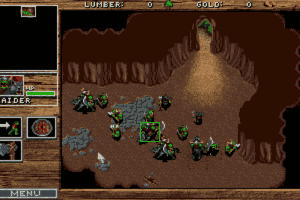
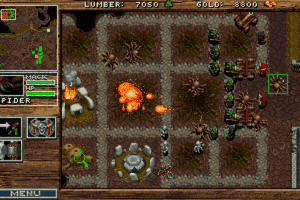
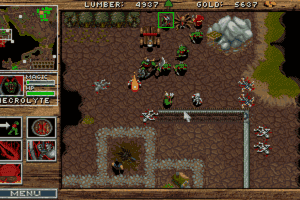
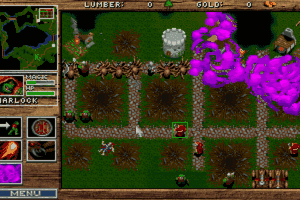
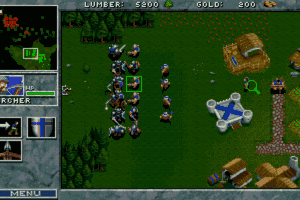
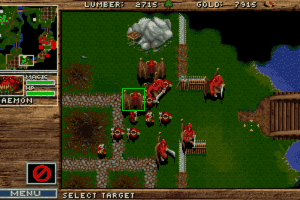
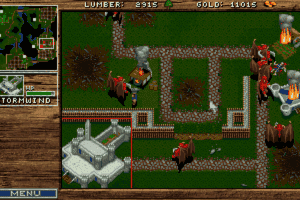
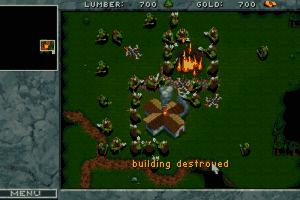
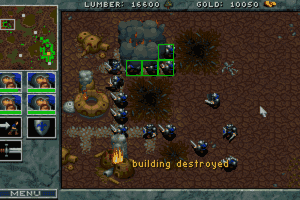
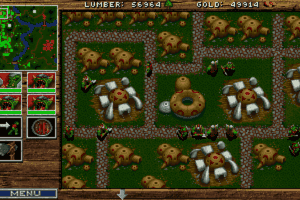
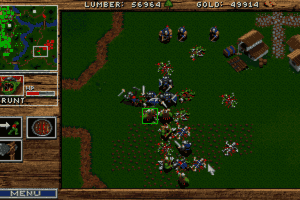
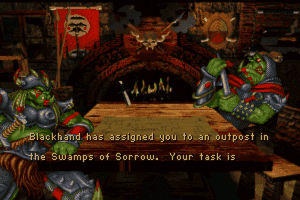
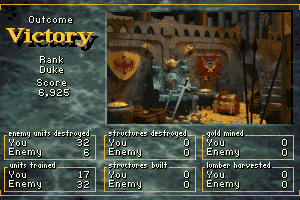
Set in the kingdom of Azeroth, the single player game revolves around commanding either a force of orcs or humans through a multi-mission campaign to rule the kingdom. The game features familiar real-time-strategy-game elements, including base building, and resource harvesting in order to build a force large enough to conquer the enemy and claim victory. However, all this must be carefully balanced with base defence as the enemy attacks are relentless, especially in later missions of the campaign. To add variety, there are also occasional missions where a limited number of troops are used to conquer an objective or rescue a character. At times these can be slightly frustrating, but they are thankfully few and far between.
On the downside, the single player mode is quite short, with each campaign only having 12 missions. The graphics are missing some colours, army management is a bit simple compared to Dune II and the control method is slightly cumbersome. Blizzard would address most of these issues in the sequel, Warcraft II: Tides of Darkness but despite the minor downsides the original game is still a must-play though for all the Warcraft fans!
Review By Richard

 English




Comments and reviews
I don't want the remasterd versions. I want the game I played when I was a kid.
why do you make a vid and then a few years later you take the download out?? what is this for some kind of donation? ugh
Wtf, can't download it or buy it on GOG.com. What is this crap?
Now that it and Wacraft 2 have been removed from gog, are you going to put it back on for download?
gog is worst trash ever, they pack game with dos box with incorect speed and mouse speed also off, best way to play this is to setup dos on PCem and install game from iso
WarCraft: Orcs & Humans Full playthrough on my channel:
https://youtu.be/rN7-TNuQ6rM
wow remonetising this after its been given out for free hardly seems legit at all!
is it even legal for them to charge for a game so old did they buy the copy rights or are then selling them without owning the ownership rights to sell wander what the developers thank being short changed like this
@LINKR: That's pretty much half the games on this site
I hate GOG. I'm not buying anything from them anymore. Steam either. I'm going back to .iso, bitlord, and ghost drives.
Kinda weird to see abandonware suddenly remonetized. It's like the parents of some orphan they abandoned suddenly decided they were worth keeping. Kinda fucked up when you think about it.
Rumors are GOG are working on getting this to GOG, might not be abandonware for so much longer.
Hours and Hours of Fun
You need to download the Dos version and then install DosBox on Ubuntu.
Once DosBox has been configured, the original files will work like a charm.
sorry forgot to include a way to reach me. you can reach me at meliodasChronos@gmail.com
Does anyone know how to download warcraft 1 and 2 for ubuntuu 16.04?
Love all the old Warcraft games played em forever i think these were the best not saying Warcraft III and The Frozen Throne wasn't good it wasn't that hard but good for your collection thanks so much for all the games .
@NATAS: Yes, you have to reduce the cycles in Dosbox. For some reason, the War1 and War2 engines clock the game speed just fine, but the scroll speed is dependent upon the cycles. I don't know why, but it is.
Ra7ven could you make an Installer for Warcraft 2 BtDP?
Have never played a Dos Game in my life and I only wanted to play this game out of curiosity, luckily I was able to install DOSBox and the game without any trouble.
My only gripe is that the scroll speed when I move my mouse to the edge of the screen or using the arrow keys on my keyboard is ungodly fast. It makes it nearly impossible to navigate around the map since it takes like half a second to get from one edge of the map to the other.
Is there a way to fix this?
It is working great, all except for the screen is offset while playing, so I can't see anything on the left side of the game. Any ideas on how to fix this?
Hey all, I made(make) 1 click installers for these games. This one is very popular. so just download, install and play. when done, comes with a full uninstaller. Hope this helps those that want to play but do not want to mess with goofy DOSBOX/config .ini files, mounting/unmounting etc.. None of the games are ripped - they full and complete.
Cheers!
Have Fun!!
thank you
very nice ,Thx
Very nice !!
Thank all.. :)
This Game Is Awesome It Will Always Be One Of My Favorite Strategy Games It is also one of my favorite games
what´s the difference between the RIP and the ISO version?
Have made a step by step guide on how to install:
https://www.youtube.com/watch?v=1eyPWqhkmlo
How to download?? can u give me a step by step?
What is the RIP version for DOS and why is it a tenth the size of the ISO?
After reading the comments I saw people have a bit of a size problem may I offer you, a resolution, haha bad pun. Okay in windows right click dosbox then properties then compatablity then check the run in 640 x 480 option and it should run just fine
Is it possible to run any version of this game without a DOS emulator? They tend not to work well on my computers for some reason.
Gerat game, will love to play again
I LIKE THE GAME BUT SOMETIMES WHEN I AM NOT ALERT THE OTHER CLAN ATTACK MY CLAN I LIKE THE ART
Love this game!
I start to play this game after watching the movie, love Garona :)
Here is a tutorial video to install WARCRAFT 1, https://www.youtube.com/watch?v=aeSWOrdBJus
Enjoy :)
whether the game appears tiny and centered or stretched to your screen, depends on your graphics card. I used several different laptops, some stretch smaller games, some keep them in original resolution, centered. Some stretch both height and width, some preserve the ratio. Sometimes it's easier to change these option, sometimes harder, but it has to be possible one way or another, so keep digging.
I've successfully installed this game via DosBlaster and DosBox; however, since our monitors in this day of age are far greater than those from 1994, this game appears as a tiny spec on my screen. The game runs just fine except it's unplayable because I can't make the game any larger on my screen. I've tried dragging the corners and maximizing via the tiny square icon on the top right of the window. There are no in-game options to make this game full screen which was typical from games back them.
"How do I get better resolution?"
lulz
What're the differences between ISO and RIP files? Are they the same? ISO file is much larger than RIP file.
I cant read the mdf file in daemon tools, it just says ''unable to acess image files''
any suggestions ?
Good I play it
having trouble running the game...
what exactly is the process after download???
It runs via dosblaster and dosbox, but SUPER SLOW. how do i speed it up? Also how to I get better resolution?
An absolute classic.
I was worried that this game may not have aged well and, while the controls will take some getting used to (if you're used to playing more modern RTSs) this is still worth your download.
The graphics still look fantastic, even after all these years. Bizzard has a really great comic book like art style that I just loved as a kid and still do today.
It's awesome to play both sides, orcs and Humans. They both play basically the same, but you get to see the story from each race's point of view.
When most people hear Warcraft, they think of the MMORPG, but I always go back to the original games, the real time strategy games that started it all.
The best part is IT'S FREE HERE. STOP READING COMMENTS AND DOWNLOAD IT YOU SILLYASS.
what's the different between floppy disk ver. and cd rom ver.?
Plays Games
How can I download it on my tablets
good game
why 470mb? i have same game with 7.62 mb have talk intro and videos, a sound work good in troops and game..only problem is when u see the letters of ur quest u dont listen narrator read but who cares...
Thanks bros!
denmark
15 years since i have played looking forward to play
@ Kirken
Thank you, had some troubles installing and your explanation made perfect sense and got it to work perfectly. :)
I'm obviously to stupid to run old games on my computer. Using WIndows 7 32bit and none of the ways showed above worked for me. when typing install.exe (from Kirken's post) i get "illegal command" error when typing both case (in-) and sensitive.
When trying JLC420's way with using DOSBlaster, it cannot, by any means detect DOSBox's installation even after manually poining it in configuration window. It just keeps saying DOSBox not installed (it is installed, though..)
So i ended up with same result as by every other time i wanted to play war1 and war2 on my pc- only dreaming about it, never getting to work. can someone, please provide me with noob-friendly description, how to manage it to work on 32bit Windows7 OS? Thanks in advance.
hopefully i can save someone from similar frustration that i had with sound.
i had no issue with the music but the SFX sound was sooo broken was painful to listen to. turns out issue was dosbox pushing the CPU to the max (I`m relatively new to dosbox), the dosbox CPU option needs to be set to a fixed number (ex. fixed 2000) instead of on auto(which pushes it to max). using ctrl f11 f12 can work but not as precise, hope this helps
Hey when I try to start warcraft it says that dosbox executeable is not foundand I have to download it when I already did and have it up plz help someone!?!
great game ....friends at school love it.
should make more.we play warcraft 3................
Thaaaaaaaaaanks!
Como eu amo um RTS!!!
I just remember the time playing with my old friend at his house. war1 and hero. The memories so beautiful.
sgjgh, the 427 MB ISO version works on PC.
1. Download the ISO version (MDF)
2. Mount (open) it with Daemon tools (or whatever you use for disc images)
3. Drag the files from the "CD" (mounted image) to a folder on your computer
4. Install Dosbox http://sourceforge.net/projects/dosbox/
5. Drag and drop the folder from step 3 to the Dosbox icon
6. Type in "install.exe" and run the installer
7. For audio: set the "Select music sound card" to "General midi"
8. Then it's just dragging and dropping the installation folder to Dosbox and run "war.exe" when you want to play
9. Something
10. Profit!
It would be nice if you told people that the 400MB "ISO" image for "DOS" called warcraft-orcs-humans_dos_04d0.zip is NOT an ISO, it's actually an MDF format ( http://en.wikipedia.org/wiki/Media_Descriptor_File ) of an Apple_HFS image...
It's WarCraft to run on an Apple computer, not on DOS on a PC.
To unpack it to find this out on Debian Linux I needed to install acetoneiso and download a further plugin it suggested, because mdf2iso couldn't even read it.
Thanks for wasting a couple of hours of my sleep time.
Esta super que buenisisisisisimo
Tried to get it to play, my system says that the .exe file is missing, anyone know what the problem is?
Does it even work?
I'm playing this but i wonder if it necesary to press the ctrl buttom everytime i want to create the box that selects my units. I read the manual and it didn't say anything, is there a problem in my dosbox?
make bigger - dos options- full resolution *make it your native resolution ex - 1680x1050 then "output put opengl" go down to aspect and make true. This will give you best results. Start game and push alt enter make full screen. Enjoy!
gostaria de jogar warcraft11 novamente
How download Warcraft human orco
How do you make the size bigger
you know the only thing you need to do to get any dosbox game is just open the folder and drag the .exe file that is closest the game name on dosbox
human
If people are having trouble running the program such as I have had with DosBox, install dosblaster. it takes they annoyance out of DosBox. It only uses DosBox to run the game you don't need to mount a drive. I just make a folder called dos on the desktop and unzip each game into a separate folder within within it. Once you open DosBlaster, go to file - import game folder select folder **note to open the folder to see is the zip file had already created a folder sometimes it does sometimes it doesn't. Select the actual folder it self for instance:
In my Dos folder I created a separate folder call Theme Hospital. When I unzipped Theme hospital It created it's own folder inside that one. So in order for me to add theme hospital to my list of games In DosBlaster I just had to open the first folder labeled theme hospital and highlight the self create one. Select ok and wait a couple seconds for it to be added to the list Once added double-click then select the correct .exe or .bat file in order to run the game. May need to try a few in the list if more than 1 or 2.
I see Dosbox not mounting drive no matter how many times I have tried and came across this nice little program, DosBlaster.. It is pretty straight forward. Some games still will not work or require a disc still such as Capitalism. but the ones that I have found to work end up working on both x32 and x64.
Some games you don't need to use dosbox or any such program For instance again Theme hospital. Unzip to a folder you choose and just run the .exe (application). it may allow you or may not. before getting annoyed and resort to DosbBox change the compatibility settings and try again. All else fails then you need Dosbox.
hey this download doesn't work with the DOSBox or D-Fend Reloaded...I am using a HP with windows 8...I got oregon trail deluxe to work though..
if anyone has any hints you could email me if you want to help... hawk28_linkinparkisgod@yahoo.com
Nice ty!
If you are not able to run the game, try to install "Dosbox" and "Dos shell"
They are dedicated to run old dos games on the new versions of windows.
Oh and spread the word to fellow lovers of old games.
How can I run this on those new versions of windows?
Thanks you very mush
Thank for oldgames
Is this shareware or the full game?
I like Warcraft
dwar
best game
nice
does it work? it wont give my laptop a virus will it?
The cutscene voices arent working for me. Can Anyone help? @squiddyG twitter
sweeter
and the the addiction returns
omg i love this game i also remeber when it came out i also stayde up playin it dam
Works like a charm!
Cant wait
Man... I remember when the demo of this came out, I stayed up all night playing it. Awesome awesome memories. Ever since C&C/Starcraft era I don't really care about RTS games anymore, but the original Warcraft will always have a special place in my heart.
First game I ever played. /nostalgia
One of the best games ever published!!
Esta bueno
This is one of the *best* all-time game series of all, and *this* is the game that started it! Thank you SO much! It's my second favorite game series of all, and, being a game developer and playing games since 1984 at the age of 4, that's saying a lot! I just found this site and think I'm in L-O-V-E! Greetings to all and Happy Holidays! For the Horde! xP
STARCRAFT BETTER
try running the game through command prompt works for me on XP.
eu gosto de warcraft
it says the program is not compatible with my windows version (windows 7 professional)
No comment nor review for this game at the moment.